

Video&Drama Player All Format
- 231.00
- 3.2
- Installs
- 5.00M
- Price
- Free

Screenshots
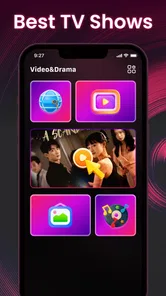

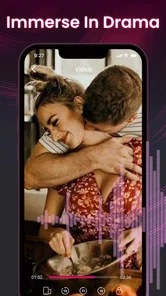
Analysis by Reviewed
When I first try a video player, I want the basics to feel effortless: find a file, start it, and get back to what I was watching without wrestling with menus. Video&Drama Player All Format is aimed at that everyday role, pairing video playback with music listening in one app. Its appeal is easy to understand, but a player earns a lasting spot on my phone through dependable habits, not novelty. I would judge this one by whether it makes local media simpler to revisit, rather than by expecting it to replace every specialist entertainment app.
That distinction matters when deciding whether to install it. I would not expect a general player to become a streaming hub or a carefully managed media library overnight. I would ask a simpler question: does it make the files I already have easier to play, often enough that I keep reaching for it?
From a quick first try to a useful routine
I find the first week is best treated as a small, practical trial rather than a commitment to change how I manage media. I would pick a few files I already know well and see whether the app fits the way I reach for them, paying attention to the handoffs between watching and listening. Once that quick test is over, the more important question is whether the app remains useful in an ordinary routine.
What makes the first week appealing
The initial attraction is its straightforward scope. This is an Android app in the video-player and editing category, though its stated purpose is playback: it handles video and music, and its name signals support for different video formats. That can be handy when a phone contains a mix of clips rather than one neatly organized library. Instead of reaching for one app for a video and another for an audio file, I can see the case for trying a single player first.
In a realistic first-week scenario, I might save a few recordings from a family chat, keep a downloaded episode on my phone for a commute, and have music files I occasionally play without opening a streaming service. A general-purpose player can make those scattered files feel less scattered. The important practical test is whether it can locate and play the files I actually keep, in the folders where I leave them. The broad format focus is promising, but I would test it with my own media before moving a whole library over.
The app is free, which makes that trial easy to justify. It is developed by Griffin Atlas USA, has an Everyone age rating, and has reached over five million installs. Those details suggest a broad audience, but they do not tell me whether it will suit a particular phone or file collection; that is why a small, low-risk test is more useful than assuming it will handle everything.
I would begin with a handful of representative items: a short phone recording, a longer video, and an audio track. That simple check answers the questions that matter early: does playback start reliably, does the picture and sound stay in step, and can I get back to the file I want without hunting? If the app passes that personal test, it has a credible chance of becoming the default for casual playback. If it struggles with a file I use often, the broad name alone is not a reason to persist.
More From Our News Desk

 Gmail
GmailGmail in a Busy Inbox: Who Benefits Most?
From first account to crowded workday, Gmail earns its place through dependable search and flexible sorting—but its best fit depends on how much inbox maintenance you can tolerate.

 Prime Video
Switching to Prime Video: What Changes in Your Viewing Routine
Prime Video can make a compelling second home for streaming, but switching means learning a different catalog, rental layer, and route from browsing to playback.

 Universal TV Remote Control
Universal TV Remote Control Works Best as a Reliable Backup
A phone remote earns its place through quick setup and reliable habits. Here is how to get more from Universal TV Remote Control—and where its limits show.

 Weather - By Xiaomi
Weather by Xiaomi Review: Clear at a Glance, Less Clear Up Close
Xiaomi’s weather app makes everyday forecasts quick to scan, but its calm surface can leave useful details and recovery paths harder to find than they should be.

 X
XX Under Pressure: Can It Recover When Posting Goes Wrong?
A resilience-focused review of X, examining setup, mistaken posts, interruptions, weak connections, and the gaps that matter when recovery needs to be dependable.

 Clash of Clans
Clash of Clans Is Won Between the Battles
Its raids are quick; its community is a long-term project of coordination, teaching, rivalry, and shared responsibility—with all the friction that entails.
Latest News



For a fair comparison, I would run the same files through the player already on my phone. The built-in option may be enough for occasional viewing, while a dedicated alternative may offer a more familiar library or controls. The useful question is not which app has the broadest claim, but which one gets me from a folder to the right file with fewer interruptions.
Where recurring value comes from
After the first few days, convenience matters more than novelty. The strongest routine for a combined player is modest: open it when I want to watch something stored on the device, then use the same place for music files that do not belong in a streaming library. That is most appealing to people who keep media offline, receive videos from others, or want a practical playback option alongside their usual apps.
There is also a useful distinction between a player and a media service. This app is about playing media, not about discovering a catalogue or building a streaming subscription around recommendations. If I already know which file I want, a direct player can be the simpler tool. If I want curated playlists, cloud synchronization, or a large licensed catalogue, the familiar dedicated music or video service is likely to fit better. Choosing based on the job avoids expecting a local player to behave like an all-in-one entertainment platform.
One small workflow tip is to keep the test deliberate: try files from the locations I use most, rather than loading everything at once. If the app proves comfortable for a particular kind of video, I can make it part of that habit without reorganizing my phone. This also makes it easier to notice whether switching between audio and video is genuinely convenient or simply sounds convenient in a description.
A practical use is handing someone a phone to watch a clip saved locally, then returning to a music file later without changing the rest of the media setup. I would still keep important files in their existing folders and treat the app as a way to play them, not as the only place they live. That approach makes it easier to change players later if another app better suits a particular format or listening routine.
At the time I’m reviewing it, the current release is version 1.1.14, and the app requires Android 7.0 or later. That makes the first compatibility check simple: confirm the phone meets that minimum, then assess playback on the device I plan to use. A minimum requirement is not a promise of identical performance across every handset, so I would still judge it with the files and listening conditions I care about.
Maintenance without turning playback into a project
A player should not demand constant tending. I would keep its role narrow at first: use it for a few recurring files, and leave my existing library arrangement alone. That is a useful trade-off for anyone who dislikes migrating media or rebuilding playlists. If the app fits naturally into the way I already browse files, it can earn space without creating a second system to maintain.
For offline viewing, I would also think about storage before treating the phone as a permanent video shelf. Large media collections can make any device harder to manage, regardless of which player opens them. Keeping only the files I expect to revisit, and removing items once they are no longer useful, is a sensible habit. This is not a special capability of the app; it is the practical maintenance that keeps a local-media workflow manageable.
There is another low-effort check worth making: revisit the app after an update and try the same familiar files. A player’s value depends on consistency, so I care more about whether my usual items still open smoothly than about installing every new release immediately. If something changes in my experience, I can decide whether to keep using it for that role or return to a player that already behaves predictably for me.
With a 3.2 average from around 3,200 ratings and 231 written reviews, opinions are mixed enough that I would avoid treating popularity as a guarantee of a perfect fit. I read that as a reason to try it against my own routine, not as a verdict either way. The practical question is whether this app handles the formats and folders I rely on, and whether its everyday playback feels less fussy than the alternative already on my phone.
If a file does not work as expected, I would first check whether another familiar player can open it before changing my whole setup. That helps separate a one-file compatibility issue from a wider problem with the app. For a commute or trip, I would also test the exact video beforehand and keep a backup option available; a player is most useful when it works before I depend on it.
When convenience starts to wear thin
A combined video-and-music app can be useful, but combining roles does not automatically make it the best at either one. Someone who depends on precise audio controls, carefully organized playlists, or advanced video-library management may be happier with a specialist. I would not switch from a well-established setup just because this app promises broad playback. First I would compare the tasks I repeat most often and see whether it saves steps in practice.
Another possible source of fatigue is expectation. “All Format” sounds sweeping, but real media collections include files with different encodings and quirks. I would not assume that every unusual file will behave flawlessly. If a video matters to me, I would test it before travelling or deleting the copy from another device. That precaution is especially useful for offline plans: a quick trial at home is less frustrating than discovering a playback problem when there is no convenient alternative.
It may also be the wrong choice for a person whose media life is already centered on streaming. If most viewing happens inside subscription apps and most listening comes from an online service, a local player may see little use after the first week. In that case, installing another app adds clutter without solving a recurring problem. The better choice is the tool already integrated into the service or device I use every day.
For a newcomer, I would not recommend moving a large collection over immediately. Start with a few files you can replace or reopen elsewhere. Notice whether browsing feels clear, whether the app makes it easy to resume your normal routine, and whether audio playback is good enough for casual use. This staged approach gives the app a fair test without making an untested player responsible for every video and song on the phone.
That gradual approach also answers a common practical concern: whether it needs to take over as the default player to be useful. I would not make that change until I had tried the files I open most and found the day-to-day flow comfortable. Keeping the existing option available means a failed test is easy to recover from, and a successful one can grow into a habit naturally.
Whether it deserves permanent space
My long-term view is practical rather than enthusiastic: Video&Drama Player All Format makes sense if I regularly play media stored on my device and want one straightforward place to try both video and music. Its free entry point and broad intended use give it a reasonable chance to become a handy utility. The lasting benefit, though, comes only if it handles my files reliably and saves effort often enough to justify keeping it installed.
I would give it a place on a phone used for offline clips, shared recordings, and a modest collection of local tracks. I would be more cautious if my needs involve advanced library management or if a specialist player already handles every file I care about. For those users, a second general player may be redundant. Trying a small selection first is the clearest way to decide, and it avoids confusing a broad promise with a proven fit for a particular library.
Overall, I see this as a candidate for a simple recurring job, not an app that must become the center of someone’s entertainment routine. It is free, aimed at a general audience, and has an average rating of 3.2, so I would approach it with curiosity but keep my expectations grounded. If it makes opening familiar offline media feel easier week after week, it earns its space. If I find myself returning to my usual video or music apps, the novelty has done its work and there is little reason to keep it around.
Video&Drama Player All Format Frequently Asked Questions
What is Video&Drama Player All Format used for?
Video&Drama Player All Format is designed for playing video files on a mobile device, with its name highlighting support for multiple formats and drama-focused viewing. It may be useful if you want one player for videos stored on your device rather than relying only on a particular streaming service. Check the app’s store listing for its current features, supported file types, and any limits, since these can vary by version and device.
Which video formats does Video&Drama Player All Format support?
The app’s name suggests broad format compatibility, but the exact list of supported codecs and containers should be confirmed in its official store description or within the app. A video can still fail to play if its audio or video codec is unsupported, even when the file extension appears familiar. If a specific file matters to you, test it before relying on the app for regular viewing.
Does Video&Drama Player All Format let me watch dramas online?
A media player and a streaming service are not necessarily the same thing. Video&Drama Player All Format may focus on playing files available on your device, and its title alone does not confirm that it provides an online drama catalog or licensed streaming. Review the app’s listing and permissions before downloading, and avoid assuming that particular shows are included unless the developer clearly describes them.
Is Video&Drama Player All Format free, and does it include ads or in-app purchases?
Pricing and monetization can change, so check the current Google Play or App Store listing for the latest details. An app may be free to install while displaying advertisements or offering optional purchases, subscriptions, or paid features. Before downloading, look at the pricing section and recent user reviews, and check whether any purchase is necessary for the playback features you intend to use.
What should I check before installing Video&Drama Player All Format?
Confirm that the app is available for your device and operating-system version, and review its developer information, recent updates, privacy disclosures, and requested permissions. A video player may need access to media files so it can find and play your videos, but permissions should make sense for its stated purpose. Download it from an official app store, and avoid granting access that you are uncomfortable with.
Pros
- Plays a wide range of video formats
- reducing the need for file conversion.
- A useful option for watching locally stored videos on your device.
- Playback controls make it easy to pause
- seek
- and adjust viewing.
- Can help keep video playback separate from streaming apps.
- Supports different viewing needs with format and playback options.
Cons
- Some formats or codecs may still fail to play on certain devices.
- Local playback requires videos to be saved on your device.
- Playback quality and performance can vary with file size and device hardware.
- The app may request access to files or media stored on your device.
- The name alone does not clarify which features are available without payment.











