

Video & Music Downloader HD
- 182.00
- 4.2
- Installs
- 10.00M
- Price
- Free

Screenshots
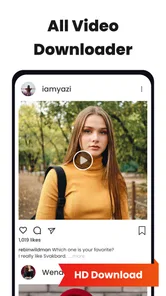
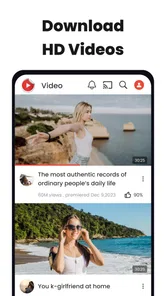

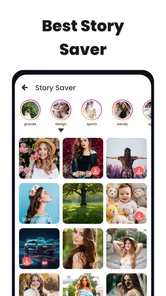
Analysis by Reviewed
When I first opened Video & Music Downloader HD, I wanted a simple answer to a practical question: could I save a clip or track for a time when streaming was inconvenient? It is a free Android app from Quality App Zone, in the video-player and editing category, and its focus is downloading media for offline use. If you are new to this kind of tool, the sensible first step is to treat it as a downloader, not as a full media library or a replacement for every streaming app.
What a first-time user should expect
The main appeal is a short path from a media link to a local copy. That can be useful when you have a legitimate reason to keep a file on your device, but it is not the same as having universal access to every video or music service. A source can limit saving, change how its links work, or require you to use its own offline feature. I would start with a link you are allowed to download and regard a successful result as something to verify, rather than assume every source will behave alike.
It helps to decide what “success” means before you begin: perhaps a tutorial that plays without reception, a music file you have permission to keep, or a clip you need to review away from a browser. That makes it easier to judge whether this focused tool actually suits your routine. If you want a complete library with playlists, recommendations, and synced listening, a dedicated music service is likely a better fit.
Effortless Downloading Experience
From the moment you install the Video & Music Downloader HD, you’ll appreciate its user-friendly interface. Navigating through the app feels like a breeze, thanks to its intuitive design. You can easily search for videos or music by pasting URLs from popular platforms. In just a few taps, voilà! Your desired media is ready to be enjoyed offline.
What to expect before your first download
The app’s purpose is easy to understand: it is built around saving video and music, rather than editing clips or organizing a large collection. Its name and presentation make it appealing if you want a quick route from finding media to keeping a copy on your device. I would not assume every page or link will work identically, though. A source may restrict downloading, and content you are not permitted to save should stay online. Check that you have the right to keep a file before trying to download it.
For a first-time user, the useful expectation is modest: choose something you are allowed to save, use the app’s URL workflow where supported, and confirm the resulting file appears where you can find it. That small test is better than starting with a long video or a whole batch. It lets you learn how the app behaves on your connection and device before relying on it for a trip or a busy day.
First setup and a practical first success
After installing, I would begin with one short, familiar item rather than experimenting with several sources at once. Copy its address from the place where you found it, return to the downloader, and paste it into the relevant field. If the app recognizes the content and offers a download action, start there; once it finishes, check that the file plays as expected. This simple check catches common problems early, such as a broken source link or a file that is not the version you intended to keep.
More From Our News Desk

 Gmail
GmailGmail in a Busy Inbox: Who Benefits Most?
From first account to crowded workday, Gmail earns its place through dependable search and flexible sorting—but its best fit depends on how much inbox maintenance you can tolerate.

 Prime Video
Switching to Prime Video: What Changes in Your Viewing Routine
Prime Video can make a compelling second home for streaming, but switching means learning a different catalog, rental layer, and route from browsing to playback.

 Universal TV Remote Control
Universal TV Remote Control Works Best as a Reliable Backup
A phone remote earns its place through quick setup and reliable habits. Here is how to get more from Universal TV Remote Control—and where its limits show.

 Weather - By Xiaomi
Weather by Xiaomi Review: Clear at a Glance, Less Clear Up Close
Xiaomi’s weather app makes everyday forecasts quick to scan, but its calm surface can leave useful details and recovery paths harder to find than they should be.

 X
XX Under Pressure: Can It Recover When Posting Goes Wrong?
A resilience-focused review of X, examining setup, mistaken posts, interruptions, weak connections, and the gaps that matter when recovery needs to be dependable.

 Clash of Clans
Clash of Clans Is Won Between the Battles
Its raids are quick; its community is a long-term project of coordination, teaching, rivalry, and shared responsibility—with all the friction that entails.
Latest News



A realistic use is saving a permitted tutorial before leaving home, then watching it during a commute where reception is patchy. Another is keeping a music file you have permission to download for a listening session without relying on a live connection. I find it helps to use clear filenames or keep downloads grouped sensibly if the app offers those choices; otherwise, a growing folder can become harder to search than the streaming history you were trying to avoid.
For a more deliberate first run, I would choose a clip whose length and subject make it easy to recognize later. Once it is saved, play it from the place you expect to access it, not just from a completion message. If you are preparing for a commute, this checks both that the download finished and that you can find it again without the original link. It is a small extra step, but it prevents the common annoyance of arriving offline with a file that is difficult to locate.
High-Definition Quality
One of the standout features of this app is its commitment to high-definition downloads. Whether it’s a pulsating music video or a soul-soothing melody, the app ensures that you receive the best quality available. The crisp visuals and clear audio enhance your viewing and listening experience, making it feel as if you’re right there at a live performance.
Quality is a trade-off worth thinking about before you save a file. A higher-quality video can be a better choice on a larger screen, while a smaller file may be more convenient when device storage is tight or you only need to review the information. I would preview the result rather than judging it from the source alone: the available version and the way it plays on your device matter more than the word “HD” in an app’s name. If a download looks or sounds wrong, trying a different permitted source is more useful than repeatedly saving the same link.
This quality choice matters most when the file has a particular job. For a demonstration where small details are important, a clearer picture may be worth the extra storage; for a spoken explanation that you will listen to once, a large video file may offer little practical benefit. I would avoid building a queue of high-quality copies before checking how much room they use. Saving only what you expect to watch or hear is a more sustainable habit than treating the phone as an unlimited archive.
Wide Range of Supported Formats
What’s music to my ears is the app’s ability to support a wide range of formats. No longer do you need to worry about compatibility issues. Whether it's MP3, MP4, or other common formats, this app has got you covered. This flexibility means you can play your downloads on virtually any device, without the hassle of converting files.
Even with format flexibility, I would check a file on the device and player you actually plan to use. A download that plays inside one app may not behave the same way in another, and an audio-only file is not a substitute for a video when you need to see instructions. That distinction is especially useful if you are preparing material for a tablet or sharing a file with someone who uses a different player. Keep the original where possible until you know the saved version works for your intended use.
If a file is meant for someone else, test the handoff before you depend on it. A format that is convenient on your phone may not be the most useful choice for the recipient’s device, and a local copy is only helpful if it opens in their usual player. I would also keep filenames recognizable when moving files between devices; labels that make sense in the moment can become cryptic once several downloads sit together.
Speedy Downloads
We all know the frustration of waiting ages for a file to download. Thankfully, the Video & Music Downloader HD excels in speed, ensuring that your favorite tracks or clips are ready in no time. The app optimizes download rates, making use of your internet speed to deliver swift results, so you spend less time waiting and more time enjoying your media.
In practice, speed depends on the connection and the source, so I would not plan around every download finishing instantly. If a file stalls, first check whether the source still opens and whether your connection is stable, then retry once rather than repeatedly tapping the download control. For a journey, download and test the file while you still have time to troubleshoot. That small habit is more reliable than discovering at the station that a clip never finished.
For a batch of items, I would add them only after one download has worked from the same source. This is not because every batch will fail, but because a single test makes it easier to tell whether a problem comes from the link, the connection, or a longer transfer. On a limited connection, also consider whether you need all the files right away; a few purposeful downloads are easier to verify and manage than a large collection started in a hurry.
Where it fits among other choices
Compared with saving links in a browser or relying on a streaming service’s own offline option, a dedicated downloader can feel more direct when you already have a permitted media link and want a local file. The trade-off is that browser-based saving may be enough for occasional needs, while an official service is usually the better fit for content whose access depends on a subscription or platform rules. I would skip this app if you mainly want editing tools, a polished music library, or guaranteed access to every platform; its appeal is the focused download task, not an all-purpose media system.
That distinction can guide the choice before you install anything. A browser bookmark is simpler if you only need to return to a page while online. A streaming service’s own offline mode is preferable when you want licensed access managed inside that service. A downloader makes more sense when a supported link points to media you are entitled to keep as a file. I would not choose it as a workaround for content that a platform intentionally keeps within its app.
The app is free to install and is rated for Everyone. It has a 4.1 average from around 376,000 ratings, with over 10 million installs, so it has attracted a broad audience. It was released on May 29, 2024, and version 1.2.25 requires Android 6.0 or later. In-app purchases are listed at $14.99 per item. I would check what an optional purchase covers in the app before paying, and start with the free experience if all you need is an occasional download.
That pricing detail is worth treating as a decision point rather than a reason to buy immediately. Try the basic workflow with a small, permitted file first, then decide whether the app solves a recurring problem for you. If your need is occasional, free access may be enough; if an optional purchase appears, make sure its stated benefit addresses something you actually need. The Android requirement also makes the app unsuitable for a device running an older system, so checking compatibility before planning a trip around it is sensible.
Common confusion and the next step
If pasting a link does not produce a usable result, it does not necessarily mean you have missed a hidden setting. The source may not be supported, the address may point to a page rather than a media file, or the content may not be available to download. Try a link you can lawfully save and verify it opens correctly first. If the app does not recognize that either, switching to an official offline option or a browser workflow is a reasonable next move, rather than spending time on repeated attempts.
A frequent source of confusion is expecting a page address to behave like a direct file address. If the link opens a page with several items, the downloader may not know which one you mean; if the source blocks saving, changing the same link repeatedly is unlikely to help. My practical approach is to confirm the page works normally, use a straightforward item, and stop if it still is not recognized. That keeps troubleshooting proportionate and avoids confusing a source limitation with a problem you can fix inside the app.
Another useful question is whether a saved file will remain convenient later. The answer depends on where it is stored and how you intend to play it, so I would not wait until offline to check. Play the item once, note where it appears, and make sure its sound or picture is suitable for the task. If you cannot locate it or it will not play in your chosen player, that is the moment to reconsider the workflow rather than saving more copies of the same kind.
My advice is to keep the first few downloads small and purposeful: save one item, confirm where it went, play it once, and then decide whether the process suits your routine. That workflow answers the questions that matter most—whether a link works, whether the file is playable, and whether you can locate it later—without assuming every source behaves the same. For regular use, also keep an eye on available storage and remove files you no longer need.
Once the first success is repeatable, the next step is to build a light routine around it: save only media you have permission to keep, check the file before you leave a reliable connection, and clear out items when their purpose has passed. Those habits matter more than collecting downloads for their own sake. If the app makes a specific offline task easier, keep using it for that task; if you find yourself needing editing, library management, or service-specific offline access, choose a tool built for that job instead.
In conclusion, if you’re in the market for a reliable and efficient media downloading app, the Video & Music Downloader HD is definitely worth considering. It combines ease of use with high-quality downloads, ensuring that your favorite videos and music are always at your fingertips. So, next time you find a catchy tune or an engaging video, you know exactly where to turn!
Video & Music Downloader HD Frequently Asked Questions
Does Video & Music Downloader HD need an internet connection, and can I use saved files offline?
Downloading content generally requires an internet connection, so you will need to be online while retrieving a file. Once content has been saved to your device, you may be able to access it offline, depending on how the file is stored and whether the source or its terms impose restrictions. Check that you have enough available storage before downloading larger videos or music files.
Who makes Video & Music Downloader HD, and is it intended for all ages?
Video & Music Downloader HD is developed by Quality App Zone and is rated for Everyone, so its content rating is suitable for a broad audience. As with any app that can save material from online sources, parents may still want to guide younger users about choosing appropriate content and respecting creators’ rights. The app is free to download, with optional in-app purchases listed at $14.99 per item.
Is Video & Music Downloader HD suitable for my device, and what should I know before installing it?
Video & Music Downloader HD is an app in the video-player and editing category from Quality App Zone. It is free to download and is rated for Everyone. Before installing, check that your device runs Android 6.0 or later, as that is the listed minimum operating-system requirement. The app is currently version 1.2.25, and its store summary describes it as a fast video downloader, story saver, and Instasaver.
What is Video & Music Downloader HD and what platforms is it available on?
Video & Music Downloader HD is an application designed to help users download videos and music directly to their devices in high definition quality. It is available for both Android and iOS platforms, making it accessible to a wide range of users. The app provides an easy-to-use interface and supports multiple formats, ensuring compatibility with various devices.
How do I download videos and music using Video & Music Downloader HD?
To download videos and music using Video & Music Downloader HD, simply search for your desired content within the app using the search bar. Once you find the content, you can select your preferred quality and format before initiating the download. The app supports background downloads, allowing you to continue using your device while the download completes.
Pros
- High-quality downloads ensure crystal clear media.
- Supports multiple formats for versatile use.
- User-friendly interface makes navigation easy.
- Fast download speeds save your time.
- Batch download feature saves effort.
Cons
- Contains ads that may disrupt user experience.
- Limited free version features.
- Requires internet connection for operation.
- May consume significant storage space.
- Potential compatibility issues with older devices.











