AI Video Editor - VivaCut
- 14.93K
- 4.3
- Installs
- 100.00M
- Price
- Free

Screenshots


Analysis by Reviewed
Hey there, video editing enthusiasts! If you’re on the hunt for a sleek, user-friendly app that transforms your raw footage into cinematic masterpieces, then let me introduce you to the Video Editor APP - VivaCut. Whether you're crafting a social media post or diving into a serious video project, this app might just be your new best friend.
First Impressions Matter
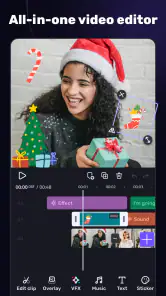
When I first launched VivaCut, I was greeted by a clean and intuitive interface that didn’t overwhelm me with too many options. It’s like the app knows exactly what you need without throwing a million buttons in your face. Right off the bat, it offers a range of tutorials perfect for newbies, and even I, with my bit of editing experience, found them super handy.
Features That Stand Out
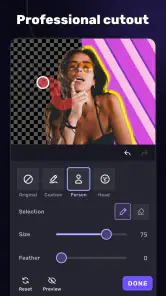
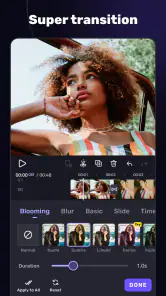
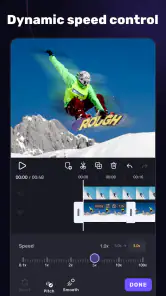
Now, let’s talk about the features. VivaCut packs a punch with multi-layer editing options, allowing you to stack clips and images like a pro. The transition effects are downright cinematic, making it easy to add that Hollywood flair to your videos. I particularly loved the chroma key feature, which lets you play around with green screen effects. It’s like having a mini studio on your phone!
Another cool thing? The app’s precision editing tools are spot on. With frame-by-frame precision, you can tweak your videos to perfection. And for those of you who love adding a soundtrack, the audio editing features are surprisingly robust. I was able to fade in and out, adjust volumes, and even sync audio to my clips seamlessly.
A Few Bumps on the Road
Of course, no app is perfect. While VivaCut is generally smooth, I did encounter a few hiccups. Occasionally, it took a moment longer to render more complex edits, especially if you’re working with 4K footage. Also, some of the advanced features are locked behind a paywall, which might be a bummer if you’re on a tight budget. But hey, the free version still offers a ton of functionality!
Final Thoughts
All in all, VivaCut is a powerhouse of an app that doesn’t compromise on quality or ease of use. It’s perfect for both beginners who want to dip their toes into video editing and seasoned editors looking for a portable solution. With its rich set of features and intuitive design, it’s a must-try for anyone serious about video creation.
If you’re ready to take your video editing skills to the next level, give VivaCut a try. Trust me, you won’t be disappointed!
Pros
- User-friendly interface for all skill levels.
- Advanced editing tools for professional results.
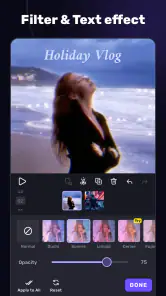
- Wide range of effects and transitions.
- Supports high-resolution video exports.
- Regular updates with new features.
Cons
- Occasional in-app purchase prompts.
- Free version has limited features.
- Some features require a subscription.
- Can be resource-intensive on older devices.
- May experience occasional crashes.

- Category
- Video Players & Editors
- Version
- 4.4.1