

Video Downloader TSaver
- 82.00
- 4.3
- Installs
- 5.00M
- Price
- Free

Screenshots



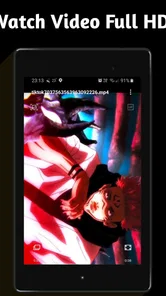
Analysis by Reviewed
When I tried Video Downloader TSaver, I quickly understood that its appeal is not a long list of editing tools or a complicated media library. Its main promise is much narrower and more practical: it is built for saving videos without a watermark and using a video as a live wallpaper. That focus makes it easy to understand, but it also means your satisfaction depends on whether those two tasks match what you actually want from a video app.
In my experience, the most useful part is the straightforward idea of keeping a video available on the device instead of relying on an online page every time. I can see the value when I want to keep a short clip for offline viewing, preserve a personal video in a more convenient place, or give the phone’s background a more personal feel. It belongs to the Video Players & Editors category, although I would describe it more accurately as a utility for downloading and displaying video rather than a full editor.
The important distinction is that TSaver is about access and presentation, not creative production. If you are looking for trimming, filters, captions, transitions, or a complete timeline, this is not the app I would put first. If your priority is a simple path from a video to a saved copy or animated wallpaper, its limited scope becomes an advantage.
What the watermark-free video feature changes
A watermark can be a small annoyance when you are watching a clip privately, but it becomes much more distracting when the saved file is meant to be reused. It can cover part of the image, make a personal video look less clean, or draw attention to the tool rather than the content. TSaver places its strongest emphasis on downloading videos without that extra branding, which is the capability I would examine first before considering anything else in the app.
That does not automatically make every downloaded video suitable for every purpose. A clean-looking file is still subject to the rights and sharing rules attached to its original source. I would use the app for videos I created, videos shared with permission, or material that is clearly available for saving. The absence of a watermark changes the appearance of a file; it does not change ownership or grant permission to repost it.
The practical benefit is most noticeable when the downloaded clip has a specific job. For example, I might want a personal recording stored locally so it opens quickly during a trip, or I might want a short background video that does not carry an unrelated logo across the screen. In those cases, TSaver’s central feature feels purposeful rather than decorative.
The app is free, which lowers the barrier to trying it. It is also marked for Everyone, so the presentation is aimed at a broad audience rather than a specialist video workflow. Dark Blue Apps is the developer, and the app has reached over five million installs with an average rating of 4.3 from around ninety-five thousand ratings. Those figures suggest that the basic idea has found a substantial audience, but they do not change my advice to test it against your own sources and phone before depending on it for an important project.
More From Our News Desk

 Gmail
GmailGmail in a Busy Inbox: Who Benefits Most?
From first account to crowded workday, Gmail earns its place through dependable search and flexible sorting—but its best fit depends on how much inbox maintenance you can tolerate.

 Prime Video
Switching to Prime Video: What Changes in Your Viewing Routine
Prime Video can make a compelling second home for streaming, but switching means learning a different catalog, rental layer, and route from browsing to playback.

 Universal TV Remote Control
Universal TV Remote Control Works Best as a Reliable Backup
A phone remote earns its place through quick setup and reliable habits. Here is how to get more from Universal TV Remote Control—and where its limits show.

 Weather - By Xiaomi
Weather by Xiaomi Review: Clear at a Glance, Less Clear Up Close
Xiaomi’s weather app makes everyday forecasts quick to scan, but its calm surface can leave useful details and recovery paths harder to find than they should be.

 X
XX Under Pressure: Can It Recover When Posting Goes Wrong?
A resilience-focused review of X, examining setup, mistaken posts, interruptions, weak connections, and the gaps that matter when recovery needs to be dependable.

 Clash of Clans
Clash of Clans Is Won Between the Battles
Its raids are quick; its community is a long-term project of coordination, teaching, rivalry, and shared responsibility—with all the friction that entails.
Latest News



The first-use workflow
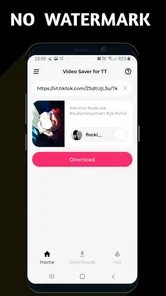
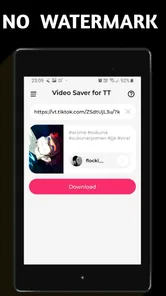
The general workflow is easy to understand: find the video you want to work with, use TSaver as the downloading tool, and then decide whether the result belongs in local storage or should become a live wallpaper. I prefer this kind of focused path because it avoids the clutter found in apps that combine downloading, editing, social publishing, cloud backup, and playback in one crowded interface.
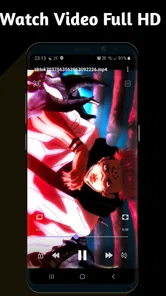
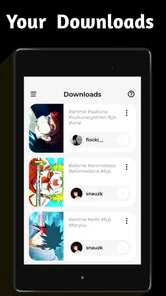
The key thing to check is the result, not just the download action. After saving a clip, I would open it in the phone’s regular gallery or video player and confirm that it plays correctly, has the expected image quality, and is stored somewhere I can find later. This simple check prevents a common frustration: assuming a file is ready because the download appeared to finish, then discovering that it is difficult to locate or unsuitable for a particular use.
I would also keep the original source in mind. Download tools can behave differently depending on where a video comes from, so I would not assume that every website, service, or format will work in exactly the same way. TSaver’s store summary makes the downloading purpose clear, but a sensible user should treat each source separately and avoid building a workflow around unsupported or restricted material.
For a short personal clip, the process can be pleasantly direct. I can imagine saving a family video, checking it in the gallery, and then deciding whether it is better as an ordinary file or as a moving background. That is more useful than automatically turning every download into wallpaper, because animated backgrounds are attractive only when the clip works well in a repeated, quiet loop.
Turning a video into a live wallpaper
The live-wallpaper option gives the app a second life beyond ordinary downloads. Instead of leaving a saved video buried in storage, I can use it as part of the phone’s visual identity. A slow clip of scenery, a softly moving pattern, or a personal recording can make the lock screen or home screen feel more individual than a static image.
There is a trade-off hidden in that feature: a video that looks good once may become tiring when it repeats. I would choose footage with a natural beginning and ending, limited sudden movement, and a subject that remains readable behind icons. A busy clip can make the home screen harder to use, while a quiet one can add motion without becoming a distraction.
I would also preview the wallpaper before treating it as a permanent choice. Some videos are framed for horizontal viewing and feel awkward when placed on a vertical phone screen. Others contain a subject near the edge that becomes hidden under icons. Cropping is especially important here, because a video that looked balanced in the gallery may lose its main detail when adapted to the phone’s display.
For that reason, I see the wallpaper feature as a personalisation tool rather than a replacement for a dedicated wallpaper library. A wallpaper app may offer more ready-made choices and easier browsing, while TSaver is more interesting when I already have a particular video in mind. The difference is between discovering a background and converting one I own or have permission to use.
How I would use it in an ordinary day
My most realistic scenario would begin with a short video I recorded myself. Suppose I capture a calm view from a weekend walk and want to keep it on the phone for later, without a platform mark covering the frame. I would save it through TSaver, check the local copy, and view it normally first. If the composition still works when cropped vertically, I would test it as a live wallpaper; if not, I would simply keep it as a regular video.
This two-step approach matters because it separates storage from decoration. I do not need to make the wallpaper decision immediately, and I do not risk confusing a temporary visual experiment with the original file. Keeping the saved clip available as an ordinary video also makes it easier to share privately, review, or remove later without having to recreate the download.
Another useful situation is preparing a device for someone who prefers a personal background. A family member might have a short clip they enjoy but not want to navigate through several apps to set it up. TSaver can serve as the bridge between that existing video and the phone’s wallpaper setting. I would still keep the chosen clip short and visually calm, because a constantly moving background can be less comfortable than expected.
For travel, the downloader angle may be more valuable than the wallpaper angle. A video that I am allowed to save can be easier to access locally when the connection is unreliable. I would download only what I genuinely need, organize the result immediately, and avoid treating the app as a general-purpose archive. Video files can consume storage quickly, so selective saving is a better habit than collecting everything that looks interesting.
There is also a useful distinction between watching and editing. TSaver can help me get a video onto the device and present it differently, but I would move to a dedicated editor if I needed to remove unwanted sections, add text, adjust sound, or combine clips. Trying to force a downloader into an editing role would add unnecessary steps and probably lead to disappointment.
What to check before saving a clip
I would ask three questions before using the download function. Do I have the right to save the video? Do I know where I want the file to live afterward? And is the clip actually useful offline, or am I saving it merely because the option is available? These questions sound basic, but they keep the app’s convenience from turning into a messy camera roll or an uncertain collection of other people’s content.
I would also consider the intended screen. If the goal is a live wallpaper, vertical framing and gentle motion matter more than maximum detail. If the goal is ordinary playback, the original composition may be more important. Thinking about the destination first helps me decide whether a video should be stored as a normal clip, tested as a wallpaper, or left alone.
Finally, I would review the saved file soon after downloading it. This is where I can catch an unsuitable crop, an unexpected format, or a clip that does not behave as I expected. It is a small habit, but it makes TSaver feel more dependable because I am verifying the result rather than assuming the tool has solved every part of the workflow.
Where the app feels strong and where it needs patience
The strongest quality is focus. TSaver does not need to persuade me with a large editing suite when my goal is simply to save a video cleanly or use it as a moving background. That narrow purpose makes it easier to recommend to someone who dislikes learning complex media software. The free price also makes experimentation less risky, especially for a personal wallpaper project.
The main limitation is that a narrow tool cannot replace a complete media manager. I would not choose it as my primary app for organizing a large library, making polished social videos, or performing detailed edits. A conventional gallery is still better for browsing personal recordings, and a full editor is better when the video needs creative changes before it is shared.
Source compatibility is another practical consideration. The app’s role depends on the video source and on whether that source permits downloading, so I would not expect one simple workflow to cover every online service. When a source blocks saving or handles video in an unusual way, a different legitimate method may be more appropriate. That is not a reason to dismiss TSaver, but it is a reason to avoid assuming universal support.
The watermark-free result can also create a false sense of completeness. A clean file may still need cropping, compression, or editing before it works well on another device. If I want to send the clip to someone with limited storage, I may prefer a smaller version. If I want to publish it, I may need to check rights and make creative adjustments. TSaver handles the initial acquisition, while the rest of the job may belong to another tool.
The live-wallpaper function has its own compromises. Motion can make a phone feel more personal, but it can also make the interface busier. A video with bright flashes or constant movement may be uncomfortable to look at repeatedly. I would treat the wallpaper as something to test for a full day rather than judge after a quick preview.
Storage management deserves attention too. Saving several high-resolution clips and keeping them as active wallpaper candidates can make the phone harder to manage. I would delete failed experiments, retain only the versions I actually use, and remember that a video wallpaper is not automatically better than a carefully chosen still image. The best result is the one that remains pleasant and practical over time.
How it compares with familiar alternatives
Compared with a standard browser or social app, TSaver is more purpose-built for the moment when I want a local copy or a video background. A browser is convenient for watching, but it does not necessarily give me the same focused path to a saved file or wallpaper. On the other hand, the original app may remain the better choice when I want recommendations, comments, creator context, or the newest version of a video.
Compared with a full video editor, TSaver is faster for the narrow task and much less suitable for transformation. I would choose an editor when the clip needs trimming, captions, audio changes, or multiple sources. I would choose TSaver when the video is already close to finished and my real need is to save it cleanly or display it differently.
Compared with a dedicated wallpaper app, TSaver is less about browsing a catalogue and more about using a specific video. A wallpaper catalogue is probably better for someone who wants instant variety without preparing their own clips. TSaver makes more sense for someone who has a personal recording, a permitted video, or a precise visual idea that is not available in a standard wallpaper collection.
That comparison explains why I would not call it an all-purpose video solution. Its value appears at the handoff between online video and personal device use. If that handoff is exactly where I need help, the app is convenient. If I need discovery, editing, backup, or professional output, another category of app will serve me better.
Who will get the most from Video Downloader TSaver?
I think TSaver is best for people who want a simple, free utility with a clear outcome. It suits users who regularly need local copies of permitted videos, people who dislike watermarks on personal material, and anyone who wants to turn a chosen clip into a live wallpaper without learning a full editing program. Its broad Everyone age rating also makes its presentation approachable for general phone users.
It is especially useful when the video already exists and the decision is about what to do with it next. Save it for offline access, keep it in the gallery, or try it as a moving background. That is a small but real workflow, and the app stays out of the way when the source and the intended use are straightforward.
I would recommend skipping it if you primarily want to create videos from scratch, manage a large professional archive, or download material from sources that do not allow saving. I would also skip the wallpaper feature if you prefer a quiet, battery-conscious, uncluttered home screen. In those cases, a full editor, a gallery manager, or a static wallpaper solution is likely to be a better match.
The current version is 1.6 and it runs on Android 6.0 or newer, so compatibility is not aimed only at the latest phones. That makes it relevant for users with older supported devices, although the quality of the experience will still depend on the phone’s screen, storage, and handling of live wallpapers. I would check those practical details on my own device before saving a large collection.
After using it, my view is positive but specific. Video Downloader TSaver earns its place when the job is to move a suitable video into local storage and give it a cleaner, more personal presentation. It is not a substitute for an editor or a complete media library, and it cannot remove the need to respect the source of a video. But for the right everyday scenario—especially a personal clip that I want to keep or display—the focused approach is useful.
That is why I would recommend trying it with one short, permitted video first. Save the clip, confirm that it plays properly, test the crop as a wallpaper, and decide whether the result fits your routine. If that small experiment solves a problem you regularly have, the app’s simplicity is a strength. If it does not, you will know quickly that your needs belong with a different kind of video tool.
Video Downloader TSaver is a free app from Dark Blue Apps, released on June 10, 2022, and its focused design remains its clearest reason to use it. I would install it for the downloader and live-wallpaper workflow, not because I expect a complete editing studio. Used with realistic expectations, it can be a handy bridge between a video I want to keep and the way I want that video to appear on my phone.
Video Downloader TSaver Frequently Asked Questions
How much storage should I have available before downloading videos?
Saved videos can take up noticeable space, particularly when they are long or offered in a higher resolution. Before using Video Downloader TSaver, check your device’s available storage and consider where downloads will be kept. Removing videos you no longer need can help free space, and choosing a lower quality when available may make individual files smaller.
Can I watch downloaded videos without an internet connection?
Saving a video to your device is useful when you want to watch it later without relying on a connection, such as while travelling. Whether a particular file plays offline depends on whether the download completed and where it was saved. Open the saved video on your device before you go offline to make sure it is accessible.
Does TSaver work with links shared by other people?
A shared link may work if it leads to a publicly accessible video on a platform TSaver supports. Links to private posts, restricted content, or pages requiring sign-in can behave differently and may not download through the app. If a link fails, check that it opens normally in its original platform and that you have permission to save the video.
Can I choose where downloaded videos are saved?
The available saving options can vary with the app version and your device’s operating system. Check TSaver’s settings and the download screen to see whether a destination can be selected, and review the app’s storage permissions if a file does not appear where expected. Keeping downloads organized makes it easier to find and manage saved videos.
What does the Everyone age rating mean for TSaver?
Video Downloader TSaver has an Everyone content rating, so its rating is intended to indicate broad suitability for users. An age rating does not guarantee that every video reached through the app is appropriate, since content is provided by external platforms. Parents and guardians should still consider what sources are being accessed and use device-level controls when appropriate.
Pros
- Downloads videos quickly from supported social platforms.
- Simple interface that is easy to understand for new users.
- Lets you save clips for offline viewing and sharing.
- Supports multiple video resolutions when available.
- Useful built-in preview helps confirm the correct video before saving.
Cons
- Platform compatibility may change when websites update their systems.
- Some downloads may be limited by copyright or platform restrictions.
- Free use may include advertisements or promotional interruptions.
- Downloaded files can use considerable storage space on your device.
- It may not support private
- age-restricted
- or login-protected videos.











