

Video Cutter Pro
- 0.00
- 0.0
- Installs
- 10.00K
- Price
- $4.99

Screenshots

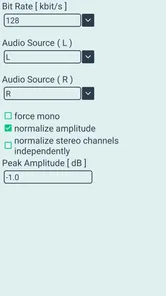
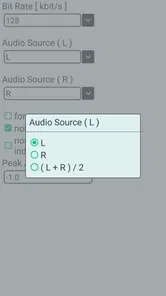
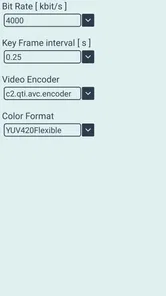
Analysis by Reviewed
When I need to remove the awkward beginning or ending from a phone video, I usually want a tool that gets out of the way. I do not want a full editing suite, a timeline crowded with controls, or a project that takes longer to understand than the clip itself. That is where Video Cutter Pro makes sense: it focuses on selecting the useful section of an existing video and saving or sharing that shorter result.
After using it as a focused video-editing app, I found its main appeal easy to understand. It is built for a single decision: where should the clip start, and where should it finish? That narrow purpose can be a real advantage when I am preparing a quick video for a message, removing dead time from a recording, or keeping only the important moment from a longer file.
It is developed by HARDCODED JOY S.R.L. and belongs to the video players and editors category. The app is aimed at Everyone, so its basic purpose is straightforward enough for casual users as well as people who regularly handle clips on a phone. It costs $4.99, which makes the question less about whether it has a long feature list and more about whether a clean trimming workflow is worth paying for.
Why simple trimming can be more useful than a full editor
The core capability is deliberately limited: I open a video file, choose a starting point, choose an ending point, and save or share the trimmed clip. That sounds basic, but it solves a common problem without asking me to learn layers, transitions, filters, captions, or export presets.
The practical effect is that I can think about the content rather than the software. If a family video contains several seconds of someone reaching for the phone, I can cut that section away. If I recorded a short demonstration and the useful action happens only in the middle, I can isolate that part. If a clip is too long to send comfortably, trimming gives me a smaller, more purposeful version without turning the task into a production project.
The strongest reason to choose this app is focus: it treats the beginning and end of a video as the problem to solve, instead of surrounding that problem with tools I may never use. For occasional editing, that can make the process feel less intimidating than opening a general-purpose editor.
This focus also sets a clear boundary. I would not approach it expecting a complete editor. Someone who needs to join several clips, add text, change the soundtrack, adjust color, create a vertical layout, or build a polished social video will probably be better served by a broader editing application. Video Cutter Pro is most convincing when the original video is already acceptable and only its duration needs attention.
More From Our News Desk

 Gmail
GmailGmail in a Busy Inbox: Who Benefits Most?
From first account to crowded workday, Gmail earns its place through dependable search and flexible sorting—but its best fit depends on how much inbox maintenance you can tolerate.

 Prime Video
Switching to Prime Video: What Changes in Your Viewing Routine
Prime Video can make a compelling second home for streaming, but switching means learning a different catalog, rental layer, and route from browsing to playback.

 Universal TV Remote Control
Universal TV Remote Control Works Best as a Reliable Backup
A phone remote earns its place through quick setup and reliable habits. Here is how to get more from Universal TV Remote Control—and where its limits show.

 Weather - By Xiaomi
Weather by Xiaomi Review: Clear at a Glance, Less Clear Up Close
Xiaomi’s weather app makes everyday forecasts quick to scan, but its calm surface can leave useful details and recovery paths harder to find than they should be.

 X
XX Under Pressure: Can It Recover When Posting Goes Wrong?
A resilience-focused review of X, examining setup, mistaken posts, interruptions, weak connections, and the gaps that matter when recovery needs to be dependable.

 Clash of Clans
Clash of Clans Is Won Between the Battles
Its raids are quick; its community is a long-term project of coordination, teaching, rivalry, and shared responsibility—with all the friction that entails.
Latest News



What the workflow feels like
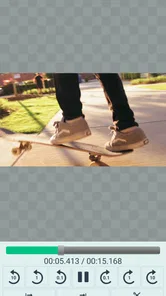
The workflow follows a sensible sequence. I start by opening a video file, inspect the material, mark the point where the kept section should begin, and then mark where it should end. Once the selection looks right, I save the result or share it. There is no need to construct a multi-part project when all I want is one continuous excerpt.
That simplicity matters most on a phone, where a complicated interface can make precise work uncomfortable. A trimming tool has to support a quick visual judgment: is the first frame too early, is the final moment too late, and does the selected section tell the story without unnecessary padding? I found that this kind of decision is easier when the app stays centered on the clip itself.
A useful habit is to leave a little breathing room around speech or movement rather than cutting directly into the first sound or gesture. For example, if I am keeping a person’s answer from a longer recording, I would place the start point just before the response begins and the end point shortly after the final word. That produces a more natural result than trimming aggressively to the exact visible action.
Another practical tip is to watch the selected range once before committing. The most obvious mistake in a cutter is not a dramatic editing failure; it is removing a word, a reaction, or the final beat of an action because the boundary looked close enough. A quick review of the chosen section is more valuable than repeatedly creating near-identical files.
It is also worth deciding whether the original file should remain untouched. I prefer treating the trimmed version as a separate copy, especially when the source is a personal recording or something I may want to edit differently later. The app’s role is to create a shorter clip, not to replace the original memory or master recording in my workflow.
A realistic everyday use
Imagine I record a child’s school performance from a seat in the audience. The full recording includes the moment I start the camera, a few seconds of searching for the right angle, the performance itself, and the moment I lower the phone afterward. I do not need music, titles, or visual effects. I simply want a version that begins shortly before the performance and ends after the applause.
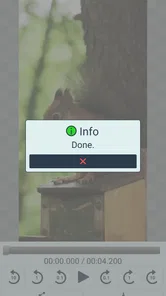
With this app, that situation is easy to understand. I open the recording, identify the meaningful start and finish, and save the shorter clip for sharing with relatives. The value is not cinematic polish. The value is removing the parts that make a personal video feel unfinished while preserving the event itself.
The same approach works for a work-related example. If I record a quick demonstration of a phone setting for a colleague, the useful section may be surrounded by pauses and setup. Trimming lets me send the explanation instead of the entire recording. In this case, a focused cutter is preferable to a larger editor because the extra tools would add decisions without improving the result.
There is a less obvious benefit in situations where I want to preserve context. Cutting only the beginning and ending leaves the middle intact. That is helpful when the timing of a conversation, gesture, or demonstration matters. A more aggressive editing tool might tempt me to remove pauses or rearrange material, but a simple range selection encourages a lighter touch.
Where the narrow design becomes a trade-off
The same simplicity that makes the app approachable can feel restrictive when my needs expand. If a clip contains an unwanted section in the middle, trimming from the start and end will not solve the problem without losing material on both sides. I would then need an editor that supports splitting or removing internal sections.
The app is also not the natural choice for presentation work. A video intended for a social post may need a different aspect ratio, text overlays, subtitles, audio balancing, or several clips arranged in sequence. None of those tasks belong to a basic start-and-end cutter. Paying for this app makes sense only if I value that focused operation often enough; it does not become a replacement for a full editing suite simply because it can save a shorter file.
Precision is another trade-off to consider. Choosing a boundary by sight is often enough for casual footage, but it may not satisfy someone who needs frame-perfect editing for music, sports analysis, or professional delivery. In those cases, a desktop editor or a specialized mobile editor with a detailed timeline may provide better control. I would choose Video Cutter Pro for speed and clarity, not for advanced post-production accuracy.
File handling can affect the experience as well. Before starting, I would make sure the source video is available in the phone’s normal file or media locations and that there is enough storage for another copy. A trimmed result is still a new video, so keeping the original and the edited version together can require more space than expected. This is a workflow consideration rather than a flaw, but it matters when working with long or high-quality recordings.
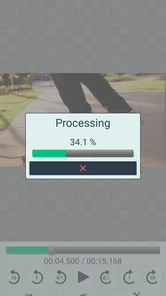
Sharing is convenient when the destination accepts the saved clip normally, but I would still check the result after exporting. Different messaging and social platforms may process videos again, and that can change how the final file looks or sounds. The cutter’s job is to define the section; the receiving service may apply its own compression afterward. For an important clip, I would play the saved version locally before sending it.
Who gets the most from paying for it
I think the best audience is people who regularly make one simple correction: removing unwanted time from a video. That includes parents sharing family moments, students sending a short demonstration, travelers cutting out setup from a memory, and anyone who records more than they ultimately wants to share.
It is especially suitable for users who find full editors excessive. If a timeline with many buttons makes a basic task feel like work, a dedicated cutter can be easier to return to. The Everyone age rating also fits its uncomplicated purpose, although younger users should still follow normal guidance when sharing personal recordings online.
The app may also appeal to someone who wants a repeatable routine. I can record first, review later, and create a clean excerpt without changing the original. That separation is useful: the camera captures freely, while the cutter handles the final selection. Over time, this can be more practical than trying to record perfectly every time.
On the other hand, I would skip it if I expect one purchase to cover all my video needs. Creators making edited stories, tutorial series, promotional clips, or social content with several visual elements should look for a broader tool. The same is true for anyone who needs to remove multiple sections from the middle of a clip. In those situations, the convenience of a dedicated cutter is outweighed by having to move the file into another app afterward.
How it compares with familiar alternatives
Many phones already include basic trimming in their gallery or photo application. If I only cut a video once in a while, that built-in option may be enough and costs nothing extra. Video Cutter Pro becomes more interesting when I prefer a dedicated place for the task or want a workflow centered specifically on opening a file, defining a range, and producing a shareable excerpt.
Compared with a full mobile editor, it asks less of me and gives me less in return. That is not automatically good or bad. A full editor wins when I need creative control; this app wins when creative control would be unnecessary distraction. The decision comes down to frequency and intent: occasional trimming favors convenience, while broader editing needs favor a more capable alternative.
Compared with sending the entire video and asking someone else to skip the unwanted parts, the dedicated workflow is more considerate. The recipient gets the relevant section immediately, and I keep control over what I am sharing. That matters for private conversations, work explanations, and family videos where the unused footage may contain background details that do not need to leave my phone.
The price of $4.99 places it in the category of a small paid utility rather than a free experiment. I would judge that cost by how often I need clean, quick trims. If I rarely edit video and already have a satisfactory built-in tool, the purchase may be unnecessary. If I often send clips and dislike opening a larger editor for a two-minute task, the focused workflow can justify it.
Release details and my recommendation
Video Cutter Pro was released on Jul 12, 2023, and its current version is 1.1.6. It requires Android 8.0 or later, so compatibility is reasonably broad for users with devices that still support that platform level. The app has reached over 10 thousand installs, which suggests that its straightforward purpose has found a modest audience without implying that it is a mainstream all-in-one editor.
My recommendation is fairly specific. I would choose it for fast, uncomplicated trimming where the valuable footage is one continuous section and the original file should remain available. I would not choose it as my only video editor, and I would not pay for it expecting filters, titles, complex cuts, or professional timeline work.
The most important question before installing is therefore simple: do I need a cutter, or do I need an editor? If I need a cutter, this app’s narrow design is its main strength. It reduces a common phone-video task to a manageable sequence and keeps the focus on selecting the right start and end points. If I need an editor, the same narrowness becomes the reason to look elsewhere.
For my own use, I see it as a practical utility for turning rough recordings into shareable excerpts. The result depends on making careful boundary choices, checking the saved clip, and remembering that the app is designed for one continuous selection. Used within those limits, Video Cutter Pro is a sensible paid option for people who value a clean trimming workflow more than a long list of editing features.
Video Cutter Pro Frequently Asked Questions
Can I preview the selected section before saving it?
Previewing the chosen start and end points is useful for checking that the finished clip begins and ends where you expect. Video Cutter Pro’s basic workflow is to open a video, select those points, then save or share the trimmed clip. Before saving, take a moment to check the selection so you do not accidentally leave out a moment you wanted to keep.
What should I check before installing Video Cutter Pro?
Video Cutter Pro is a video editing app from HARDCODED JOY S.R.L., intended for a straightforward trimming task. It is rated Everyone and costs $4.99. The app requires Android 8.0 or later, so check your device’s operating system before downloading. Its focused purpose may suit users looking for a simple way to cut a clip rather than a broader editing suite.
What is Video Cutter Pro used for?
Video Cutter Pro is designed for trimming and editing video clips directly on a mobile device. Its main workflow is useful for shortening long recordings, removing unwanted sections, and preparing videos for sharing on social media or messaging apps. It is mainly focused on quick, straightforward cutting rather than advanced professional video production.
Does Video Cutter Pro support different video formats and resolutions?
The app generally works with common video formats recorded or stored on Android and iOS devices, although exact compatibility can depend on the operating system and the source file. Before editing important footage, I recommend checking whether the selected video opens correctly and confirming the available export resolution. Some formats, codecs, or very large files may take longer to process or may not be supported.
Does Video Cutter Pro reduce video quality after trimming?
Video Cutter Pro is intended to preserve the original appearance as much as possible while creating a shorter clip, but the final quality depends on the export settings and the original recording. In some cases, re-encoding can affect sharpness, frame rate, or file size. Users who want the best result should review the available quality options and preview the exported video before deleting the original.
Pros
- Cuts and trims videos quickly without requiring advanced editing skills.
- Supports common video formats for convenient everyday editing.
- Simple interface makes basic tasks easy to find and use.
- Useful for preparing clips for social media or messaging apps.
- Lets you create shorter files that are easier to share and store.
Cons
- Export quality and available resolution options may vary by device.
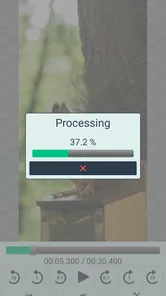
- Long or high-resolution videos can take noticeable time to process.
- Some features may be restricted to the paid version.
- Editing options are limited compared with full video-editing suites.
- Ads may interrupt the experience in the free version.











