Today's Hit Music Ringtones
- 6.41K
- 4.5
- Installs
- 5.00M
- Price
- Free

Screenshots
Analysis by Reviewed
I think of a ringtone app as a small, practical way to make a phone feel more like mine. Today's Hit Music Ringtones is aimed squarely at that: it gives Android users a music-focused alternative to the tones already on the device. It sits in the Music & Audio category, is free to install, and is made by Today's Ringtones Apps. Its Teen content rating is worth noting if you manage apps for a younger user.
What the current version is for
The app’s appeal is straightforward: browse music-inspired sounds and choose one that suits your phone. The current version is 6.5.51, and the app has been available since November 9, 2013. That history suggests a product that has stayed around, though a version number and release date alone don’t tell me exactly what changed along the way. I’d treat the present-day experience as the deciding factor rather than assuming every older phone or Android setup behaves identically.
It has a 4.6 average from around 34,000 ratings, with more than 5 million installs. Those figures show that many people have tried it, but the useful question is whether its music-led selection fits your taste and whether setting a tone works smoothly on your particular device.
A World of Melodies
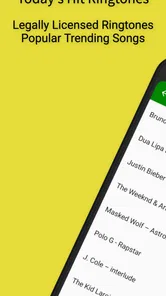
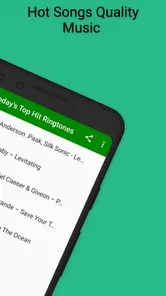
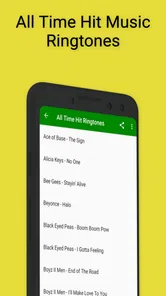
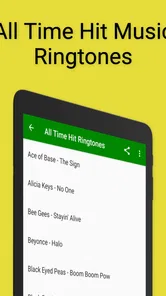
Upon launching Today's Hit Music Ringtones, the sleek and user-friendly interface immediately caught my eye. The app boasts a vast library of ringtones, all inspired by the latest chart-topping hits. From pop to rock, and even those catchy EDM beats, there's something here for every taste. Navigating through the app is a breeze, thanks to its intuitive layout that ensures you can find the perfect ringtone without any hassle.
Choosing a tone that works in real life
A ringtone is only useful if it’s recognizable in the places you actually take calls. I’d listen to a few options at the volume I normally use, then pick one with a clear opening rather than a long build-up. That small check can matter more than choosing a song I like: a busy or quiet introduction may be hard to identify quickly when the phone is in a bag or across the room.
For a practical routine, I’d keep the default sound for general calls and reserve a more distinctive choice for a close contact, if the available setup allows it. That makes the sound informative instead of simply louder. It’s also a sensible way to avoid changing the whole phone’s sound every time I want to recognize one person’s call.
Customization at Its Finest
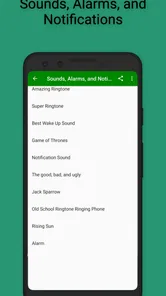
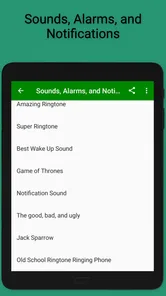
One of the standout features of this app is its customization options. You can not only choose from a wide array of ringtones but also set different tones for specific contacts or notifications. This means your best friend can have a distinct ringtone, separate from your work calls. Talk about personalization! And for those who love to change things up, the app allows you to update your ringtones as often as you'd like, keeping your phone's sound as fresh as a morning playlist.
More From Our News Desk

 Gmail
Gmail in a Busy Inbox: Who Benefits Most?
From first account to crowded workday, Gmail earns its place through dependable search and flexible sorting—but its best fit depends on how much inbox maintenance you can tolerate.

 Prime Video
Switching to Prime Video: What Changes in Your Viewing Routine
Prime Video can make a compelling second home for streaming, but switching means learning a different catalog, rental layer, and route from browsing to playback.

 Universal TV Remote Control
 Works Best as a Reliable Backup
A phone remote earns its place through quick setup and reliable habits. Here is how to get more from Universal TV Remote Control—and where its limits show.

 Weather - By Xiaomi
Weather by Xiaomi Review: Clear at a Glance, Less Clear Up Close
Xiaomi’s weather app makes everyday forecasts quick to scan, but its calm surface can leave useful details and recovery paths harder to find than they should be.

 X
X Under Pressure: Can It Recover When Posting Goes Wrong?
A resilience-focused review of X, examining setup, mistaken posts, interruptions, weak connections, and the gaps that matter when recovery needs to be dependable.

 Clash of Clans
 Is Won Between the Battles
Its raids are quick; its community is a long-term project of coordination, teaching, rivalry, and shared responsibility—with all the friction that entails.
Latest News



There is a useful trade-off in that flexibility: changing tones frequently can make it harder to recognize a call by sound alone. I’d start with one main ringtone and make only a couple of deliberate exceptions, then live with that setup for a few days. If the app’s choices include short notification sounds as well as call tones, I’d keep those restrained; a tune that works for a call can become distracting when repeated for routine alerts.
Audio and setup in context
Moreover, the app provides high-quality audio, ensuring that each ringtone plays crisply and clearly. No more muffled sounds or distorted tunes here. It’s like having a mini concert every time your phone rings!
In practice, I’d still preview a candidate through the phone speaker before assigning it. A clip can sound different at low volume or in a noisy room, and the best choice is the one I can identify without making every incoming call disruptive. That’s especially useful if I share a workspace, commute on public transport, or keep the phone close by at home.
Easy Peasy Setup
Now, I know what you're thinking—"Isn't setting up custom ringtones a pain?" This app proves otherwise. With just a few taps, you can have your new ringtone set up and ready to go. The app offers a straightforward guide for users who might not be tech-savvy, making it accessible for everyone.
Because Android settings and manufacturer interfaces can differ, I’d confirm the change with a test call or notification rather than assuming the selection has applied everywhere. If you want a contact-specific tone, check that separately too. This quick check prevents the common annoyance of thinking a sound is assigned when the phone is still using its previous setting.
The download process is quick, and the app size is reasonable, so it won't hog your phone's storage. Plus, it’s regularly updated, ensuring compatibility with the latest OS updates and new ringtone additions.
It requires Android 6.0 or later, which makes the listed compatibility broad enough for many Android users, though the device’s own software and settings still shape the experience. If you’re on iPhone, this is not the right fit: I’d look for an iOS-compatible way to manage tones instead of expecting an Android app to work there.
Making it part of a sensible phone routine
I’d treat ringtone selection as a small bit of phone housekeeping rather than a project that needs constant attention. First I’d choose a sound that is easy to recognize, then make one test call while the phone is where it usually sits: on a desk, in a coat pocket, or in another room. If I can identify it there without turning the volume up too far, it is doing its job. A quick check in the actual setting is more useful than replaying a preview over and over in a quiet room.
This is especially handy before a week when I expect important calls but will not always be looking at the screen. A distinct tone for a close family member can help me decide whether to interrupt a meeting or wait until later, while a calmer general tone keeps routine calls from feeling urgent. I would avoid assigning a different sound to every contact, though: too many distinctions are easy to forget, and they make the phone noisier rather than more informative.
Another practical point is to listen for the first few seconds, not just the part that sounds best in a preview. Calls may be answered quickly, so a memorable opening matters more than a dramatic section that arrives later. For alerts that repeat often, I’d favor a short, unobtrusive sound over a full musical phrase. The point is to make the phone easier to use, not to turn every notification into an interruption.
Free choices and paid extras
One thing to note is that while the app is free to download, there are some premium ringtones available for purchase. However, the free options are plentiful and diverse, so you can still enjoy a wide range of hits without spending a dime.
Paid items are offered through in-app purchases priced from $1.99 to $6.99 each. I’d explore the free choices first and only consider buying something if I’ve found a sound I genuinely want to keep. If you prefer a completely cost-free experience, that distinction matters; if you’re comfortable paying selectively, the free download lets you try the basic idea before deciding.
For anyone trying to keep app spending predictable, the useful habit is to decide on a limit before browsing paid choices. A familiar tune can feel tempting simply because it stands out, but a ringtone is heard repeatedly, so I’d ask whether I still enjoy it after several days. If the free selection already gives me a clear, pleasant sound, there is little reason to pay just to have more options on the screen.
Where it fits among ringtone options
Compared with using the phone’s built-in sound library, this app is more appealing when I want music-inspired choices rather than a simple system tone. The built-in option may be better for someone who values a minimal setup or wants to avoid browsing a separate catalogue. A general audio editor is a different kind of alternative: it can offer more control over a personally chosen clip, but usually asks the user to handle more of the preparation. I’d choose this app for convenience and a ready-made music focus, not for detailed editing.
It is also not the best choice if I want a very specific song, a custom cut, or a carefully organized sound collection. In those cases, I’d first check whether the desired tone is available and whether the phone’s own tools can apply it. The app makes most sense for someone happy to browse and pick from its offerings rather than build a ringtone from scratch.
That difference is worth keeping in mind if you already have a music file you love. A ringtone catalogue is designed for choosing among its available sounds; it is not automatically a shortcut for turning any personal track into a tailored alert. Someone who enjoys trimming audio and adjusting the exact start and finish may prefer an editor, while someone who just wants a ready-made option can avoid that extra work here.
There is also a distinction between choosing a ringtone and managing every sound on a phone. If your main goal is to make calls easier to recognize, a focused music selection can be enough. If you want a complete sound scheme for alarms, messages, calendar reminders, and other alerts, your Android settings may remain the more practical control center. I would use this app for the sound I want, then check the phone settings for how that sound behaves in daily use.
Who should try it, and what to watch
I’d recommend giving it a look if you enjoy changing your phone’s sound, want music-led options, and use Android 6.0 or newer. A realistic use would be choosing a recognizable tone before a busy week, then assigning a separate sound to a close contact so I can tell an important call from an ordinary one without checking the screen every time.
I’d skip it if I rarely hear my ringtone, prefer quiet or subtle alerts, use an iPhone, or expect precise editing tools. The app’s current version is a concrete marker of its present release, not proof of a particular feature change; I’d watch for future version notes to see whether compatibility and the selection continue to suit my needs, rather than assuming new additions are guaranteed.
For existing users, a newer version number is a reason to check that the app still fits their device, not a reason to reset a setup that already works. If you update, I’d verify the main ringtone and any contact-specific choices afterward, particularly if your phone has its own sound controls. That simple check separates a smooth update from the frustration of discovering an old default tone during an important call.
The long span between the app’s original release and its current version gives it a history, but it does not tell me which features were added or how every release changed. I would judge it by what I can use now: the available sounds, the clarity of the previews, and whether Android applies my choice reliably. In the future, I’d pay attention to version notes for changes that affect those everyday basics rather than expecting a major redesign or a particular new feature.
One question people often have is whether they need to buy something to try the app. They do not: it is free to install, and the paid items are optional. Another is whether it is suitable for an iPhone; it is an Android app, so iPhone users should choose an iOS-compatible alternative instead. If you are unsure whether a selected sound has taken effect, make a test call and check any contact assignment separately. These are small steps, but they answer the practical questions that matter before relying on a new tone.
The Teen rating is also useful context for households choosing apps together. I would treat it as a prompt to consider whether the app is appropriate for the person using the phone, rather than assuming every music-based ringtone is automatically suitable for every age. For adults, the more relevant decision is simply whether a catalogue of music-led sounds is a better fit than the phone’s built-in selection.
Final Thoughts
In a world where personalization is key, Today's Hit Music Ringtones shines. It’s more than just an app—it's a way to express yourself through music. Whether you're looking to jazz up your phone with the latest hits or simply want to enjoy a high-quality ringtone experience, this app delivers. So, if you're ready to give your phone a little musical makeover, this app is definitely worth checking out. Trust me, your ears will thank you!
Today's Hit Music Ringtones Frequently Asked Questions
Who develops Today's Hit Music Ringtones, and what kind of app is it?
Today's Hit Music Ringtones is a Music & Audio app developed by Today's Ringtones Apps. Its focus is phone personalization through hit music ringtones, making it a choice to consider if you want to change the sounds your Android phone uses. The app is free to download, and optional in-app purchases are available for users who want to explore paid content.
How popular is Today's Hit Music Ringtones?
The app has an average rating of 4.6, with around 34,000 ratings and about 6,400 written reviews. It has also passed 5 million installs, so it has reached a substantial audience of Android users looking for music-based phone personalization. These figures can help you gauge its reach, though your own experience will depend on whether its ringtone selection and features suit your preferences.
What Android version do I need to install it, and what is the current version?
Today's Hit Music Ringtones requires Android 6.0 or later, and its current version is 6.5.51. Check your phone’s software version before downloading to make sure it meets the minimum requirement. If your device is compatible, you can use the app to personalize its sounds with hit music. The app is categorized under Music & Audio and is available free to download.
Is Today's Hit Music Ringtones suitable for teenagers?
The app has a Teen content rating, so it is intended for teen users and older audiences. It focuses on music ringtones and phone personalization. If you are choosing apps for a younger user, review the age guidance in the app store and consider whether music-based content and any available purchases fit your family’s preferences.
Will the app work on my Android phone?
Today's Hit Music Ringtones is an Android app, and it requires Android 6.0 or later. Before downloading, check your phone’s Android version in its system settings; devices running an older version may not be compatible. The app is designed to personalize Android sounds with hit music, so it is not a general ringtone app for every mobile operating system.
Pros
- Extensive collection of trending ringtones.
- High quality sound for all ringtones.
- User-friendly interface and easy navigation.
- Quick download and easy set-up.
- Regular updates with new music ringtones.
Cons
- Contains ads that may interrupt usage.
- Limited free ringtones available.
- Requires internet for downloading ringtones.
- In-app purchases can be costly.
- Not all songs are available as ringtones.