Times Herald
- 65.00
- 3.5
- Installs
- 10.00K
- Price
- Free

Screenshots


Analysis by Reviewed
I spent time with Times Herald as a straightforward way to follow local and national reporting, and my overall impression is mixed but useful. It is a free news and magazines app from USA TODAY Co., aimed at readers who want a familiar newspaper-style stream with photography and video rather than a text-only briefing. The app is rated for Everyone 10+, runs on Android 8.0 or later, and its current version is 8.10.3. With an average rating of 3.5 from around 187 ratings, it has a fairly ordinary reception: some readers will appreciate the regional focus, while others may find the experience less polished than larger all-purpose news apps.
What makes Times Herald worth considering is its balance between nearby reporting and broader coverage. I found it more useful when I wanted to understand what was happening in my area and then move outward to national stories, rather than when I wanted a highly personalized feed built around dozens of interests. That distinction matters. This is not the app I would choose for constant breaking-news alerts from every part of the world, but it can make sense for someone who values a local publication’s identity and wants visual storytelling included in the same place.
How clearly the app presents news and helps me move around
I find the clearest way to judge this section is to look at whether the app helps me get from a headline to the story I actually want without turning a quick check-in into a long browse. I’ll also consider how its mix of local and national coverage can guide that choice, then turn to the practical adjustments that make reading more comfortable in different situations.
A newspaper-like starting point
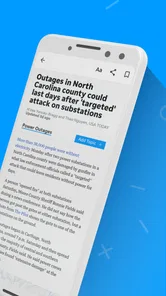
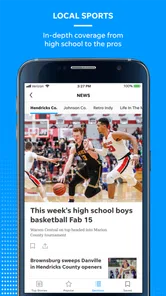
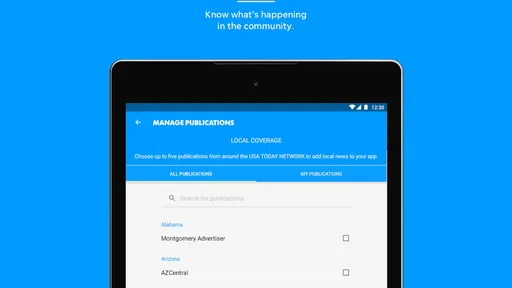
The first thing I noticed is that Times Herald feels organized around reading rather than around an endless social feed. Local and national stories sit within the same general news experience, so I could move from a nearby issue to a wider report without opening a second service. That arrangement is helpful for readers who prefer a publication-led selection of stories instead of an algorithm that continually reshapes itself around clicks.
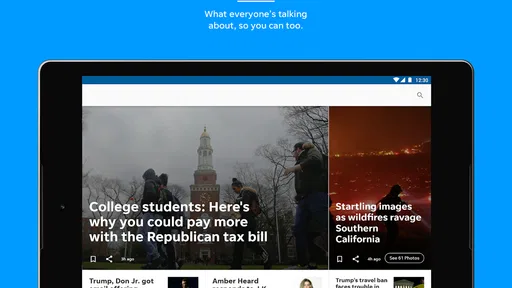
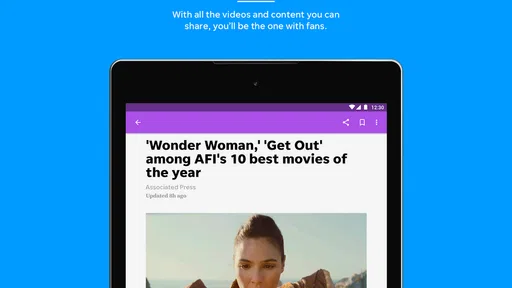
The visual side also has a clear role. Spectacular photography and rich video are part of the app’s identity, so the experience is not limited to compact headlines and paragraphs. For me, the images made some stories easier to understand quickly, especially when the subject depended on place, people, or an unfolding event. Video can also help when a written summary feels too abstract, although readers who mainly want quiet text may see these elements as extra weight rather than an advantage.
Navigation is easiest when I approach the app with a specific purpose. If I want a quick look at local coverage, the publication’s regional emphasis gives me a sensible starting point. If I am browsing casually, the mixture of local and national material can lead me through a broader reading session. That makes it more approachable than a collection of isolated article links, but less precise than a dedicated RSS reader or a highly configurable news aggregator.
Readability depends on the story format
Text articles are the most comfortable part of the experience for me. They allow a slower pace and make it possible to stay with a report instead of scanning several short cards. The app’s photography adds context, but it also means the visual hierarchy can change from one story to another. A reader who needs predictable presentation may find a long article easier than a page dominated by large images or video.
More From Our News Desk

Weather by Xiaomi Review: Clear at a Glance, Less Clear Up Close

X Under Pressure: Can It Recover When Posting Goes Wrong?

Clash of Clans Is Won Between the Battles

Android Auto Makes the Case for Quieter Car Software

MobiOffice: Transforming Mobile Productivity with Seamless Integration

EA SPORTS FC™ Mobile Soccer: Redefining Mobile Sports Gaming
I would recommend using the phone’s own display settings alongside the app if you need larger type, stronger contrast, or reduced brightness. Those system-level adjustments are more dependable than assuming every screen inside a news app will respond in exactly the same way. In practical terms, I found that Times Herald works best when I give myself enough screen space and avoid trying to read a detailed article while rushing between tasks.
One useful habit is to separate “scan” reading from “sit-down” reading. I use the opening view to identify what deserves attention, then choose an article when I have time to read carefully. This is especially helpful for people with dyslexia, visual fatigue, or attention difficulties, because it reduces the pressure to process every headline and image at once. The app supports that workflow simply by offering different kinds of content, but the reader still has to impose the rhythm.
Where it differs from common alternatives
Compared with a general news aggregator, Times Herald feels more grounded in the voice and priorities of a particular publication. That can be a strength when local relevance matters more than endless variety. Aggregators are usually better for comparing many sources, filtering by a long list of subjects, or assembling a personalized international briefing. Times Herald is better suited to someone who wants a direct connection to local reporting with national material close by.
Compared with a print newspaper, the app is more convenient for carrying current coverage and for consuming photography or video in the same place. Compared with a mobile browser, it offers a more focused reading environment and avoids the distractions of unrelated tabs. The trade-off is that an app can feel more rigid than a browser: if a reader wants to jump between many publications, the browser remains the more flexible tool.
There is also a financial point to keep in mind. The app itself is free to install, but in-app purchases range from $9.99 to $69.99 per item. I would check the purchase screen carefully before committing to anything, particularly if the app is being used on a shared device or by a younger family member. The free entry point is convenient, but it should not automatically be interpreted as meaning every part of the reading experience is free.
Using Times Herald across different abilities and everyday situations
I approach accessibility here as something shaped by both the reader and the story: a quiet text article can suit a very different moment from one led by photography or video. I’ll focus on useful ways to choose a format and pace that fit the situation, while keeping in mind that readers who depend on particular assistive tools should test their own workflow directly.
Motor considerations: less tapping is better
For readers with limited dexterity, tremors, or one-handed use, the most comfortable approach is to choose articles deliberately rather than rapidly jumping through many small controls. News apps can become tiring when every story requires precise tapping, and Times Herald is easier to manage when I treat it as a reading destination instead of a game of quick gestures. A stable grip, a larger system display, and a slower browsing pace make a noticeable difference.
I also prefer using a device position that keeps the main screen within easy reach. On a larger phone or tablet, the visual presentation may be more comfortable, but reaching controls can require more hand movement. On a smaller phone, controls are closer together and text may feel more compressed. That creates a real trade-off: portability helps access in short moments, while a larger screen can reduce visual strain during longer articles.
People who rely on switch access, voice control, or other assistive input should test the app with their usual setup before making it their primary news source. I would not assume that every interactive part of a photo-heavy or video-rich story will behave as smoothly as a plain text page. The safest workflow is to identify whether opening an article, moving through its content, and returning to the news view can all be done comfortably with the input method you already use.
Sensory needs and the role of media
The app’s visual storytelling is valuable, but it can be demanding for people who are sensitive to motion, bright imagery, or sudden changes in attention. A photograph may draw the eye away from the headline, and video can introduce movement when someone only wanted to read. For that reason, I would choose text-first reading during periods of fatigue, migraine sensitivity, or sensory overload, and save richer media for a calmer setting.
Audio is another practical consideration. I would not rely on a noisy public place for a video-based news session unless I had headphones and felt comfortable using them. A text article is more discreet and easier to pause. This is one of the app’s important situational differences: its media can deepen a story, but it can also make the experience less predictable than a simple text feed.
Readers with hearing-related access needs may prefer written coverage whenever a video’s information is not fully available in the same form. Readers with low vision may benefit from the phone’s magnification and display tools, but large images can still make a page feel visually busy. My advice is to judge the app article by article rather than assuming the same format will suit every story.
Situational access: when the app fits real life
A realistic use case is a commuter who has ten minutes before work and wants local context rather than a worldwide headline dump. I would open Times Herald, scan the regional stories, choose one report, and leave the video or photography for later if the environment is crowded. That workflow keeps the app useful without demanding a long uninterrupted session.
It can also work well for someone who wants a shared household news habit. One person may care about local events, another about national developments, and both can start from the same publication. The limitation is that this is not the same as having separate, deeply customized profiles. If every member of a household expects a completely different news mix, a broader aggregator may be more efficient.
For travel, the app is most useful when I want to keep up with the publication’s normal coverage rather than replace a dedicated travel information source. It is not a substitute for official emergency notices, transit updates, or specialized alerts. During a stressful situation, I would use it as background reporting and verify urgent practical instructions through the relevant official channel.
Offline reading is another question many users reasonably ask before relying on a news app. I would not build a routine around assuming that every story, photograph, or video will remain available without a connection. If I know I will be away from reliable service, I would open important articles beforehand and avoid treating the app as my only source of information. That is a sensible precaution for any media service with visual and video content.
Remaining barriers and points of friction
The biggest barrier is not the subject matter; it is the variation between content types. A clean article can be comfortable, while a media-heavy story may require more visual attention, more patience, or a quieter environment. Readers who need highly consistent layouts may prefer a text-centered news reader. That does not make Times Herald unusable, but it does mean accessibility depends partly on which stories are selected.
Another limitation is editorial breadth. The app’s local and national focus is its reason to exist, yet it may feel narrow to readers who want international reporting, specialist publications, or extensive source comparison. I would skip it if my daily routine depends on tracking technology, finance, science, sports, and global affairs through carefully separated feeds. A general aggregator or a set of topic-specific apps would probably serve that purpose better.
The average rating of 3.5 suggests that the experience will not satisfy everyone, and I think that is a fair warning to keep expectations measured. I would not choose it solely because it is free. I would choose it because the publication’s local emphasis matches what I actually want to read. The app has been available since May 3, 2012, and its continued identity as a newspaper-oriented product is more important to my decision than the age of the listing itself.
Families should also pay attention to the Everyone 10+ content rating. That makes it broadly suitable for older children and adults, but it does not mean every news subject will feel comfortable for every reader. News naturally includes serious events, and parents or caregivers may still want to guide younger readers toward appropriate stories. The rating is a useful baseline, not a replacement for personal judgment.
Who will get the most from it
I think Times Herald is a good match for readers who want local reporting at the center of their routine, appreciate strong photography, and do not mind moving between text and video. It is also a reasonable choice for someone who finds large aggregators overwhelming and prefers a publication with a clearer editorial identity. The app’s 10K+ installs indicate that it has a modest audience, which fits my impression of a focused regional news product rather than a universal news platform.
I would be more cautious if you need extensive personalization, a strictly text-only interface, dependable access during travel, or a single place to compare reporting from many publishers. In those cases, a browser, RSS reader, or established aggregator may be more practical. People with specific accessibility workflows should also test the app directly with their preferred display and input settings before depending on it every day.
One of my more useful discoveries was that the app works best when I decide in advance what kind of session I am having. For a quick update, I stay with headlines and text. For deeper understanding, I allow time for the visual material. For low-energy moments, I reduce brightness and avoid video. That simple distinction turns a potentially busy news experience into something more manageable and gives different readers more control over how they consume it.
My inclusive verdict
After using Times Herald, I see it as a focused local-news companion rather than a complete replacement for every other news source. Its strongest quality is the combination of regional reporting, national coverage, photography, and video within a publication-led experience. Its weakest point is that those rich formats can introduce extra visual and sensory demands, while the app may not satisfy readers who need deep customization or broad source comparison.
My recommendation is conditional but positive: try it if local coverage is your priority and you are comfortable choosing between text and richer media depending on your situation. Use system display tools, give yourself enough time for longer stories, and treat video as optional rather than essential. If you need a highly predictable, low-distraction, text-first reading environment, another news option may fit your abilities better.
For me, Times Herald earns a place as a convenient way to check nearby news and then understand how it connects to national events. It is free to start, developed by USA TODAY Co., and available for Android users on version 8.0 or later. I would not call it the most flexible news app, but I would recommend Times Herald to a friend who wants a local publication’s perspective, appreciates visual reporting, and is willing to shape the experience around their own reading needs.
Times Herald Frequently Asked Questions
What devices can I install Times Herald on?
Times Herald is a mobile app for Android and iOS. Its minimum operating-system requirement is version 8.0, so check your device’s software version before downloading. Keeping your operating system current can also help with compatibility and security. The app is published by USA TODAY Co. and is in the News & Magazines category.
What is Times Herald, and what can I use the app for?
Times Herald is a news-reading application designed to help users follow local, regional, and broader current events from a mobile device. After installing it, readers can browse articles by category, open individual stories, and keep up with developing topics. The app’s focus includes local and national news, photography, and video content. The exact sections and available coverage may vary depending on the edition, location, and publisher behind the app.
Is Times Herald free to download and use?
The Times Herald app is free to download, but that does not necessarily mean all of its content is free. Some content may be freely accessible, while certain articles, premium sections, subscriptions, or digital editions could require payment. In-app purchases range from $9.99 to $69.99 per item. Before subscribing, check the in-app terms, renewal conditions, and whether your chosen plan is billed monthly or annually.
Does Times Herald require an account or subscription?
You may be able to open the app and read selected content without creating an account, but registration can be necessary for personalized features, saved articles, newsletters, or access to subscriber-only stories. If Times Herald offers a digital subscription, the app should explain what is included, how long the trial lasts, and how cancellation works before payment is confirmed.
Can I read Times Herald articles offline?
Offline reading depends on the features included in the particular Times Herald edition. Some news apps allow subscribers to download selected articles or digital newspaper issues for later use, while others require an active internet connection whenever content is opened. If offline access is important to you, look for a download, save, or edition option and test it before traveling.
Pros
- Clear coverage of regional news and community events.
- Simple layout makes articles easy to browse on mobile devices.
- Breaking-news alerts help users stay informed quickly.
- Includes local opinions
- features
- and public-interest stories.
- Supports convenient access to the publication while on the go.
Cons
- Some content may require a subscription or account to access.
- News coverage is primarily regional and may feel limited elsewhere.
- Alert frequency can become distracting for some users.
- App performance may depend on internet connection quality.
- Advertising can reduce reading space on smaller screens.













