The News-Press
- 73.00
- 3.5
- Installs
- 10.00K
- Price
- Free

Screenshots


Analysis by Reviewed
The News-Press is the kind of news app I reach for when I want a quick look at what is happening nearby without giving up national coverage entirely. It comes from USA TODAY Co. and sits in the News & Magazines category, with local reporting, broader headlines, photography, and video gathered into one mobile reading experience. I found its strongest quality in that mix: it can feel relevant to my immediate surroundings, yet still gives me a way to move beyond local stories when I have a few extra minutes.
That convenience depends heavily on connectivity. Text, images, and especially video are much more useful when the app has a reliable connection, so my opinion of it changed with the situation in which I used it. On a stable home or office network, it felt like a practical news front door. During a weak mobile signal, the experience became more hesitant, and I had to be more patient about opening visual stories. This is a connected news reader first, not an app I would choose for dependable access during a long offline journey.
How The News-Press fits into everyday mobile news reading
The first thing I noticed is that the app works best as a habit rather than a destination for one specific story. I can open it in the morning, scan the local headlines, look at a national development, and then decide whether a photograph or video deserves more attention. That rhythm suits short breaks: a few minutes while coffee is brewing, a quick check before leaving home, or a longer read at the end of the day.
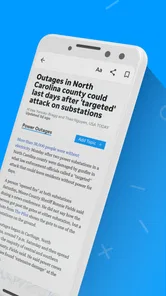
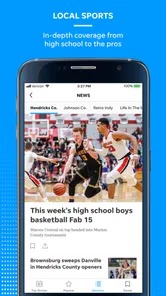
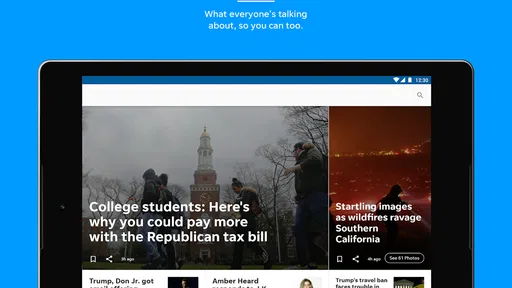
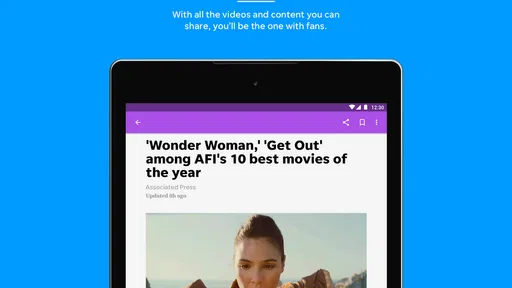
The store summary highlights local and national news, photography, and video, and that combination matters in practice. A text-only reader is often quicker, but visual reporting can make a local event easier to understand. A strong photograph may communicate the scale of a storm, a public gathering, or a community change faster than several paragraphs. Video can add atmosphere and movement, although it also makes the app more sensitive to network quality and mobile data limits.
I would describe the app as a general news companion rather than a specialist tool. It is not aimed only at politics, business, sports, or entertainment. That broad approach is useful if I want one place to browse, but it also means I need to spend a little time deciding what deserves my attention. Readers who prefer a tightly filtered feed may find the wider mix less efficient than a dedicated source or a carefully configured news aggregator.
The News-Press is free to install, which makes trying it straightforward. The app is rated for Everyone 10+, and its current version is 8.10.3. It has been available since November 16, 2012, so it is not a brand-new experiment. On Android, it requires version 8.0 or later. The listing shows around ten thousand installs, an average rating of 3.5, and roughly 160 ratings, with about 73 written reviews. Those figures suggest a modest user base and a mixed reception rather than universal approval.
Where a stable connection makes the biggest difference
When the connection was strong, the app felt much more fluid. Headlines appeared quickly, photographs were worth opening, and video became a realistic part of browsing instead of something I postponed. This is important because the visual material is not merely decoration. It changes how I judge a story: a local report with a clear image can immediately show why it matters, while video can provide context that a short headline cannot.
More From Our News Desk

Weather by Xiaomi Review: Clear at a Glance, Less Clear Up Close

X Under Pressure: Can It Recover When Posting Goes Wrong?

Clash of Clans Is Won Between the Battles

Android Auto Makes the Case for Quieter Car Software

MobiOffice: Transforming Mobile Productivity with Seamless Integration

EA SPORTS FC™ Mobile Soccer: Redefining Mobile Sports Gaming
On a strong Wi-Fi connection, I could browse more freely and open stories without thinking about every tap. That is the setting in which I think the app makes its best impression. It encourages a lean-back style of reading, where I move from one item to another and occasionally stay with a longer report. The experience is less attractive when I am trying to conserve every megabyte or working with an unstable signal.
A useful habit is to separate headline scanning from media-heavy reading. If I am on cellular data, I first look through the text-based choices and open only the stories that genuinely interest me. That simple change makes the app feel less demanding. It also prevents me from spending data on videos that I would probably skip after the first few seconds.
The connection issue is not limited to speed. A weak signal can make me unsure whether a story is slow because of the network, because of a large image or video, or because the app is still processing the request. That uncertainty is a small but real source of friction. I prefer apps that make their loading state obvious, and with a visually rich news experience, waiting is more noticeable than it would be in a plain text feed.
Using it in real mobile situations
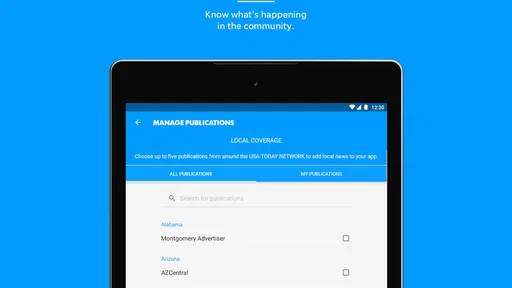
My favorite use case is a short local check before making a decision about the day. If weather, traffic, a public event, or a community issue may affect my plans, local coverage is more useful than a broad national feed. I can scan the nearby news first, then move to national stories if I want context. The app earns its place in that routine because it does not force me to choose between local relevance and wider awareness.
It also works well during a quiet lunch break when I have enough time for more than headlines. I might begin with a local report, follow the photographs, and then watch a related video if the connection is good. That progression feels more natural than opening separate apps for text, images, and video. The trade-off is that the same richness can become distracting when I only need one fact quickly.
On public transport or while walking between appointments, I would use it more cautiously. A changing mobile signal can interrupt the flow, and video is less practical when I am moving or wearing headphones only occasionally. In those moments, a lightweight text-focused news app may be the better choice. The News-Press is more enjoyable when I can pause, read, and let media load without rushing.
For someone who follows local developments closely, I would make the app part of a two-step routine. First, check the local headlines for immediate relevance. Second, use another trusted source when a story affects an important personal decision and needs confirmation or deeper specialist reporting. That is not a criticism unique to this app; it is simply the sensible way to use a broad news reader rather than treating one feed as the complete picture.
What happens when the network is unreliable
The most frustrating moments came when I opened the app with a poor connection and expected instant access. A headline might be enough to keep browsing, but a photograph or video can turn the next step into a wait. If I was in a hurry, I found myself abandoning the story rather than repeatedly trying to load it. That makes the app less dependable for urgent, time-sensitive checking in places where coverage is inconsistent.
I would not plan a long flight, rural drive, or underground commute around this app unless I had already arranged another way to read the news. The important distinction is that I am not treating it as an offline archive. Its value comes from current material and visual presentation, both of which naturally benefit from an active connection. For dependable travel reading, a source that clearly supports prepared articles or a simple saved-reading workflow would suit me better.
When a page does not load properly, my practical recovery routine is simple. I stop opening additional media, return to the main browsing view, and retry once I have a stronger signal. If I am on cellular data, I switch to Wi-Fi when possible before continuing with video. I also avoid repeatedly tapping the same item, because that does not solve a connection problem and only makes the experience feel more confusing.
This is one area where expectations matter. If I open the app expecting a quick headline list, a delayed image feels like an annoyance. If I open it expecting a richer report with photography or video, I am more willing to wait. The app is therefore more forgiving when I have time. Its weakness is not that visual news exists, but that the connection-dependent parts can dominate the experience when conditions are poor.
Recovery is easier when I treat the app as a browsing tool rather than an emergency alert system. For breaking developments, I would use the fastest reliable notification source available and then turn to The News-Press for local reporting and visual context. That division of labor gives the app a realistic role: it is useful for staying informed and understanding a story, but I would not make it my only safeguard against missing something urgent.
Keeping cellular use under control
The presence of rich photography and video means I would pay attention to how I use the app away from Wi-Fi. I do not need to avoid media completely, but I would make deliberate choices. Reading several text stories first gives me a better sense of which visual reports are worth opening. That is more efficient than starting every item and discovering later that I was only mildly interested.
A practical workflow is to use the app freely on a home network, then switch to selective browsing when I am outside. I can check local headlines, choose one or two important stories, and leave the rest until I have a better connection. This approach preserves the app’s strongest feature—its mixture of local reporting and visual material—without allowing every image or video to compete for cellular data.
I would also avoid using it as background entertainment when a connection is limited. Continuous video browsing is not the reason I would install this app, and it weakens the value proposition for someone who mainly wants quick text updates. The best balance is intentional reading: choose the story, decide whether the image adds something, and treat video as an optional layer rather than the default way to consume every report.
The app includes in-app purchases priced from $19.99 to $69.99 per item. Since the basic download is free, I would pay close attention to what appears during use before committing to any purchase. A reader who wants only casual headline browsing may never want to spend money, while someone who values expanded access may judge the cost differently. Either way, the free entry point makes it possible to evaluate the reading experience and connectivity demands first.
There is another data-related trade-off beyond cellular usage: attention. A visually rich feed can encourage me to keep opening one more item, even when I originally wanted a quick update. I find it helpful to set a purpose before browsing. If I need local information, I stay with local coverage. If I have time for a wider overview, I explore national stories afterward. That small boundary keeps the app useful instead of turning a short check into an unplanned media session.
Who will appreciate it, and who should choose something else
I would recommend The News-Press to readers who care about local coverage but still want national news in the same app. It is especially suitable for people who enjoy seeing the story through photographs and video rather than reading headlines alone. The app also makes sense for casual readers who want a free starting point and are comfortable browsing when Wi-Fi or a strong mobile signal is available.
I would be more hesitant to recommend it to someone with a strict low-data plan, an unreliable connection, or a strong preference for offline reading. It is also not my first choice for a reader who wants an extremely focused feed with no visual distractions. A lightweight text reader, a specialist publication, or a customizable aggregator may be more efficient in those cases.
Compared with a general national news app, this one feels more useful when local relevance is the deciding factor. Compared with a local station app, its broader national material gives me more variety in one session. Compared with a social feed, it offers a more deliberate place to browse news instead of relying on whatever happens to appear in a timeline. The compromise is that a social feed may feel faster for discovering a developing story, while a specialist source may provide deeper reporting in one subject.
The developer, USA TODAY Co., gives the app a recognizable news identity, but I still would not confuse familiarity with a guarantee that every story will match my interests. The average rating of 3.5 reflects that the experience is useful for some readers and less convincing for others. In my view, the difference comes down to expectations: people seeking a local-and-national visual news mix are more likely to appreciate it than people seeking the fastest, leanest, or most customizable reader.
My verdict on staying connected with The News-Press
After using it as a mobile news reader, I see The News-Press as a convenient local gateway with enough national coverage to keep the experience from feeling narrow. Its photography and video give selected stories more impact, and its free starting point lowers the risk of trying it. I like it most when I have a stable connection and a few minutes to browse rather than when I need one fact instantly.
The central limitation is connectivity. Weak service makes visual stories slower and can reduce the app’s usefulness at exactly the moment I want quick access. I would not rely on it as my only source during travel, in low-signal locations, or for urgent alerts. Instead, I would pair it with a dependable fast-update source and use this app for local awareness, broader browsing, and richer story context.
My final recommendation is therefore conditional but positive. Install it if local news matters to you, you enjoy visual reporting, and your normal reading happens on Wi-Fi or a reliable mobile network. Skip it if offline access, minimal data use, or highly specialized coverage is more important than having local and national material together. For connected everyday browsing, it is a worthwhile free option; for disconnected reading, it should not be your only plan.
The News-Press Frequently Asked Questions
Who publishes The News-Press app?
The News-Press is published by USA TODAY Co. It is a news and magazines app intended for readers looking for local and national reporting on a mobile device. Its store description highlights local and national news, photography, and video, so it may suit people who prefer a mix of written coverage and visual stories rather than a text-only news experience.
What is The News-Press app?
The News-Press is a digital news application focused primarily on local coverage, community updates, breaking stories, sports, weather, entertainment, and regional events. It is designed for readers who want convenient access to reporting from The News-Press on a mobile device. Depending on your location and subscription status, available articles, features, and content access may vary.
Is The News-Press app free to download and use?
The News-Press app is free to download from the official Android or iOS app store. However, downloading the app does not necessarily mean that every article is free to read. Some content may be limited by a subscription or digital access plan, and the exact number of free articles can change. The app offers in-app purchases, so check the current terms shown in the app before subscribing.
Does The News-Press require a subscription?
A subscription may be required to access all articles and premium features in The News-Press. Users can usually browse selected headlines or limited content without paying, while regular readers may need a digital subscription for unlimited access. Subscription prices, trial offers, billing terms, and cancellation procedures can differ by platform and region, so review them carefully before confirming payment.
What type of news and features are available in The News-Press?
The News-Press typically provides local and regional journalism covering major news, politics, public safety, business, education, sports, lifestyle, entertainment, and weather. Its store description also highlights local and national news, spectacular photography, and rich video content. The app may include breaking-news notifications, saved articles, personalized sections, photo galleries, videos, and access to additional digital publications. Feature availability can depend on app updates, subscription level, and your location.
Pros
- Covers local news
- events
- and issues across Southwest Florida.
- Offers convenient access to breaking stories and community updates.
- Includes sports
- business
- lifestyle
- and opinion sections.
- Digital access makes the newspaper available while traveling.
- Search tools help locate older articles and specific local topics.
Cons
- Some premium articles may require a subscription to read fully.
- Advertising can make navigation feel cluttered at times.
- Coverage is focused locally and may feel limited for national news.
- App performance may vary depending on connection quality and device.
- Frequent notifications can become distracting without careful settings.













