The Ledger - Lakeland, Florida
- 42.00
- 3.6
- Installs
- 10.00K
- Price
- Free

Screenshots


Analysis by Reviewed
I approached The Ledger - Lakeland, Florida as a local news app first, rather than as another general headline reader. That distinction matters. Its purpose is to bring Lakeland-area coverage into a compact mobile experience while also connecting it with broader news, photography, and video. In daily use, I found the most useful question was not whether it could replace every news source I already use, but whether it could make local awareness easier to maintain.
The app comes from USA TODAY Co. and sits in the News & Magazines category. It is free to install, rated for Everyone, and supports devices running Android 8.0 or later. Its current version is 8.10.3, so anyone using an older phone should check compatibility before expecting the same experience. The app has passed 10 thousand installs, with a 3.6 average from 144 ratings and 42 written reviews. Those figures suggest a service with a real audience, but also one that may not satisfy every reader equally.
How I built a practical daily news routine
I built my routine around a clear purpose: use a local news app to stay oriented, not to chase every update. Before settling into that habit, I’d first check which alerts actually help and how the app fits into my usual reading time. That small setup choice makes the next step—recovering smoothly when a routine or session gets interrupted—much easier.
Starting with local awareness instead of endless scrolling
My baseline routine was simple: open the app when I wanted a quick sense of what was happening around Lakeland, scan the leading stories, and then decide which items deserved a closer read. That approach worked better than treating the app like a social feed. I was not trying to consume everything. I was using it as a local checkpoint.
This is where The Ledger - Lakeland, Florida has a clear reason to exist. National news apps are good at major events, politics, business, and widely shared stories, but they can make local developments feel secondary. A community-focused edition gives nearby events a more prominent place in the reading habit. For residents, commuters, families, and people who have recently moved to the area, that local emphasis can be more useful than a larger but less personal news homepage.
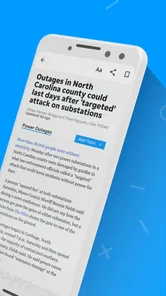
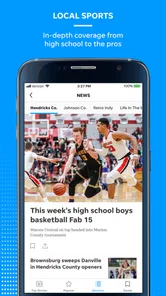
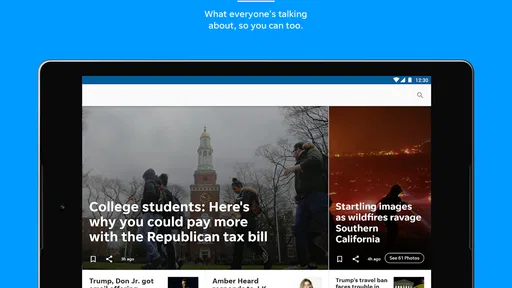
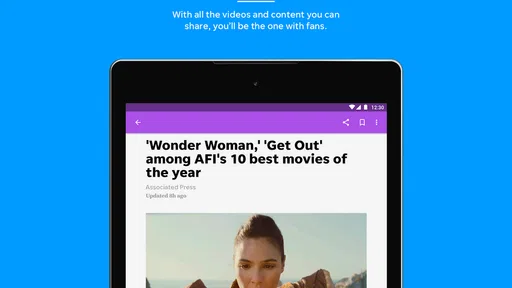
I also found the photography and video valuable when a story depended on place or atmosphere. A written headline can tell me that something happened, but visual coverage can help me understand the scale, setting, or public impact. The app’s store summary highlights local and national news alongside photography and video, and that combination is noticeable in the way the content is presented. It is not only a text-heavy bulletin.
A realistic morning and evening workflow
On a normal morning, I would spend a few minutes checking the main feed before work. I looked for three kinds of information: anything that could affect travel or plans, a significant local development, and one broader story worth following. That kept the session focused. If I opened every headline, the app would become another source of distraction rather than a useful briefing.
More From Our News Desk

Weather by Xiaomi Review: Clear at a Glance, Less Clear Up Close

X Under Pressure: Can It Recover When Posting Goes Wrong?

Clash of Clans Is Won Between the Battles

Android Auto Makes the Case for Quieter Car Software

MobiOffice: Transforming Mobile Productivity with Seamless Integration

EA SPORTS FC™ Mobile Soccer: Redefining Mobile Sports Gaming
In the evening, I used a different rhythm. Instead of checking every item again, I returned only when I wanted more context on a story that had changed during the day. This is a good habit for a local news app because the value is often in staying aware over time, not in trying to finish a fixed list of articles. The app works best when it supports repeated, short visits rather than one long reading session.
For someone who wants only national headlines, this is probably not the most direct choice. A broad news aggregator will usually offer more subjects and more sources in one place. The Ledger is more appealing when Lakeland coverage is the reason you are opening the app in the first place.
What I would check before relying on it
Before making any news app part of my routine, I consider whether it gives me enough local relevance, whether the reading experience feels manageable, and whether its free access matches my expectations. The Ledger meets the first requirement for readers interested in Lakeland, and its free entry point makes trying it straightforward. However, in-app purchases range from $14.99 to $69.99 per item, so I would pay attention to any prompts or subscription-related screens instead of assuming every part of the experience will always remain unrestricted.
That does not make the app unsuitable, but it does change how I recommend approaching it. Start with the free experience, understand which content and functions are available to you, and only consider a purchase if the app becomes a regular part of your news routine. Occasional readers may not get enough additional value from paid access to justify it, while committed local-news readers may view it differently.
Settings and habits that make the app easier to live with
Experienced use begins with resisting the urge to treat every available notification or content prompt as equally important. I would review the app’s notification options early and keep only alerts that genuinely help me. If a notification arrives for every minor update, it can train me to dismiss everything. A smaller, intentional stream is more useful than constant interruption.
I would also check how the app behaves with video before using it heavily on mobile data. Rich video content is one of its strengths, but video can make a short news check take longer and may be less convenient when I am in a quiet public place, commuting, or trying to conserve data. Reading first and opening video when it adds context is a better pattern than automatically playing or watching every clip.
Another practical adjustment is deciding when the app belongs in my day. I prefer a morning check and a later update rather than repeatedly reopening it without a purpose. This is not a missing feature; it is a usage choice that makes the experience calmer. Local coverage becomes more useful when I remember the important stories instead of allowing a stream of headlines to blur together.
Using visual coverage without losing the main story
Photography and video can pull attention away from the article itself, so I used them selectively. When an image clarified a local scene or showed the human effect of an event, it added real value. When it was simply more eye-catching than informative, I returned to the written report. That distinction is especially helpful for readers who want reliable awareness rather than entertainment.
My preferred sequence was to read the headline and opening portion, decide whether the subject affected my area or interests, and then use the visual material for context. This small habit made the app feel faster because I was not treating every multimedia element as mandatory. It also helped me compare the app fairly with text-focused news sources: The Ledger’s visual presentation is an advantage when used with a purpose, not automatically.
Shortcuts for faster, repeatable reading
The most effective shortcut I found was not a hidden gesture or an undocumented tool. It was a repeatable order of attention. I started with local headlines, moved to national items only when they were relevant, and opened video or photography after deciding that the story deserved more time. Once that sequence became familiar, I could get oriented quickly without feeling that I had skipped the important material.
I also separated “need to know” from “nice to know.” A road-related development, a major community event, or a story connected to people I knew belonged in the first group. Background pieces and broader national coverage could wait. This made the app more useful for busy readers because it turned a broad feed into a personal briefing.
For families, a helpful pattern is to use the app as a conversation starter rather than a complete information source. A parent might check local coverage before discussing weekend plans, school-area activity, or community events. The Everyone content rating makes the app broadly approachable, but adults should still guide younger readers through context and source evaluation, as they would with any news service.
For someone new to Lakeland, I would combine the app with a broader national source. The Ledger can help establish a local picture, while a general news app can fill in international and national context. That combination is more balanced than expecting a local edition to cover every subject with equal depth.
Where it compares well with familiar alternatives
Compared with a general aggregator, The Ledger feels more focused. An aggregator may offer a larger range of publishers and topics, but that variety can bury local stories under national headlines. The Ledger’s advantage is attention: it gives Lakeland-related news a clearer place in the reading routine.
Compared with checking a newspaper website in a mobile browser, a dedicated app can feel more convenient for repeat visits. I do not have to begin each session by finding the right page, and the app’s combination of articles, photography, and video is designed for mobile consumption. The trade-off is that a browser can make it easier to compare several sources side by side, while an app naturally encourages me to stay within its own presentation.
Compared with social media, the app offers a less chaotic starting point. Social platforms can surface breaking information quickly, but they also mix reporting with commentary, repetition, and unrelated posts. The Ledger is better when I want a deliberate news check. Social media may still be faster for discovering that something is happening, but it is not automatically better for understanding what happened.
Limits that matter to advanced users
The app’s biggest limitation is not necessarily a missing button; it is the boundary of a focused local edition. Readers who want deep customization across many regions, extensive source comparison, or a highly personalized national feed may outgrow it. The local emphasis is precisely what makes it attractive, but that same focus can feel narrow when my interests move beyond Lakeland.
The 3.6 average rating also tells me to keep expectations measured. It is not a reason to dismiss the app, especially because ratings reflect different devices, habits, and expectations, but it does suggest that the experience may have rough edges for some users. I would judge it by the quality and relevance of the local coverage I personally need, rather than assuming the rating guarantees a polished experience for everyone.
Another trade-off is the relationship between free access and in-app purchases. A free installation lowers the barrier to trying it, but readers who dislike subscription prompts or paid content should inspect the purchase flow carefully. The listed purchase range reaches $69.99 per item, which is significant enough that I would never tap through casually. If I only read occasional headlines, a free general source may be the better fit.
Device age can matter too. Android 8.0 is the minimum operating system, so users with older hardware should confirm that their phone meets that requirement. Even on a compatible device, video-heavy content may feel less comfortable on a small or slower handset than on a newer phone. In that situation, the browser version of a news source or a text-first alternative could be easier to use.
Who will get the most from it
I would recommend The Ledger - Lakeland, Florida to residents who want a convenient local-news habit, people who have family or work connections in the area, and newcomers trying to understand what is happening around them. It is also a reasonable choice for readers who enjoy seeing news supported by photography and video rather than reading text alone.
I would be more cautious recommending it to someone who wants a single app for international coverage, extensive political analysis, specialist reporting, and multiple localities. That reader may prefer a larger news platform with broader source selection. I would also steer away from it for anyone who does not want to monitor in-app purchase prompts or who expects every useful feature to be included without any paid layer.
My final routine and verdict
After using it as a local briefing tool, my preferred setup is deliberately modest: keep notifications under control, check the local feed at planned times, read before watching, and use visual content when it genuinely adds context. I would pair it with one broader news source rather than asking it to cover the entire world. That workflow plays to its strengths without exposing its narrower focus as a weakness.
The Ledger is most successful when it becomes a dependable Lakeland checkpoint, not an all-purpose replacement for every news source. Its free starting point, local emphasis, photography, and video give it a clear identity, while the moderate rating and paid-item range are reminders to test it carefully. I like it for readers who value nearby coverage and can maintain a focused routine. If that describes you, it is worth trying; if you mainly want a huge, customizable national feed, another news app will probably serve you better.
The Ledger - Lakeland, Florida Frequently Asked Questions
Who publishes The Ledger app, and is it an official news source?
The Ledger is a news app published by USA TODAY Co. It focuses on news connected with Lakeland, Florida, and the surrounding area, alongside national news content. If you want reporting about local events and issues from a publication associated with the Ledger name, the app is a direct way to explore its coverage on a mobile device.
What is The Ledger app, and what type of content does it provide?
The Ledger app is designed for readers who want news and information related to Lakeland, Florida, and the surrounding Polk County area. It provides local and national news, with photography and video content as part of the reading experience. It is a News & Magazines app, making it a practical option for following regional stories alongside broader news.
Is The Ledger app free to download and use?
The Ledger is free to download, but that does not necessarily mean that all of its content is free. Some articles or premium features may require a digital subscription, registration, or an active account. In-app purchases are available, with prices ranging from around $15 to around $70 per item, so review the purchase terms before committing to paid access.
Do I need a subscription to read articles in The Ledger app?
A subscription may be required to read certain articles, especially premium stories or content beyond a limited number of free views. The app may allow occasional visitors to browse selected headlines and local updates before requesting payment or login details. If you are mainly interested in Lakeland news, review the available plans carefully and confirm whether digital access, e-edition access, or other benefits are included.
Can I receive breaking-news notifications from The Ledger?
The Ledger app may support push notifications for breaking news, important local developments, sports results, weather-related information, and other regional updates. Notifications can usually be enabled or disabled through the app or your device settings. If you prefer fewer interruptions, you can customize permissions after installation, while keeping alerts active if receiving timely Lakeland and Polk County news is important to you.
Pros
- Clear local coverage focused on Lakeland
- Florida
- and nearby communities.
- Useful for staying informed about local events
- issues
- and public affairs.
- Convenient access to news updates without needing a printed newspaper.
- Articles are easy to browse by topic and can support quick daily reading.
- Helpful for residents who want a stronger connection to their local community.
Cons
- Coverage may feel limited if you are interested in news outside Central Florida.
- Some content or features may require a subscription or account.
- Push notifications can become frequent if several news categories are enabled.
- The app’s usefulness depends on how regularly new local stories are published.
- Advertising or promotional elements may distract from the reading experience.













