2ndLine - Second Phone Number
- 17.34K
- 4.2
- Installs
- 10.00M
- Price
- Free

Screenshots
Analysis by Reviewed
Ever found yourself in a situation where you needed a second phone number without the hassle of getting a new SIM card? Let me introduce you to 2ndLine, an app that’s got your back. It’s like having a trusty sidekick in your pocket, ready to handle all those extra calls and texts without mixing them up with your personal ones.
When a second line depends on a good connection
A second number is most useful when it fits into the way I already communicate, and that makes connectivity a practical part of the decision. This is a communication app from TextNow, Inc., not a replacement for every part of a mobile plan. Calls and messages still rely on having a usable connection, so I’d treat it as a convenient extra route rather than my only way to reach someone in a time-sensitive situation.
The Wi-Fi calling option can help when cellular reception is weak but Wi-Fi is available. That can be useful in a basement office, a hotel, or a home where one corner gets poor reception. It is still worth checking that the connection is stable before relying on a long or important call; a second number does not make an unreliable network reliable.
Why 2ndLine Stands Out
So, what makes 2ndLine special? For starters, it’s incredibly easy to set up. You download the app, sign up, and boom, you’ve got a second phone number. I was honestly surprised at how quickly I was up and running. The user interface is slick and straightforward, which means you won’t be fumbling around trying to figure out where everything is.
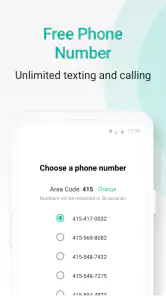
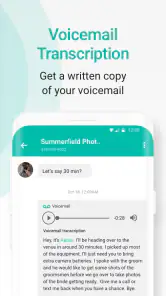
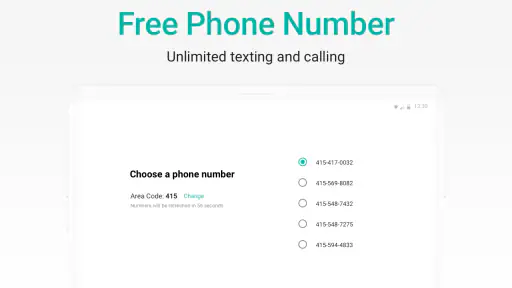
One of the coolest features is the ability to choose your area code. Whether you want to appear local in a different city or just need a number that’s easier for others to remember, 2ndLine gives you that flexibility. Plus, it’s not just about calls and texts; you also get voicemail, and the quality is pretty darn good. I’ve had zero issues with call quality or dropped calls, which is a big win in my book.
Making the number work in everyday life
I find a second line most helpful when I can give it a clear job. For example, if I’m arranging a furniture pickup through a marketplace, I can share the extra number for that conversation instead of handing out my main one. For a small side project, it can also keep customer calls and texts separate from messages meant for friends and family. The useful habit is to tell people which number to use and check that line regularly; separation only helps if I remember to monitor it.
It can also be a sensible choice for someone who wants to keep personal and work conversations apart without carrying two phones. On the other hand, I wouldn’t choose it as my sole contact number for work that demands dependable reachability at all times. A second app-based line introduces another place to check and another connection to depend on. If a business needs a number managed across a team or tied to a more formal phone setup, a dedicated business service may be a better fit.
You May Like

Clash of Clans Is Won Between the Battles

Android Auto Makes the Case for Quieter Car Software

MobiOffice: Transforming Mobile Productivity with Seamless Integration

EA SPORTS FC™ Mobile Soccer: Redefining Mobile Sports Gaming

How Microsoft OneDrive Became a Mobile Productivity Giant

How Google Translate Breaks Language Barriers Effortlessly
Features That Make a Difference
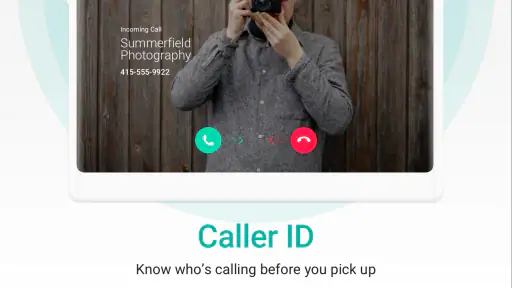
Let’s dive into some of the features that really caught my eye. The app offers unlimited texting and calling within the US and Canada, which is a game-changer if you’re someone who needs to keep in touch without worrying about running up a huge bill. The addition of picture messaging is a sweet bonus, letting you share moments without needing to switch apps.
Another neat feature is the customizable text-tones and ringtones. It adds a personal touch and helps differentiate between your primary number and your 2ndLine number. And if you’re like me, always on the go, you’ll appreciate the Wi-Fi calling feature. It ensures that you can make and receive calls even in places where your cell signal might not reach.
Using it on the move, and when things go wrong
When I’m away from home, the extra line is convenient for keeping a conversation in one app rather than swapping SIMs or giving out my everyday number. But I’d think about the setting before making a call: a busy public Wi-Fi network may not feel as dependable as a strong mobile connection, and a weak connection can make a conversation frustrating. For travel, I’d also avoid assuming that a number designed for calls and texts in the US and Canada will behave like a full international phone plan.
If a call fails or a message seems delayed, I’d first check whether the phone has a stable connection, then try again when reception improves. I’d also make sure I’m looking at the right line before replying, especially if I use the app for both personal and work contacts. Keeping the two numbers distinct in my own routine is more useful than simply having a second number on screen.
Choosing a line for the right job
I’d decide what the extra number is for before sharing it widely. A short-lived use, like coordinating a move or managing replies to a local sale, is a natural fit: I can keep those conversations apart from my usual contacts without changing how I use my main number. For ongoing work, I’d be more deliberate. I’d make sure I can check the app during the hours people may contact me, and I’d tell customers whether the number is appropriate for calls, texts, or both.
That distinction also helps answer whether this can replace a regular mobile number. For casual or secondary communication, it can be useful; for emergency contact details, banking verification, or an account that must reach me reliably, I’d keep my established primary number in place. Some services treat app-based numbers differently, and I wouldn’t build an important account workflow around an assumption that every verification system will accept it.
Small habits that prevent mix-ups
When two lines live on the same phone, the main risk is often human rather than technical: replying from the wrong identity or forgetting to look at the second inbox. I’d use a distinct ringtone or text tone, as the app allows, and make a habit of checking which number is active before starting a conversation. Those small choices are especially useful if I’m using the extra line for a side business while keeping my personal contacts on my regular number.
I’d also set expectations with people from the start. A brief note that this is the best number for a particular project can prevent someone from continuing to call the personal line. If I stop using the number for that purpose, I’d update the contacts who need to know rather than assume they will notice. A second line protects separation only while I manage it consistently.
Cost, expectations, and alternatives
The app is free to download, and its listing shows optional in-app purchases ranging from $2.49 to $49.99 per item. That makes it easy to try the basic idea without committing to a second handset, but I’d review any purchase prompt carefully and decide whether an extra option is worth paying for. “Free” does not mean every possible use or add-on will necessarily be free.
Compared with a second SIM or a carrier’s additional line, this approach is more convenient if I want to avoid managing another physical SIM or device. A carrier line may be preferable when I need service that is closely integrated with my mobile account or want a more conventional setup. Compared with using only a messaging app, 2ndLine is aimed at having a separate phone number for calls and texts, which is useful when a contact expects a number rather than an account name.
There is a practical trade-off in that convenience: an app-based number means I’m relying on the phone, the app, and a working connection together. A second SIM may make more sense if I need a line that behaves like a standard carrier number, while a messaging service is simpler if everyone I contact already uses the same platform. I see this app in the middle: useful when I want a distinct number without another handset, but not a universal substitute for either alternative.
It has an Everyone age rating, and its current version is 25.46.1.0, with Android 9 as the minimum operating system. The app has a 4.2 average from around 138,000 ratings and over 10 million installs, which suggests many people have tried this kind of second-line setup, though those figures can’t tell me whether it suits my particular network or routine.
Who I’d recommend it to
I’d point someone toward this app if they want a separate number for a limited circle of contacts, a side project, or everyday situations where they’d rather not share their main number. It is particularly appealing if carrying a second phone feels excessive and the people they need to reach are in the US or Canada. Choosing an area code can also make the number feel more familiar to the people they are contacting, though it doesn’t change the fact that calls still depend on connectivity.
I’d steer someone elsewhere if they need a business line with shared access, guaranteed availability, or the closest possible match to a conventional carrier number. The same goes for anyone who does not want to monitor another app or who has unreliable access to Wi-Fi and mobile data. In those cases, paying for a carrier line or using a dedicated business phone service may be worth the added cost and setup.
My Personal Take
Here’s the thing, I’ve tried a few different apps like this before, and while some were okay, 2ndLine just feels more polished. It’s reliable, and that’s key when you’re dealing with communication. I love the freedom of having a second number without the commitment of a second phone. It’s perfect for separating work calls from personal ones, or even for those times when you just want a bit more privacy.
Overall, if you’re in the market for a second phone number, I’d say give 2ndLine a shot. It’s user-friendly, packed with useful features, and best of all, it won’t break the bank. Plus, with the ability to customize and manage your communication so effortlessly, it’s a tool that’s hard not to love. Don’t just take my word for it, though; try it out and see how it works for you!
2ndLine - Second Phone Number Frequently Asked Questions
Is 2ndLine free to download, and are there optional purchases?
2ndLine is free to download, so you can try the app without paying for the initial installation. It also offers in-app purchases, which may appeal if you want access to paid options. Before choosing one, review what it includes and whether it fits how you plan to use your second line. You can begin with the free app and decide whether any extras are worthwhile.
What devices and operating systems can run 2ndLine?
2ndLine is available for Android and iOS devices, giving users on either platform a way to add a second number to a smartphone. On Android, the app requires operating-system version 9 or later. Check your device’s system version before downloading, and make sure you are installing the app on a compatible phone or tablet.
Can I use 2ndLine as my only phone number?
2ndLine is designed to provide a second number on your existing smartphone, so it can help separate personal and business conversations or keep your primary number private. Its store summary describes nationwide unlimited calls and texts, but the app relies on an internet connection. Consider whether that setup suits your everyday communication needs before making it your main line.
What is 2ndLine and how does it work?
2ndLine is a mobile application that provides users with a second phone number, which can be used for personal or business purposes. It works by assigning a new number that can be used for calling, texting, and voicemail, all while using your existing smartphone. This allows users to keep their primary number private, avoid spam calls, or manage multiple lines for different aspects of their lives without needing a second device.
Is 2ndLine available for both Android and iOS devices?
Yes, 2ndLine is available for download on both Android and iOS platforms. Users can find the app in the Google Play Store for Android devices and the Apple App Store for iOS devices. This cross-platform availability ensures that a wider range of users can benefit from the convenience of having a second phone line on their mobile devices.
Pros
- Easy setup and user-friendly interface.
- Affordable pricing for premium features.
- Reliable call quality and messaging.
- Multiple numbers on one device.
- Works well for business and personal use.
Cons
- Ads in the free version can be intrusive.
- Limited features without subscription.
- Occasional connectivity issues.
- Customer support response can be slow.
- Not available in all countries.

- Category
- Communication
- Version
- 25.46.1.0












