Strobe
- 19.00
- 4.0
- Installs
- 1.00K
- Price
- $9.99

Screenshots
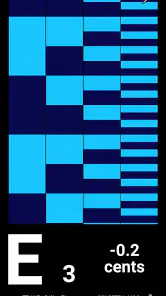
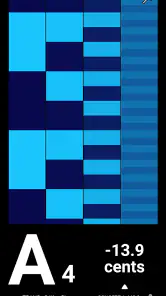
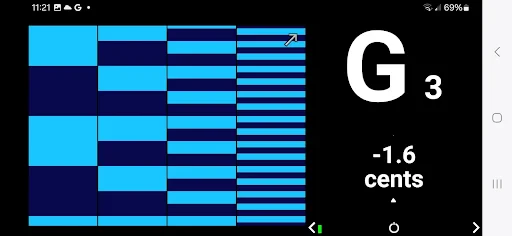
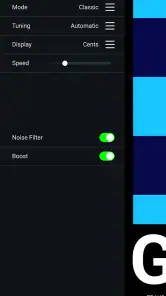
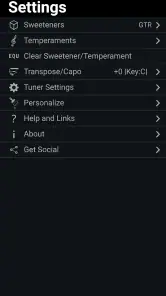
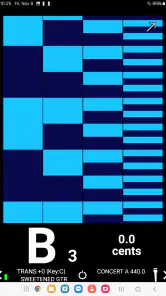
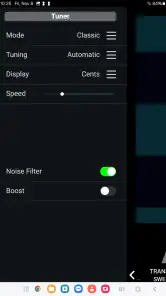
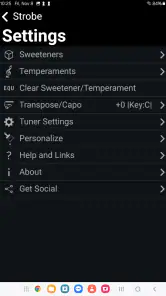
Analysis by Reviewed
A phone-based strobe can be a neat accent for a small gathering, but I wouldn’t treat it as a replacement for proper lighting or a reason to buy an app without a plan. My view of Strobe is that its appeal depends on a fairly specific use: you want a portable flash effect, can position your phone safely, and are comfortable with flashing light in the room. For that modest job, a dedicated strobe app may be more convenient than a separate lamp. For a large space, careful performance control, or a long event, other lighting is a better fit.
Light Up Your World
The first time I fired up Strobe, I was instantly hooked by its simplicity and effectiveness. The app turns your phone's flashlight into a strobe light, with adjustable speed settings that cater to any mood or event. Whether you're at a rave, a home party, or even just chilling in your room, this app brings a new dimension to lighting up the place. It's like having a mini disco in your pocket!
Simple Yet Powerful
What I genuinely appreciate about Strobe is its straightforward design. The user interface is clean, intuitive, and easy to navigate, even if you're not particularly tech-savvy. You can adjust the strobe speed with just a swipe, making it super convenient when you're in the heat of the moment. No fumbling around with complicated settings – just swipe and let the good times roll.
One of the coolest features is the app's ability to sync with your music. Imagine your strobe light pulsing perfectly in time with your favorite beats – it’s like having your personal DJ light show. This feature is not only fun but also adds an extra layer of excitement to your music experience.
A practical way to use it
I find a phone strobe most useful as a small, temporary accent rather than the main lighting for a room. At a casual gathering, I’d set the phone somewhere stable, point the light toward a wall or ceiling, and keep the speed restrained so it adds movement without taking over the conversation. Testing the effect in the actual room first is worthwhile: distance, reflective surfaces, and ambient light can change how intense the flashes feel.
For a musician practicing alone, the light can add atmosphere while a playlist plays, but it is not a substitute for a metronome or a dedicated stage light. I would also keep the phone within reach instead of leaving it unattended, since you may want to stop the flashing quickly. A strobe can be uncomfortable or unsafe for some people, so I’d avoid aiming it at anyone, warn guests before switching it on, and choose steady lighting instead if someone is sensitive to flashing lights.
Why It Stands Out
There are many strobe light apps out there, but what sets this one apart is its reliability and performance. It doesn’t crash or bug out, which is a huge relief because there's nothing worse than your light show cutting out mid-party. Plus, it’s lightweight and doesn’t hog your phone’s resources, so you can keep your party going without a hitch.
More From Our News Desk

Clash of Clans Is Won Between the Battles

Android Auto Makes the Case for Quieter Car Software

MobiOffice: Transforming Mobile Productivity with Seamless Integration

EA SPORTS FC™ Mobile Soccer: Redefining Mobile Sports Gaming

How Microsoft OneDrive Became a Mobile Productivity Giant

How Google Translate Breaks Language Barriers Effortlessly
Another significant plus is that it’s free to download. Yes, you heard that right! You get all these cool features without spending a dime. Of course, there are in-app purchases available if you want to unlock more advanced features, but the basic version is more than enough to get the party started.
Where it fits among lighting options
Compared with a basic flashlight app, a strobe gives you a changing effect instead of a constant beam, so it suits a brief visual accent better than finding something in a dark bag or lighting a path. Against a dedicated party lamp, though, a phone is limited by its single light source and the need to keep the device pointed in a useful direction. If you want broad room coverage, hands-free control, or a setup that runs for a long event, a purpose-built light is the more sensible choice.
There is also a practical trade-off in using the phone that is playing music: it may be less convenient to keep it positioned for lighting while you need it to control playback. I’d test the arrangement before guests arrive and avoid relying on the effect as the only source of light. The useful question is not whether a phone can replace stage equipment, but whether a quick, portable flash effect is enough for the moment you have in mind.
Who should choose it
This is best suited to someone who wants a simple effect for an informal gathering and is happy to use a phone as the light source. The music-oriented design makes it appealing to people who enjoy pairing light with sound, while the straightforward controls are a plus when there is no time to learn a complicated lighting setup. If you need precise control for a performance, a dependable continuous beam, or a fixture that can cover a large space, I’d choose equipment designed for that job instead.
Strobe is a paid music-and-audio app from Peterson Strobe Tuners, with an Everyone age rating. It launched on November 20, 2024, and version 1.0.9 requires Android 5.0 or later. It has a 4.0 average from around 40 ratings and over 1,000 installs. The price is $9.99, so the free-download claim above does not match the app’s current price; I would check that cost against how often I expect to use it before buying. That price also makes it worth distinguishing a handy novelty from a tool you’ll reach for regularly.
Before you rely on it
A sensible first test is a short one, done before anyone is depending on the effect. I’d check that the phone’s light is visible from the place where people will be standing, then try a low-intensity setup and decide whether the effect feels comfortable in that room. This avoids the common mistake of judging a phone strobe by looking at it up close: the impression changes with distance, room brightness, and where the beam lands. Keep ordinary lighting available, and treat the strobe as an optional accent that can be switched off immediately.
It is also worth thinking about the phone’s role before the music starts. If it is your only device for choosing tracks, changing volume, and controlling the light, placing it across the room may make the evening less convenient. I’d either keep it close enough to reach or use another music source, if one is already available. Don’t assume a music-linked effect removes the need to set up the room thoughtfully; the practical test is whether you can manage playback and lighting without leaving the phone in an awkward or unsafe spot.
What the price means in practice
The cost makes this a more considered purchase than a free utility you install just in case. I’d buy it if I expected to use the strobe repeatedly for small get-togethers, music practice, or another regular situation where a quick light accent has value. If I only wanted to try a flashing effect once, I’d compare the cost with borrowing a lamp or using a light I already own. The deciding point is not how exciting the idea sounds, but whether the convenience of using the phone is worth paying for in my routine.
That trade-off also changes how I compare it with other apps in the same broad category. A basic flashlight tool is the better pick for a steady beam and everyday practical lighting; a music player is the better pick when listening and playback controls are the priority. A dedicated party light generally makes more sense when the room needs wider coverage or the setup must run hands-free. This app occupies the narrower middle ground: it makes a phone useful for a temporary flashing effect, without turning that phone into full lighting equipment.
Who may want another option
I would skip a strobe app if anyone in the group is uncomfortable with flashing lights, if you need illumination to move around safely, or if the event calls for dependable, even light rather than a visual accent. It is also a poor match for someone who wants a fixed installation or detailed control over a larger lighting arrangement. In those cases, constant room lighting or purpose-built equipment is not a downgrade; it is simply the safer and more useful tool for the job.
For someone considering Android compatibility, the version information gives a straightforward starting point: the app requires Android 5.0 or later. That does not answer every device-specific question, so I’d still check that the phone’s flashlight works normally and test the app before planning around it. The same goes for battery expectations: because the light is doing the work, I would not assume a long session will be cost-free for the phone. A short trial is a better way to learn how it behaves on your device than discovering limitations in the middle of a gathering.
Final Thoughts
In a nutshell, Strobe is a fantastic app for anyone looking to add some flair to their gatherings. It’s easy to use, fun, and reliable – all the things you want in a strobe light app. If you’re someone who loves to host parties or just enjoys a good light show, give Strobe a try. Trust me, your parties will never be the same again! Now go ahead, download it, and let the light games begin!
Strobe Frequently Asked Questions
What kind of app is Strobe, and who makes it?
Strobe is a Music & Audio app from Peterson Strobe Tuners. Its description highlights Peterson’s tuning accuracy on Android, so it is intended for people looking for a strobe tuner rather than a photo or video effects editor. The app is rated for Everyone, making its stated age category suitable for general audiences.
What is Strobe and how does it work?
Strobe is a dynamic photo and video editing app that allows users to apply vibrant strobe effects to their media. By utilizing its intuitive interface, users can easily select images or videos from their gallery and customize them with various strobe patterns and color schemes. The app enables creativity through its wide range of effects, making it perfect for social media posts and artistic projects.
Is Strobe available for both Android and iOS devices?
Yes, Strobe is available for download on both Android and iOS platforms. Users can find the app on the Google Play Store for Android devices and the Apple App Store for iOS devices. Regardless of your device, you'll be able to enjoy the full range of features and effects that Strobe offers to enhance your photos and videos.
Does Strobe have any in-app purchases or subscriptions?
Strobe offers a free version with a variety of editing tools and effects. However, to access premium features, such as exclusive strobe effects and advanced editing options, users can opt for in-app purchases or a subscription model. This allows users to enhance their editing experience and unlock additional creative possibilities.
How user-friendly is Strobe for beginners?
Strobe is designed with a user-friendly interface, making it accessible for beginners and experienced editors alike. The app features simple navigation and clear instructions, allowing users to effortlessly apply effects to their photos and videos. Additionally, there are tutorials and guides available within the app to help new users get started quickly.
Pros
- Intuitive user interface for easy navigation.
- Wide range of customizable strobe effects.
- Supports multiple device synchronization.
- Low battery consumption during use.
- No intrusive ads in the free version.
Cons
- Limited features in the free version.
- Occasional crashes on older devices.
- Requires access to device camera flash.
- In-app purchases can be pricey.
- No offline mode available.
- Category
- Music & Audio
- Version
- 1.0.9











