StbEmu (Pro)
- 187.00
- 3.5
- Installs
- 100.00K
- Price
- $5.49

Screenshots
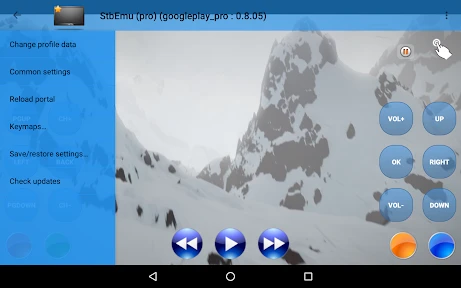
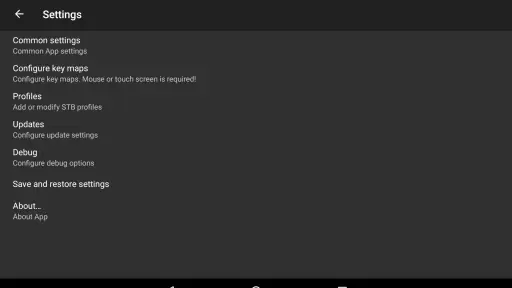
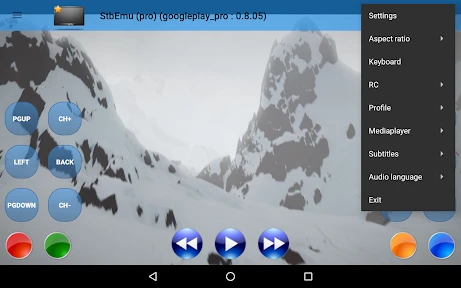
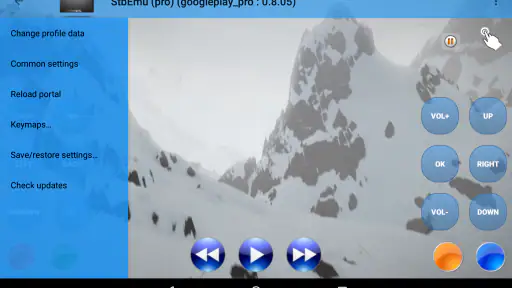
Analysis by Reviewed
I think StbEmu (Pro) makes the most sense when you already have access to an IPTV service and want a way to use it on a compatible device. It is an emulator for specific IPTV boxes, rather than a source of channels or a general video editor. That distinction matters: you bring the service details, then configure the app to work with them. If you expect to install it and immediately browse a ready-made TV library, this is probably the wrong starting point.
Start with the viewing setup you actually need
Before treating this as another app to try, I’d identify the device you plan to watch on and check whether your IPTV provider’s instructions are designed for a box-style emulator. That small bit of homework helps answer the most important question early: will this particular app fit the way your service is supplied? A subscription alone does not automatically make every IPTV app interchangeable.
This is also where I’d separate the viewing goal from the tool. If you want to edit clips, add titles, or prepare a video for publishing, a video editor is the right kind of app; StbEmu is not built for that creative workflow. If your goal is to access a provider’s live-TV arrangement through an emulated box interface, its specialized purpose is much more relevant than its broad placement among video apps.
A useful everyday example is someone who watches the same provider at home on a compatible device and wants a dedicated viewing setup there. They can prepare the connection in advance, test it, and then use the app as part of their regular evening routine. Someone who only wants to open a downloaded movie, by contrast, is likely better served by a conventional media player that handles local files without asking for IPTV portal details.
Setting Up: A Breeze or a Challenge?
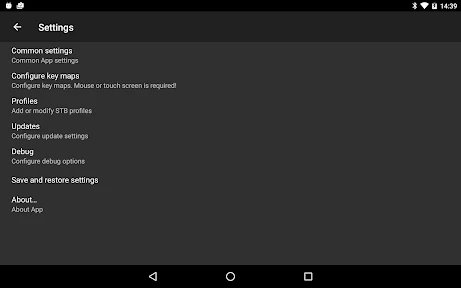
Let’s dive right into the setup process. Getting StbEmu (Pro) up and running on your device is relatively straightforward, but it does require a bit of patience. You’ll need to configure it with your IPTV service provider, and this is where things might get a little technical. The app doesn’t come pre-loaded with channels, so you’ll have to enter the portal URL provided by your IPTV service.
But don’t worry! There are plenty of tutorials online to guide you through the process, and once it’s all set up, you’ll appreciate the flexibility it offers. Just remember, this app is not for the faint-hearted who prefer plug-and-play solutions. A little bit of tech-savviness goes a long way here.
Before You Start: Check the Service Fit
Because the app is built to emulate particular IPTV boxes, the first useful question is not simply whether you have an IPTV subscription, but whether your provider’s setup is intended to work with this kind of emulator. I’d check the portal information and any setup instructions from the provider before paying for the app. That can save you from mistaking a compatibility problem for an app failure.
More From Our News Desk

Clash of Clans Is Won Between the Battles

Android Auto Makes the Case for Quieter Car Software

MobiOffice: Transforming Mobile Productivity with Seamless Integration

EA SPORTS FC™ Mobile Soccer: Redefining Mobile Sports Gaming

How Microsoft OneDrive Became a Mobile Productivity Giant

How Google Translate Breaks Language Barriers Effortlessly
For a practical setup, keep the portal details somewhere you can refer to while configuring the app, and enter them carefully. A small typo can make the whole process look broken even when the service itself is fine. I’d also test the configuration when you have time to troubleshoot, rather than right before a program you want to watch.
Configuration without guesswork
When setting it up, I’d avoid changing several preferences at once. First enter the provider’s details as instructed, then check whether the service connects. If it does not, verify the spelling and formatting of the portal information before assuming that a different setting is needed. This is a simple diagnostic habit, but it prevents a common spiral where each new adjustment makes it harder to tell what went wrong.
I’d also keep the provider’s instructions accessible rather than relying on memory. IPTV setup terms can be easy to confuse, especially if you are configuring a device you do not use every day. Writing down which details came from the provider and which choices you changed in the app gives you a clear route back if you need to start over or move the setup to another compatible device.
The User Interface: A Mixed Bag
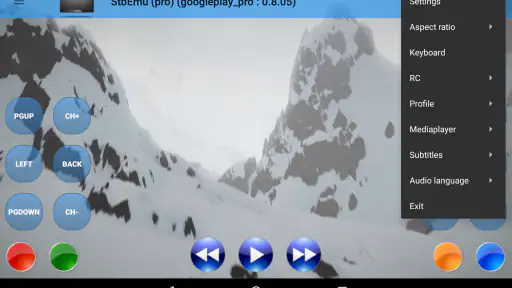
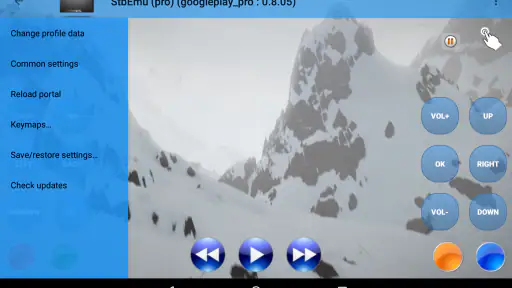
Now, onto the user interface. The design is pretty straightforward, but it feels a bit outdated compared to some of the other apps out there. That being said, it does the job. Navigating through the menus is smooth, and once you’ve got your channels set up, switching between them is a breeze.
One thing I really appreciated is the level of customization available. You can tailor the app to suit your preferences, which is a huge plus. However, if you’re new to IPTV apps, it might take some time to get used to all the options available. But hey, who doesn’t like a little customization?
Making It Work in Everyday Use
A realistic use case is settling in at home after work, opening the app on a device that is already configured, and choosing a channel through the IPTV service you use. In that role, the appeal is less about editing or publishing creative work and more about getting a specific box-style viewing setup onto your device. Once the initial configuration is done, you are not repeating the portal-entry process every time you want to watch.
My advice is to treat setup as a small one-time project: confirm the provider’s instructions, configure the app, then try a few channels before relying on it for a longer viewing session. If you are helping a less technical family member, do that preparation yourself first. The interface may be manageable once configured, but the initial service details and options are where a new user is most likely to get stuck.
Making a setup easier to live with
Customization is most useful when it solves a real annoyance in your routine. I’d make one adjustment, use the app for a normal viewing session, and then decide whether another change would genuinely help. That gradual approach is better than trying to optimize every menu before you know how you use the service. It also makes it easier to undo a choice if it has an unexpected effect.
If more than one person uses the device, think about the handoff as well as your own preferences. A carefully configured setup can be convenient for a regular viewer, but a family member who did not enter the provider details may not know how to recover if something changes. I’d leave the provider’s basic setup instructions available and explain which parts are safe to adjust and which should be left alone.
Performance: Does It Deliver?
Performance-wise, StbEmu (Pro) is pretty impressive. Streaming quality largely depends on your internet connection and the quality of the IPTV service you’re using, but the app itself handles streams beautifully. I didn’t experience any lags or buffering issues, which is a huge relief when you’re in the middle of a nail-biting episode of your favorite show.
One thing to keep in mind is that the app does consume a fair amount of resources, so make sure you’ve got a device that can handle it. But once you’re up and running, it’s smooth sailing from there.
When playback does not behave as expected
If playback becomes unreliable, I’d start with a quick comparison rather than immediately blaming the emulator. Try another channel through the same service: if that works, the problem may be specific to the first channel or the provider’s stream. If nothing loads, revisit the service details and connection before changing a range of app preferences. This does not prove the cause, but it gives you a more useful next step than random trial and error.
For an important match or a planned movie night, test the setup beforehand. That is especially sensible if you are using a device that has not been configured recently. The trade-off of this flexible route is that the provider, network, device, and app all play a part in the viewing experience; a single-purpose provider app may be easier to troubleshoot if you do not want to think about those pieces separately.
How It Compares With Other Viewing Apps
Compared with a typical video player, this app asks you to do more preparation because it depends on a compatible IPTV service and its portal details. A general player is often the simpler choice for opening ordinary local video files, while a provider’s own app may be easier if you only use that provider and it offers a suitable option. The trade-off here is a more specialized box-emulation approach for people who want that particular setup.
It is also worth separating app troubleshooting from service troubleshooting. If one channel has trouble while others work, the issue may be tied to that channel or the provider rather than the emulator. If nothing loads, recheck the portal information and service setup before changing several app options at once. Changing one thing at a time makes it easier to identify what actually fixes the problem.
Choosing the right alternative
The best alternative depends on what you are trying to watch. For files stored on your device, a regular video player avoids the account and portal setup that makes this app useful for IPTV. For a person committed to one provider, that provider’s own app is worth considering if it supports the device and viewing habits they have. It may provide a more guided route, though it will not necessarily reproduce the same box-style arrangement.
If you switch between services or specifically need an emulator workflow, a broad player can be less suitable even if it looks friendlier at first. The deciding factor is not which app has the most familiar menus; it is whether the app matches the way your provider expects its service to be accessed. I would not choose StbEmu just because it is described as a video app, and I would not reject it solely because a general player is simpler for unrelated tasks.
Who Should Choose It?
I’d consider it for someone comfortable following IPTV setup instructions, already using a service meant for this kind of box emulation, and willing to adjust preferences rather than demand a polished, instant-start experience. The ability to customize is useful if you want the app to fit an established viewing routine, and the focused purpose can be an advantage when a broad media player would be the wrong tool.
I’d steer beginners toward a simpler provider-supported option if they want guided onboarding, and I’d skip this app if they expect free channels included or want to manage and edit video projects. It is not a substitute for a streaming subscription, nor does its category make it a creator’s editing workspace. The most important choice is whether you need this specific emulator workflow at all.
Who is likely to be frustrated?
I would not recommend it to someone who wants instant channel discovery, a built-in content library, or a single app that takes care of the service relationship as well as playback. It is also a poor match for a person who has no provider setup details and does not want to ask their provider how the connection should be configured. In those situations, the work required is not a small inconvenience; it is the central part of getting started.
It can also be the wrong choice for a household where several people expect a familiar, self-explanatory interface and nobody wants to take responsibility for configuration. A more straightforward provider app may reduce the support burden. By contrast, someone who enjoys setting up a device and wants a tailored box-like viewing route may see the same learning curve as an acceptable one-time cost.
Final Thoughts: Is It Worth the Investment?
So, is StbEmu (Pro) worth shelling out for? If you’re someone who loves the idea of having all your IPTV services in one place and don’t mind a bit of a learning curve, then absolutely. It’s not the most beginner-friendly app out there, but once you get the hang of it, it’s incredibly rewarding.
Overall, I’d say give it a try if you’re looking for a comprehensive IPTV solution that offers a lot of flexibility and customization. It might not be love at first sight, but it’s definitely a relationship worth investing in!
Price, Support, and the Bottom Line
The app is a paid download at $5.49, so I would confirm that your IPTV provider’s method fits before making the purchase. It has an Everyone age rating, comes from developer M Vasilchuk, and is currently at version 2.0.17.05. Its 3.5 average from around 1.7 thousand ratings, alongside more than 100 thousand installs, suggests a well-used but not universally loved tool; I’d read that as a reason to be clear about your own needs, not as a guarantee of how it will perform on your device.
It first appeared on June 29, 2016, and requires Android 7.0 or later. Those details make it easier to check basic device fit, but they do not remove the central compatibility question: the service must work with the emulator approach. My verdict is that this is a focused utility for an informed IPTV user, not an all-purpose player. If you have the right provider and value customization, it can earn a place in your setup; if you want effortless discovery, included content, or conventional file playback, another app will likely suit you better.
StbEmu (Pro) Frequently Asked Questions
What devices and operating systems can I use StbEmu (Pro) on?
StbEmu (Pro) is an app in the Video Players & Editors category, designed to emulate certain IPTV set-top boxes. It is listed for Android devices running Android 7.0 or later. Before downloading, check your device’s Android version and consider whether you are comfortable setting up an IPTV box-style app rather than using a conventional video player.
What is StbEmu (Pro) and how does it work?
StbEmu (Pro) is an advanced IPTV set-top box emulator for Android devices. It allows users to access TV channels, movies, and other content through IPTV subscriptions. The app mimics the interface of a set-top box, providing a seamless viewing experience. Users need to configure the app with their IPTV provider’s portal for it to work effectively.
Is StbEmu (Pro) user-friendly for beginners?
While StbEmu (Pro) offers a wide range of features, it might not be very intuitive for beginners due to the setup process required. Users need to input specific IPTV portal information, which could be challenging for those unfamiliar with IPTV configurations. However, once set up, the interface is straightforward and similar to a traditional TV experience.
What are the key features of StbEmu (Pro)?
StbEmu (Pro) offers several features, including customizable user profiles, parental controls, and support for various IPTV portals. It also provides features like EPG (Electronic Program Guide) support, video-on-demand, and time-shifting capabilities. These features make it a versatile choice for users who want a comprehensive IPTV experience on their Android devices.
Are there any limitations or drawbacks to using StbEmu (Pro)?
One of the main limitations of StbEmu (Pro) is that it requires an active IPTV subscription, which is not included with the app. Users must obtain this separately. Additionally, the app may not support all IPTV providers, so compatibility can be an issue. Some users might also find the initial setup complex if they are not tech-savvy.
Pros
- Highly customizable interface
- Supports multiple IPTV services
- Regular updates enhance features
- Excellent streaming quality
- User-friendly setup process
Cons
- Requires technical knowledge to configure
- Limited support for older devices
- No free trial available
- Occasional buffering issues
- Can be complex for beginners
- Category
- Video Players & Editors
- Version
- v2.0.17.05











