Star Press
- 81.00
- 3.3
- Installs
- 10.00K
- Price
- Free

Screenshots


Analysis by Reviewed
I approached Star Press as a local-news reader first, not as a general-purpose news replacement. It comes from USA TODAY Co. and sits in the News & Magazines category, with a focus that feels most useful when I want nearby reporting alongside broader coverage. The app is free to install, carries an Everyone 10+ content rating, and combines written stories with photography and video rather than treating every update as a plain text headline.
My overall impression is mixed but useful: Star Press can be a convenient way to keep up with a familiar regional news source, especially when I want local context without opening a browser. At the same time, the experience depends heavily on a smooth connection, a sensible account or subscription flow, and patience when a story or media item does not load immediately. It has an average rating of 3.3 from around 300 ratings, which matches my feeling that the app has a worthwhile purpose but may not feel equally polished on every device or in every situation.
What Star Press is best at
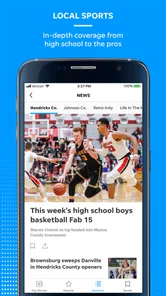
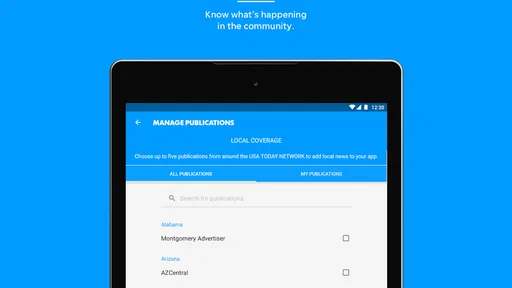
The strongest reason to use this app is focus. National news apps often give me an enormous stream of headlines, while Star Press is more appealing when the stories closest to home matter most. Local reporting can be easy to miss in a broad news feed, so having a dedicated place for it makes the reading habit simpler. I can open the app with a specific question in mind—what happened nearby, what is developing in the area, or what local issue deserves attention—and avoid sorting through unrelated international coverage first.
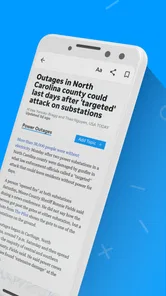
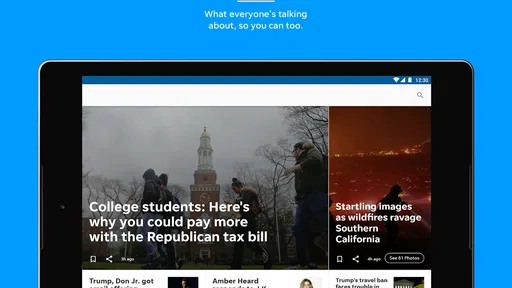
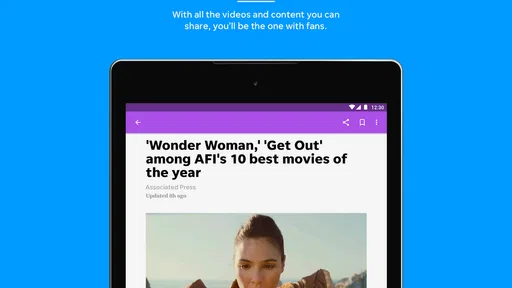
The presentation also benefits from more than short text updates. The store summary highlights local and national news, photography, and video, and that combination is important in practice. A photo can explain the scale or setting of an event faster than several paragraphs, while video may add useful visual context when a written article feels incomplete. I would not install it solely for entertainment, but the richer media gives the news feed more depth than a basic list of links.
That focus makes the app a good fit for residents who follow one particular area, people who have moved away but still care about local events, and readers who want national stories filtered through a familiar publication. It is less compelling for someone who wants a single app to compare many publishers, build a highly customized international briefing, or replace a dedicated television, radio, or business-news service.
Where I would expect users to get stuck
The first friction point is often not the news itself but the path from opening the app to actually reading it. A page may need a moment to refresh, an image may appear after the headline, or a video may take longer than expected to become available. When that happens, I avoid repeatedly tapping the same story. Repeated requests can make the interface feel more broken, even when the original request is still processing.
Another point of confusion is access. The app is free, but it includes in-app purchases ranging from $9.99 to $69.99 per item. That means “free” should be understood as free to obtain, not necessarily as a promise that every part of the reading experience has identical access conditions. If a reader reaches an offer or an access prompt, the sensible step is to read the wording carefully before confirming anything. I would not assume that reinstalling the app, switching screens, or pressing back will clarify the terms.
More From Our News Desk

Weather by Xiaomi Review: Clear at a Glance, Less Clear Up Close

X Under Pressure: Can It Recover When Posting Goes Wrong?

Clash of Clans Is Won Between the Battles

Android Auto Makes the Case for Quieter Car Software

MobiOffice: Transforming Mobile Productivity with Seamless Integration

EA SPORTS FC™ Mobile Soccer: Redefining Mobile Sports Gaming
Media can create a separate kind of uncertainty. If an article opens but its photograph or video does not, that does not automatically mean the whole app has failed. I first check whether the text is available, whether other stories behave normally, and whether the problem affects one item or the entire feed. That quick comparison tells me much more than simply closing the app and reopening it several times.
The most useful troubleshooting habit is to isolate one failing part at a time. I check the feed, then an individual article, then any media inside that article. This prevents a slow video from being mistaken for a complete service outage and makes it easier to decide whether I should wait, retry, or move on to another story.
Setup checks that save time
Before judging the app, I make sure the device meets its basic software requirement. Star Press supports Android starting with version 8.0, and the current version listed for it is 8.10.3. If the phone is running an older system, updating the operating system may not be practical, so using a browser or another news source could be the more realistic choice. On a compatible phone, I still leave enough free storage for normal app updates and media caching, because a crowded device can make any news reader feel unreliable.
I also test the app on the connection I expect to use most. A home Wi-Fi connection and a mobile connection can produce different results, particularly with photograph-heavy pages and video. I open a few different stories rather than relying on one headline. If text loads consistently but visual media does not, I treat that as a media or connection issue first. If nothing loads, I check the connection before changing account settings or reinstalling.
Notifications deserve a deliberate decision. For a local-news app, alerts can be useful during a developing event, but too many interruptions can make the app feel intrusive. I prefer to enable only the alerts I genuinely want and keep the rest of my routine inside the app. If notifications are not appearing, I check the phone’s notification settings as well as the app’s own controls. A system-level block can look like an app defect even when the app is working normally.
During setup, I also pay attention to whether the app asks me to sign in, continue reading, or choose an access option. I do not rush through those screens. A careful pause helps me understand whether I am simply opening a story, using an existing entitlement, or starting a paid option. This is especially important because the purchase range is broad enough that an accidental confirmation would be an unpleasant surprise.
A practical daily workflow
My preferred routine is short and intentional. I open Star Press when I have time to read, scan the local headlines first, and then choose one or two stories that deserve attention. I do not try to consume every item in the feed. That approach works better for a regional publication because the value is in relevance, not in producing an endless stream of content to scroll through.
When a story includes a photograph, I let the image finish loading before deciding whether the article lacks detail. News photography often supplies location, atmosphere, or visible evidence that a headline cannot provide. With video, I use it as supporting context rather than assuming it is required for every story. If the clip does not start promptly, I read the article first and return to the media only if it adds something important.
A useful workflow for busy mornings is to separate discovery from deeper reading. I scan headlines while commuting or preparing for the day, then return to the most relevant article when I have a stable connection and a few uninterrupted minutes. This reduces the temptation to repeatedly reload a page in a weak-signal area. It also makes the app feel more dependable because I am using it according to the conditions available, rather than expecting full media playback everywhere.
For readers who live outside the publication’s immediate area, I would use Star Press as a local supplement. I might read it for community developments and then use a broader national app for international events, market coverage, or a wider range of viewpoints. That division of labor is more practical than expecting one regional app to cover every subject with equal depth.
How to recover when a story or feed misbehaves
If the front page looks stale, I first move to another section or open a different article. If the second item works, the problem may be limited to the original story rather than the whole application. I then return to the first item once, instead of refreshing continuously. This simple pause is worthwhile when the app is waiting for a response from the network.
If the app becomes unresponsive, I close it fully and reopen it. I then test a text-only part of the experience before trying a video. If the problem continues across several stories, I switch between Wi-Fi and mobile data when possible. That comparison can reveal whether the issue follows the app or the connection. I avoid clearing data immediately because doing so can remove local settings or require me to repeat setup steps without fixing an external service problem.
When an update is available, installing it is a reasonable next step, particularly if the issue started after a system update or has affected multiple parts of the app. I also restart the phone if other apps are behaving strangely. A restart will not repair a publisher-side interruption, but it can clear a temporary device problem and is less disruptive than deleting the app.
Reinstallation is my last routine step, not my first. I use it only after checking the connection, confirming that the phone is compatible, and making sure I understand any sign-in or purchase details. After reinstalling, I test the app gradually: open the feed, read one article, and then try media. That staged approach makes it clear whether the original problem has actually been resolved.
When Star Press is not the cause
News apps rely on more than the code installed on a phone. A weak signal, a temporary interruption affecting content delivery, an outdated operating system, restricted background activity, or a device running low on storage can all produce similar symptoms. If other apps also fail to load images or video, blaming Star Press alone would be premature. I compare behavior across the phone before deciding that the app needs repair.
Notifications are another example. If stories appear when I open the app but alerts never arrive, the problem may be the phone’s battery-saving rules or notification permissions. If only video struggles while text and photos work, the connection may not be stable enough for streaming. If one article fails while the rest of the feed opens, the issue may be specific to that item or its media rather than a general installation failure.
This distinction matters because aggressive troubleshooting can create new inconvenience. Signing out, clearing storage, or reinstalling can take more time than waiting for a single story to recover. I prefer the least disruptive check that answers the question in front of me. That is especially sensible for a news reader, where the goal is to get reliable information quickly rather than spend the entire reading session repairing the tool.
Who should choose it, and who should skip it
I would recommend Star Press to someone who values local reporting and wants national stories in the same general reading environment. It is also a reasonable choice for readers who prefer visual coverage and do not mind opening a dedicated publication app instead of relying on a large aggregator. The free entry point makes it easy to test whether the local focus fits a person’s routine before deciding whether any paid access is worthwhile.
I would be more cautious about recommending it to a reader who wants a completely free, all-subject news bundle with no access prompts. The in-app purchase range means that users should understand what they are selecting rather than assuming every article or feature follows the same access model. I would also point heavy international-news readers toward a broader alternative, because a regional publication is unlikely to be the most efficient single source for worldwide coverage.
People with older Android phones should check compatibility before planning around the app. Those with unreliable mobile data may also prefer reading text on a stable connection and treating video as optional. If the main goal is instant alerts from many competing sources, an aggregator may be a better fit. If the main goal is local familiarity, Star Press has a clearer reason to exist.
My practical verdict
Star Press is a focused news app with a sensible role: it brings local and national reporting, photography, and video together for readers who care about a specific regional source. I like it most when I use it deliberately—checking nearby headlines, opening the stories that matter, and allowing extra time for media to load. Its value is less about replacing every other news service and more about making local coverage easy to reach.
The current version, 8.10.3, supports Android 8.0 and later, and the app is listed with over ten thousand installs. Those details make it accessible to a broad group of Android users, though compatibility alone does not guarantee a friction-free experience. I would keep the app updated, test it on the connection I actually use, and treat purchase screens carefully because the free download and optional paid items are separate considerations.
My final recommendation is conditional but positive. Install Star Press if local news is the reason you are looking for an app, and give it a fair trial through several articles rather than judging it by one slow image or video. Keep a broader news source nearby if you need national and international variety, and use the troubleshooting steps above before assuming every loading problem comes from the app. For the right reader, it is a useful local-news companion; for everyone else, its narrow focus may be exactly what makes it feel limited.
Star Press Frequently Asked Questions
What type of content does Star Press provide?
Star Press is a News & Magazines app from USA TODAY Co. Its focus includes local and national news, with photography and video presented alongside articles. It may suit readers who want a mix of written stories and visual content in one place, whether they are checking headlines briefly or spending more time browsing the latest coverage.
Which devices and operating systems can run Star Press?
Star Press is available for Android and iOS devices, and the Android version requires Android 8.0 or later. Before downloading, check your device’s operating system version and make sure you install the app through the official app store for your platform. Keeping the operating system and app updated can also help with compatibility and everyday performance.
What is Star Press and what can I use it for?
Star Press is an entertainment-focused application designed to help users discover and follow content related to celebrities, popular culture, news, and trending stories. After exploring the app, I found that its main appeal is the convenient way it brings regularly updated articles and highlights into one place. It may be useful for casual readers who want quick access to entertainment information without visiting several websites.
Is Star Press free to download and use?
Star Press is free to download, but it offers in-app purchases priced from $9.99 to $69.99 per item. Users should review the purchase details before installing and check any payment prompts carefully. Some features or content may involve optional payments, depending on what is available in the app. Reviewing the current app-store purchase information is a good way to understand potential costs before proceeding.
Does Star Press require an internet connection?
Yes, an internet connection is normally required for Star Press to load new stories, images, videos, notifications, and other online content. The application is built around frequently updated information, so its usefulness may be limited when you are offline. If you have a restricted mobile-data plan, it is best to use Wi-Fi when browsing media-heavy pages or downloading additional content.
Pros
- Simple interface makes reading and browsing news feel quick and straightforward.
- Covers a broad mix of topics for users with varied interests.
- Articles load quickly and are easy to scan on a mobile screen.
- Useful for checking headlines during short breaks or commutes.
- Regular updates can help users keep up with developing stories.
Cons
- Content quality may vary depending on the source or publication.
- Some stories may provide limited depth beyond the main headline.
- Frequent notifications could become distracting without careful settings.
- Advertising may interrupt reading or reduce the available screen space.
- Availability of certain articles or features may differ by region.













