

Soundtrap: Music Making Studio
- 3.88K
- 4.0
- Installs
- 1.00M
- Price
- Free
Screenshots
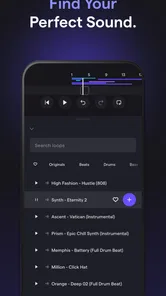
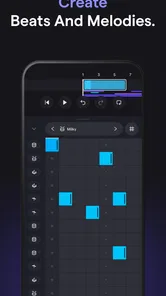
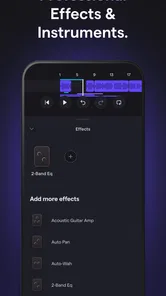
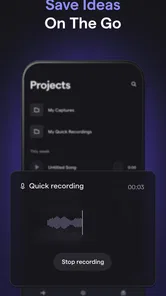
Analysis by Reviewed
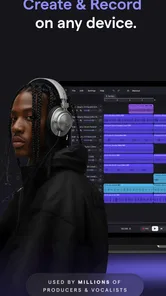
I approached Soundtrap: Music Making Studio as a practical music and audio workspace rather than a simple playback app. Developed by Soundtrap, it is built around making, recording, and working on musical ideas, with collaboration at the center of the experience. That focus makes it quite different from a typical streaming service: you open it to create something, not just consume something.
My first impression was that it suits people who want to move quickly from a rough idea to an organized project. A melody hummed into a phone, a short vocal take, a beat, or a shared songwriting session can all begin in the same place. It feels approachable enough for a beginner, while still giving a more experienced user a useful environment for sketches and remote work.
How Soundtrap fits into a real music-making routine
The app belongs to the Music & Audio category and is available free of charge. That matters because the free entry point lets you test the workflow before deciding whether it deserves a regular place in your creative routine. There are also in-app purchases ranging from $4.99 to $199.08 per item, so the word “free” should be understood as access to a starting experience rather than a promise that every part of the service costs nothing.
Soundtrap has been available since June 23, 2016, and its Android presence has grown to over 1 million installs. Its average rating is 3.9 from around 18,000 ratings, with roughly 3,900 written reviews. I would read those figures as a sign of a useful but not universally effortless app: plenty of people find value in it, while the mixed response suggests that device compatibility, workflow preferences, or expectations can affect satisfaction.
The age rating is Everyone, which makes the app approachable for families, students, casual musicians, and first-time creators. That does not mean every project will feel simple immediately. Music production has its own learning curve, and arranging tracks, checking recordings, and keeping a project tidy still require patience. The friendly starting point helps, but it does not remove the need to learn the basics of recording.
What the free starting point is good for
The strongest reason to try Soundtrap without spending money is experimentation. I can see it being useful for testing whether I enjoy recording myself, building a short instrumental, or sharing an unfinished idea with another person. That is a better use of a free tier than expecting it to replace a full professional studio from the first session.
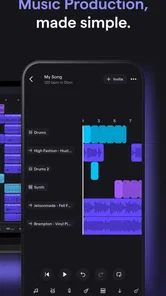
A sensible first project is deliberately small. I would create a short song idea with a simple rhythm, one main musical part, and a vocal or spoken layer. This makes it easier to understand the arrangement view, recording process, and editing habits without getting lost in a large session. Once the basic workflow feels comfortable, adding more layers becomes a creative choice instead of a confusing obligation.
More From Our News Desk

 Gmail
GmailGmail in a Busy Inbox: Who Benefits Most?
From first account to crowded workday, Gmail earns its place through dependable search and flexible sorting—but its best fit depends on how much inbox maintenance you can tolerate.

 Prime Video
Switching to Prime Video: What Changes in Your Viewing Routine
Prime Video can make a compelling second home for streaming, but switching means learning a different catalog, rental layer, and route from browsing to playback.

 Universal TV Remote Control
Universal TV Remote Control Works Best as a Reliable Backup
A phone remote earns its place through quick setup and reliable habits. Here is how to get more from Universal TV Remote Control—and where its limits show.

 Weather - By Xiaomi
Weather by Xiaomi Review: Clear at a Glance, Less Clear Up Close
Xiaomi’s weather app makes everyday forecasts quick to scan, but its calm surface can leave useful details and recovery paths harder to find than they should be.

 X
XX Under Pressure: Can It Recover When Posting Goes Wrong?
A resilience-focused review of X, examining setup, mistaken posts, interruptions, weak connections, and the gaps that matter when recovery needs to be dependable.

 Clash of Clans
Clash of Clans Is Won Between the Battles
Its raids are quick; its community is a long-term project of coordination, teaching, rivalry, and shared responsibility—with all the friction that entails.
Latest News



The free access also lowers the risk for parents, teachers, and hobbyists. A student can explore the relationship between rhythm, melody, and arrangement before anyone commits to a paid purchase. A casual songwriter can find out whether recording on a mobile device feels natural. Someone who already owns desktop music software can use Soundtrap for quick ideas rather than rebuilding a complete setup on a second device.
Where the value comes from beyond recording
Soundtrap’s practical value is not only in capturing sound. Its collaborative orientation changes how a project can develop. Instead of sending a rough audio file back and forth and asking which version is current, collaborators can work around a shared project concept. That is especially useful when one person writes lyrics, another records a part, and a third person gives arrangement feedback.
A realistic everyday scenario would be a songwriter commuting home with a chorus idea. The person can record a rough vocal or rhythm before the idea disappears, then return to it later when there is time to shape the arrangement. A collaborator can contribute another part without requiring both people to be in the same room. The important benefit is continuity: the idea remains connected to the project instead of being buried among unrelated voice memos.
I also think it can work well for small creative groups. A school music assignment, an online songwriting partnership, or a podcast team experimenting with an intro can all benefit from having creation and discussion revolve around one workspace. The app is more attractive in these situations than a collection of unrelated recording tools because the goal is not merely to make a sound file; it is to develop an idea together.
One non-obvious advantage is that collaboration can make arrangement decisions more visible. When a project contains several contributions, it becomes easier to hear whether a new part actually supports the main idea or simply makes the mix busier. I would use that as a discipline: invite a collaborator after the core idea works, not before, and ask them to improve one specific element rather than adding layers without a purpose.
Tips that make the workflow less frustrating
My first tip is to name or organize projects as soon as they become worth keeping. Creative apps become difficult when every draft has a vague title and no clear indication of its stage. A simple system such as “idea,” “arrangement,” and “ready to review” can prevent confusion when several versions begin to accumulate.
My second tip is to record a clean, short reference before trying to perfect anything. A rough take can preserve the emotion of an idea better than repeated attempts to make the first recording flawless. I would capture the main hook, listen back once, and only then decide whether the problem is performance, timing, arrangement, or sound quality. That prevents unnecessary editing before I know what needs fixing.
My third tip is to treat headphones as a checking tool rather than a guarantee of quality. A recording that sounds balanced through headphones may feel different through a phone speaker or another everyday listening setup. I would check important drafts in more than one listening environment, especially if the project is intended for friends, classmates, or social sharing.
A fourth useful habit is to keep collaborative requests narrow. Asking someone to “make it better” often creates scattered changes. Asking for a stronger chorus entrance, a cleaner vocal timing, or a less crowded ending gives the other person a clear job. Soundtrap is at its most useful when collaboration produces decisions, not just more material.
The trade-offs I noticed in daily use
The biggest trade-off is convenience versus depth. A mobile-friendly creative workspace can help me begin quickly, but a phone screen is not the ideal place for detailed editing across a large project. If I already know that I need precise mixing, extensive sound design, or a highly customized studio setup, a dedicated desktop digital audio workstation may be the better primary tool.
There is also a difference between making a convincing demo and finishing a polished release. Soundtrap can be appealing for ideas, drafts, remote collaboration, and learning. A serious producer may eventually want more specialized control over routing, plug-ins, detailed automation, or hardware integration. I would not choose it simply because I expect a compact app to behave exactly like a full desktop studio.
Another point to consider is the learning curve hidden behind an approachable interface. Recording a part is easy to understand; arranging multiple parts so that they support one another takes more judgment. Beginners may initially add too many sounds, leave long empty spaces, or record without considering the structure of the song. The app can support the process, but it cannot make musical decisions on the user’s behalf.
Collaboration brings its own friction. Working with other people is valuable, but it also introduces questions about who is editing, which idea should lead, and when a project is finished. I recommend agreeing on a simple workflow before inviting several contributors. One person can handle the main arrangement while others provide focused parts or feedback. Without that structure, a shared project can become harder to follow than a solo session.
The purchase range also deserves careful attention. Free access is useful for trying the concept, but the paid value depends on which additional capabilities or content a particular user needs. Because individual purchases can reach $199.08, I would not buy impulsively after one enjoyable session. I would first identify the exact limitation I am trying to solve and confirm that the relevant purchase addresses it.
How it compares with familiar alternatives
Compared with a basic voice recorder, Soundtrap is much more suitable for turning separate ideas into a structured musical project. A voice recorder is excellent when speed is the only priority, but it usually encourages isolated clips. Soundtrap makes more sense when I want to combine parts, revisit an arrangement, and develop an idea beyond a single take.
Compared with a streaming music app, the purpose is completely different. Streaming is designed for listening to finished work; Soundtrap is aimed at creating and shaping work. Someone who only wants playlists or background music should choose the simpler listening option. Someone who wants to record a chorus, build a beat, or work with another musician will find the creation-focused approach more relevant.
Compared with a full desktop workstation, Soundtrap favors accessibility and shared creative work over maximum technical control. A desktop program is usually a stronger choice for complex production, detailed mixing, and advanced studio setups. Soundtrap is the better fit when starting quickly, working across locations, or learning the foundations matters more than having every specialist control available.
Compared with a simple loop-making app, it appears better suited to projects that need recording and collaboration rather than only arranging pre-made patterns. A loop app can be faster for instant beat experiments, while Soundtrap is more appropriate when the human performance, songwriting process, and exchange of ideas are central to the project.
Who should use it, and who should skip it
I would recommend Soundtrap to beginners who want a gentler path into music creation, songwriters who need a place for rough ideas, and small groups working remotely. It is also a reasonable choice for educators or families looking for an Everyone-rated creative app that can introduce recording and arrangement without requiring an expensive studio at the outset.
It can be especially valuable for people who often lose ideas between locations. If inspiration arrives during a break, after rehearsal, or while traveling, a mobile-centered workflow can be more useful than waiting until a computer is available. The key is to treat the first recording as a durable sketch, not as the final product.
I would skip it as a primary solution if my main goal were professional-grade mixing with highly specialized tools, or if I disliked collaborative workflows altogether. I would also choose a simpler recorder if I only needed occasional voice notes. Paying for advanced access would make little sense for someone who will never build layered projects or revisit musical drafts.
My buying advice and final verdict
My advice is to begin with the free access and set a specific test for yourself: complete one short project, record at least one original part, revisit the arrangement, and share it with one trusted collaborator if that is relevant to your goal. This gives a much clearer picture of the app’s value than browsing the interface for a few minutes.
If the workflow helps you finish ideas that would otherwise remain in voice memos, then paid access may be worth investigating. If you only enjoy the novelty of adding sounds but do not return to projects, keep your money and use the free experience as an occasional sketchpad. The purchase range is broad enough that identifying your actual need before paying is essential.
After weighing the accessible start, collaboration focus, and practical limitations, I see Soundtrap: Music Making Studio as a strong creative workspace for beginners and connected songwriting projects, not as a universal replacement for every studio tool. Its best quality is that it lowers the distance between an idea and a shareable draft. Its main weakness is that users seeking deep technical control may outgrow the streamlined approach.
For me, the deciding question is simple: do I want to make and develop music with other people, or do I only want to record quick audio? If the answer is the first, this app is worth trying. If the answer is the second, a basic recorder will be less demanding. And if I already produce complex releases on desktop, I would keep Soundtrap as a convenient companion rather than making it the center of my setup.
My verdict: try the free experience first, use it for a complete small project, and pay only when a clearly identified need justifies the purchase. That makes its value easier to judge honestly and keeps the app in the role where it performs best: an approachable place to capture, shape, and share musical ideas.
Soundtrap: Music Making Studio Frequently Asked Questions
Can I use Soundtrap offline, or do I need an internet connection?
Soundtrap’s cloud-based workspace is designed for creating and collaborating on audio projects across supported devices, so an internet connection is important for accessing shared projects and working with collaborators. If you plan to record or edit while away from a reliable connection, consider how that may affect your workflow. Connecting before starting can help you access the project and tools you need.
What devices and equipment do I need to get started with Soundtrap?
You can begin making audio projects with a supported mobile device, and the app’s touch-based controls make it possible to sketch ideas, record, and edit without specialized studio equipment. A quiet space and a suitable microphone can help improve recordings, particularly for vocals or instruments. As your projects grow, a larger screen may make detailed editing more comfortable.
Can I use Soundtrap on a phone or tablet?
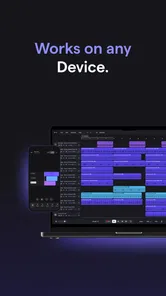
Soundtrap is a music-making app intended for creating and working on audio projects from mobile devices. Its touch-based workflow can make it convenient to sketch ideas, record a part, or edit a project while away from a computer. For detailed editing, a larger screen may feel more comfortable, but the app’s collaborative workspace is designed to help you continue developing projects across supported devices.
What is Soundtrap: Music Making Studio used for?
Soundtrap is a cloud-based music creation studio for recording vocals, producing beats, arranging instruments, and editing podcasts or other audio projects. After testing its workflow, its main advantage is that everything is organized in one collaborative workspace, allowing you to start an idea on a phone or tablet and continue working from another supported device without transferring project files manually.
Can beginners use Soundtrap without previous music-production experience?
Yes. Soundtrap is designed to be approachable for beginners, with a relatively clear interface, loops, virtual instruments, effects, and guided recording tools. You do not need to understand professional mixing immediately to create a basic song. However, the number of tracks, effects, and editing options can feel overwhelming at first, so new users may need time to learn the layout and discover where each production tool is located.
Pros
- Cloud-based projects let you continue creating across supported devices.
- Real-time collaboration makes remote songwriting and recording convenient.
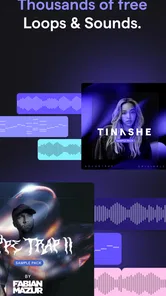
- The loop library offers quick inspiration for beats and backing tracks.
- Built-in effects help polish vocals and instruments without extra software.
- Educational features can make basic music production approachable for beginners.
Cons
- Some advanced tools and content require a paid subscription.
- A stable internet connection is important for smooth cloud-based work.
- The mobile interface can feel cramped when editing detailed arrangements.
- Export and sharing options may feel limited compared with desktop DAWs.
- Large projects can become demanding on older phones and tablets.











