Sharpen – College Exam Prep
- 229.00
- 4.2
- Installs
- 100.00K
- Price
- Free

Screenshots

Analysis by Reviewed
College exam preparation often fails for a simple reason: there is too much material to organize and too little time to decide what deserves attention first. Sharpen takes a focused approach to that problem by turning study preparation into shorter, more targeted sessions. It is an education app from McGraw-Hill Global Education, and its main appeal is not that it replaces a textbook or a lecturer. Its value is in helping me decide what to review next, then giving me compact study work that is easier to fit around a normal day.
I tested it with the mindset of a student preparing between classes, commuting, and other responsibilities. The experience is most convincing when I treat it as a regular revision companion rather than a complete course. It can make scattered preparation feel more deliberate, especially when I already know the subject and need repeated practice. At the same time, it is not the best answer for someone who needs long explanations, a full lecture series, or a substitute for understanding difficult material from the ground up.
Personalized study works best when time is limited
I find personalized study most useful when a short window opens unexpectedly, but the routine works better if I choose a topic before that moment arrives. A quick note after class about what felt uncertain gives a later session a clear purpose and helps me avoid spending limited time deciding where to begin. The next section looks at how that approach fits into the on-the-go moments when a phone is easiest to reach.
The central idea behind the app
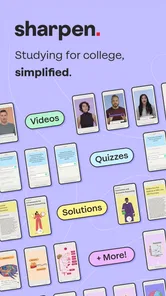
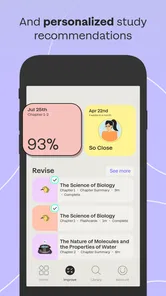
The defining capability here is personalized, bite-sized exam preparation. That phrase matters because the app is built around the gap between knowing that I should study and actually starting a useful session. Instead of opening a large collection of notes and spending ten minutes deciding where to begin, I can use shorter activities to keep my attention on one manageable piece of preparation.
In practice, this changes the rhythm of studying. A traditional textbook is better when I need a complete explanation and want to move through a subject in depth. A general flashcard app is useful when I already have material to enter or import. Sharpen sits between those habits: it is designed for students who want structured review without having to build the whole system themselves.
The personalized element is especially useful during exam season, when my confidence is rarely even across every topic. I might feel comfortable with one chapter but hesitate over another. A targeted review format makes it easier to spend less time rereading material I already know and more time returning to concepts that still need work. That does not make the difficult topics disappear, but it does reduce the friction of choosing them.
I also like that its short-session design respects the way many students actually study. A spare period before a lecture, a few minutes on public transport, or a quiet break at home can become a useful review window. The app does not need to be the only place where I learn. Its strongest role is keeping preparation active when a full study block is unrealistic.
More From Our News Desk

Weather by Xiaomi Review: Clear at a Glance, Less Clear Up Close

X Under Pressure: Can It Recover When Posting Goes Wrong?

Clash of Clans Is Won Between the Battles

Android Auto Makes the Case for Quieter Car Software

MobiOffice: Transforming Mobile Productivity with Seamless Integration

EA SPORTS FC™ Mobile Soccer: Redefining Mobile Sports Gaming
What the personalized approach changes
The biggest practical effect is reduced decision fatigue. When I open a large set of course resources, I can easily spend more energy arranging a plan than reviewing anything. Sharpen gives that planning problem less room to take over. I can approach a session with a narrower goal, complete a compact activity, and leave with a clearer sense of what deserves another pass.
That is more valuable than it sounds. Many students do not stop studying because they lack motivation in general; they stop because the next action is vague. A short, directed task feels easier to begin than “study biology” or “review economics.” I found this particularly helpful on days when I had already spent several hours in class and did not have the concentration for a long chapter.
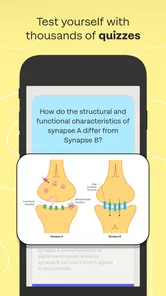
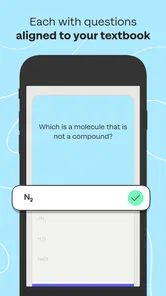
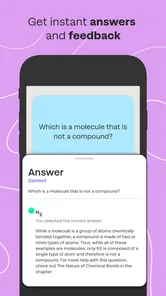
There is also a useful distinction between recognition and recall. Rereading notes can create the comfortable feeling that everything looks familiar. Short study prompts are more demanding because they ask me to retrieve information instead of simply seeing it on a page. That makes the session feel less passive, and it exposes weak spots sooner. I would still return to course materials for explanations, but I would use Sharpen to check whether those explanations had actually stayed with me.
The app is most effective as a repetition and prioritization layer, not as a replacement for teaching. That is the right expectation to set before installing it. If I use it to discover gaps, revisit them, and maintain a steady routine, its focused format makes sense. If I expect every complicated idea to be explained from first principles inside short activities, I am likely to find the experience too limited.
How I would use it during a normal week
My preferred workflow would begin after a lecture or reading session. I would first make a quick note of the topics that felt uncertain, then use the app for a short review rather than waiting until the night before the exam. The purpose is not to finish everything in one sitting. It is to create repeated contact with the material while there is still time to correct misunderstandings.
For example, imagine a student with an exam on Friday and three evenings available. On the first evening, I would use Sharpen to identify areas that feel weak instead of trying to cover the entire syllabus equally. On the second, I would revisit those areas and compare the results with class notes or a textbook. On the third, I would use another compact session as a check, then spend longer study time only where the uncertainty remained.
This workflow reveals one of the app’s less obvious strengths: it can act as a filter for limited attention. Rather than treating every page as equally urgent, I can let short practice expose where my preparation is fragile. That is a better use of time than repeatedly reviewing familiar definitions simply because they are easy to read.
I would also avoid using it only when panic begins. Bite-sized study tools are most useful when they are distributed across several days. If I open the app for the first time a few hours before an exam, it may help me warm up, but it cannot create the understanding that should have been built earlier. The personalized format supports consistency; it does not remove the need for consistency.
The best everyday scenario
The clearest use case is a student with a crowded schedule who needs study sessions that can start and stop easily. Consider someone taking several college classes, working part-time, and carrying a phone throughout the day. A long study guide may be hard to open between commitments, while a short review task can fit into a gap that would otherwise disappear into scrolling.
In that situation, I would use the app during small transition periods, then reserve deeper reading for home or the library. The app would help keep exam subjects present in my routine without asking every session to become a major event. That separation is important: Sharpen handles frequent review, while textbooks, lectures, office hours, and written notes handle depth and clarification.
It is also suitable for a student who has already collected too many resources. When notes, slides, websites, and practice sheets are spread across different places, preparation can become disorganized. A single study-focused app gives me one recurring place to begin. Even if I still need other resources, that consistent starting point can make the overall routine less scattered.
Another strong scenario is the final stretch before a test when I need to check confidence rather than learn an entire unit. Short activities can reveal whether I truly remember a topic or merely recognize its wording. I would use that information to decide where to spend a longer session, not to declare myself ready based on one good result.
Where it falls short
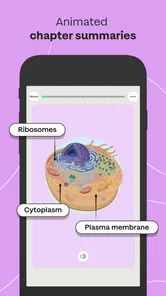
The same compact design that makes the app convenient can also be a limitation. Some subjects require sustained problem solving, diagrams, essays, laboratory interpretation, or step-by-step reasoning. Short study interactions may help with recall, but they are not enough by themselves to prepare for every kind of assessment. A student in a calculation-heavy course should still work through complete problems on paper or in the format expected by the class.
There is a similar issue with brand-new material. If I do not understand a concept at all, a quick review prompt may show me that I am wrong without giving me the complete explanation I need. In that case, the right move is to return to the lecturer’s material, textbook, or another trusted explanation, then come back for reinforcement. Using the app as the first and only source can create a shallow sense of progress.
Personalization also depends on my own engagement. I still need to answer honestly, pay attention to recurring weak areas, and avoid tapping through sessions just to maintain momentum. No study system can compensate for guessing, multitasking, or treating every correct answer as proof of mastery. The app can guide my review, but the quality of the result depends on how seriously I use the feedback.
There is a financial consideration as well. The app is free to install, but in-app purchases range from $17.99 to $89.99 per item. That means I would check exactly what access I need before committing to a purchase. A student who only wants occasional supplementary review may not see enough value in a higher-priced item, while someone preparing intensively for a relevant college exam may consider the structured practice worthwhile. The decision depends on the course, the available content, and how regularly I expect to use it.
What the technical details mean for students
Sharpen is available for Android users with version 8.0 or later, which covers a broad range of devices but still makes the operating-system requirement worth checking before installation. The current version is 4.7.4, and the app has passed the early-adoption stage: it has more than one hundred thousand installs, with an average rating of 4.2 from around nine hundred ratings. Those figures suggest a reasonably established education app, though they should not be treated as proof that it will match every course or study style.
The content rating is Everyone 10+, which fits an academic preparation tool intended for older children, teenagers, and college students. I would still judge it primarily by the subject coverage and the way it fits my course requirements. A suitable age rating does not guarantee that the material aligns with a particular professor’s terminology, exam format, or depth.
It was released on October 31, 2022, and the developer is McGraw-Hill Global Education. That background is relevant because students may already recognize the developer’s educational focus, but I would not assume that the app replaces every McGraw-Hill learning resource or every part of a course package. Its role is narrower and more practical: helping turn preparation into repeatable review.
Who will gain the most from it
I would recommend Sharpen most readily to students who struggle with starting, prioritizing, or maintaining a study routine. It is especially well suited to people who already attend class or use primary learning materials but need a more active way to revisit information. The short format can also help students who lose focus during long sessions and would rather complete several purposeful reviews than force themselves through one exhausting block.
It may also benefit students who are preparing for multiple exams at once. When several subjects compete for attention, a compact review tool can help preserve continuity across them. I would use it to prevent one course from being forgotten while another receives all my time, then switch to deeper resources when a topic proves difficult.
I would be more cautious about recommending it to someone who wants a full, self-contained course. If the main problem is “I do not understand the lesson,” rather than “I understand it but cannot recall it reliably,” a textbook, video lesson, tutor, or instructor is likely to be the better first choice. Likewise, students whose exams depend heavily on extended writing or complex calculations should treat the app as supplementary practice, not their complete preparation plan.
The free entry point makes it reasonable to try before deciding whether the paid content fits the budget. I would spend a few sessions judging whether the personalized workflow genuinely changes my habits, then consider an in-app purchase only if it supports a specific exam goal. That approach avoids paying for a study system that looks useful in theory but does not become part of my week.
My recommendation after using the study workflow
Sharpen succeeds because it focuses on a real preparation problem: students often need help turning spare minutes and uneven confidence into a practical review routine. Its personalized, bite-sized approach can make studying feel less overwhelming and can expose weak areas more efficiently than passive rereading. I found its greatest value in deciding what to revisit, not in replacing the explanations and sustained practice that difficult subjects require.
My advice is to pair it with class notes and longer-form study. Use it early enough for repeated review, answer carefully rather than rushing, and treat weak results as directions for further learning. If you want a structured companion that makes everyday exam preparation easier to begin, this education app is worth trying. If you need a complete course, advanced worked solutions, or a single tool for every assessment style, I would choose a broader resource and keep Sharpen in a supporting role.
Sharpen – College Exam Prep Frequently Asked Questions
Who is Sharpen – College Exam Prep designed for?
Sharpen – College Exam Prep is aimed at college students looking for a mobile way to review and prepare for exams. Its store description highlights personalized, bite-sized study tools, which may suit learners who prefer shorter study sessions. It is an Education app from McGraw-Hill Global Education, and its Everyone 10+ age rating may also be relevant to families considering who will use it.
What is Sharpen – College Exam Prep?
Sharpen – College Exam Prep is a study and test-preparation app designed to help college students review academic material, organize their learning, and prepare for exams. It may be useful for students who want short practice sessions, structured revision, and a convenient way to study outside the classroom. Before downloading, check whether its subjects and preparation tools match your course and institution.
Which subjects and exams does Sharpen support?
The available subjects, question banks, and exam categories can vary depending on the version of Sharpen and the content provided by the developer. Students should review the app’s current store description before installing it to confirm that their major, course, or exam is covered. If you need preparation for a specific college test, compare the included topics with your syllabus rather than assuming every subject is supported.
Is Sharpen – College Exam Prep free to use?
Sharpen is free to download, but it offers in-app purchases ranging from $17.99 to $89.99 per item. The free download does not necessarily mean every study feature or resource is included at no cost, so check the purchase details in your app store before committing. Pricing and available options may differ by country or platform; review any trial terms, renewal conditions, and cancellation instructions before starting a paid plan.
Can Sharpen replace textbooks, lectures, or a teacher?
Sharpen is best used as a supplementary revision tool rather than a complete replacement for lectures, textbooks, instructors, or official course materials. Practice questions can help identify weak areas and reinforce important concepts, but they may not cover every detail required for an exam. For the strongest results, combine the app with your syllabus, class notes, assigned reading, and guidance from your instructor.
Pros
- Focused practice for college entrance and academic exams
- Short study sessions make daily revision easier
- Progress tracking helps identify weak subjects
- Practice questions support active recall
- Useful for students who prefer mobile learning
Cons
- Some advanced content may require a paid subscription
- Question quality can vary between subjects
- Limited value without a consistent study routine
- Mobile screens may feel cramped for long study sessions
- May not fully match every school’s exam syllabus












