

Settle: Class Actions
- 116.00
- 4.7
- Installs
- 50.00K
- Price
- Free

Screenshots
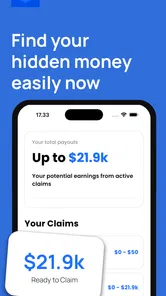
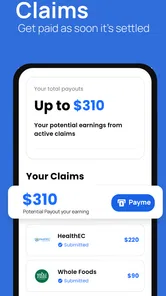
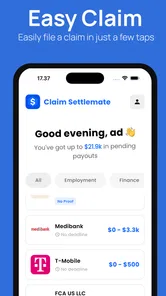
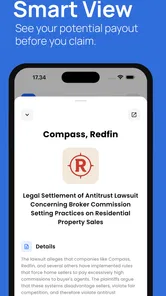
Analysis by Reviewed
When I first tried Settle: Class Actions, I approached it less like a typical finance app and more like a practical search tool: would it make the effort of finding class action settlements easier, or would it simply add another place to check? That is the key question here. The app from Nikanomi is built around helping people find and claim money from eligible class actions, and its appeal comes from turning an easy-to-ignore task into something more visible and manageable.
My overall impression is positive, but with an important qualification. This is most useful for someone who is willing to review settlement opportunities and complete claims carefully. It is not a replacement for legal advice, a guarantee that every listed settlement applies to you, or a shortcut around the eligibility rules set by each case. I would recommend it as a convenient starting point, especially if you often miss notices or do not know where to look, while still treating every claim as a decision that deserves a quick check.
What I looked for before recommending it
I judged the app using four practical questions. First, can it make discovery less frustrating than searching the web at random? Second, does it help me decide whether a settlement is worth my time? Third, is the claim process clear enough for an ordinary phone user? Finally, does the cost make sense compared with simply checking settlement websites, email notices, or search results myself?
Those questions matter because a settlement app has a different job from a banking app or a budgeting tool. It does not manage my everyday spending, move money between accounts, or replace a tax record. Its value is concentrated in a narrow moment: I hear about a possible class action, want to know whether I qualify, and need a sensible way to follow through.
The app is free to download, which makes that first experiment easy. It is rated for Everyone, runs on Android versions starting with 7.0, and its current version is 1.2.2. Those details make it accessible to a broad range of Android users, including people with older devices. The app has reached over 50 thousand installs and holds a 4.7 average from around 2 thousand ratings, so it has attracted a meaningful user base without being so widespread that I would treat popularity alone as proof of quality.
The developer, Nikanomi, has kept the product focused on one recognizable purpose rather than presenting it as a general-purpose money manager. That focus is helpful when I want to investigate a settlement quickly. It also means I should not expect the wider tools I might find in a personal finance app, such as spending analysis, bill reminders, or account dashboards.
The first decision is whether the opportunity is worth pursuing
My biggest practical tip is to separate discovery from eligibility. Seeing a settlement in the app does not automatically mean I can claim it. I still need to read the relevant dates, product or service details, location requirements, purchase conditions, and any proof requirements shown for that case. I found this mindset more useful than treating every listing as free money.
More From Our News Desk

 Gmail
GmailGmail in a Busy Inbox: Who Benefits Most?
From first account to crowded workday, Gmail earns its place through dependable search and flexible sorting—but its best fit depends on how much inbox maintenance you can tolerate.

 Prime Video
Switching to Prime Video: What Changes in Your Viewing Routine
Prime Video can make a compelling second home for streaming, but switching means learning a different catalog, rental layer, and route from browsing to playback.

 Universal TV Remote Control
Universal TV Remote Control Works Best as a Reliable Backup
A phone remote earns its place through quick setup and reliable habits. Here is how to get more from Universal TV Remote Control—and where its limits show.

 Weather - By Xiaomi
Weather by Xiaomi Review: Clear at a Glance, Less Clear Up Close
Xiaomi’s weather app makes everyday forecasts quick to scan, but its calm surface can leave useful details and recovery paths harder to find than they should be.

 X
XX Under Pressure: Can It Recover When Posting Goes Wrong?
A resilience-focused review of X, examining setup, mistaken posts, interruptions, weak connections, and the gaps that matter when recovery needs to be dependable.

 Clash of Clans
Clash of Clans Is Won Between the Battles
Its raids are quick; its community is a long-term project of coordination, teaching, rivalry, and shared responsibility—with all the friction that entails.
Latest News



A good workflow is to open a possible match, note why I might qualify, and then gather supporting information before starting the form. Receipts, old emails, order histories, subscription records, and account notices can be easier to find before I begin rather than halfway through a claim. This small preparation step reduces the chance of abandoning a claim because I cannot remember a detail or locate a document.
Another useful habit is to keep a simple record of what I submitted and when. I would not rely on memory alone, particularly if I investigate several cases. A note with the settlement name, the information provided, and any expected follow-up gives me a reference point later. That is not a glamorous feature, but it is the kind of workflow that makes a discovery app more useful in real life.
A realistic everyday scenario
Imagine I see a news post about a settlement involving a service I used several years ago. I vaguely remember having an account, but I do not want to spend an hour searching legal websites and trying to work out which notice is current. This is where Settle can be worthwhile. I can use it as the first place to investigate, compare the case details with my own history, and decide whether the claim deserves a few minutes of attention.
If I appear to qualify, I would then slow down instead of tapping through automatically. I would check the claim deadline, read what the form asks for, and make sure the information I enter is accurate. If the settlement requires proof, I would locate it first. If the case does not fit my circumstances, I would move on rather than stretching the facts to make myself eligible.
This approach shows the app’s real strength: it can reduce the friction between hearing about a settlement and taking the first sensible step. It does not remove the responsibility of reading the terms, but it may stop the opportunity from disappearing into a forgotten browser tab.
Where Settle is most convincing
The strongest part of the experience is its focused purpose. Instead of opening a broad finance app and hoping to find something relevant, I can start with the exact kind of money-related opportunity I am looking for. That narrow focus makes sense for people who have never developed a routine for tracking class actions.
I also like the psychological benefit. Settlement claims are easy to postpone because each one can seem too small or uncertain to justify the effort. A dedicated app gives the task a clear home on my phone. Even if I do not claim every opportunity, having one place to review can be more practical than relying on occasional social media posts or vague memories of something I read online.
Another advantage is that it can help users who do not know the vocabulary of legal notices. A person may recognize a company or product but not know how to search for the associated case. Starting from the app’s settlement-focused purpose is less intimidating than trying to interpret court documents from scratch. I still need to read the actual conditions, but I am not beginning with an empty search box.
The app is most valuable as a filter for attention, not as a promise of payment. That distinction shaped my recommendation. Its job is to help me notice relevant possibilities and decide which ones deserve action. The final outcome depends on the case, my eligibility, the accuracy of my claim, and the settlement’s own process.
Three habits that improve the experience
First, I would check the app periodically rather than only opening it after seeing a viral post. A settlement may never become prominent in general news, and waiting for someone else to mention it defeats much of the point of a dedicated discovery tool. A short, regular review is more realistic than trying to investigate everything in one sitting.
Second, I would use a two-pass method. On the first pass, I would quickly remove cases that clearly do not match my history. On the second, I would read the promising ones in detail and prepare the required information. This keeps a long list from becoming overwhelming and prevents me from spending equal time on opportunities with very different levels of relevance.
Third, I would be cautious with personal information. Before submitting anything, I would confirm that I understand why the form requests each detail and that I am using the intended claim process. Convenience should not make me careless. A finance-related app deserves the same basic caution I would apply to any service handling information connected with payments or identity.
What the free starting point means
Because the app is free, I can test whether its approach fits my habits without committing money at the beginning. That is important for a tool whose usefulness depends on how often relevant settlements appear for me and whether I am willing to complete the claims. Someone who rarely uses the services covered by available cases may not gain much from it, even if the app itself is easy to try.
There are in-app purchases ranging from about five dollars to around sixty dollars per item. I would treat those purchases as a separate decision rather than assuming they are necessary for basic discovery. Before paying for anything, I would ask what specific problem the purchase solves, whether the same information can be found through the settlement administrator or a public notice, and whether the possible benefit justifies the expense.
This is also where I would be especially careful about the size of a potential recovery. A paid option may not make sense if the claim is small, uncertain, or requires little effort to complete independently. The free entry point is a strength; the presence of optional spending means I should remain deliberate once I move beyond it.
Where another approach may fit better
Settle is not automatically the best choice for every person. Someone who already receives official settlement notices, keeps excellent purchase records, and knows how to search court or administrator pages may prefer a direct approach. That route can feel more transparent because I am reading the source material without an additional layer between the notice and me.
A general web search may also be better when I am investigating one specific case mentioned in the news. Search engines are useful for locating official settlement pages, court documents, and administrator contact details. They are less convenient for ongoing discovery, but they can be preferable when verification matters more than browsing convenience.
People who want complete control over their financial information may reasonably skip a dedicated settlement app. The trade-off is simple: I may have to do more manual searching and organization, but I keep the process closer to sources I already trust. For a user who is highly privacy-conscious or uncomfortable entering information into a new service, that may be the better fit.
On the other hand, a traditional finance app is not a direct substitute. Budgeting tools can show spending patterns and help me find old transactions, but they generally do not serve as a focused place to discover class action opportunities. I could use both: a finance app to locate evidence of a purchase and Settle to investigate whether a related claim exists. That combination is more useful than expecting either one to do both jobs.
Who should probably skip it
I would skip this app if I expect automatic payouts, legal representation, or guaranteed eligibility. Those expectations do not match the nature of class action claims. I would also skip it if I am unwilling to read conditions or keep track of what I submit. A notification alone is not enough; the value appears only when I follow through accurately.
It may also be a poor fit for someone who wants a complete personal finance center. The category label is Finance, but the experience is much narrower than banking, investing, credit monitoring, or budgeting. If my main goal is to understand monthly cash flow, Settle will not address that need.
Finally, I would be cautious if the optional purchases become more important than the actual value of the claims I am considering. The right comparison is not simply “free versus paid.” It is the time and money I spend against the realistic value and confidence of a particular opportunity. That calculation will differ from one settlement to another.
The cost of changing from manual searches
Switching to the app is easy in one sense: the download is free, and I can begin by browsing rather than rebuilding a financial system. The harder part is changing my habits. If I currently rely on email, browser bookmarks, or occasional searches, I need to decide whether the app will replace those methods or sit alongside them.
I would not delete my existing records when moving over. Old emails and receipts remain useful because they can support eligibility, while official notices may contain details I want to compare with what I see in the app. The safest transition is to use Settle as a discovery layer first, then confirm important information through the relevant settlement materials before submitting a claim.
There is also a small mental cost to adding another app. If I already have too many notifications, I would keep its role clear and avoid allowing it to become background noise. A scheduled review is more useful than opening it repeatedly without a purpose. The app earns its place when it helps me act on relevant opportunities, not merely when it adds another icon to my home screen.
Questions I would ask before using it
“Do I need to be a legal expert?” No. I do need to read the plain eligibility requirements and understand what I am claiming. If the wording is confusing or the stakes feel significant, I would seek independent legal guidance rather than guessing.
“Can I trust every opportunity shown?” I would treat each one as a lead to investigate, not as a personal invitation that has already been validated for me. I would compare the details with the official settlement information and never claim based only on a familiar company name.
“Is paying worthwhile?” Sometimes a paid option could be convenient, but I would not assume convenience equals value. I would compare the purchase with the likely benefit, the effort involved, and the availability of a direct route. The free version gives me a chance to understand my own usage before I make that judgment.
“What if I cannot find proof of purchase?” I would first check email receipts, account histories, bank or card records, and archived documents. If proof is optional, I would follow the stated instructions honestly. If it is required and I cannot provide it, I would not invent details simply to complete the form.
“Will this replace official notices?” I would not let it replace them. I would use it to improve discovery, while keeping relevant emails and checking the official instructions for deadlines, documentation, and submission details.
My recommendation for the right kind of user
After using it as a decision tool rather than a magic money finder, I think Settle: Class Actions is a worthwhile free app for people who regularly miss settlement news or want a more organized way to look for possible claims. Its focused design makes the first step less daunting, and its strong user rating suggests that many people find the concept useful in practice.
I would recommend installing it if I had a history of online purchases, subscriptions, or services and wanted a dedicated place to investigate potential settlements. I would pair it with a simple record-keeping habit and verify important details through official case information. That combination gives the app a practical role without asking it to do more than it can.
I would not recommend paying immediately. I would first see whether the free experience fits my routine, whether the opportunities are relevant to my own history, and whether any optional purchase offers a clear advantage. The price range for in-app items is wide enough that this deserves a case-by-case decision rather than an automatic upgrade.
For me, the final verdict is straightforward: this is a useful discovery and organization tool, especially for people who would otherwise never look for class action settlements. It is less suitable for users seeking a full finance manager, guaranteed compensation, or a completely hands-off process. Used carefully, it can turn a vague “I should check that” into a structured review and an honest claim when the facts support one.
With a free price, an Everyone rating, and compatibility beginning with Android 7.0, it is accessible enough to try without much commitment. Just remember the central rule I kept returning to: use the app to find opportunities, then make the final decision from the actual settlement terms and your own records. That is where Settle is most helpful—and where responsible use matters most.
Settle: Class Actions Frequently Asked Questions
Who makes Settle: Class Actions, and what devices can run it?
Settle: Class Actions is a finance app developed by Nikanomi. It requires Android 7.0 or later, so checking your device’s operating system before downloading is a sensible first step. The app is free to download, and it is intended for finding and claiming class-action settlement money. Its age rating is Everyone, making it suitable for a broad audience.
What is Settle: Class Actions, and how does it work?
Settle: Class Actions is an app designed to help users discover potential class-action settlements and check whether they may qualify for compensation. After creating an account, you can browse available cases, review eligibility requirements, and submit claims when appropriate. The app is mainly a convenient way to find and organize settlement opportunities, but each case still has its own official rules and deadlines.
Is Settle: Class Actions free to download and use?
The app can generally be downloaded without an upfront purchase, allowing users to browse settlement information and manage potential claims. However, availability of specific features, notifications, or claim-related services may depend on the case and the app’s current terms. Before submitting personal information, it is worth reviewing the privacy policy and checking whether any optional service involves fees or deductions.
Can I really receive money through Settle: Class Actions?
The app may help you find settlements for which you could be eligible, but it does not guarantee payment. Compensation depends on the official settlement agreement, the number of valid claims, available funds, and whether your claim is accepted. Some settlements provide cash, while others may offer credits or other benefits. Always read the case details before filing.
What personal information is required to submit a claim?
The information requested varies from one settlement to another. You may need to provide contact details, confirmation that you purchased or used a product or service, and occasionally supporting documentation. Only submit accurate information that the official claim process requests. Since settlement claims can involve sensitive data, review the app’s privacy practices and avoid uploading unnecessary documents.
Pros
- Clear overview of eligible class-action settlements
- Simple claim-filing process with guided instructions
- Useful deadline reminders help avoid missed claims
- Covers settlements across multiple industries
- Free to browse and submit eligible claims
Cons
- Eligibility requirements vary and can be confusing
- Settlement payouts are not guaranteed or immediate
- Some claims require supporting documents
- Availability may depend on your location
- Personal information is required for claim submissions











