Security Phone Cleaner
- 5.00
- 4.4
- Installs
- 100.00K
- Price
- Free

Screenshots
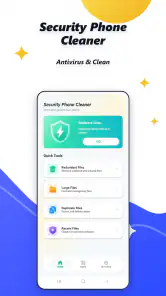

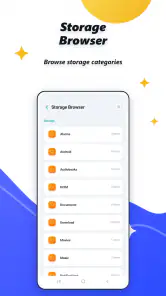
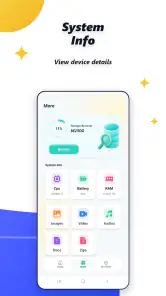
Analysis by Reviewed
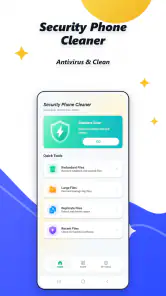
I approached Security Phone Cleaner as a practical utility rather than a magic button for fixing every phone problem. Its appeal is easy to understand: it brings security and cleaning into one free Android app, giving people a single place to look for unwanted clutter and possible threats. After using it, my view is positive but measured. It is a convenient first check for everyday phone maintenance, especially if you prefer a simple tool over managing several separate utilities, but it should not replace sensible downloading habits or the built-in controls already available on a modern device.
The app comes from NGAT-NGAT and sits in the tools category. It has reached over one hundred thousand installs and holds a 4.4 average from roughly two thousand six hundred ratings, which suggests that plenty of users find its basic purpose worthwhile. I also like that it is free and rated for Everyone, making it approachable for a household device or for someone who is not especially confident with technical settings. Its current version is 1.0.5, and it runs on Android 7.0 or later.
What the cleaner is really useful for
The most convincing reason to try this app is convenience. Instead of opening storage settings, searching manually for unwanted files, and then looking elsewhere for a security check, I can begin with one focused maintenance routine. That matters when a phone feels crowded or sluggish and I want an immediate overview before deleting anything myself.
I found the cleaner most useful as a sorting assistant. A phone gradually collects temporary material, leftover downloads, duplicate-looking files, and application residue. Not all of it is dangerous, and not all of it deserves deletion, so the important value is not simply removing as much as possible. The useful workflow is to scan, inspect the proposed cleanup, and then decide what can safely go. I would never treat a large cleanup number as a goal by itself.
That distinction is important because aggressive cleaning can create its own annoyances. Removing temporary files may be harmless, while deleting saved media, offline content, or files that an application expects can force you to download or configure things again. My practical tip is to use the app when you already know what problem you are trying to solve: a nearly full phone, an untidy downloads area, or a routine security check. That makes the result easier to judge than pressing every available action without reading the categories.
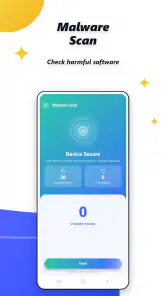
The security side gives the app a second reason to stay installed. A cleaner can be useful for housekeeping, but a security check is more valuable when it encourages me to notice suspicious software and review what is on the device. I see this as an extra layer of awareness rather than a guarantee. No utility can make careless installation safe, and a security label should not persuade anyone to open an unknown file or grant an unfamiliar app broad access.
A realistic everyday routine
Imagine a family phone used for photos, messaging, shopping, and occasional travel. After several weeks, the owner notices that storage warnings are appearing and the device feels less comfortable to use. My routine would be to open Security Phone Cleaner before deleting personal files, run its available checks, and review the results slowly. I would keep photographs and documents, examine anything marked as temporary or unnecessary, and only then perform a cleanup. Afterward, I would use the security check as a separate step rather than assuming that cleaning and protection are the same task.
This two-stage approach is one of the more useful insights I can offer. Cleaning solves an organization problem; security checking addresses a trust problem. Combining them in one app is convenient, but treating them as identical can lead to poor decisions. A person who remembers that difference is more likely to benefit from the app without becoming overconfident.
Another good workflow is to use it before a long trip. A phone with unnecessary clutter can become inconvenient when there is limited connectivity and no time to troubleshoot. I would check available space, remove only clearly disposable material, and confirm that important tickets, maps, photographs, and documents remain accessible. The app is better suited to this kind of preparation than to constant, automatic cleaning just because a notification appears.
Where it compares well with ordinary alternatives
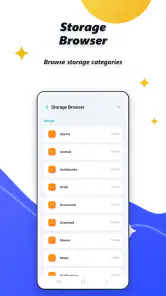
The usual alternative is to rely on Android’s own storage controls and handle security through careful app installation and built-in protections. That approach has a real advantage: it is closer to the operating system and usually makes the location of files and storage categories clearer. If I want maximum control, I would begin there. Someone who already understands Android settings may not gain much from adding another utility.
The other alternative is installing separate cleaning and security tools. That can provide more specialized interfaces, but it also means more applications to manage, more settings to understand, and potentially more background activity. Security Phone Cleaner’s strongest argument is therefore not that it must outperform every specialist. Its argument is that a single free tool may be easier for a casual user who wants a straightforward maintenance starting point.
There is a trade-off in that simplicity. A combined utility can make a broad promise feel more complete than it really is. A dedicated file manager may be better for manually locating large videos or organizing folders, while a dedicated security product may offer deeper controls for people who need them. I would choose this app for convenience and routine checks, not because I expect it to replace every specialized option.
The limitations I would keep in mind
My main reservation is the risk of over-cleaning. Any app that presents removable material in a reassuring way can tempt users to approve actions too quickly. I recommend reading each result, especially on a shared phone where one person may not know which files another person needs. A clean-looking storage screen is not worth losing an important recording or an offline file.
There is also a psychological limitation. Security tools can make people feel protected enough to ignore basic caution. I would still install applications from trustworthy sources, keep Android updated when updates are available, and question unexpected pop-ups or requests. Security Phone Cleaner can support that routine, but it cannot make risky behavior safe.
People with older phones should also be realistic about what cleaning can accomplish. Removing unnecessary material may create breathing room, but it will not transform aging hardware into a new device. Slow performance can come from demanding applications, a worn battery, network problems, or the limits of the operating system. If the real issue is one badly behaving app, Android’s application settings may be a more direct solution than repeatedly running a general cleaner.
I would also avoid turning the app into a daily ritual. Frequent manual cleaning can waste time and may remove temporary data that applications simply recreate later. A need-based schedule is more sensible: check when space is genuinely tight, after a period of heavy downloading, or when you want to review the phone’s software. That approach reduces unnecessary intervention and keeps the app in its proper role.
Who should install it, and who should skip it
I think Security Phone Cleaner is a good fit for casual Android users who want one accessible place for phone housekeeping and a basic security-oriented check. It may also suit a less technical family member who finds Android’s storage menus confusing. The free price removes an obvious barrier, and the Everyone rating makes it a comfortable recommendation for general household use.
It is especially reasonable for someone who often downloads files, receives media through messaging, or notices storage warnings but does not want to learn a complicated file-management system. The best results will come from a user willing to review suggested cleanup items rather than approving everything automatically. That small amount of attention makes the difference between useful maintenance and careless deletion.
I would skip it if I already have a reliable, familiar system for managing storage and security. Adding another utility can create duplication rather than improvement. I would also look for a more specialized solution if I needed detailed file analysis, advanced threat investigation, or precise control over application behavior. In those situations, the built-in Android tools or a specialist product may be the better choice.
Compatibility is broad enough for people using Android 7.0 and newer, which covers a wide range of devices. Still, compatibility does not mean every phone will feel the same. Older hardware may have less room for extra utilities, and users with very limited storage should consider whether installing another app is worthwhile. I would make that decision based on the phone’s current space and the usefulness of having a combined tool, not on the promise of a dramatic performance change.
Small habits that make the app safer to use
My first habit would be to review before confirming. I would separate personal files from disposable material and avoid deleting anything whose purpose is unclear. My second would be to run the security-oriented check independently from a cleanup session, because a phone can be tidy while still containing an application I do not trust. My third would be to note what changed after cleaning. If an app logs out, loses offline content, or starts behaving differently, I would treat that as a reason to reconsider the last cleanup rather than immediately repeating it.
I would also use the app as a prompt for broader maintenance. If it identifies clutter repeatedly, I would investigate the source instead of endlessly removing the symptoms. A messaging conversation, browser download habit, or media folder may be responsible. Deleting the same material again and again is less effective than changing the habit that creates it.
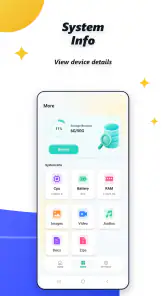
Finally, I would keep expectations modest. The strongest benefit is organization and convenience, not a guaranteed speed boost. If the phone remains slow after sensible cleanup, I would check application usage, available system updates, battery condition, and network behavior. This prevents the common mistake of blaming storage for every performance issue.
My final recommendation
After weighing the convenience against the need for caution, I see Security Phone Cleaner as a sensible entry-level tools app rather than an essential installation for everyone. Its combination of cleaning and security checks is appealing, its free access makes experimenting easy, and its broad age rating keeps the experience approachable. The 4.4 average and growing install base also show that it has found an audience among people looking for this kind of all-in-one maintenance.
My recommendation is to use it deliberately, not automatically. Start with a specific problem, inspect what it wants to remove, and treat security results as guidance for safer habits rather than absolute proof that a phone is protected. If you want a convenient first stop for routine Android housekeeping, I would recommend giving it a try. If you need deep technical controls or already manage your phone confidently through Android’s own tools, you may find that this extra layer adds little.
Released on May 22, 2026, the app presents a straightforward idea through NGAT-NGAT: make ordinary phone maintenance easier to approach. In my experience, that idea works best when the user remains involved in the decisions. Used that way, Security Phone Cleaner is a helpful companion for occasional cleanup and awareness, with clear practical value but no reason to abandon common sense or specialized alternatives.
Pros
- Quickly identifies junk files
- cache
- and leftover data.
- Simple interface makes routine phone cleaning easy.
- Can help free storage space without advanced technical knowledge.
- Useful tools for reviewing large or unnecessary files.
- Runs on demand
- giving users control over cleanup actions.
Cons
- Some cleanup suggestions may require manual review before deletion.
- Results can vary depending on the phone model and Android version.
- Aggressive cleaning may remove files users intended to keep.
- Extra features may be limited or restricted behind in-app purchases.
- Frequent notifications could become distracting during daily use.

- Category
- Tools
- Version
- 1.0.5











