Rockford Register Star, IL
- 77.00
- 3.2
- Installs
- 10.00K
- Price
- Free

Screenshots


Analysis by Reviewed
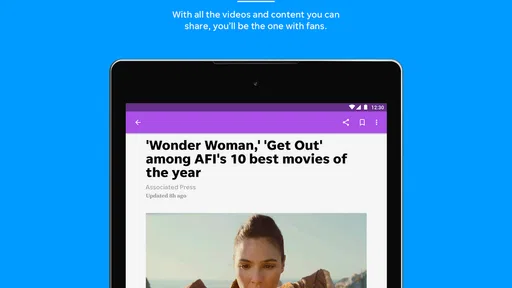
Rockford Register Star, IL is a local news app from USA TODAY Co. that I found most useful when I wanted a quick connection to Rockford-area reporting without opening a full browser. It sits in the News & Magazines category, is free to install, and is aimed at Everyone. The experience is built around reading current stories, viewing photography, and watching news video, so the quality of your connection has a noticeable effect on how comfortable it feels to use.
My overall impression is mixed but practical. The app can be a convenient daily doorway into local and national coverage, especially for readers who already follow the Rockford Register Star. At the same time, it is not the kind of app I would choose as my only news source, and the average rating of 3.2 shows that the experience has not worked equally well for every reader. I would treat it as a focused local-news tool rather than a complete replacement for every news app on my phone.
How the app feels when your connection is doing the work
The first thing I noticed is how strongly the app depends on an active network connection. Text stories are the most natural part of the experience, while photographs and video make the connection more important. When reception is steady, moving from one story to another feels straightforward. When the signal is weak, the app becomes less predictable because the content has to arrive before it can really be useful.
This matters in ordinary situations. Imagine checking local headlines while waiting for an appointment, standing outside a school, or sitting in a car before a meeting. With a reliable mobile signal, the app gives you something focused to read rather than sending you through a broad national feed. If the connection fluctuates, however, a story may take longer to become readable, and visual material can make the wait more noticeable.
The practical lesson is simple: treat connectivity as part of the reading experience, not as a minor technical detail. I would open it on a stable Wi-Fi connection when I wanted to browse several stories, particularly if I expected to watch video. On mobile data, I would use it more selectively and avoid repeatedly opening media-heavy items unless I had a comfortable signal.
Local focus is the reason to keep it installed
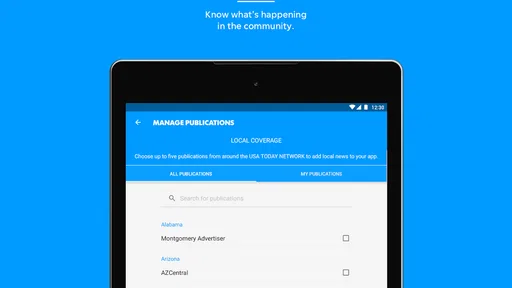
The app’s strongest identity comes from its Rockford focus. National headlines are useful for context, but they are available from countless other apps. Local reporting is what gives this one a clearer purpose. If you care about what is happening around Rockford, the app is more relevant than a general national news reader that happens to include occasional regional stories.
I also like the way local coverage can fit into a short routine. Rather than trying to consume every headline, I could use it to scan the main local items, open the stories that affected my day, and leave the rest for later. That makes more sense than treating the app like an endless social feed. It is better suited to deliberate checking than to constant scrolling.
More From Our News Desk

Weather by Xiaomi Review: Clear at a Glance, Less Clear Up Close

X Under Pressure: Can It Recover When Posting Goes Wrong?

Clash of Clans Is Won Between the Battles

Android Auto Makes the Case for Quieter Car Software

MobiOffice: Transforming Mobile Productivity with Seamless Integration

EA SPORTS FC™ Mobile Soccer: Redefining Mobile Sports Gaming
For someone who has moved away from the area, the same local emphasis can work differently. The app may help maintain a connection with the place, but the value depends on how personally relevant Rockford news remains. A reader who wants worldwide breaking news, financial coverage, or a broad range of specialist sections may find a larger general-purpose news service more efficient.
Using it in short mobile sessions
On a phone, I prefer news apps that let me make progress in small pieces. This one fits that habit when I have a few minutes and a decent signal. I can check the latest local items, read one complete report, and move on without needing a long uninterrupted session. That is useful during a commute stop, a lunch break, or a quiet moment at home.
The screen size also changes how I approach the visual content. Spectacular photography can make a story more engaging, but images naturally require more loading than plain text. I would not judge the app only by how quickly a headline appears; I would also consider whether the rest of the story has finished loading before tapping through several more items.
Video is another reason to choose the right moment. A short news clip can be more immediate than a written report, but it is a poor fit for a weak connection or a situation where sound would be inconvenient. In practice, I would reserve video for Wi-Fi or a strong mobile signal and use written stories when I needed a quieter, lighter session.
That workflow is one of the less obvious benefits of a focused local app: I can decide what kind of attention I want to give it. A quick headline scan, a full article, and a video session are not equal activities, and the app’s mix of formats makes that distinction important.
What happens when loading goes wrong
News apps are judged heavily by what happens when everything is not perfect. A headline that loads slowly is frustrating, but a story that appears incomplete or media that stalls can interrupt the reason I opened the app in the first place. With Rockford Register Star, I would plan around that by giving text priority and treating photos and video as optional layers rather than essentials.
If a page hesitates, my first response would be to stop opening more items and wait for the current story to settle. Repeatedly tapping through a list while the connection is struggling usually makes the session feel worse, not better. I would also switch from mobile data to Wi-Fi when possible, or return later instead of spending time fighting a poor signal.
This is especially relevant during local events, severe weather, or other moments when many people may be checking news at once. I would not rely on one app alone for urgent information. The responsible approach is to use this app as one reporting source and keep official alerts or other trusted channels available for immediate safety details.
Recovery is easier when I remember what the app is for. If I only need the latest local headlines, I can try again later. If I need a complete picture right now, a browser, a radio source, or another established news service may be the better backup. That is not a criticism unique to this app; it is a realistic limitation of network-delivered news, especially when rich media is involved.
Keeping mobile data under control
The free installation does not mean every use pattern is equally light on data. Reading text is generally the sensible starting point for a data-conscious session, while repeated image browsing and video viewing can consume more of a mobile allowance. I would avoid autoplay-style habits even if they are convenient, simply because news browsing can turn into a longer media session than expected.
A good routine is to read the headlines first, choose only the stories that matter, and leave video for Wi-Fi. I would also avoid opening several photo-heavy reports just to skim them. This approach keeps the app useful without making it the kind of background activity that quietly uses data while I am doing something else.
Those paying for optional content should also understand the cost structure before committing. The app is free, but its in-app purchases range from $9.99 to $69.99 per item. I would consider that carefully in relation to how often I read the publication. Occasional readers may prefer to stay with the free experience, while a frequent local-news reader should examine the purchase screen and decide whether the added access fits their budget.
I would not make that decision from the app’s local identity alone. The right question is whether Rockford coverage is valuable enough in your daily life to justify an optional purchase. Someone who checks the app once a month should approach it differently from a resident who uses local reporting every morning and evening.
Comparing it with broader news alternatives
Compared with a general news aggregator, this app offers a more specific reason to open it: Rockford-area coverage. Aggregators are usually better when I want many publishers, fast topic switching, or a single place for international and national headlines. They can also make it easier to compare perspectives across sources.
Compared with reading the publication in a mobile browser, the dedicated app is more convenient for repeated visits because it keeps the news experience in one place. The trade-off is that a browser can be useful when I do not want another app installed or when I need to move quickly between several publications. For a regular local-news habit, I prefer the dedicated app; for occasional visits, the browser may be enough.
Compared with television or radio, the app gives me more control over what I read and when I read it. It is less passive and better for checking specific stories, photos, and video. Radio can be more dependable when I am driving or when I need information without looking at a screen, while television may provide a stronger live-news format. I would choose according to the situation rather than expecting this app to replace every medium.
Who will get the most from it
I think the app is a good fit for Rockford residents, former residents, local families, and anyone whose routine depends on nearby news. It is also suitable for readers who prefer a publication-centered experience instead of a feed assembled from many unrelated sources. The Everyone content rating makes it broadly approachable for general household use.
It is less convincing for people who want a single app covering every city and subject. If your main interests are global politics, technology, sports from many regions, or highly customizable topic tracking, a larger news platform will probably serve you better. I would also skip it if your internet access is frequently unreliable and you need dependable access to previously loaded stories, because the app’s network-dependent design can become a source of friction.
The current version is 8.10.3, and the app requires Android 8.0 or later. That makes checking device compatibility an important step before installing, particularly on an older phone. The developer is USA TODAY Co., which gives the app a recognizable publishing connection, but the local focus remains the deciding factor for me rather than the developer name by itself.
My everyday workflow with the app
If I were making this part of my routine, I would check it once in the morning on Wi-Fi, scan the local headlines, and read only the reports that could affect my plans. Later, I might return over mobile data for a quick text update. I would save video and image-heavy browsing for a stronger connection, and I would use another source if an event required immediate confirmation.
That workflow avoids two common mistakes. The first is treating every headline as equally urgent, which leads to unnecessary scrolling and data use. The second is opening visual content before deciding whether the underlying story matters. Starting with the written list lets me spend attention where it is most useful.
I would also keep expectations realistic about optional purchases. Since the app is free to start but offers in-app items at different prices, I would use it long enough to understand my reading pattern before paying. The decision should come from repeated value, not from curiosity during a single news cycle.
My connectivity verdict
Rockford Register Star, IL works best as a focused local-news companion for readers with a dependable connection and a genuine interest in Rockford coverage. Its combination of local and national reporting, photography, and video gives it more range than a simple headline list, but those richer formats also make connection quality and data habits more important.
I would recommend trying it if local reporting is the main reason you want a news app. I would not recommend relying on it alone for urgent updates, broad worldwide coverage, or situations where offline access is essential. For those needs, another source or a broader news service may be the wiser choice.
My final view is that Rockford Register Star has a clear purpose, but its value depends on whether that purpose matches your life. If Rockford news is personally important, the app can earn a regular place on your phone. If it is not, the free installation alone is not a strong reason to keep it. Use a stable connection for deeper browsing, be selective with video and photography on mobile data, and judge optional purchases by your actual reading frequency. With those expectations, it is a useful local window rather than an all-purpose news solution.
Rockford Register Star, IL Frequently Asked Questions
Who publishes the Rockford Register Star, IL app?
The app is published by USA TODAY Co. and is built around the Rockford Register Star, with a focus on local and national news. That makes it a useful option for readers who want a familiar news source on a phone or tablet rather than a general-purpose news feed. Its News & Magazines category also signals that it is intended for reading and following news, not for a separate utility or game.
What kind of content can I expect to find in the app?
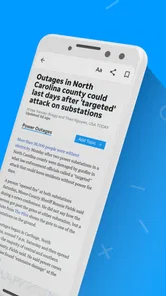
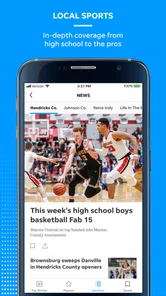
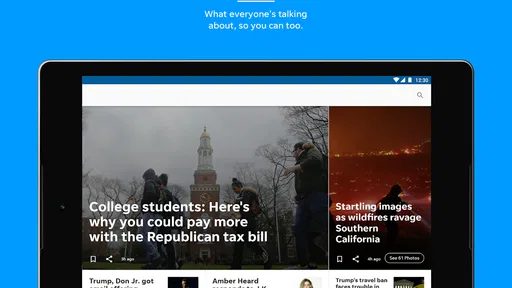
The Rockford Register Star, IL app offers local and national news, along with photography and video content. Its appeal is the combination of written reporting and visual coverage, which can make it easier to follow a story beyond a headline. Readers looking for a mobile way to keep up with news can browse the available coverage in the app, while the mix of content may vary as stories are published.
What is the Rockford Register Star, IL app used for?
The Rockford Register Star, IL app provides access to local news and information for Rockford and surrounding communities in Illinois. After opening the app, users can browse breaking news, crime and public safety reports, local politics, education, business, sports, entertainment, weather, and community updates. It is designed for readers who want a convenient mobile way to follow stories from the Rockford Register Star without relying only on the newspaper’s website.
Is the Rockford Register Star, IL app free to download and use?
The application is generally free to download, allowing users to install it and explore available sections before deciding whether they need a subscription. However, some articles or premium features may be limited to subscribers, and access policies can change over time. If you frequently encounter subscription prompts, check the current plans, trial terms, and account requirements shown in the app before completing a purchase.
Do I need a subscription to read all articles in the app?
Not necessarily, because the app may offer a mixture of freely accessible news and content reserved for paying subscribers. Depending on the current publishing policy, readers can usually view headlines and selected stories without an account, while unlimited access may require a digital subscription or an existing newspaper membership. Review the subscription information carefully, especially renewal pricing and cancellation conditions.
Pros
- Provides local Rockford-area news and community updates.
- Offers convenient access to breaking stories on mobile devices.
- Includes coverage of regional sports
- events
- and public affairs.
- Digital format makes the newspaper available without carrying a print copy.
- Push notifications can help readers stay informed about important updates.
Cons
- Full access may require a paid subscription or digital membership.
- Some content may be limited by a subscription paywall.
- News coverage is focused mainly on the Rockford region.
- App performance and loading times may vary with network quality.
- Frequent notifications could feel excessive for some users.













