

Rizo: AI Photo Video Maker
- 2.00
- 4.4
- Installs
- 10.00K
- Price
- Free

Screenshots

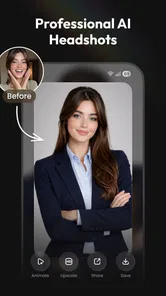
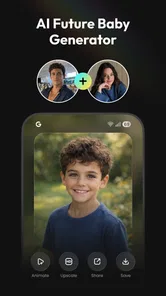
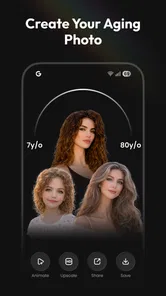
Analysis by Reviewed
Rizo: AI Photo Video Maker caught my attention because it sits between a quick creative toy and a practical editing tool. It is an AI-focused app for making images, turning photos into videos, creating dance-style clips, and producing headshot-like results. I found the first sessions easy to approach: choose a visual idea, add an image when needed, and see what the app can do without learning a traditional timeline editor first. That simplicity is its strongest first impression.
At the same time, I would not install it expecting a complete replacement for a full video editor. Rizo is better understood as a way to generate or transform visual material quickly. Once I had a result, I still had to think about whether it looked natural, whether the movement suited the source image, and whether the finished clip needed further editing elsewhere. That distinction matters if you are deciding whether it deserves a regular place on your phone rather than a brief trial.
What makes the first week appealing
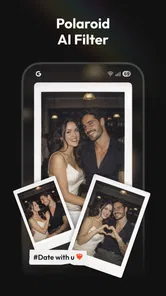
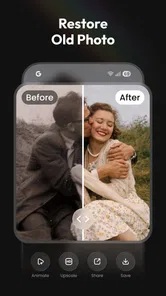
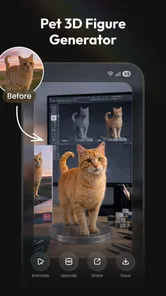
The app comes from 8 square and belongs to the video players and editors category, although its appeal is less about conventional cutting and more about AI-assisted creation. Its store summary points toward several uses: AI image making, AI video generation, dance creations, headshots, and photo-to-video work. In practice, that combination gives the first week a playful rhythm. I could begin with a familiar photo and explore several different directions instead of opening a blank editing timeline.
That is especially useful for people who have plenty of photos but rarely make anything with them. A holiday picture, a portrait, or a simple image from a family gathering can become a starting point for an experiment. The process feels less demanding than learning keyframes, transitions, masks, and audio timing. For a casual creator, the reduced setup is a genuine advantage.
My favorite early use case would be preparing a short visual message for a friend. Rather than sending the same still image again, I could try making a brief photo-to-video result, inspect it, and decide whether it feels personal enough to share. The app is also suited to someone who wants to test a headshot concept before taking new photographs. It can help answer a creative question quickly: does this style, pose, or presentation suit me?
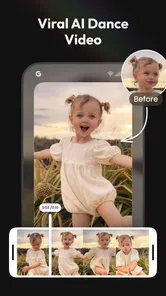
The dance-oriented option adds a different kind of appeal. It is naturally more playful than practical, but that is not a weakness during the first few days. People often keep creative apps because they provide an easy conversation starter. A funny transformation or unexpected movement can be worth making once, even if it does not become part of a regular workflow.
There is also a useful separation between creation and judgment. Rizo can help me produce an initial idea, but I still decide which result is worth keeping. That makes it more valuable than an automatic button that I accept without looking. I recommend generating with a specific purpose in mind instead of tapping through every option randomly. For example, decide whether you want a social post, a profile image, a playful message, or a visual draft. The intended use changes what counts as a good result.
More From Our News Desk

 Gmail
GmailGmail in a Busy Inbox: Who Benefits Most?
From first account to crowded workday, Gmail earns its place through dependable search and flexible sorting—but its best fit depends on how much inbox maintenance you can tolerate.

 Prime Video
Switching to Prime Video: What Changes in Your Viewing Routine
Prime Video can make a compelling second home for streaming, but switching means learning a different catalog, rental layer, and route from browsing to playback.

 Universal TV Remote Control
Universal TV Remote Control Works Best as a Reliable Backup
A phone remote earns its place through quick setup and reliable habits. Here is how to get more from Universal TV Remote Control—and where its limits show.

 Weather - By Xiaomi
Weather by Xiaomi Review: Clear at a Glance, Less Clear Up Close
Xiaomi’s weather app makes everyday forecasts quick to scan, but its calm surface can leave useful details and recovery paths harder to find than they should be.

 X
XX Under Pressure: Can It Recover When Posting Goes Wrong?
A resilience-focused review of X, examining setup, mistaken posts, interruptions, weak connections, and the gaps that matter when recovery needs to be dependable.

 Clash of Clans
Clash of Clans Is Won Between the Battles
Its raids are quick; its community is a long-term project of coordination, teaching, rivalry, and shared responsibility—with all the friction that entails.
Latest News



The app is free to install, which lowers the barrier to trying it. It is rated for Everyone, so its general positioning is accessible to a broad audience. The current version is 1.1.0, and the app has an average rating of 4.4 from around three thousand ratings. Those figures suggest that the basic experience has found an audience, but they should not replace personal testing: AI results can feel impressive to one person and unconvincing to another, especially when faces, hands, or movement are involved.
How I would test it without wasting time
I would begin with three different source images rather than judging the app from one photograph. Use a clear portrait, a wider scene, and an image with more than one person. This gives a better sense of where the app is comfortable and where the generated result becomes less dependable. A single flattering selfie can make almost any visual tool look more consistent than it really is.
I would also save the original images separately before experimenting. That is simple advice, but it prevents a creative test from becoming a replacement workflow by accident. Keep the source, compare the result at full size, and check the final clip from beginning to end. A generation can look convincing in a preview while revealing awkward timing or distracting details once watched as a complete piece.
One non-obvious advantage is that the app can serve as an idea generator even when I do not use the output directly. A generated headshot may show me that a tighter crop works better. A photo-to-video attempt may reveal that a static composition needs more space around the subject. In that role, Rizo is not only a publishing tool; it can be a fast way to explore visual direction before committing to a polished edit.
What remains useful after the novelty fades
The month-to-month question is harder. Novelty is built into AI creation, and the first surprise does not automatically become a habit. For Rizo to earn lasting space, I need recurring situations where speed matters more than detailed control. That could include occasional profile-image refreshes, quick visual greetings, simple personal projects, or early drafts for short-form content.
Its strongest long-term role is likely as a companion to a normal editor rather than a replacement for one. I would use Rizo to create a starting visual, then move to a conventional video application when I need precise trimming, layered sound, captions, manual transitions, or dependable control over every frame. Traditional editors take longer, but they are better when the final result must match a specific duration or brand style.
Compared with making everything manually, Rizo reduces the distance between an idea and a first draft. Compared with a standard camera or gallery editor, it offers more transformation. Compared with a mature all-in-one video suite, it is more focused on automatic generation and less suited to detailed finishing. That trade-off is not a problem unless the app is being asked to do the wrong job.
For a small business owner, the recurring value could come from creating visual variations for announcements or social posts. I would still review every image carefully before publishing, especially when the content represents a real person or a business. Speed is useful, but an automatically generated face or movement can undermine trust if it looks artificial or changes an important detail.
For families, the value is more occasional but still meaningful. A birthday photo can become a short keepsake, or a collection of still images can be explored as a moving presentation. The app is most useful when the goal is emotional or playful rather than documentary. If preserving an event accurately is the priority, a regular slideshow or editor may be the safer choice because it will not reinterpret the source in the same way.
For creators who publish frequently, the answer depends on how much control they need. Rizo may help break through a blank-page problem and produce a visual hook. It is less convincing as the only tool in a publishing pipeline. A creator who needs repeatable results, exact layouts, consistent character appearance, or a carefully managed visual identity may become frustrated if every generation requires selection and correction.
The cost question changes the habit
Although the app is free to start, its in-app purchases range from $4.99 to $39.99 per item. That makes the long-term decision more important than the initial download. I would not pay simply because the first result is amusing. I would first identify a repeatable need and see whether the app saves enough effort to justify spending on it.
A sensible approach is to treat paid creation as a project expense rather than an automatic subscription-like habit. Before purchasing anything, decide what you want to make, how many usable results you need, and whether you are comfortable paying for experimentation that may produce several imperfect attempts. AI tools can encourage repeated retries, and that is where a small creative test can become an unnecessary expense.
This is also why Rizo may suit an occasional user better than someone who wants unlimited, predictable production. If you only need a new idea now and then, the free entry point is attractive. If you plan to generate content every week, compare the cost of repeated in-app purchases with a more established editor or a service designed around regular production. The cheaper-looking option is not always the more economical one once your workflow becomes frequent.
Where maintenance and fatigue appear
The maintenance burden is not just technical. It is also creative. Every generated result needs a quick quality check, and that check becomes tiring when the app is used without a clear purpose. I would build a small review routine: inspect the face, hands, background, movement, and overall timing; then ask whether the result communicates something better than the original photo. If the answer is no, discard it instead of trying to rescue every attempt.
That habit protects the app from becoming a clutter machine. AI creation can produce many files that feel interesting for a minute but have no lasting use. I recommend keeping only outputs that have a destination: a message, a profile image, a draft, a memory, or a post. This is one of the most practical ways to preserve the app’s value over time.
Another maintenance issue is consistency. A result that looks good on its own may not match the images made on another day. If you are building a series, keep the same type of source photo and the same intended mood. Do not expect a collection of unrelated generations to look like a coherent campaign. Rizo is more comfortable with one-off creativity than with strict visual continuity.
Source preparation makes a noticeable difference to the workflow. I would avoid heavily compressed images, crowded backgrounds, and photographs where the subject is partly hidden. Clearer inputs give the app a better chance of producing a convincing transformation. This is not a guarantee of perfection, but it reduces the amount of time spent blaming the output for a problem that began with the source.
The app is available for devices running iOS eleven or newer, so compatibility should be checked before planning a workflow around it. That requirement is reasonable for a modern AI-focused tool, but it does mean that older devices may not be suitable. If you are reviewing the app for a family member, check the operating system first rather than assuming that any phone capable of taking photos will support it.
What can make repeated use tiring
The first source of fatigue is unpredictability. When I want a precise result, I prefer controls that let me correct a specific problem. AI generation can instead ask me to try again, change the source, or accept a compromise. That is exciting during exploration and frustrating during production. The more exact the brief, the less patient I become with variation.
The second source is the gap between a striking preview and a finished piece. A visual can be impressive as a single moment but weak as a complete video. Movement may distract from the subject, the pacing may not suit the intended message, or the effect may feel too artificial for a professional context. I would always watch the entire output before sharing it, not merely judge the thumbnail.
The third is repetition. Dance transformations and dramatic photo effects are fun when used sparingly. If every image receives the same type of treatment, the results quickly lose personality. To keep the app useful, alternate between practical work and playful experiments. A headshot draft one day and a family keepsake another day will feel more rewarding than chasing increasingly elaborate effects without a reason.
Privacy and consent should also guide long-term use. When working with another person’s face, I would ask permission before uploading or sharing the result, particularly if the transformation changes their appearance or places them in a humorous situation. This is not a reason to avoid the app; it is a basic rule for using image-generation tools responsibly.
Who should keep it and who should move on
I would recommend Rizo to someone who wants quick AI-assisted visual experiments and does not enjoy traditional editing software. It is a good fit for a casual creator who starts with photos, wants to explore video without building a timeline, and is comfortable judging results rather than expecting every generation to be final. It also makes sense for people who need occasional headshot ideas or personal visual messages.
I would be more cautious recommending it to a professional editor, a social media manager with strict deadlines, or anyone who needs exact repeatability. Those users may be better served by a conventional editor with dependable controls, even if the learning curve is steeper. Rizo can contribute an idea, but I would not make it the only tool responsible for polished, consistent output.
It is also not the best choice if your main goal is simple trimming and organizing. For cutting a long recording, adding captions with precision, balancing audio, or arranging multiple clips, a regular video editor is usually more direct. Rizo’s value comes from transformation and generation, not from replacing every basic editing function.
The app has passed the first-week test for me because it makes experimentation approachable. The harder month-to-month test is conditional: it earns a permanent place only when I connect it to a real recurring need. The free starting point makes that trial easy, while the in-app purchase range means I should keep spending deliberate and project-based.
My long-term verdict is positive but measured. Rizo is most valuable as a fast creative launchpad, not as a complete production studio. I would keep it installed if I regularly wanted fresh visual ideas, occasional photo-to-video keepsakes, or quick headshot concepts. I would remove it if I found myself generating content only because the tool was available, paying for retries without a clear result, or needing more control than the app’s automatic approach provides.
In short, the app’s lasting value depends on discipline. Use a clear source image, define the purpose before generating, inspect the complete result, and keep only work that has somewhere to go. With that approach, Rizo: AI Photo Video Maker can remain a useful creative shortcut after the initial excitement fades. Without it, the same features may become a stream of disposable experiments rather than a dependable part of your everyday workflow.
Rizo: AI Photo Video Maker Frequently Asked Questions
What is Rizo: AI Photo Video Maker used for?
Rizo: AI Photo Video Maker is designed for creating short, visually engaging videos from photos and other media. It typically combines images with music, transitions, effects, filters, and AI-powered editing tools, making it useful for social media posts, stories, slideshows, birthday greetings, travel memories, and quick promotional content without requiring advanced video-editing experience.
What AI creation tools does Rizo offer?
Rizo’s focus is AI-assisted photo and video creation, including AI photo making, AI video generation, AI dance creations, headshots, and turning photos into videos. These options may appeal if you want to give a still image movement or try stylized results without building every edit manually. The available tools and their access conditions can vary, so review the options in the app before starting a project.
Which devices can run Rizo: AI Photo Video Maker?
Rizo is available for devices running Android 11 or later. Before downloading, check your phone’s operating system version and make sure you have enough free space for the app and the media you plan to create. Video and AI features can also place demands on a device’s processing power, so a newer or capable phone may provide a smoother experience when editing or generating content.
Is Rizo: AI Photo Video Maker free to download and use?
The app is free to download, but it also offers in-app purchases priced from $4.99 to $39.99 per item. Some editing tools, templates, effects, exports, or AI features can be restricted to paid purchases. Before creating a project, check the price and terms shown for the feature you want. Availability of free features may also change after updates, so review the app’s purchase details carefully before buying.
Can I use my own photos, videos, music, and other media in Rizo?
Rizo generally allows users to import personal photos and videos from their device and use them in customized projects. Music and audio options may come from an in-app library or from files supported by the application. However, check the available import and export options, and make sure you have permission to use any copyrighted images, songs, logos, or footage included in a video.
Pros
- Turns photos into engaging AI videos with minimal editing effort.
- Offers creative templates for social posts
- stories
- and short-form content.
- AI effects can add motion and personality to otherwise static images.
- Simple interface makes it approachable for users without editing experience.
- Useful for quickly creating shareable visual content on mobile devices.
Cons
- Some advanced effects or templates may require a paid subscription.
- AI results can vary and occasionally produce unnatural movements.
- Processing times may increase when creating higher-quality videos.
- Export options may be limited depending on the selected template or plan.
- The app may require a stable internet connection for AI-powered features.











