

Reverse Song & Voice Challenge
- 432.00
- 4.1
- Installs
- 10.00M
- Price
- Free

Screenshots
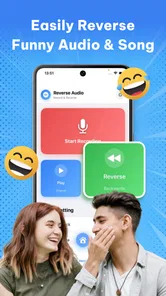
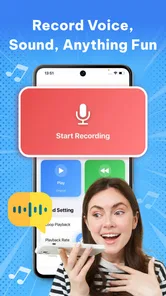

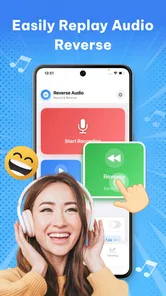
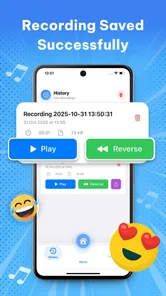
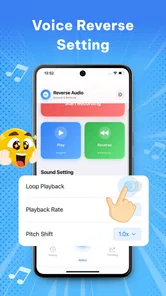

Analysis by Reviewed
I’d reach for Reverse Song & Voice Challenge when I want a quick, silly audio experiment rather than a full music-editing session. The basic appeal is easy to understand: reverse a voice or a song, then see how strange or funny it sounds. That makes it a light music-and-audio app for playful moments, though the experience depends on whether it can handle the audio task I have in mind and how smoothly it works on my phone.
When a small test saves time
For a first try, I’d make a short recording of a phrase I can repeat easily, then listen to the reversed result before moving on to a longer clip. This gives me a quick way to judge whether the basic experience suits me and whether I can hear the playback clearly in my current setting. It also keeps an experiment low-effort: if the phrase is unclear, I can change how I speak or where I record rather than starting over with a whole song.
I’d treat the app as a little audio challenge, not as a reliable way to uncover lyrics or create a polished effect. That distinction helps set expectations: the fun comes from trying a reversal and guessing what it sounds like, while a dedicated editor makes more sense when I need precise control or a finished result.
Where the connection matters
Reversing sound sounds like a simple, self-contained activity, but the practical experience can involve several steps: choosing or recording audio, processing it, and listening back. I would pay attention to where a network connection is needed rather than assume every part works the same way. If I’m somewhere with an unreliable signal, I’d try a short voice clip first and check that the result plays before committing to a longer song or a more elaborate session.
That small test is useful because a spoken phrase is quick to repeat if something goes wrong. It also helps separate a problem with the recording from one with processing or playback. I’d keep the first attempt simple: say a short, clear sentence, leave a little silence around it, and listen for whether the reversed result is understandable enough to be amusing. A busy recording with music or background noise can make the outcome harder to judge.
The app’s description promises an immediate reverse effect, but I wouldn’t treat that as a guarantee that every source file will behave equally well. Audio apps can be sensitive to the quality and format of what a user provides, and the practical result matters more than the novelty of the button. For a casual challenge, an imperfect result may still be entertaining. If I need clean, repeatable audio for a polished project, I’d use a dedicated editor instead.
Good for short sessions, not every mobile setting
This is best suited to moments when I can listen aloud or use headphones without bothering anyone: a break at home, a commute with headphones, or a relaxed gathering where friends are happy to take turns. A reverse recording often needs to be played more than once before its hidden phrase becomes clear, so a noisy bus or crowded room can undermine the joke. I’d record in a quieter spot and save the reveal for when people can actually hear it.
More From Our News Desk

 Gmail
GmailGmail in a Busy Inbox: Who Benefits Most?
From first account to crowded workday, Gmail earns its place through dependable search and flexible sorting—but its best fit depends on how much inbox maintenance you can tolerate.

 Prime Video
Switching to Prime Video: What Changes in Your Viewing Routine
Prime Video can make a compelling second home for streaming, but switching means learning a different catalog, rental layer, and route from browsing to playback.

 Universal TV Remote Control
Universal TV Remote Control Works Best as a Reliable Backup
A phone remote earns its place through quick setup and reliable habits. Here is how to get more from Universal TV Remote Control—and where its limits show.

 Weather - By Xiaomi
Weather by Xiaomi Review: Clear at a Glance, Less Clear Up Close
Xiaomi’s weather app makes everyday forecasts quick to scan, but its calm surface can leave useful details and recovery paths harder to find than they should be.

 X
XX Under Pressure: Can It Recover When Posting Goes Wrong?
A resilience-focused review of X, examining setup, mistaken posts, interruptions, weak connections, and the gaps that matter when recovery needs to be dependable.

 Clash of Clans
Clash of Clans Is Won Between the Battles
Its raids are quick; its community is a long-term project of coordination, teaching, rivalry, and shared responsibility—with all the friction that entails.
Latest News



There’s also a useful distinction between creating a clip and sharing the fun of it. If I’m with friends, I can take turns giving each other short phrases and let the group guess what the reversed playback contains. That works better than starting with a whole song: shorter material is easier to replay, and the challenge stays focused. I’d avoid recording anyone who hasn’t agreed to take part, especially if the audio might be passed around afterward.
For a quick experiment, the phone is a natural fit; for extended listening, editing, or careful comparisons, it is less compelling. I wouldn’t choose it as a replacement for a music player or a production tool. Its value is the transformation itself and the reaction it creates, not a broad set of controls or a studio workflow.
A practical phone-and-friends routine
One everyday scenario I can imagine is a short break with a friend: I record a harmless phrase, reverse it, and let them guess what I said before I reveal the original. To keep the game fair, I’d avoid reading the phrase aloud immediately before playback, since that gives away clues. A few words are enough; a long sentence can turn a quick laugh into a tedious replay session.
At home, I’d try a familiar song excerpt only after the voice test works for me. A recognizable melody gives me something to compare, but reversing the sound changes its rhythm and makes lyrics difficult to identify. I’d choose a brief section rather than treating the app as a way to analyze a full track. That workflow is quicker and keeps the novelty from wearing thin.
Recovering from a result that does not sound right
If a clip fails to play or comes out unclear, I’d troubleshoot in small steps instead of repeating the same attempt. First, record a fresh, short voice sample in a quieter place. Then check that the phone’s sound is audible at a comfortable level and try playback again. If the app is being used where reception is weak, I’d move to a steadier connection before testing whether the issue was tied to the network. This is a practical check, not a claim that the app requires a connection for every operation.
It also helps to avoid judging a result from a single listen. Reversed speech can sound like nonsense at first, and replaying it while reading the original phrase can give away the answer. For a fair challenge, I’d record the phrase, reverse it, and ask someone else to guess before revealing what I said. If the clip is muddy, shorten the phrase and speak clearly rather than raising the volume or adding more background sound.
When a longer track is troublesome, I’d switch to a brief excerpt instead of repeatedly loading the entire song. That saves time and makes it easier to tell whether the issue is the source audio or the app’s handling of the task. I’d also keep expectations modest: this is a novelty effect, not a promise that reversed lyrics will become intelligible or that every recording will produce a satisfying puzzle.
Using it thoughtfully on mobile data
Because network behavior can affect how convenient an audio app feels, I’d be deliberate if I’m away from Wi-Fi. I would start with a small voice recording and see how the app behaves before using it for several song experiments. That gives me a practical sense of whether my current connection is suitable without making assumptions about how the app handles audio behind the scenes.
Audio can also be personal. A voice recording may include someone else, a private conversation, or background details that were never meant to be shared. I’d use a phrase created specifically for the challenge and keep the clip limited to what I want other people to hear. If a result is only funny in the moment, there’s no need to circulate it beyond that moment.
The app is free to download, with in-app purchases listed from $3.99 to $39.99 per item. I’d explore the basic experience before buying anything and check the purchase screen carefully so I understand what an item offers. That matters especially for a casual app: if I only want to reverse a few phrases for a laugh, a purchase may not be worthwhile. The free entry point makes it easy to test whether the core idea suits me first.
Who will enjoy it—and who should look elsewhere
I can see this working well for people who enjoy quick audio jokes, singing challenges, or trying to decode a familiar phrase played backward. It is also an easy group activity when everyone is comfortable recording a short line and listening together. The app comes from AI Tech Expe and sits in the music-and-audio category, but I’d think of it more as a playful sound effect than as a serious music utility.
The usual alternatives are quite different. A voice recorder is better when I want to capture speech cleanly, while a full audio editor is the better choice for trimming, arranging, and refining material. A music player is more convenient for simply listening to songs. This app earns its place only when reversing sound is the point. If I want precise editing tools, dependable project management, or a polished finished track, I would pick an editor designed for that work.
It may also be a poor fit for someone who dislikes experimenting with audio, needs a highly predictable workflow, or cannot comfortably play sound in their current setting. The reverse effect is inherently a bit of a guessing game, and that uncertainty is part of the entertainment. If I’m in a quiet library, trying not to use mobile data, or working on a deadline, this would not be my first choice.
A quick look at the app itself
Reverse Song & Voice Challenge is rated 4.1 on average from around 102,000 ratings, and it has more than 10 million installs. Those figures suggest that the idea has reached a broad audience, but I’d still judge it by whether its simple audio trick is fun for me. Its age rating is Everyone, and the current version is 7.5; the minimum operating-system requirement is 7.1.
Released on November 3, 2025, it is a focused app rather than a deep audio suite. I appreciate that the premise is easy to grasp: there is no need to learn music theory to try a reversed phrase. At the same time, that narrow purpose limits how often I would open it. It is the sort of app I’d use for a quick laugh, then set aside until another good phrase or group challenge comes along.
My connectivity verdict
My recommendation is conditional but straightforward: try it when you have a few minutes, a suitable place to listen, and a short recording you don’t mind experimenting with. Start with a clean voice sample, test playback, and only then move on to a song excerpt. If the connection seems unstable, postpone longer experiments rather than assuming the app will behave identically in every network situation.
For casual audio fun, Reverse Song & Voice Challenge has a clear purpose and a low barrier to trying it. I would not rely on it for serious editing, private recordings I need to manage carefully, or situations where uninterrupted processing is essential. Its strongest use is a small, shareable guessing game; its main trade-off is that a simple novelty effect cannot replace the control and reliability of a dedicated audio editor.
Reverse Song & Voice Challenge Frequently Asked Questions
What is Reverse Song & Voice Challenge?
Reverse Song & Voice Challenge is an entertainment app built around listening to audio played backward and trying to work out what it says or sounds like when played normally. It is designed for casual play, whether you are testing yourself or sharing a challenge with friends. The exact activities and available content can vary by version, so check the app listing for current details before downloading.
How do you play Reverse Song & Voice Challenge?
The basic idea is to listen carefully to a reversed song or voice clip, make a guess about the original audio, and then compare your answer with the normal playback when it is provided. Headphones can make the reversed sounds easier to distinguish, especially in a noisy setting. Follow the on-screen instructions, since controls, rounds, scoring, and challenge formats may differ between versions.
Is Reverse Song & Voice Challenge suitable for children?
The app’s audio-guessing concept may appeal to families, but suitability depends on the clips, ads, and other content included in the version you download. Review the age rating and store listing, and consider trying the app yourself before handing it to a child. If the app offers external links, purchases, or social features, supervise their use and check the device’s parental controls.
Does Reverse Song & Voice Challenge work offline, and does it require a microphone?
Offline access and microphone permissions depend on how the current version handles its audio and challenge features. Listening to included clips may work without a connection, while downloading content, loading advertisements, or using online features could require internet access. A microphone may be needed only for recording or submitting your own attempts. Check the permission prompts and app listing, and deny access that does not seem necessary.
Is Reverse Song & Voice Challenge free to download?
The price, advertising, and optional purchases can differ by platform, region, and app version. Check the Google Play or Apple App Store listing to confirm whether the download is free and whether it includes in-app purchases or subscriptions. Also review recent user feedback for comments about ads and performance. Downloading from the official store helps ensure you receive the intended app and its available updates.
Pros
- Quick rounds make it easy to play in short bursts.
- The reverse-audio concept feels fresh compared with standard party games.
- Challenges can spark laughs and lively group reactions.
- Simple gameplay is approachable for players of different ages.
- Useful as an icebreaker at parties or casual get-togethers.
Cons
- Reversed audio can be difficult to understand
- even with repeated listening.
- The game is less enjoyable when played alone.
- Audio-based challenges may be inaccessible to players with hearing difficulties.
- Repeated prompts can make sessions feel less varied over time.
- Background noise can make it harder to catch the reversed words.











