Question.AI - Chatbot&Math AI
- 12.88K
- 4.6
- Installs
- 10.00M
- Price
- Free

Screenshots

Analysis by Reviewed
I like having a quick way to check a question without switching between several apps, and Question.AI - Chatbot&Math AI is built around that convenience. It brings conversational help and math support together, so it can be useful for a study session, a small calculation, or a question that comes up while planning the day. I’d treat it as a handy assistant rather than an authority: its answers are a starting point, and important details deserve a second look.
What the free option means in practice
The app is free to download, while in-app purchases range from $0.49 to $99.99 per item. That makes it easy to try the basic experience before deciding whether any paid option is worthwhile. I wouldn’t assume that every feature or usage level is included at no cost; check the purchase details shown in the app before committing, especially if you only need occasional help.
Where the combination earns its place
As an education app from D3 DIMENSION TECHNOLOGY PTE.LTD., it sits between a general chatbot and a dedicated math tool. A chatbot can help explain a topic in conversational language, while a calculator is usually faster for a straightforward answer. The appeal here is being able to move between those kinds of questions in one place. The app has a 4.7 average from around 228,000 ratings and over 10 million installs, but those figures don’t tell me whether a particular answer will be right; checking the reasoning matters more than popularity.
A useful routine for study and everyday questions
For example, if I’m working through a homework problem, I can ask for help, compare the result with my own steps, and follow up when a part of the explanation doesn’t make sense. That is more valuable than copying an answer because it turns a quick response into a chance to learn. For a basic calculation, I’d still use a standard calculator when speed and a clear, predictable result are all I need. For a concept that needs context, the conversational format is more helpful.
One practical tip is to make questions specific: include the exact equation or explain what part is confusing, rather than asking for help with a whole subject at once. Then check the result with another method before relying on it for graded work or an important decision. This two-step habit helps limit the risk of accepting a confident but mistaken answer, and it makes the app more useful as a tutor than as an answer machine.
It can also suit someone who wants a single place to ask everyday questions and get help with maths, without installing several narrowly focused tools. If you mainly need dependable arithmetic, a basic calculator is simpler. If you need a structured course, lessons, or a teacher who can assess your understanding over time, a dedicated learning service is a better fit. The app’s convenience is strongest when your needs are varied and short-form, not when you need a complete curriculum.
Question.AI - Chatbot&Math AI is free to download and rated Everyone. It was released on May 29, 2023, and version 3.3.24 requires Android 7.0 or later. Those details make it accessible to many Android users, though I’d still check the current purchase screen before using it heavily if cost is a concern. Its overall value depends on how often you use the mix of chat and maths support, not simply on the fact that it costs nothing to install.
More From Our News Desk

 Gmail
Gmail in a Busy Inbox: Who Benefits Most?
From first account to crowded workday, Gmail earns its place through dependable search and flexible sorting—but its best fit depends on how much inbox maintenance you can tolerate.

 Prime Video
Switching to Prime Video: What Changes in Your Viewing Routine
Prime Video can make a compelling second home for streaming, but switching means learning a different catalog, rental layer, and route from browsing to playback.

 Universal TV Remote Control
 Works Best as a Reliable Backup
A phone remote earns its place through quick setup and reliable habits. Here is how to get more from Universal TV Remote Control—and where its limits show.

 Weather - By Xiaomi
Weather by Xiaomi Review: Clear at a Glance, Less Clear Up Close
Xiaomi’s weather app makes everyday forecasts quick to scan, but its calm surface can leave useful details and recovery paths harder to find than they should be.

 X
X Under Pressure: Can It Recover When Posting Goes Wrong?
A resilience-focused review of X, examining setup, mistaken posts, interruptions, weak connections, and the gaps that matter when recovery needs to be dependable.

 Clash of Clans
 Is Won Between the Battles
Its raids are quick; its community is a long-term project of coordination, teaching, rivalry, and shared responsibility—with all the friction that entails.
Latest News



There are trade-offs to the all-in-one approach. A conversational answer can take more checking than a direct calculator result, and an educational response is only useful if I understand the method, not just the final number. I’d avoid relying on it as the sole source for high-stakes decisions or as a substitute for working through a subject carefully. For quick explanations and low-pressure practice, though, having a follow-up conversation can be more convenient than searching through unrelated pages.
It has 13,000 reviews, and the broad interest makes sense for students and curious users who want an accessible first step when a question stalls them. I’d recommend trying it if you value conversational explanations alongside maths help and are comfortable verifying answers. If you want a guaranteed, step-by-step teaching plan or only need a no-frills calculator, another kind of tool will serve you better. My verdict is that it’s worth trying for flexible, everyday support, while paid purchases are best judged against your own frequency of use.
Getting to Know Your New AI Buddy
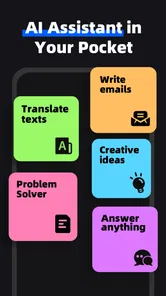
When I first downloaded Question.AI - Chatbot&Math AI, I wasn't quite sure what to expect. But right off the bat, the app impresses with its sleek interface and user-friendly design. It’s like having a virtual buddy who’s always ready to help you out, whether you’re crunching numbers or just need a quick chat.
Smart Conversations at Your Fingertips
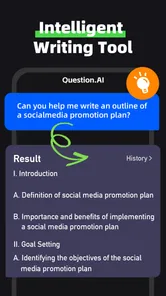
One of the standout features of this app is its chatbot functionality. Unlike other chatbots that can sometimes be a bit robotic, this one manages to keep things lively and engaging. It feels like you’re chatting with a friend who actually gets you. Plus, the responses are surprisingly quick and relevant, making it a great tool for brainstorming ideas or solving everyday queries.
That conversational style is most useful when I can turn a broad question into a sequence of smaller ones. If a first explanation leaves me unsure, I can ask for a simpler version, request an example, or point to the step that lost me. I find that better than treating a single reply as a complete lesson. A useful habit is to ask the app to explain why a result follows, then try to restate the reasoning in my own words before moving on.
For a realistic study routine, imagine getting stuck on a maths exercise after school or during a quiet study break. I’d enter the exact problem, read the explanation, and write down the method separately rather than copying the answer into my work. Then I’d test whether I can use that method on a similar question. If I can’t, I’d ask a focused follow-up about the confusing step. That workflow makes the assistant a prompt for active learning, not a shortcut that hides what I still need to practise.
Math Made Easy
Now, let's talk about the math aspect. If numbers aren’t your thing, this app could be a game-changer. It can handle a variety of mathematical operations, from basic arithmetic to more complex equations. The best part? You don’t need to dig out your old math textbooks. Just ask the app, and it’ll give you the solution in a jiffy. It’s like having a math tutor on call 24/7. Efficiency at its best, I’d say!
There is a trade-off between convenience and confidence here. With a calculator, I can see a direct numerical operation and know exactly what I entered; with a conversational assistant, the wording and assumptions can affect the response. I’d be especially careful with a problem that depends on a particular convention, unit, or interpretation. State those details in the prompt, and check the answer independently when the result matters. For learning, the explanation can be more valuable than speed, but only if I can verify that it matches the question.
For quick arithmetic, a conventional calculator remains the better choice because it is direct and predictable. For a longer explanation, a general-purpose chatbot may offer a similar conversational approach, while a dedicated maths learning service can be preferable when I need a planned sequence of lessons or ongoing feedback. Question.AI’s particular appeal is having chat and maths assistance in one app, not replacing every specialist tool. I’d use it for short, mixed tasks and switch tools when the job calls for precision, a structured course, or a deeper review.
A Few Handy Extras
Besides the core features, the app also offers a few additional tools that are worth mentioning. I found the conversion tool particularly handy. Whether you’re converting currencies or units, this app has got you covered. It’s these little extras that make it stand out in a sea of similar apps.
Those extras are most helpful when they remove a small interruption from a larger task. If I’m comparing measurements while following a recipe or checking quantities for a household project, a conversion can keep me from opening another utility. For anything where an exact value has consequences, though, I’d confirm the units and the result rather than assume a quick answer is automatically correct. The practical benefit is less app-switching; it is not a reason to skip a careful check.
Another small but useful tactic is to keep each question self-contained. Rather than referring vaguely to “the last one,” I’d restate the number, unit, or equation in a follow-up if the conversation has moved on. That reduces the chance of a response being based on the wrong context. I’d also separate unrelated questions into distinct prompts so an explanation about one subject does not muddy the next. These habits take little effort and make a conversational tool easier to use reliably.
One reasonable question is whether the app is suitable for a younger student. Its content rating is Everyone, so it is intended for a broad audience, but that does not turn generated explanations into teacher-reviewed lessons. I’d still encourage a student to show their working, ask an adult or teacher when a concept remains unclear, and avoid submitting an answer without understanding it. For independent practice, it can be a helpful extra; for assessment or a complete learning plan, it should sit alongside proper instruction.
Final Thoughts
Overall, I’ve really enjoyed using this app. It’s not only functional but also adds a bit of fun to my daily routine. If you’re looking for an app that combines the best of both conversational AI and math assistance, this one is definitely worth checking out. It’s like having a Swiss Army knife of digital tools right on your phone. So, why not give it a try and see how it can make your life a little easier?
For cost-conscious users, the sensible approach is to begin with the free download and decide from actual use whether the app earns a regular place on the phone. The purchase range is wide, so I would not treat “free” as a promise that every level of access is free. Before buying anything, I’d check what the specific purchase unlocks and whether it fits a repeated need rather than a one-off question. If the free experience already handles occasional study prompts and everyday queries, paying may add little value for that kind of user.
Frequent users may value the convenience more: someone who regularly alternates between a maths question, a quick explanation, and a practical conversion can make better use of an all-in-one assistant than someone who opens it once in a while. Even then, I’d judge paid value by the exact option on screen, not by the general idea that more access must be better. A student who needs dependable teaching support may get more from a structured educational service, while a person who only wants calculations will likely be happier with a simple calculator.
My recommendation is to try Question.AI - Chatbot&Math AI if you want flexible, conversational help and are willing to check important answers. It is a poor fit if you need guaranteed correctness, a full course, or a specialist tool built around one precise task. For short questions that benefit from explanation and follow-up, the free starting point makes it easy to see whether the combination suits your routine; I’d pay only when a clearly useful option matches how often I actually use it.
Question.AI - Chatbot&Math AI Frequently Asked Questions
Can I use Question.AI to scan a question instead of typing it?
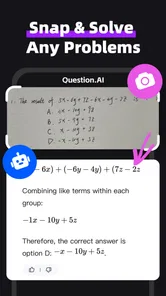
Yes. Question.AI’s description highlights a scan-and-ask assistant, so it can be useful when a question is easier to capture than to type. This may suit homework or study prompts you want to ask about quickly. Check the captured question before relying on the response, especially if a symbol, diagram, or line of text is unclear.
What does Question.AI offer for studying and homework?
Question.AI is an education app that combines an AI chatbot with math assistance. You can ask questions and use its responses as study support, whether you are working through a problem or looking for an explanation. It is best treated as a helper rather than a replacement for learning the method: review the answer, compare it with your class materials, and make sure you understand the reasoning.
Can Question.AI help with subjects beyond math?
Question.AI is presented as an AI chatbot and math-solving app, and its description also invites users to ask the assistant questions. That makes it relevant for general queries as well as math practice. Students can use it as a source of explanations or study support, while remembering to check important answers against their course materials.
How much does Question.AI cost to download and use?
Question.AI is free to download, so you can try the app without paying an upfront purchase price. It also offers in-app purchases, with listed items ranging from $0.49 to $99.99. Those purchases may affect the overall cost if you choose them, so review the options shown in the app before buying and decide whether they suit your needs.
What is Question.AI and how does it work?
Question.AI is an innovative app designed to function as both a chatbot and a math AI solver. It uses advanced algorithms to understand natural language queries, providing users with answers to general questions and solving complex mathematical problems. Users can interact with the app by typing or speaking their questions, making it a versatile tool for both casual inquiries and academic assistance.
Pros
- Intuitive user interface
- Quick response time
- Accurate math solutions
- Customizable settings
- Affordable pricing
Cons
- Requires internet access
- Limited free features
- Occasional ads
- High battery consumption
- No offline mode