Poughkeepsie Journal
- 50.00
- 3.1
- Installs
- 10.00K
- Price
- Free

Screenshots


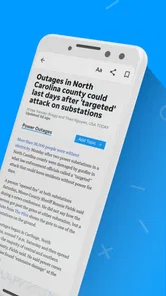




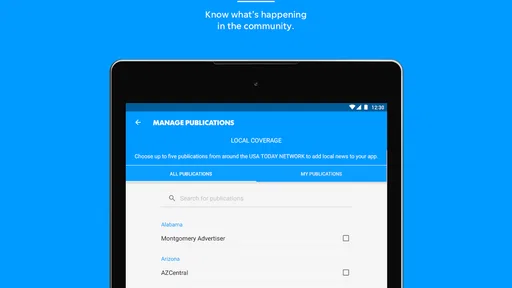
Analysis by Reviewed
I approached Poughkeepsie Journal as a local-news reader rather than as a general-purpose national news app. That distinction matters. Its appeal is the chance to keep local coverage close at hand while still having access to broader reporting, photography, and video. In my experience, the app makes the most sense for people who have a direct connection to the Poughkeepsie area and want one place to check what is happening around them.
The app is free to install, although it includes optional purchases ranging from $9.99 to $69.99 per item. That makes the first step easy, but it also means I would not treat the free download as the whole cost question. Anyone considering regular use should pay attention to what appears inside the app before committing to a paid option. The age rating is Everyone 10+, and the application comes from USA TODAY Co., which gives it the feel of a newspaper product within a larger publishing family.
Getting past the first points of friction
The first place a reader can get stuck is simply deciding what role the app should play. If I want a quick stream of major national headlines, I have many alternatives. If I want a local angle and the kind of community relevance that a broad news aggregator often misses, Poughkeepsie Journal becomes more interesting. Going in with that expectation prevents disappointment when the experience feels more focused than a giant all-purpose news feed.
Installation itself is straightforward for compatible devices. The app requires Android 8.0 or later, so an older phone may be the first practical obstacle. I would check the operating system before troubleshooting anything else. When an installation fails, freezes, or does not appear in the app store, compatibility is a more sensible starting point than repeatedly restarting the phone.
Another common source of confusion is the difference between the application and the phone around it. A news app depends on a working connection to retrieve current material, and a weak mobile signal can make an otherwise healthy app look broken. I usually compare Wi-Fi and mobile data before assuming the software is at fault. If pages load slowly on one connection but respond normally on another, the useful fix is probably network-related rather than an app reset.
Storage can also make a difference, especially on an older device that is already close to full. I would leave enough free space for the operating system to complete installation and updates, then close other demanding apps before trying again. This is basic housekeeping, but it avoids blaming the newspaper app for a phone-wide storage problem.
The best first test is simple: check compatibility, connection, and available storage before changing anything inside the app. That order saves time because it separates setup problems from account or content problems. It also reduces the risk of deleting the app when the real issue is a weak signal or an outdated device.
More From Our News Desk

Weather by Xiaomi Review: Clear at a Glance, Less Clear Up Close

X Under Pressure: Can It Recover When Posting Goes Wrong?

Clash of Clans Is Won Between the Battles

Android Auto Makes the Case for Quieter Car Software

MobiOffice: Transforming Mobile Productivity with Seamless Integration

EA SPORTS FC™ Mobile Soccer: Redefining Mobile Sports Gaming
What I would check before forming an opinion
After opening the app, I would give it a short, deliberate test instead of judging it from one slow screen. I would move between local and broader news areas, open a story, view a piece of media, and then return to the main feed. This reveals whether the problem affects one item or the whole reading flow. A single article that fails to load is different from every section failing.
I would also check whether the app behaves differently after a fresh launch. If it works immediately after reopening but becomes sluggish later, the phone may be under memory pressure. Closing unused apps and restarting the device can be more effective than repeatedly tapping the same story. If the issue appears consistently across launches, then updating the app or reinstalling it becomes a more reasonable next step.
The current version is 8.10.3, so keeping the installation current is worthwhile when an update is available for the device. Updates can improve compatibility with newer operating-system behavior, but I would still avoid updating during an important commute or just before I need a story. A stable reading routine is easier when I give the app time to finish its update and then test it calmly.
One practical habit is to open the app once while connected to reliable Wi-Fi before leaving home. I would not assume that every story or video will remain available offline, because the app is built around current news content and network delivery. Instead, I would use that moment to confirm that the sections I care about open normally, then avoid relying on the app as my only source during a journey where connectivity may disappear.
A realistic morning workflow
Imagine I live near Poughkeepsie, have a busy commute, and want a quick local check before work. I would open the app on Wi-Fi, scan the local coverage first, and then move to wider news only if I have time. I would open one or two articles rather than launching every video in the feed. That approach keeps the routine focused and helps me notice whether a particular media item is causing the delay.
For that kind of use, the app is more valuable as a daily local checkpoint than as a replacement for every news source. I can use it to see which local stories deserve a deeper read, then save my attention for the items most relevant to my day. The combination of local reporting, national material, photography, and video gives the routine variety, but I would not treat every format as equally efficient when I am in a hurry.
Photography is especially useful when a story depends on place and atmosphere. A written summary may tell me what happened, while an image can quickly show the setting or scale. Video can add context too, but it is less convenient when I am on limited data, in a quiet public place, or trying to read quickly. My practical rule would be to read first and use richer media when I have the time and connection for it.
Recovering when the reading flow breaks
When a page refuses to open, I would first return to the main feed and try a different article. That small test tells me whether the failure is attached to one story or to the app as a whole. If other articles work, I would leave the troublesome item alone for a while rather than repeatedly refreshing it. If nothing loads, I would switch networks, close the app, and reopen it.
If the app remains unresponsive, a full device restart is a sensible next move. I would then check for an available update before considering removal and reinstallation. Reinstalling can clear damaged local files, but it is a blunt tool, so I would use it only after the simpler steps. Anyone who has paid for an optional item should also make sure they know which account was used before removing the app, since access to purchases may depend on the relevant store or account setup.
There is a useful difference between clearing a temporary problem and wiping the whole experience. If the phone offers a way to close the app or clear its temporary cache, I would try that before deleting it. I would avoid erasing broader phone data without understanding what it removes. News reading should not require aggressive maintenance, and unnecessary resets can create more inconvenience than they solve.
Video deserves its own troubleshooting approach. If text opens but video stalls, I would test the connection and lower the demands on the phone by closing other media-heavy apps. I would also check whether sound is muted or routed to another device before deciding that playback has failed. These checks are deliberately general: they address common phone and connection issues without assuming a particular control, permission, or playback design that may vary by device.
When a story appears outdated, I would pull away from the individual page and revisit the broader section. News feeds change, and a reader can mistake a delayed refresh for missing coverage. If the same issue continues after reopening the app on a reliable connection, I would record the exact section and behavior before contacting support. Describing “one article will not open” is far more useful than reporting that “the app is broken.”
Separating app trouble from account or purchase trouble
The free download lowers the barrier to trying the service, but optional purchases add a separate layer of care. If a paid feature or item does not appear as expected, I would first confirm that I am using the same store account involved in the transaction. I would also keep the receipt or transaction record available. That is a better support conversation than repeatedly reinstalling the app.
I would not assume that a payment problem means the news feed itself is failing. If articles load normally while a purchase-related screen behaves differently, the issue may sit with account verification, payment processing, or the store rather than with content delivery. Keeping those situations separate avoids needless changes to a working installation.
For readers who only want occasional local headlines, the purchase range is an important trade-off. The app can be tried without an upfront charge, but regular readers should decide whether the available paid choices fit their habits. I would avoid approving a purchase simply because a story is interesting in the moment. First I would establish how often I use the app and whether its local focus is valuable enough to justify ongoing spending.
When the phone or network is the real culprit
Some failures are easier to identify by comparison. If another news app also struggles, websites load slowly in the browser, or videos fail across several services, I would investigate the phone or connection rather than Poughkeepsie Journal. Restarting the router, moving to a stronger signal, or checking whether the device has system-level restrictions may solve the problem more directly.
Battery-saving behavior can also change how aggressively an app refreshes, particularly on a phone that limits background activity. I would test the app while it is open in the foreground before changing system settings. If it works normally there, I would be cautious about granting broader access or disabling useful battery protections just to make a news feed refresh in the background.
Notifications are another area where expectations should stay realistic. If I miss an alert, I would check the phone's notification settings and any system-level focus or quiet modes before concluding that the app sent nothing. Since notification behavior can vary by operating system and device, I would troubleshoot the phone's settings first and avoid assuming that every alert is guaranteed to arrive immediately.
Older hardware may also explain a rough experience with image-rich or video-heavy content. A phone can handle text comfortably while struggling with media. In that situation, I would use the app mainly for articles and open visual content when the device is cool, charged, and not busy with other tasks. If even ordinary text navigation feels slow, a newer device or a lighter reading alternative may be the more practical answer.
Who gets the most value from it
I think the strongest audience is a reader with a personal, family, work, or community connection to Poughkeepsie who wants local coverage alongside national news. The local emphasis gives the app a purpose that a generic headline aggregator may not provide. It is also a reasonable option for someone who enjoys seeing stories supported by photography and video rather than reading short text summaries alone.
The app is less compelling for someone who wants a highly customizable multi-source dashboard, a completely ad-free reading environment, or a tool focused only on international news. In those cases, a broader aggregator or a publication with a different editorial scope may fit better. I would also skip it if my phone cannot run Android 8.0 or later, since no amount of feed troubleshooting will overcome an operating-system mismatch.
Its average rating is 3.1 from around a hundred ratings, with roughly fifty written reviews, so I would approach it with measured expectations rather than assuming universal smoothness. Those figures do not decide my experience, but they are a useful reminder to test the app on my own phone before making it part of an essential routine. The installation base is over ten thousand, which suggests it has a real audience without making it feel like an unavoidable mainstream default.
The product has been available since April 10, 2012, and the current version shows that it has continued as a maintained app rather than a forgotten download. Still, longevity alone does not guarantee that every device will feel equally polished. My experience with news apps is that the quality of the connection, phone age, and account setup can matter almost as much as the app's content.
How it compares with familiar alternatives
Compared with a general news aggregator, Poughkeepsie Journal offers a clearer local identity. An aggregator is better when I want many publishers, fast topic switching, or a single cross-source search. This app is better when I want a more direct relationship with one local publication and do not want local stories buried beneath an endless national stream.
Compared with reading the publication in a mobile browser, the app can feel more convenient for repeated visits because it keeps the publication in a dedicated space. The browser remains the better fallback when the app has a temporary problem, when I am using a device where installation is not practical, or when I do not want another application taking up a place in my daily routine.
Compared with a national news application, the balance is different rather than simply better. A national app may provide more breadth and stronger tools for following worldwide events. Poughkeepsie Journal earns its place through relevance to a particular area. I would use the two types together if local awareness and national context were both important, rather than expecting one to replace the other.
One less obvious trade-off is attention. A local publication can make a news habit feel more meaningful because the stories connect to familiar places, but that same focus may feel narrow on days when I want a broad overview. I would decide based on my reason for opening the app: community awareness favors this product, while broad discovery favors a multi-source alternative.
Small habits that make daily use easier
I found that a short, repeatable routine works better than trying to consume the entire feed. I would start with local stories, open only the articles that affect my plans, and leave videos for a moment when I have time. This keeps the app useful without turning a quick check into an unplanned session.
I would also treat connection changes as part of the workflow. On a strong network, I can explore photography and video more comfortably. On mobile data or an unreliable signal, I would prioritize text and avoid repeated refreshes. If the app seems stuck, switching tasks for a few minutes is often more sensible than tapping refresh over and over.
For troubleshooting, I would keep a simple sequence in mind: confirm the device meets the minimum operating-system requirement, test the connection, reopen the app, restart the phone, check for an update, and only then consider reinstalling. If the issue involves a purchase, I would separate it from ordinary article loading and gather account details before asking for help. This sequence is not glamorous, but it is practical and prevents many false diagnoses.
I would also judge the app over several ordinary days rather than during one unusual outage or busy commute. A local news app earns its place through consistency: opening quickly enough, making relevant stories easy to find, and giving me a dependable reason to return. If it repeatedly fails during the exact moments I need it, the browser or another publication may be the better daily tool even if the content itself is appealing.
My practical verdict
Poughkeepsie Journal is a focused news app with a clear reason to exist: it brings local and national reporting together for readers who care about the Poughkeepsie area, with photography and video adding more depth than a bare headline list. I appreciate that it can fit a quick morning check while still offering richer material when I have time to explore.
My recommendation comes with conditions. I would install it if local coverage is genuinely important to me, my device meets the Android 8.0 requirement, and I am comfortable evaluating optional purchases carefully. I would not choose it as my only news source if I need extensive international breadth, deep multi-publication customization, or a guaranteed lightweight experience on older hardware.
The most useful way to approach it is as a local companion, not as a universal replacement for every other news service. Test it on your own connection, give the articles and media a fair try, and distinguish account or network problems from app problems before deleting anything. With that realistic approach, the free entry point makes it easy to see whether its local focus earns a permanent place in your routine.
For me, the deciding question is not whether it can deliver every kind of news. It cannot be the best tool for every reader or every situation. The better question is whether I want a dedicated connection to Poughkeepsie-focused coverage. If the answer is yes, this app is worth trying; if the answer is no, a broader news alternative will probably feel more natural from the first day.
Poughkeepsie Journal Frequently Asked Questions
Who publishes the Poughkeepsie Journal app, and what devices can install it?
The app is published by USA TODAY Co. and is available for Android and iOS users who want to follow the newspaper on a mobile device. Its minimum operating-system requirement is version 8.0, so check your device’s software before downloading. Keeping your operating system and app updated can also help you access current features and maintain a smoother reading experience.
What is the Poughkeepsie Journal app used for?
The Poughkeepsie Journal app provides access to local news and information for Poughkeepsie, the Hudson Valley, and surrounding communities. After installing it, users can browse breaking news, local reporting, sports, entertainment, opinion pieces, weather updates, and other regional stories. It is designed for readers who want a convenient way to follow developments without relying only on the printed newspaper or a mobile browser.
Is the Poughkeepsie Journal app free to download and use?
The app can generally be downloaded at no cost, but free access to all of its content may be limited. Some articles and features can require a subscription, registration, or an existing Poughkeepsie Journal account. The app includes in-app purchase options, so it is worth reviewing the subscription details and purchase terms before signing up or assuming that every story is available without payment.
What content can I read in the Poughkeepsie Journal app?
Readers can typically find coverage of local government, community events, crime, education, business, high school and regional sports, lifestyle topics, and important news from the Hudson Valley. The app may also include national or international stories supplied by the publisher, along with photo galleries, videos, notifications, and special sections. Its store description highlights local and national news, photography, and video. Available categories and features can vary after updates or according to your location.
Does the Poughkeepsie Journal app send breaking-news notifications?
Yes, the app may send alerts for breaking news, major local developments, weather-related information, sports results, and other important updates. Notifications are useful if you want immediate headlines, but frequent alerts can become distracting. During setup, review the notification permissions and adjust them in the app or your phone’s settings so you receive only the categories that matter to you.
Pros
- Covers local Poughkeepsie and Hudson Valley news in one place.
- Breaking-news alerts help you stay informed about important local events.
- Includes sports
- politics
- weather
- and community coverage.
- Clean layout makes articles easy to browse on a phone.
- Digital access is convenient for readers away from home.
Cons
- Many full articles may require a paid subscription.
- Advertising can interrupt browsing and affect page loading.
- Some content may feel repetitive during slow news periods.
- The app may use noticeable storage for downloaded content and media.
- Features and coverage depend heavily on a reliable internet connection.













