Polycam: 3D Scanner & Editor
- 1.44K
- 3.8
- Installs
- 1.00M
- Price
- Free

Screenshots

Analysis by Reviewed
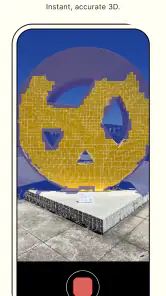
Ever wished you could capture the world around you in 3D? Well, let me introduce you to Polycam: 3D Scanner & Editor. This nifty little app takes your smartphone's camera and transforms it into a full-blown 3D scanner. Whether you're an architect looking to capture intricate details of a building or just someone who wants to digitize their favorite collectibles, this app's got you covered.
Getting Started with Polycam
Installing Polycam: 3D Scanner & Editor was a breeze. Available for both Android and iOS, I simply headed to the app store, hit download, and within moments, it was ready to go. The user interface is clean and intuitive, making it easy even for the most tech-averse folks to dive right in. Right off the bat, you're greeted with a tutorial that walks you through the basics of capturing your first 3D model. Trust me, you'll be scanning everything in sight before you know it!
The Scanning Experience
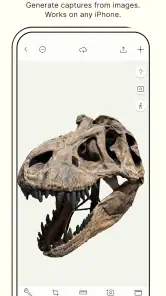
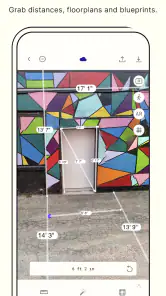
So, how does it work? Essentially, Polycam uses your device's LiDAR sensor (if available) or its camera to collect depth data and create a digital replica of the object or environment. I tried scanning a few items around my house – a vase, a chair, and even my dog (though he wasn't too thrilled about it). The results? Surprisingly detailed models that I could rotate, zoom, and inspect from every angle. It's like having a pocket-sized 3D studio!
One thing I noticed was how well the app managed lighting and shadows, elements that can often mess up a good scan. Even in less-than-ideal lighting conditions, the app's robust algorithms seemed to compensate nicely, ensuring that my models weren't marred by odd shadows or blown-out highlights. Kudos to the developers for nailing this aspect!
Editing and Sharing Your Creations
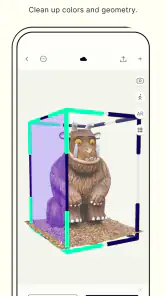
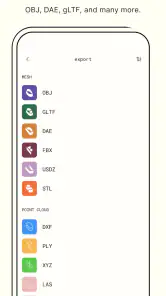
Once you've captured a model, the fun doesn't stop there. Polycam offers a suite of editing tools that let you refine your creations. You can trim, crop, and even adjust the texture details to get your model looking just right. And when you're ready to show off your masterpiece, the app makes it super easy to share your models with friends or export them in various formats for use in other 3D software.
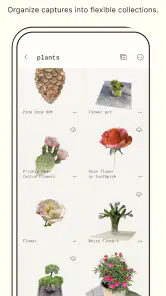
One of my favorite features is the ability to create a virtual gallery of your scans. It's a fantastic way to keep track of all your creations and even revisit them later for further edits or just to admire your handiwork. Plus, the option to view your models in AR (Augmented Reality) is just the icing on the cake. Seeing a digital replica of my dog sitting in the living room was both hilarious and mind-blowing!
In conclusion, whether you're a professional needing a reliable 3D scanning tool or just someone with a keen interest in exploring the world of 3D modeling, Polycam: 3D Scanner & Editor is a fantastic app to have in your arsenal. It's user-friendly, packed with features, and delivers impressive results. So go ahead, give it a whirl and start capturing the world in 3D!
Pros
- High-quality 3D scanning capabilities.
- User-friendly interface for easy navigation.
- Supports exporting to multiple formats.
- Quick processing and rendering times.
- Integrates well with other design software.
Cons
- Requires a device with LIDAR for full functionality.
- Large file sizes can be storage-intensive.
- Subscription needed for advanced features.
- Limited editing tools compared to competitors.
- Occasional glitches in the app.

- Category
- Photography
- Version
- 2.1.7











