

Playlist Transfer for My Music
- 543.00
- 4.4
- Installs
- 100.00K
- Price
- Free

Screenshots
Analysis by Reviewed
Moving a music library between services sounds simple until you try to rebuild years of playlists by hand. Playlist Transfer for My Music is designed for that exact moment: moving playlists between Spotify, Apple Music, and YouTube while also offering Spotify statistics. I approached it as a practical decision rather than a promise of a perfect migration. If you are changing services, testing a second platform, or trying to understand your listening habits before making that change, this app has a clear purpose.
My first impression is that it belongs in the Music & Audio category without trying to become another streaming service. It does not replace the music catalog you already use. Instead, it sits beside your services and helps with the awkward organizational work around them. That distinction matters. I would recommend it to someone who has carefully built playlists and wants to avoid recreating them manually, but I would not treat it as a complete solution for every library-management problem.
How I would decide whether it is worth using
The most important question is not whether you can transfer a playlist. It is whether the time saved is greater than the checking you will need afterward. A small playlist is usually easy to rebuild yourself. A large collection with mood mixes, workout queues, saved discoveries, and collaborative listening history is where a transfer tool becomes much more useful.
I would also decide based on how often I move between services. Someone who stays with one platform for years may have little reason to install this app. Someone who switches subscriptions, keeps different services for different family members, or wants the same listening setup on several platforms has a stronger case. The app is most valuable when your playlists are part of your routine rather than occasional lists of songs.
There is another useful distinction: transferring a playlist is not the same as transferring your entire musical identity. Track matches can depend on how a song is labeled, whether an album has several editions, and whether a recording is available in the destination service. I would therefore use this app to create a strong first version of a playlist, then review the result before relying on it for a party, trip, or daily workout.
The app comes from Virals Dijital Hizmetler A.S. and is free to install. Its store rating is 4.4 from around fifteen thousand ratings, which suggests that the basic idea is resonating with a substantial group of users. It has passed one hundred thousand installs, so this is not an obscure experiment with no visible audience. Still, popularity does not remove the need to inspect transferred lists, especially when a playlist contains obscure artists, live recordings, remixes, or regional releases.
The everyday problem it solves
Imagine that I have spent several years building a “late-night” playlist on Spotify. It contains familiar songs, newly discovered tracks, and a few recordings that I added after hearing them in places where I could not remember the artist later. I decide to use Apple Music for a while, perhaps because the rest of my household is already there. Recreating that playlist means searching for every title, checking versions, adding tracks in the right order, and repeating the process for several other lists.
More From Our News Desk

 Gmail
GmailGmail in a Busy Inbox: Who Benefits Most?
From first account to crowded workday, Gmail earns its place through dependable search and flexible sorting—but its best fit depends on how much inbox maintenance you can tolerate.

 Prime Video
Switching to Prime Video: What Changes in Your Viewing Routine
Prime Video can make a compelling second home for streaming, but switching means learning a different catalog, rental layer, and route from browsing to playback.

 Universal TV Remote Control
Universal TV Remote Control Works Best as a Reliable Backup
A phone remote earns its place through quick setup and reliable habits. Here is how to get more from Universal TV Remote Control—and where its limits show.

 Weather - By Xiaomi
Weather by Xiaomi Review: Clear at a Glance, Less Clear Up Close
Xiaomi’s weather app makes everyday forecasts quick to scan, but its calm surface can leave useful details and recovery paths harder to find than they should be.

 X
XX Under Pressure: Can It Recover When Posting Goes Wrong?
A resilience-focused review of X, examining setup, mistaken posts, interruptions, weak connections, and the gaps that matter when recovery needs to be dependable.

 Clash of Clans
Clash of Clans Is Won Between the Battles
Its raids are quick; its community is a long-term project of coordination, teaching, rivalry, and shared responsibility—with all the friction that entails.
Latest News



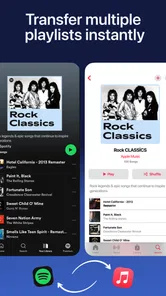
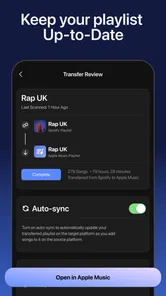
This is the kind of task where a transfer utility earns its place. I can start with the playlists that matter most, move them, and then compare the destination versions with the originals. The practical tip is to begin with a short, nonessential playlist. That gives me a chance to see how the app handles my particular mix of artists and versions before I move a carefully curated collection.
I would also avoid transferring everything in one rushed session. A staged approach is safer: move a test list, check the results, then transfer the playlists I use weekly, and finally deal with older archives. This workflow makes mistakes easier to spot and prevents one imperfect match from affecting the way I use the entire destination library.
What the service connections mean in practice
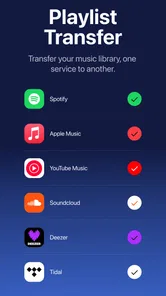
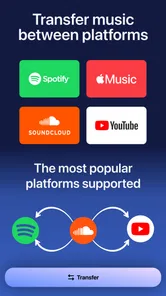
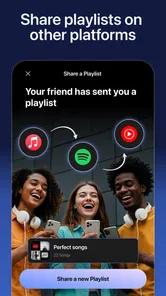
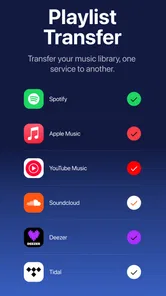
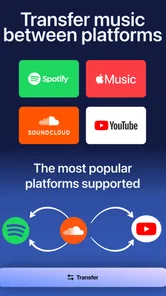
The central appeal is its focus on transfers among Spotify, Apple Music, and YouTube. That gives the app a more specific role than a general music player. I would think of it as a bridge between services, not as a place where I listen to the transferred music itself.
Before starting, I would make sure I know which account is the source and which is the destination. That sounds obvious, but it is an easy place to make a mistake when several music apps are open on the same phone. I would also keep the original playlist intact until I have checked the new one. Deleting or reorganizing the source too early makes it harder to compare results.
One non-obvious benefit is that a transfer can act as a library audit. While checking a new playlist, I can notice songs I no longer want, duplicate versions, and lists that have not been useful for years. In that sense, the app is not only a shortcut; it creates a natural moment to clean up my listening habits. I would not blindly reproduce every old list simply because the app makes reproduction easier.
Using the Spotify statistics thoughtfully
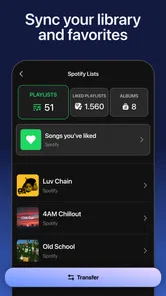
The Spotify statistics feature gives the app a second use beyond migration. I see it as a way to turn a vague feeling about my listening into something I can inspect. Instead of saying that I “mostly listen to” a certain style or artist, I can use the available stats to understand the shape of my library and decide which playlists deserve attention first.
That information can be useful before a transfer. If I discover that a small group of playlists represents most of my regular listening, I can move those first and postpone the forgotten archives. It can also help when building a new service from scratch: I can identify the artists and listening patterns that matter most, then verify those choices manually in the destination app.
I would not treat statistics as a definition of my taste. Listening changes with seasons, work schedules, travel, and mood. A snapshot may emphasize a period when I played one style repeatedly, while leaving out music I enjoy less frequently. The best use is practical: let the numbers guide which playlists to preserve, then use personal judgment for the final collection.
A further tip is to use statistics as a discovery prompt rather than a competition with yourself. If the results highlight artists I have neglected, I can revisit those playlists and decide whether they still belong in my everyday rotation. That makes the feature more valuable than simply looking at a list of familiar names once.
Where this app wins against manual rebuilding
The strongest advantage is obvious but important: it reduces repetitive searching. Manual playlist recreation is not difficult, but it is tedious, and tedious work is where people make avoidable mistakes. I might skip a track, add the wrong version, forget the order, or abandon the project halfway through. A transfer-focused app gives me a more realistic way to move a collection without spending an entire evening on it.
It is also useful for people who maintain the same playlist idea across services. For example, I may keep one list for focused work, another for driving, and another for family gatherings. Rather than rebuilding each concept whenever I change platforms, I can use the app as a starting point and then tailor each destination copy to its service.
The app is free to use as an entry point, which lowers the risk of trying it with a small playlist. Its content rating is Everyone, making it approachable for a broad audience, including families who simply want help organizing music accounts. The current version is 2.4.4 and requires Android 10 or later, so compatibility is an important first check for anyone using an older phone.
Another strength is the combination of transfer and Spotify insight in one app. A separate transfer utility might help with movement but offer no reason to return afterward. Here, the statistics feature can make the app useful during the planning stage, while the transfer tools handle the practical change. I appreciate that two related tasks are connected instead of being treated as completely separate projects.
Small frictions I would plan around
The biggest limitation is that automation cannot remove the differences between music catalogs. A song may exist under a slightly different title, appear as a radio edit instead of an album version, or be unavailable in the destination service. I would expect the transferred playlist to be a draft that needs a quality check, not a legally or musically perfect mirror.
Playlist order is another detail I would inspect. For some people, order is essential because a list is arranged like a story or a continuous workout. For others, order matters less than having the right songs available. If sequencing is important to me, I would compare the beginning, middle, and end of the destination playlist rather than checking only the total number of tracks.
There can also be friction when a playlist includes unusual material. Remixes, live performances, soundtrack cuts, instrumental versions, and songs with common titles are more likely to deserve a second look. My practical method would be to review the tracks that define the playlist first, then scan the less important entries. That gives me confidence quickly without forcing me to inspect every item with equal intensity.
The app is not the right choice for someone who expects a completely hands-off migration. If I want every recording, album relationship, personal note, listening history, and recommendation profile reproduced exactly, this type of tool will not meet that expectation. It is better understood as a playlist-moving assistant with Spotify-focused analysis, not a universal archive of every detail attached to a music account.
How it compares with the usual alternatives
The first alternative is manual rebuilding. This costs nothing beyond time and gives me total control over every match. It makes sense for a handful of short playlists or when I care deeply about selecting a particular recording. Its weakness appears as the collection grows: the work becomes repetitive, and the chance of overlooking tracks increases. I would choose manual rebuilding for precision on a small scale, but not for a large personal library.
The second alternative is using a transfer service that specializes only in moving playlists. That may be preferable if I have a very broad set of platforms to connect or if I need a workflow centered exclusively on migration. The trade-off is that I may lose the convenience of having Spotify statistics in the same place. I would choose a dedicated alternative when its supported services better match my setup, but I would not assume that every service handles unusual tracks better.
The third alternative is simply staying with the current streaming service. This is the least disruptive option and may be the best one if my playlists are stable and I have no strong reason to move. No transfer tool can make switching entirely frictionless, so avoiding an unnecessary switch can be sensible. The app becomes more compelling when the change is already decided rather than when I am only mildly curious about another platform.
Finally, I could keep different playlists natively on different services and rebuild only the ones I use most. That hybrid approach is underrated. It avoids the pressure to migrate an entire library and lets me test a new service with a manageable set of favorites. I think this app fits that approach well because it can provide a starting point without forcing me to treat every old playlist as equally valuable.
What the paid structure means for the decision
The app is free, but it includes in-app purchases priced from $7.99 to $39.99 per item. That range makes the cost of switching something I would consider before beginning a large project. If I only need to move one small playlist, paying may not feel worthwhile. If the app saves hours across a substantial collection, the calculation changes.
I would first test the free experience with a playlist that is easy to verify. That lets me understand the app’s workflow and the quality of its matches before committing to a purchase. I would also decide in advance which playlists truly matter. Moving only my active lists may be more sensible than paying to recreate years of neglected experiments.
The cost is not only financial. There is also the time spent checking tracks, cleaning duplicates, and learning how the destination service organizes imported lists. I would include that effort in my decision. A transfer that creates a usable first draft quickly can still be worthwhile even when it needs review; a transfer that leaves me with extensive correction work may make manual rebuilding or a different tool more attractive.
Who should use it and who should skip it
I would recommend Playlist Transfer for My Music to someone changing from Spotify to Apple Music or YouTube, or to someone who wants comparable playlists available across those services. It is especially suitable for listeners with many carefully maintained lists, people who change platforms regularly, and users curious about their Spotify listening patterns before deciding what to carry forward.
It is also a good fit for a practical, staged switch. Move a few important lists, inspect them, and continue only if the results are good enough for your habits. This approach keeps expectations realistic and makes the app useful even if I do not want to migrate every song I have ever saved.
I would skip it if I have only one short playlist, if I enjoy rebuilding lists by hand, or if my collection depends heavily on rare recordings that require exact version matching. I would also look elsewhere if my main need is a broad music-management system rather than transfers among the services the app targets. In those cases, a manual workflow or a different category of tool may offer better control.
My recommendation after weighing the trade-offs
My recommendation is positive, with one condition: use it as a time-saving first pass, not as permission to stop checking your playlists. The combination of service transfers and Spotify statistics gives it more practical value than a one-purpose shortcut, and the free starting point makes experimentation reasonable. The app is most convincing when the alternative is hours of repetitive searching.
I would begin with a small test list, compare several distinctive tracks, and then move the playlists I actually use. After that, I would review unusual recordings and important sequences before relying on the new copies. This workflow protects the parts of my library that matter while avoiding unnecessary effort on lists I rarely open.
For Android users on version 10 or later, this is a focused Music & Audio app from Virals Dijital Hizmetler A.S. with a clear job and a sensible secondary feature. Its Everyone age rating and free entry point make it easy to try, while the optional purchases mean I should judge the value against the size of my library. The best reason to choose it is not curiosity; it is a real playlist-moving problem that would otherwise take too much time.
If that describes my situation, I would install it and test one nonessential playlist before making a larger commitment. If I am happy with the matches, it can make a service change far less painful. If I only want perfect archival control or have very little to transfer, I would keep the process manual and save myself the extra step.
Playlist Transfer for My Music Frequently Asked Questions
Do I need accounts with the music services I want to connect?
Yes, you should have access to the music accounts involved in a transfer. Playlist Transfer for My Music needs to connect with the relevant services so it can read playlist details and recreate playlists on the destination platform. You may need to sign in separately to each account and approve access. Make sure you can log in before starting, especially if you are switching services or using a new account.
Will my playlists stay on the original music service after I transfer them?
A transfer is intended to recreate playlist information on another service, rather than move your original playlist out of its existing account. Your source playlist should remain available there, while the destination service receives a corresponding playlist when the tracks can be matched. Keep the original playlist until you have checked the destination version and confirmed that the songs and organization are what you expect.
Can I transfer a playlist to a different account on the same music service?
Playlist Transfer for My Music is designed around moving playlists between supported music services, so a transfer between two accounts on the same platform may depend on the available integrations and account permissions. Before relying on it for that purpose, check whether the app offers the particular source and destination combination you need. You will also need access to both accounts to authorize the transfer.
Does transferring playlists require a subscription to the music services?
The app does not replace the accounts or listening plans required by the music services themselves. You may be able to transfer playlist information while using free accounts, but listening to particular tracks or using specific service features can depend on that platform’s own rules and subscription options. Check the requirements of your destination service before moving a library, especially if you expect uninterrupted access to every song.
Can I choose which playlists to transfer instead of moving my whole library?
The app is intended to help recreate playlists on a destination platform, but the exact selection and transfer controls can depend on the services and integrations available in the version you use. Review the app’s screens before beginning a migration and select the playlists you actually want to move if that option is offered. Keeping the original library intact gives you a useful fallback while checking the results.
Pros
- Transfers playlists between popular music streaming services
- Simple interface makes the migration process easy to follow
- Supports transferring individual playlists or larger collections
- Helps preserve playlist order during the transfer
- Useful for switching services without rebuilding playlists manually
Cons
- Some streaming platforms may require separate account authorization
- Free transfers may be limited by playlist size or number
- Matching songs can vary between music catalogs
- Unavailable tracks may be skipped during the transfer
- Large playlists can take time to process and verify











