PhotoRestore - File Recover
- 31.00
- 4.0
- Installs
- 100.00K
- Price
- Free

Screenshots






Analysis by Reviewed
I tried PhotoRestore - File Recover as a practical tool for one of those moments when a photo, video, or document seems to have disappeared at exactly the wrong time. Its purpose is straightforward: help recover deleted files without turning the process into a complicated technical project. That makes it appealing to people who want a focused utility rather than a crowded file-management suite.
My overall impression is that it is best approached as a first recovery attempt, not as a guarantee that every deleted file can be brought back. The app is free, aimed at everyone, and developed by Last Minute Flights Corp. Despite the developer name sounding travel-related, this particular product belongs in the everyday tools category and concentrates on lost personal files.
How PhotoRestore feels during a recovery attempt
The first thing I would want from a recovery app is a clear path from opening it to looking for a missing file. PhotoRestore benefits from having a narrow purpose. You are not installing it to edit images, organize folders, or back up a phone. You are using it because something has gone missing and you want to search for a way to get it back.
That focused design also shapes my expectations about speed. A recovery scan is not comparable to opening a gallery or browsing a small folder. The app may need to inspect accessible storage areas, and the time involved can change depending on the amount of material on the device and the type of file being sought. I would start a scan when I have a few uninterrupted minutes rather than expecting an instant result.
For a recently deleted photo, the sensible workflow is to avoid creating more files before searching. Taking new pictures, downloading large videos, or installing several other apps can increase storage activity and make recovery less promising. This is one of the most useful habits to pair with PhotoRestore: use it early, before the phone has had much opportunity to reuse the space associated with the deleted item.
The most important practical tip is to stop treating the phone as normal until the search is finished. That means avoiding unnecessary downloads and not repeatedly running unrelated cleanup tools. PhotoRestore cannot make a deleted file recoverable if the underlying space has already been reused, so timing matters as much as the app itself.
What the app is suited to recover
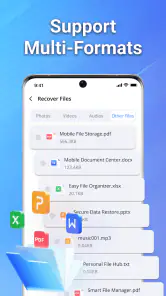
The product is designed around three familiar groups: photos, videos, and documents. That coverage is useful because accidental deletion is not limited to the gallery. A picture may be easy to notice, while a document saved for work, school, or travel can remain missing until the moment it is needed.
I would use it differently depending on the file. For a photo, I would search soon after deletion and check the recovered result carefully for visible damage. For a video, I would be more patient because larger files can take longer to inspect and may require more storage space during the recovery process. For a document, I would pay attention to the original folder and file type so that a similarly named result is not mistaken for the correct one.
That last point is easy to overlook. Finding a file with a familiar name does not automatically mean the recovery is complete. Before relying on an important document, I would open it, check whether the contents are intact, and place a separate copy somewhere safe. Recovery should be treated as a rescue step, followed by a backup step.
How it handles heavier moments
The demanding part of using a tool like this is not usually launching it; it is asking it to search through a busy phone. A device containing years of photos, many videos, and assorted documents gives the app more material to work through than a recently reset or lightly used phone. I would expect the experience to feel less immediate during a broad search than during a targeted attempt.
To make a heavy scan more manageable, I would begin with the smallest useful search rather than trying to recover everything at once. If the missing item is known to be a photo, I would start there. If it is a document, I would avoid spending time on unrelated media first. This approach can reduce confusion in the results and makes it easier to judge whether the app is actually helping.
Battery and available storage are also sensible considerations during extended recovery work. I would begin with a comfortably charged phone, close apps that are actively consuming resources, and avoid starting the process while the device is already hot or busy. These are not special requirements unique to PhotoRestore; they are good precautions whenever a phone is asked to inspect a large amount of local content.
There is another trade-off when a scan returns many possible files. A broad result can be useful if the deletion happened long ago or the original location is unclear, but it can also make selection slower and less certain. A narrow search is easier to review, while a broad search gives you a better chance of seeing an unexpected file. I would begin narrow, then widen the search only if the first attempt does not help.
Reliability and what a successful result really means
PhotoRestore has an average rating of 4.0 from around 278 ratings, with 31 written reviews, and it has passed the 100K+ install mark. Those figures suggest that people are actively trying it and that the general response is positive, but they should not be read as proof that every recovery attempt will work. Deleted-file recovery depends heavily on what happened after deletion and on what the phone still makes accessible.
In my view, reliability here means more than whether the app opens and completes a scan. A useful recovery tool should help me distinguish a promising result from a useless fragment, avoid making me assume that a preview is a fully restored file, and leave me with a file I can actually open. Since the app’s central task is recovery, I would judge it by the quality and usability of what comes back, not simply by the number of items it displays.
This is also why I would not delete the original recovery result immediately after saving a copy. I would open images, play videos from beginning to end when they matter, and test documents in the app normally used to read them. A file that appears in a list may still be incomplete. Keeping a second copy until verification is finished is a small step that prevents a second disappointment.
For very important material, I would use PhotoRestore alongside the phone’s usual safety nets rather than instead of them. A cloud photo library, a computer copy, or a regular external backup is normally a better long-term solution than waiting until deletion has already happened. PhotoRestore is most valuable when prevention failed and a quick recovery attempt is still worthwhile.
Where it fits among the usual alternatives
The most obvious alternative is the phone’s built-in trash or recently deleted area. I would check that first because it is often the simplest route: the original item may still be available with its name and location intact. PhotoRestore becomes more interesting when that normal route is empty, unavailable, or no longer shows the file.
Another alternative is restoring from a cloud or computer backup. That can be more dependable for important files, but only if a usable backup exists and contains the right version. It may also restore more material than you want, which is inconvenient when the goal is one deleted image or one document. PhotoRestore offers a more targeted recovery attempt, while a backup offers stronger protection when it was prepared in advance.
Desktop recovery software can be preferable for technically confident users dealing with valuable data or a device that needs deeper inspection. The trade-off is extra equipment, a more involved setup, and potentially more complicated decisions. PhotoRestore is easier to try directly on an Android device, especially when the missing file is personal media and the situation is urgent but not professionally critical.
I would skip this app as my main solution if I regularly handle irreplaceable work files, if the phone is already failing, or if the missing data is worth paying a specialist to protect. In those cases, repeated attempts and continued use can be the wrong kind of activity. For an accidentally deleted holiday photo or a misplaced everyday document, however, a simple mobile-first attempt makes much more sense.
Device limits and everyday compatibility
The listed minimum operating system is Android 7.0, which gives the app a broad potential reach across older Android phones as well as newer models. That is helpful for people using a device that is no longer current but still contains valuable photos and documents. At the same time, operating-system compatibility does not guarantee identical behavior on every phone, because storage layouts and manufacturer software can differ.
I would also keep the device’s available space in mind. Recovering a file generally requires somewhere to place the result, and a phone that is almost full is a poor environment for any recovery attempt. Before scanning, I would remove only clearly unnecessary temporary material if needed, while avoiding the deletion of anything that might be part of the search.
The app is free, which lowers the barrier to trying it when a file has just vanished. That is useful because early action is often preferable to delaying a recovery attempt while deciding whether a paid tool is worthwhile. Free access does not change the need for realistic expectations, though: the app cannot replace a backup and cannot undo storage reuse.
Its Everyone content rating also makes it suitable as a general household utility rather than a specialist product aimed at a narrow age group. I would still use normal care when recovering personal media, especially on a shared phone. The files being restored may be private, and the recovered copies should be stored deliberately rather than left in a confusing folder where they can be deleted again.
A realistic scenario for using it
Imagine deleting a set of photos while clearing space, then realizing later that one image was needed for an insurance form. My first move would be to stop taking pictures and downloading files. I would check the phone’s recently deleted area, and if the image was not there, I would open PhotoRestore and begin with a focused photo search.
If several possible images appeared, I would compare their previews and names without assuming that the first match was correct. After recovering the likely file, I would open it fully, check its clarity, and copy it to a computer or trusted backup location. Only after that would I return to normal phone use. This workflow is slower than simply tapping a restore button, but it protects against confusing a partial or incorrect result with a successful recovery.
A similar approach works for a document, with one extra check: I would open the recovered file in its normal reader or editor. If it fails to open, displays missing pages, or has an unexpected file size, I would not rely on it. That verification step is especially important when the document is needed for a deadline, because a visible filename alone is not enough.
Current version and the experience I would expect
The current version is 1.8, and the app was released on May 20, 2026. I would treat that version information as useful context when troubleshooting: if the interface or behavior changes after an update, the version shown on the device helps identify which build is being used.
Perceived speed will depend more on the scope of the search and the phone’s condition than on the opening screen. A small, recent recovery attempt should feel more manageable than a full search across a crowded device. I would also avoid judging the app too quickly if a scan takes time, provided the phone remains responsive and the results are presented clearly enough to inspect.
Stability matters during a long scan. I would not multitask heavily while PhotoRestore is working, and I would keep the phone connected to power if the process is extensive. If the device becomes unusually hot, slows down severely, or behaves erratically, I would stop rather than repeatedly forcing the scan. Protecting the phone and the remaining data is more important than squeezing out one more attempt.
My performance verdict
After weighing its purpose, accessibility, and limitations, I see PhotoRestore as a sensible first-response tool for accidental deletion. It is free, works from an Android device running version 7.0 or later, and focuses on the file types most people urgently want back. Its 4.0 average and 100K+ installs show that it has attracted a meaningful user base, while the written feedback gives potential users some additional context beyond the headline alone.
I would recommend it to someone who has just lost a photo, video, or document and wants a low-cost attempt before moving to more involved recovery methods. I would especially recommend using it with a disciplined workflow: stop unnecessary phone activity, search narrowly first, verify every recovered file, and save a second copy immediately.
I would not present it as a substitute for regular backups or as a guaranteed solution for severely damaged or long-deleted data. Users with irreplaceable professional material may be better served by an existing backup or specialist desktop recovery approach. For ordinary accidental deletions, though, PhotoRestore - File Recover earns its place as a practical tool to try early, when the chances of finding something useful are still worth pursuing.
Pros
- Recovers deleted photos
- videos
- and files from accessible device storage.
- Simple interface makes scanning easy for users with limited technical experience.
- Previewing found files helps select only the items worth restoring.
- Can be useful after accidental deletion or failed file transfers.
- Supports quick scans without requiring a computer or extra hardware.
Cons
- Recovery results vary greatly depending on how long ago files were deleted.
- Deep scanning may take time and consume considerable battery power.
- Some recovered files may be incomplete
- corrupted
- or missing original names.
- Full recovery features may require in-app purchases or subscriptions.
- Privacy-sensitive files are processed on a device that requires careful permission review.

- Category
- Tools
- Version
- 1.8











