PhotoCircle
- 2.26K
- 4.8
- Installs
- 1.00M
- Price
- Free

Screenshots





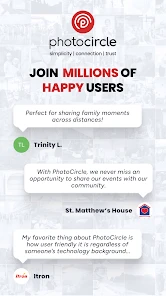
Analysis by Reviewed
I reach for PhotoCircle when a group needs one shared place for photos and videos, rather than another stream that mixes personal posts with everything else. Its central idea is simple: a private collection that invited people can contribute to. That changes the experience from sending the same pictures to several chats into gathering everyone’s moments around a particular event. I find that most useful when the people taking the photos are also the people who should see them.
Why a shared circle can beat a group chat
In a messaging thread, photos can get buried between plans, replies, and unrelated messages. A shared album gives the group a more focused destination: people can add their pictures there, then browse the collection without scrolling back through a conversation. It is a small distinction, but it matters after a busy day when you want to find the group photo or see what you missed while you were taking your own shots.
That focus also makes PhotoCircle different from a general-purpose social network. It is not where I would go to broadcast pictures to a wide audience or build a public portfolio. The appeal is the smaller circle and the shared context. If your main goal is to keep a private event collection together, that is a more natural fit than posting publicly or repeatedly forwarding images.
A practical way to collect everyone’s photos
For a family gathering, I would make one circle for the occasion and invite the relatives who are likely to take pictures. One person can capture the meal, another the children playing, and someone else the group portrait. Instead of asking everyone to send their best shots later, the group has a common place to add them while the event is still fresh. That is especially handy for the person organizing, who can enjoy the day without becoming the unofficial photo collector afterward.
A useful habit is to agree on the circle before people start taking pictures: tell invitees where to contribute, and keep the collection tied to one event rather than mixing several unrelated occasions. That gives the album a clear purpose and makes it easier to revisit later. If your group is not comfortable joining another app, though, a shared folder or the messaging service everyone already uses may involve less setup.
Who will get the most from it
I see the strongest fit for families, friend groups, and small event communities that want contributions from several people without making the pictures public. PhotoCircle is a photography app from PhotoCircle, Inc.; it is free to install, rated for Everyone, and has a 4.8 average from around 15,000 ratings, with more than a million installs. In-app purchases are available, so I would check the current options in the app if you are considering anything beyond the free experience.
The app’s history stretches back to April 18, 2012, and its current version is 2025.1114.05, with Android 8.0 as the minimum operating system. Those details make it relevant to people deciding whether an older Android device can run it, though I would still check that device’s store compatibility before planning an event around it. The key question is less about the age of the app than whether your group will actually use a dedicated shared space.
More From Our News Desk

Weather by Xiaomi Review: Clear at a Glance, Less Clear Up Close

X Under Pressure: Can It Recover When Posting Goes Wrong?

Clash of Clans Is Won Between the Battles

Android Auto Makes the Case for Quieter Car Software

MobiOffice: Transforming Mobile Productivity with Seamless Integration

EA SPORTS FC™ Mobile Soccer: Redefining Mobile Sports Gaming
Creating Memories Together
Sharing photos has never been this intimate and fun. With PhotoCircle, you can create private albums and invite your friends to join. Imagine you’re at a party, snapping away, and you want everyone to have access to the same collection of memories. Boom, just create an album and invite the gang! It’s like having a personal gallery where everyone can contribute. The app's user-friendly interface ensures that even your technophobe friend can join in on the fun without a hitch.
A Seamless Experience
One of the things I genuinely appreciate about PhotoCircle is its seamlessness. The app runs smoothly, and uploading photos is a breeze. You don’t have to worry about long loading times or glitches that disrupt the flow. Plus, the app supports high-quality images, so you can showcase your photography skills without compromising on quality. The integration with your device’s camera roll is so smooth, it's like the app already knows what you’re thinking!
Security and Privacy
In a world where privacy is paramount, PhotoCircle doesn’t skimp on security. The app ensures that your photos are shared only with the people you choose, making it a safe haven for your cherished memories. You can rest easy knowing that your photos won’t end up in the wrong hands. Plus, the app’s developers are always on their toes, updating security features to keep your data safe and sound.
Keeping It Social
Aside from sharing photos, PhotoCircle adds a social twist to the mix. You can comment on photos, like them, and even have a little banter with friends. It’s like having a mini social network within your photo albums. This feature adds a layer of connectivity, making the app not just a tool for sharing photos but a platform for interaction. So, if you’re looking to keep the conversations going beyond the photo-sharing, PhotoCircle has got you covered.
All in all, PhotoCircle offers a unique blend of privacy and social interaction, making it a standout choice for anyone looking to share moments with a touch of exclusivity. It’s perfect for friends, families, or any group wanting to keep their memories in a cozy digital corner. If you haven’t tried it yet, I’d say it’s worth giving a shot. Happy photo-sharing!
Where the convenience has limits
The private, group-first approach works best when everyone is willing to take one small step outside their usual camera roll and chat habits. A circle cannot collect photos from friends who never join or contribute, so the organizer may still need to remind people where the pictures belong. For a one-off event with guests who prefer not to install or learn another app, sending selected images through a familiar messaging service may be the simpler choice.
I would also separate “private sharing” from a promise that no image can ever travel beyond its intended audience. Inviting a chosen group gives the collection a more personal boundary than a public post, but people can still make their own choices with images they can view. I would avoid adding anything I would not want a member of the circle to retain or share, especially when the photos involve children or other people who have not agreed to be included.
Small choices that make the album work better
For a school performance, reunion, or weekend trip, I would name the circle for the event and invite contributors before it starts. That avoids the familiar aftermath of trying to remember who took which picture and where each person sent it. I would also ask friends to contribute their original favorites rather than every near-duplicate: a tidy collection is easier to revisit, and it keeps the best moments from being lost in a flood of similar frames.
There is another useful trade-off in the social layer. Likes and comments can help people identify a favorite or add a bit of context, but they also mean the album is more interactive than a passive backup folder. If you want a clean archive with strict organization, search, or editing tools, a dedicated cloud photo library may suit you better. PhotoCircle’s strength is the shared occasion, not replacing a full photo-management system.
Choosing it for the right reason
I would choose PhotoCircle when several people are taking pictures and the group wants a contained place to gather them, especially for birthdays, family visits, and trips with friends. I would skip it if I only need to back up my own camera roll, edit images, or distribute a few files to people who already use a shared storage service. Those jobs call for tools built around storage, editing, or file delivery rather than group participation.
For anyone deciding whether to try it, the practical test is straightforward: will the people in your circle contribute, and is a dedicated album more convenient than your current group chat? If yes, its focused format can make shared memories easier to collect and enjoy. If not, the extra step may outweigh the benefit. I like the idea most when the app gives a group a simple, private place to be part of the same photo story.
Planning for guests with different habits
A shared album works best when the invitation is clear and timely. I would send the joining details before the event, not while everyone is trying to find seats, watch a performance, or take care of children. It also helps to explain what the circle is for in one sentence: this is where everyone can add photos from this occasion. That small bit of context can prevent confusion with a general family album or a place for unrelated pictures.
For a mixed group, I would not assume every guest wants to contribute equally. Some people enjoy taking photos; others prefer to stay present and might only browse afterward. The organizer can still get value from a circle if a handful of people participate, but expectations should be realistic. If the group needs every guest to send images, a familiar chat may be more reliable simply because people already know how to use it.
Making a useful record, not a dumping ground
One overlooked benefit of tying a circle to a single occasion is that it gives contributors an easy editorial cue. Rather than asking everyone to upload everything, I would suggest adding a few pictures that tell different parts of the day: the arrival, a detail others may have missed, a candid moment, and a group shot. That produces a more memorable collection than a long run of nearly identical photos, without asking one person to curate everyone’s work.
This approach is especially handy on a trip where the group naturally splits up. One person may visit a market while another takes a walk, and the collection can bring those separate experiences together later. It is not a substitute for a carefully organized travel archive, but it can make the casual sharing feel less fragmented than sending pictures through several parallel conversations.
What to expect from the free option
The app is free to install, while in-app purchases range from $1.49 to $9.99 per item. I would start with the basic experience and decide whether any paid option solves a real need for your group, rather than paying just because a purchase is available. For a single gathering, the free starting point may be enough to see whether people actually use a shared circle; frequent organizers can review the in-app choices when they know what they need.
That distinction matters because the main value is social coordination, not a one-time technical trick. If only one person creates the album and everyone else keeps sending pictures elsewhere, the app adds another place to check without fixing the scattered-photo problem. I would treat the first event as a low-stakes trial: tell guests where to add their pictures, then see whether the collection is easier to revisit than the old chat thread.
Choosing between a circle and other photo tools
Compared with a standard messaging group, PhotoCircle gives photos a more dedicated home and keeps them tied to the event rather than buried among conversation. A shared cloud folder is often better when the priority is file organization, long-term storage, or a familiar system already used by everyone. A public social platform makes more sense for reaching a broad audience. I would choose based on the job, not try to make one app cover all three.
It is also worth remembering that an event album and a personal backup serve different purposes. I would not rely on a collaborative collection as the only copy of pictures I care about. Keep your own important photos in the place you normally use for safekeeping, and use the circle for the group’s shared view. That separation keeps the app’s strengths clear and avoids expecting it to behave like a full personal photo library.
My recommendation for the right group
For a birthday dinner, family reunion, or weekend away, I like PhotoCircle most when the group has a few enthusiastic photographers and a clear reason to collect their pictures together. It can save the host from chasing images afterward and lets guests see moments they were not present for. The central trade-off is simple: the more naturally the group accepts a dedicated shared album, the more useful it becomes.
If you want public reach, powerful editing, personal backup, or a complete archive, I would use a tool built for that instead. If what you want is a private-feeling, event-centered place where several people can add to the same photo story, PhotoCircle is a sensible option to try. I would invite the group before the occasion, keep each circle focused, and judge it by whether it makes sharing easier for everyone—not just the person who set it up.
PhotoCircle Frequently Asked Questions
What does PhotoCircle let me share with a group?
PhotoCircle is a photography app for private photo and video sharing. Its circle format is intended for groups of friends or family who want to contribute to a shared collection, rather than post memories for a broad public audience. It can suit occasions such as a gathering or trip, where several people want to share moments with the same group.
Who develops PhotoCircle, and what is its age rating?
PhotoCircle is developed by PhotoCircle, Inc. and is rated Everyone, so it is presented for a general audience. The app focuses on sharing photos and videos privately within a group. Families considering it for younger users can still discuss who should be invited and what is appropriate to share, since an age rating does not replace sensible guidance about personal content.
Can I use PhotoCircle on Android and iOS?
PhotoCircle is available for Android and iOS, so people using either platform can take part in sharing photos and videos with a group. Before downloading, check that your device runs a compatible operating system; the app requires version 8.0 or later. This makes it worth checking your device settings first, especially if you plan to invite friends or family who use different types of phones.
Is PhotoCircle free to download?
PhotoCircle is free to download and offers basic functionality for creating circles, sharing photos, and inviting members. In-app purchases are also available, ranging from $1.49 to $9.99 per item. You can begin with the free features and decide whether any paid options are useful for your needs, rather than having to make a purchase before trying the app.
What is PhotoCircle and how does it work?
PhotoCircle is a photo-sharing app designed to share photos with a private group of friends or family. Users can create a 'circle' and invite others to join, allowing everyone in the circle to upload and share photos seamlessly. The app emphasizes privacy, making it ideal for events like weddings, vacations, or family gatherings where sharing memories with a select group is preferred.
Pros
- User-friendly interface
- High-quality photo uploads
- Secure private sharing
- Customizable albums
- Cross-platform support
Cons
- Limited free storage
- Requires internet access
- Ads in free version
- Occasional sync issues
- No video support
- Category
- Photography
- Version
- 2025.1114.05











