Photo Video Maker: Slideshows
- 74.00
- 4.5
- Installs
- 10.00M
- Price
- Free

Screenshots
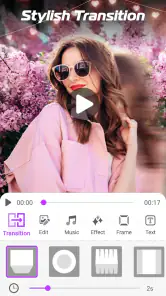
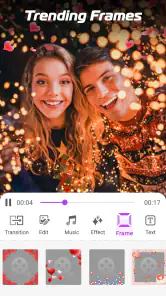
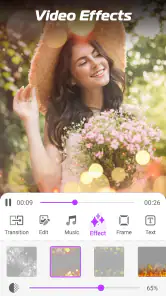
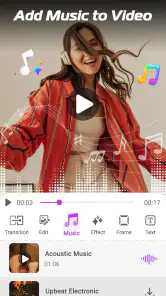
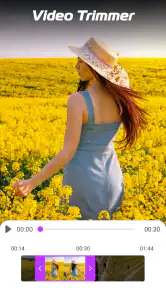
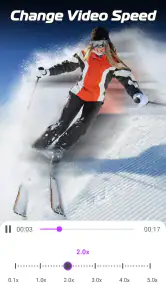
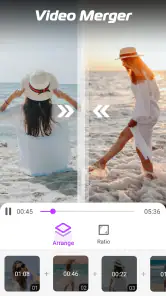
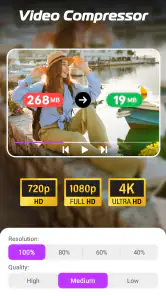
Analysis by Reviewed
My first question with a slideshow app is whether it helps me get from a phone gallery to a watchable little story without turning a simple task into a project. Photo Video Maker: Slideshows is aimed at that photo-first job: arranging still images into a video with music and visual effects. I see it as a handy option for personal recaps and greetings, rather than a substitute for a full video editor. Its network-sensitive moments are worth thinking about, too, especially if I plan to choose music or share the result while away from home.
When connectivity enters the workflow
Making a slideshow can involve more than choosing pictures. Music choices, app content and the final sharing step may bring connectivity into the experience, so I would plan a project with a reliable connection if I intend to explore available resources or send the result right away. I would also make sure the photos I want are already easy to reach on my device; hunting through albums while distracted by a weak signal is an avoidable annoyance.
A practical routine is to decide on the story before opening the editor: pick a small sequence, put the strongest image near the beginning, and choose whether the mood calls for music or a quieter presentation. This reduces fiddling on a mobile screen and helps keep a family recap or event montage focused. If I am preparing something for a group chat, I would finish and check the video before leaving dependable Wi-Fi rather than assume every step will work the same way on a poor connection.
Getting Started
Jumping into the Photo Video Maker is super intuitive. After downloading it, you’re greeted with a straightforward interface that’s surprisingly easy to navigate. Just tap on the “Create New Project” button, and you're off to the races. The app allows you to choose photos from your gallery, which is a piece of cake. You can select as many pictures as you want, and trust me, it handles them without breaking a sweat.
Making a slideshow that feels intentional
The quick workflow suits everyday occasions particularly well: a birthday greeting, a short recap of a weekend away, or a set of pictures for relatives who do not want to browse a full album. For a birthday, I would sort the photos first, use text sparingly for a name or short message, then watch the whole sequence once before sharing. That final viewing catches awkward pacing and images that do not belong together better than adding more effects does.
There is a useful trade-off between a quick result and fine control. Transitions, timing, filters and animated text give you room to shape the tone, but adding a different treatment to every slide can make a simple memory reel feel busy. I would choose one consistent visual approach and use a more noticeable transition only where the story changes. That keeps the pictures in charge rather than turning the slideshow into a demonstration of editing options.
Features That Shine
The app packs quite a punch when it comes to features. You can add music from its built-in library or pick your favorite tracks from your device. The music syncing is pretty spot-on, matching the rhythm with slide transitions. Speaking of transitions, there are loads to choose from, and they're all customizable. Whether you want a simple fade or something more dramatic, it’s all there at your fingertips.
More From Our News Desk

Weather by Xiaomi Review: Clear at a Glance, Less Clear Up Close

X Under Pressure: Can It Recover When Posting Goes Wrong?

Clash of Clans Is Won Between the Battles

Android Auto Makes the Case for Quieter Car Software

MobiOffice: Transforming Mobile Productivity with Seamless Integration

EA SPORTS FC™ Mobile Soccer: Redefining Mobile Sports Gaming
Now, let me talk about the editing tools. You can tweak everything from the duration of slides to the filters on your photos. Adding text is a breeze, and you can even animate it to make your message pop. The app offers a variety of fonts and colors, allowing you to truly personalize your slideshow.
Working on a phone, not at a desk
A phone is convenient for making a quick montage, but it also makes small editing decisions easier to rush. I would work in two passes: first choose and order the images, then adjust their timing and style. Doing both at once can lead to extra tapping and second-guessing, particularly when the gallery contains several similar shots. A prepared shortlist makes the editing session feel calmer and helps avoid building a slideshow around the wrong version of a photo.
For a realistic example, imagine getting home from a family outing and wanting to send a short recap that evening. I would select a few establishing pictures, follow them with the best moments, and finish on a photo that gives the sequence a clear ending. I would keep captions brief so they remain readable on a small screen, then play the video from start to finish before sending it. That final review is useful not just for pacing; it also lets me catch a cropped subject or a transition that feels too showy.
Choosing it over other editing options
Compared with a general-purpose video editor, this app is more naturally suited to a photo-first task: the central idea is arranging still images with music and transitions, rather than building a complex timeline with multiple kinds of footage. That simplicity is a benefit when I want a presentable result without learning a full editing workflow. If I need precise control over several video clips, layered audio or a detailed sequence, I would reach for a broader editor instead.
It also occupies a different niche from simply sharing an album. An album is better when viewers should browse at their own pace; a slideshow gives a chosen order and mood, which works well for a toast, a quick recap or a small celebration. One practical tip is to keep a separate shortlist of the images you actually want before starting. It makes selection faster and reduces the temptation to include every near-duplicate shot.
Keeping the project manageable
One trade-off with a photo sequence is that every extra image adds another pacing decision. A large camera roll may contain bursts, duplicates and pictures that are meaningful only to the person who took them. I find it more effective to ask what each image contributes: does it establish the place, show a person, or mark a change in the day? If two pictures do the same job, keeping the stronger one usually makes the finished video easier to follow.
For a keepsake meant for relatives, I would also consider the audience before choosing music and effects. A quiet, familiar style can suit a family recap better than dramatic transitions, while a playful greeting may benefit from a brighter treatment. The editor offers ways to personalize the sequence, but restraint is part of the craft: a consistent look helps the people and moments stand out.
Performance and User Experience
Performance-wise, Photo Video Maker runs smoothly, even on older devices. I didn't experience any lag or crashes, which is always a plus. It’s clear that the developers put a lot of effort into optimizing the app for a wide range of smartphones.
For an everyday mobile workflow, I would still leave room for interruptions. If the app closes or the phone switches tasks while I am editing, I would reopen the project and check that the last changes are present before continuing; that is a sensible habit with any creative app. When a track or asset does not appear as expected, checking the connection and choosing another available option is more useful than repeatedly rebuilding the slideshow. I would also preview the finished result before sharing, especially after changing timing or music.
If something goes wrong
When a music choice or other resource takes longer than expected, I would avoid changing several settings at once. First I would check whether the connection is steady, then try a different available choice and preview again. That simple sequence helps distinguish a temporary network hiccup from an edit that needs attention, and it prevents needless rework. If I have already made a good selection of photos, I would leave that part alone while troubleshooting the separate issue.
Before handing the video off to another app or a group chat, I would confirm that it plays through and that the opening and ending look right. If the phone is low on space, clearing room before starting is a sensible precaution for any media project, since photos and a completed video both need storage. I would also keep the original images untouched until I am happy with the result; that gives me a straightforward fallback if I decide to make a different cut later.
Using it thoughtfully with mobile data
For data-conscious use, I would do the image selection and most of the visual planning before relying on mobile connectivity. Choosing a track or sending a finished video can involve network activity, and a larger media file may be less convenient to share over a weak connection. If I am away from Wi-Fi, I would finish the edit first and decide whether sharing can wait until I have a more dependable connection. That is less frustrating than treating every step as something that must happen immediately.
There is also a practical privacy habit worth keeping in mind: a slideshow can bring several personal photos together in one easily forwarded video. Before sharing a family or travel recap, I would check the full sequence for images that were meant to stay private and make sure the intended recipients are clear. This is not a special editing feature; it is simply a useful last step whenever personal pictures are packaged for sharing.
Who will get the most from it
I would recommend it to someone who wants a quick, personal video from phone photos and enjoys having basic creative choices without facing a complicated editor. It is a particularly comfortable fit for occasional projects rather than people producing polished video content every day. On the other hand, anyone who needs extensive control over sound, footage and precise edits may find a dedicated timeline editor a better match; people who only want others to browse pictures may be happier sharing an album.
The app is free and rated for Everyone, so it is easy to consider for a family project. It has a 4.5 average from around 20,000 ratings and more than 10 million installs, which suggests a broad audience for this straightforward style of slideshow creation. It was released on January 18, 2023, and version 1.8.2 supports Android 6.0 and later. Those details make it relevant to a wide range of Android phones, though I would still check that my own device has room for the photos and finished video I plan to use.
Where a different choice makes sense
I would skip this style of app if my main goal were to edit footage with careful cuts, balance several audio tracks, or make a project that needs exact control over a timeline. A broader video editor is a better fit for that kind of work, even if it asks for more time to learn. Likewise, if I only want friends to see a collection of photos and choose their favorites, a shared album is simpler and preserves their ability to browse freely.
For someone deciding whether to try it, the useful question is not whether it can replace every editor, but whether the task is specifically a photo montage. If the answer is yes, the focused workflow and adjustable presentation tools are appealing. If the project is mostly video clips, depends on elaborate sound editing, or must be completed while connectivity is unreliable, I would choose a different tool or wait until I can work in a more dependable setting.
Final Thoughts
In conclusion, if you’re looking to create memorable slideshows from your photos, this app is definitely worth checking out. It's easy to use, packed with features, and delivers professional-looking results without any fuss. Whether you’re crafting a birthday surprise or showcasing your latest vacation, Photo Video Maker: Slideshows is up to the task.
So go ahead, give it a shot, and let your creativity shine! You won’t be disappointed.
My more measured recommendation is to treat it as a convenient slideshow maker, not a replacement for a full video studio. For a short, thoughtful sequence of photos, the music and presentation choices can make sharing feel more personal than sending an album. If that is the job you have in mind, this is an easy place to start; if your project depends on elaborate editing or a connection-sensitive workflow while you are on the move, choose your setup accordingly and keep the final preview as your last check.
Connectivity verdict
Overall, I would plan around the distinction between editing the story and relying on network-dependent moments. The photo selection, order and visual choices are easiest to handle when I am not rushing, while exploring music or sharing calls for a steadier connection. I would not make a time-sensitive plan that assumes every resource and handoff will behave perfectly on mobile data. With a shortlist ready, a sensible amount of editing and one careful playback check, the app makes the most sense as a convenient way to turn selected phone photos into a finished, personal sequence.
Photo Video Maker: Slideshows Frequently Asked Questions
Can I create a slideshow quickly with Photo Video Maker: Slideshows?
Yes. Photo Video Maker: Slideshows is designed to turn photos into a slideshow video in just a few minutes, using effects and music. It is aimed at people who want a straightforward way to assemble images into a shareable video rather than start with a more complex editing workflow. Your results will depend on the photos and creative choices you bring to the project.
What kind of app is Photo Video Maker: Slideshows?
Photo Video Maker: Slideshows is a video editing app focused on creating photo slideshow videos. Its core idea is to combine images with effects and music, making it useful for arranging a collection of pictures into a video. The app is developed by Video & Photo Editor Apps and is listed in the video players and editors category.
What devices can install Photo Video Maker: Slideshows?
Photo Video Maker: Slideshows is a mobile app for creating photo slideshow videos, and it requires Android 6.0 or later. Before downloading, check that your device meets this requirement so installation and use are supported. The app is free to download and is intended for a general audience, making it an option for users who want to turn photos into a video with effects and music.
Who makes Photo Video Maker: Slideshows, and how popular is it?
The app is developed by Video & Photo Editor Apps and is categorized among video players and editors. It has more than 10 million installs and an average rating of 4.5 from around 20,000 ratings. Those figures suggest that it has reached a sizable audience, though individual experiences can still vary depending on what features and results each person expects.
What is Photo Video Maker: Slideshows, and what can I do with it?
Photo Video Maker: Slideshows is a versatile mobile application that allows users to create stunning video slideshows using their photos. With a variety of templates, music options, and editing tools, you can easily transform your photo collection into engaging videos. Whether for personal memories or professional presentations, this app offers a user-friendly interface to craft beautiful slideshows with ease.
Pros
- User-friendly interface for easy navigation
- Variety of templates for creative slideshows
- Quick processing and rendering of videos
- Supports high-quality video exports
- Integrates music and effects seamlessly
Cons
- Limited editing tools for advanced users
- Watermark on free version exports
- Occasional ads in free version
- Requires internet for some features
- Limited customization of templates
- Category
- Video Players & Editors
- Version
- 1.8.2











