

Photo Recovery
- 193.00
- 4.3
- Installs
- 1.00M
- Price
- Free

Screenshots




Analysis by Reviewed
I approached Photo Recovery as a practical emergency tool rather than something I would keep open every day. Its purpose is simple: help me look for deleted photos, videos, and files when the normal gallery no longer shows them. That narrow focus is also its biggest advantage. Instead of sending me through a large collection of unrelated storage utilities, it puts recovery at the center of the experience.
My overall view is positive, with an important warning: a recovery app can search for traces of deleted content, but it cannot promise that every lost file will return. The result depends heavily on what happened after deletion, how the phone manages storage, and whether the file has already been replaced by new data. Used quickly and with realistic expectations, this free Tools app from Technology Hub Pro is worth trying before paying for a more complicated solution.
What the recovery process feels like in everyday use
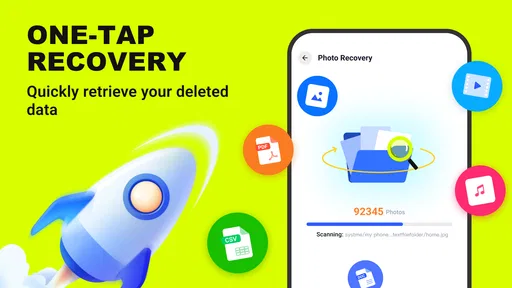
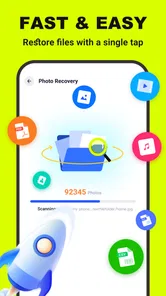
The first thing I noticed is that the app’s appeal comes from reducing the number of decisions I need to make. The store description emphasizes quick recovery and deep scanning, and that matches the role I would expect from a focused utility: choose what to search, let the scan examine available storage, then review anything it can identify.
That workflow matters in a stressful moment. Imagine deleting a set of family photos while clearing space, then realizing that one important image was included. My first move would be to stop downloading files, recording videos, or installing other apps. I would then open Photo Recovery and begin with the most targeted scan available instead of immediately running the broadest possible search. This gives the phone less opportunity to overwrite the storage area where the deleted image may still exist.
The same logic applies to a missing video or document. A deep scan can be useful when a normal gallery check finds nothing, but it is not magic. It may take longer, produce results that need sorting, or show incomplete remnants rather than clean, usable files. I would treat the scan as an investigation, not as a guaranteed restore button.
The most useful habit is to act before creating new data. That advice is easy to overlook, yet it can make more difference than repeatedly scanning. Every new photograph, app download, message attachment, or system process that writes to storage may reduce the chance of recovering an older item.
Why the focused design is more useful than a crowded toolbox
Many phone-cleaning applications combine recovery with storage analysis, duplicate detection, file transfer, battery tools, and device optimization. Those bundles can be convenient, but they also make it harder to understand which action is safe when something has disappeared. Photo Recovery is more appealing when I want one specific job handled without navigating a whole maintenance suite.
More From Our News Desk

 Gmail
GmailGmail in a Busy Inbox: Who Benefits Most?
From first account to crowded workday, Gmail earns its place through dependable search and flexible sorting—but its best fit depends on how much inbox maintenance you can tolerate.

 Prime Video
Switching to Prime Video: What Changes in Your Viewing Routine
Prime Video can make a compelling second home for streaming, but switching means learning a different catalog, rental layer, and route from browsing to playback.

 Universal TV Remote Control
Universal TV Remote Control Works Best as a Reliable Backup
A phone remote earns its place through quick setup and reliable habits. Here is how to get more from Universal TV Remote Control—and where its limits show.

 Weather - By Xiaomi
Weather by Xiaomi Review: Clear at a Glance, Less Clear Up Close
Xiaomi’s weather app makes everyday forecasts quick to scan, but its calm surface can leave useful details and recovery paths harder to find than they should be.

 X
XX Under Pressure: Can It Recover When Posting Goes Wrong?
A resilience-focused review of X, examining setup, mistaken posts, interruptions, weak connections, and the gaps that matter when recovery needs to be dependable.

 Clash of Clans
Clash of Clans Is Won Between the Battles
Its raids are quick; its community is a long-term project of coordination, teaching, rivalry, and shared responsibility—with all the friction that entails.
Latest News



Its store short description, “Photo Recovery,” is brief, but the longer summary makes the wider scope clear by mentioning photos, videos, and files. That distinction is important. I would not install it only for pictures and then assume it is limited to image formats. At the same time, I would still inspect every result carefully because a file name, thumbnail, or extension alone does not prove that the recovered item is complete.
In practice, I would use a staged workflow. First, I would check the phone’s gallery trash or recently deleted area, because that route is usually clearer and less disruptive. If the item is not there, I would use Photo Recovery for a targeted search. Only after that would I consider a deep scan for a broader look. This order saves time and avoids treating a specialist recovery tool as the first answer to every deletion.
Deep scanning is valuable, but it changes the trade-off
A deep scan is the feature that gives this app its strongest reason to exist. When a file is no longer visible through ordinary folders, a more thorough search may locate recoverable fragments or entries that a basic check misses. That can be especially helpful after an accidental deletion where the user has not yet done much else on the phone.
The trade-off is patience and interpretation. A deeper search can return more possibilities, but more possibilities are not always better results. I would expect to spend time checking thumbnails, filenames, file types, and previews before restoring anything. If the app presents several similar entries, I would avoid selecting everything at once. Recovering only the files I recognize keeps the result organized and reduces the chance of filling storage with duplicates or unusable fragments.
One practical tip is to prepare a destination before starting. If the phone is nearly full, recovery may be difficult even when the tool finds something. I would first remove only clearly unnecessary items, preferably after copying important data elsewhere, and then leave enough free space for the restored files. Deleting more content in a hurry can work against the recovery attempt, so this is a situation where caution matters more than speed.
Another useful distinction is between finding and restoring. A scan may identify a record that looks promising, but restoration is the step that produces a usable copy. I would open or inspect recovered files immediately and check whether images display normally, videos play through, and documents open as expected. A successful-looking entry is not necessarily a complete recovery.
What I would do before trusting any result
I would begin by remembering the approximate file type and location. If I lost a camera image, I would focus my attention on image results rather than treating every discovered file equally. If the missing item was a downloaded document, I would use its name or format as a clue. This makes the review stage much quicker than scrolling through an unfiltered collection.
I would also avoid restoring a recovered file back into the same crowded location if I could choose another safe folder. Keeping the restored copy separate makes it easier to verify and prevents confusion with damaged originals or duplicate entries. After confirming that the file works, I could move it into my normal photo or document structure.
For sensitive material, I would review the app’s behavior on my own device before scanning personal storage. Recovery tools necessarily deal with files that may be private, so I would be careful about which items I select and where I save them. I would not use the app casually on a shared phone, and I would avoid granting broader access than the operating system requires for the task.
Where Photo Recovery succeeds and where it falls short
The strongest case for this app is immediacy. It is free, focused on a common problem, and available for Android devices running version 7.0 or later. That makes it a sensible first attempt for someone who has just removed a photo or video and wants a straightforward recovery option without committing to a paid desktop program.
Its popularity also suggests that the concept is reaching a substantial audience: the app has passed one million installs and holds a 4.3 average from around 7,100 ratings. I see those figures as evidence that many people find the tool useful enough to try, not as proof that every scan will succeed. Recovery outcomes are too dependent on storage conditions for a rating to replace a careful explanation of the limits.
Technology Hub Pro has kept the current release at V1.0.3, and I would make sure my installation is current before starting a recovery attempt. A current version can be preferable when a utility depends on compatibility with different Android storage arrangements. I would still avoid updating or installing multiple tools after the deletion itself if the missing file is especially important, because the safest general principle remains minimizing new writes to storage.
The meaningful weakness is that no recovery application can reverse every kind of loss. If the phone has continued to record media, download large files, or receive major updates after deletion, the original data may have been overwritten. Physical storage problems, encryption, unsupported formats, and damaged file structures can also complicate the process. Photo Recovery is therefore not a substitute for a backup system, a cloud recycle bin, or professional data recovery in a serious failure.
This limitation affects how I judge the app. I would recommend it as a fast, low-cost attempt, not as insurance. Someone who needs guaranteed access to irreplaceable business records should not wait until after deletion to think about protection. A backup service or regular computer copy is a better long-term answer, while this app is most valuable when prevention has already failed.
There is also a practical difference between a clean recovery and a partial one. A photo may return without the original name or folder arrangement. A video may be found but fail during playback. A document may appear in the results yet open with missing content. I would not blame the app automatically for every imperfect result, because the condition of the underlying data determines what any tool can reconstruct. Still, users should know that “found” and “fully usable” are separate outcomes.
How it compares with the usual alternatives
The first alternative is the phone’s own recently deleted folder. I would always check that first because it is usually the simplest place to restore an accidentally removed gallery item. It is better for a recent deletion that still has a visible entry, while Photo Recovery becomes more interesting when the normal gallery route no longer shows anything.
The second alternative is a cloud backup or synchronized photo service. That is generally the better choice when the missing image had already been uploaded, because restoring an existing backup is cleaner than scanning local storage. Photo Recovery has the advantage when no usable backup exists and the file may still be present in recoverable form on the device.
The third alternative is a desktop recovery program. A computer-based tool may offer more detailed controls or a different approach to storage analysis, and I would consider one when the data is extremely important or the phone has suffered a larger failure. The cost and setup are higher, though, whereas this app is immediately accessible to an Android user. For a single accidental deletion, the phone-based approach is more convenient; for extensive corruption, a specialist route may be more appropriate.
I would be cautious with random file-manager tricks that promise to reveal everything through hidden folders. They can help when a file was merely moved or renamed, but they do not necessarily recover genuinely deleted data. Photo Recovery is better suited to the specific question, “Can anything recoverable still be found?” even though it cannot guarantee a positive answer.
Who should use it, and who should skip it
I think this app is a good fit for Android users who accidentally deleted personal photos, short videos, or ordinary files and want a free first attempt. It is particularly practical for someone who understands that speed matters and is willing to review scan results instead of expecting one tap to solve everything.
It also suits people who do not want a large maintenance suite. The focused purpose makes it easier to remember what the app is for, and the Everyone content rating keeps it approachable for a broad audience. I would still guide less experienced users through the process, especially when they are deciding which results to restore or which files can safely be removed to create space.
I would skip it as a primary solution if the phone contains irreplaceable records and no backup has ever been made. In that case, I would stop using the device and seek a more controlled professional option rather than repeatedly scanning and writing new data. I would also look elsewhere if I needed a complete storage-management package, a transfer tool, or a dedicated backup system; Photo Recovery’s narrow purpose is a strength only when recovery is the actual need.
The release date, March 20, 2026, places this version in a relatively early stage of its product life. That does not make it unsuitable, but I would judge it by how clearly it handles scanning and restoration on my particular device rather than assuming that every Android phone will behave identically. Storage access can vary between devices and Android configurations, so a successful experience on one phone is not a promise for another.
Because the app is free, the cost barrier is low, which is important during an accidental deletion. I would nevertheless read each screen before proceeding and avoid rushing through any request or result-selection step. Free does not mean risk-free: the main risk is not the price, but wasting the short window in which deleted data may remain recoverable or restoring the wrong files without checking them.
My final recommendation after testing the idea in real situations
I would keep Photo Recovery in mind as a first-response utility, especially after an accidental deletion that happened moments ago. My recommended sequence is simple: stop creating new files, check the phone’s own deleted folder, run a focused search, use deep scanning only when necessary, inspect every candidate, and save confirmed results somewhere organized. That approach gets more value from the app than repeatedly pressing scan without a plan.
The app’s strongest qualities are its clear purpose, free access, support for recovering more than just photographs, and the possibility of a deeper search when ordinary folders fail. Its central weakness is the unavoidable uncertainty of deleted-data recovery. It may locate something useful, but it cannot restore information that storage has already overwritten or damage that the underlying file can no longer survive.
My verdict is favorable with sensible expectations. Photo Recovery is worth trying before moving to a more expensive or technical alternative, particularly for a recent, accidental loss on a compatible Android phone. I would recommend it to friends as an emergency attempt, while also telling them not to confuse it with backup protection. If the files matter, recover them quickly, verify that they work, and then create a separate backup so the next mistake does not depend on a scan.
For a free Tools app developed by Technology Hub Pro, it delivers a focused answer to a genuinely stressful problem. I would not promise success, but I would consider it a reasonable first step—and in recovery situations, having a quick, focused first step can be genuinely useful.
Photo Recovery Frequently Asked Questions
Is Photo Recovery free to download, and which devices can install it?
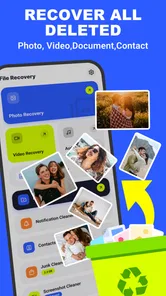
Photo Recovery is a free app in the Tools category, intended for recovering deleted photos, videos, and files. It supports devices running Android 7.0 or later. Before installing, check that your phone meets this minimum requirement and that you have enough available storage for the app and any files you may recover. The app is developed by Technology Hub Pro.
What is Photo Recovery and what does it do?
Photo Recovery is designed to help users find and restore deleted or lost images from their Android or iOS device. After installation, the app scans available storage locations for recoverable photo files and presents potential results for review. Its effectiveness depends on how long ago the files were deleted, whether new data has overwritten them, and the access permissions available on the device.
Can Photo Recovery recover every deleted picture?
No recovery application can guarantee that every deleted photo will be restored. Photo Recovery may locate images that still remain in the device’s storage, but permanently removed files or data overwritten by newer photos, videos, downloads, or app activity may be impossible to retrieve. Results can also vary according to the phone model, operating system, storage type, and whether the device has been reset.
Is Photo Recovery safe to use on my phone?
Photo Recovery should be downloaded only from a trusted official app store or the developer’s verified source. During setup, review the permissions it requests and allow access only when necessary for scanning and saving recovered images. Avoid unofficial modified versions, since they may contain unwanted software. It is also sensible to check the app’s privacy policy before scanning personal photos or granting access to device storage.
Does Photo Recovery require root access or special permissions?
The permissions and technical requirements depend on the version of Photo Recovery and the operating system being used. Basic scans may work without root access, although they can be limited to accessible folders, thumbnails, cached files, or recently deleted items. More advanced recovery features may request additional permissions or device access. Always read the in-app explanation before approving any sensitive permission.
Pros
- Simple interface makes recovery accessible to less experienced users.
- Can restore accidentally deleted photos without requiring technical knowledge.
- Previewing files helps identify the correct images before recovery.
- Useful for checking whether recently deleted photos are still recoverable.
- Supports quick scans for users who need results without lengthy setup.
Cons
- Recovery success depends heavily on how long ago files were deleted.
- Deep scanning may take considerable time on devices with large storage.
- Some recovered images may have missing details or reduced quality.
- Full recovery features may require payment or contain advertising.
- Results can include duplicates
- thumbnails
- or unrelated cached images.









