Pensacola News Journal
- 88.00
- 3.2
- Installs
- 10.00K
- Price
- Free

Screenshots


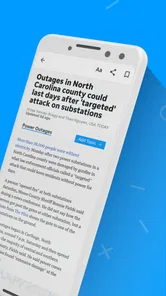




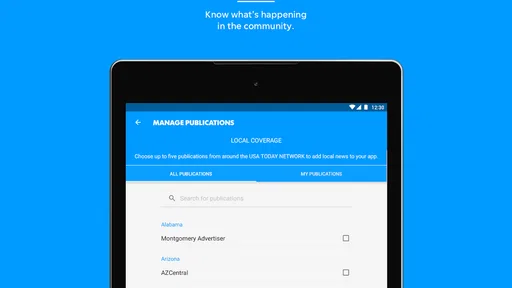
Analysis by Reviewed
I approached Pensacola News Journal as a practical local-news app rather than as a general-purpose news reader. Published by USA TODAY Co., it sits in the News & Magazines category and focuses on keeping Pensacola-area coverage close at hand while also bringing in broader reporting, photography, and video. That local focus is the main reason to consider it: if Pensacola is part of your daily life, a dedicated source can feel more relevant than scrolling through a national homepage.
My overall impression is mixed but useful. The app is free to install, carries an Everyone 10+ content rating, and runs on devices using Android 8.0 or later. Its current version is 8.10.3, and the listing shows over ten thousand installs. Those details make it accessible to a fairly wide range of Android users, although the average rating of 3.2 from roughly two hundred ratings suggests that the experience is not equally smooth for everyone.
How Pensacola News Journal feels in everyday use
I find Pensacola News Journal most useful when I treat it as a place to follow local stories, not as an all-purpose news feed. In this section, I’ll focus on how its visual reporting fits into ordinary reading habits and why choosing the right moment and connection can make a noticeable difference. That practical rhythm also sets up a closer look at the app’s trust context.
Speed expectations when checking local headlines
The best way to use Pensacola News Journal is in short, intentional visits. I would open it in the morning to see what is happening locally, return around lunchtime for developing stories, and check again in the evening when I have more time for longer articles. That rhythm suits a regional publication better than leaving the app open constantly as a live news ticker.
Perceived speed depends heavily on what I am trying to read. A text-focused article should feel more straightforward than a page built around large photographs or video. The store summary specifically highlights spectacular photography and rich video content, so the app is not designed only as a lightweight list of headlines. That richer presentation can make a story more engaging, but it also creates a trade-off: visual reporting usually asks more from the connection and the phone than a plain text feed.
I would not judge the app solely by how quickly a headline list appears. A local-news reader has to balance freshness, images, article layout, and video playback. If I am standing in a queue and only want a quick update, a browser search or a compact national-news app may feel more immediate. If I want to understand a local event through photos or watch the available video coverage, the extra presentation is more worthwhile.
One useful habit is to decide what kind of session I am starting before opening the app. For a fast scan, I would stick to headlines and open only the most relevant story. For a deeper session, I would allow time for media-heavy pages to settle instead of repeatedly backing out and reopening them. That small change avoids mistaking a content-rich page for an unresponsive one.
More From Our News Desk

Weather by Xiaomi Review: Clear at a Glance, Less Clear Up Close

X Under Pressure: Can It Recover When Posting Goes Wrong?

Clash of Clans Is Won Between the Battles

Android Auto Makes the Case for Quieter Car Software

MobiOffice: Transforming Mobile Productivity with Seamless Integration

EA SPORTS FC™ Mobile Soccer: Redefining Mobile Sports Gaming
What happens during heavier reading sessions
The app becomes more demanding when I move rapidly between several articles, open stories with prominent imagery, or spend time with video. This is where a local news app can feel different from a simple web page. A single story may be easy to read, while a session involving many visual articles can place more pressure on available memory, storage, connection quality, and battery than a headline-only workflow.
For people who follow breaking local events, the practical question is not just whether the app opens. It is whether it remains comfortable while switching between updates, photographs, and video. I would expect the smoothest experience from a reasonably modern phone with enough free space and a stable connection. On an older device, I would keep the reading session focused and avoid treating the app like an always-running media dashboard.
There is also a content trade-off during busy news cycles. More coverage can mean more pages to browse, but it can also make it harder to identify the one update I actually need. My approach would be to scan the local headlines first, choose one or two articles, and then return to the main view rather than opening every item in sequence. This keeps the app useful without turning a five-minute check into an unnecessarily heavy session.
Someone commuting with limited mobile data should be especially selective around video. The app’s emphasis on rich video is valuable when I have a reliable connection and want more context, but it is less attractive when I am trying to conserve data or battery. In that situation, a text-first news source is the better companion, while this app works better for deliberate reading at home or on dependable Wi-Fi.
Stability, recovery, and what to do when a session breaks
The rating history gives me reason to keep expectations realistic. An average of 3.2 indicates a noticeable split between users who find the app useful and those who encounter friction. That does not prove a specific technical fault, but it does suggest that I would not make it my only route to urgent information. For important weather, traffic, or public-safety updates, I would keep a second source available.
My preferred recovery routine is simple: return to the main news view, reopen the article once, and then restart the app if the page still behaves oddly. I would avoid repeatedly tapping a video or refresh control, because that can make a temporary connection problem feel worse. If the issue continues, reading the publication through its normal web presence or using another trusted news source is a sensible fallback.
This matters most during a major local story. A dedicated app is convenient, but convenience should not be confused with guaranteed availability. If I need one specific update immediately, I would verify it through another channel rather than waiting indefinitely for a media-heavy page to load. That is not a criticism unique to this publication; it is a sensible rule for any app that combines live news with photographs and video.
Recovery also includes returning to the story after an interruption. If I am reading during a phone call or switching to another task, I would expect to spend a moment finding the article again rather than assuming every session will resume exactly where I left it. I would save the important headline mentally or note its wording so that it is easy to locate again. This is a small but useful workflow for readers who consume news in short gaps throughout the day.
Device constraints and the right kind of phone
The minimum operating-system requirement is Android 8.0, which keeps the app available to users with older supported phones. That is helpful for readers who do not upgrade frequently. At the same time, operating-system compatibility does not automatically mean every device will provide the same comfort level. A phone that technically runs the app may still feel less relaxed when handling large images, video, or several open reading tasks.
I would pay attention to three practical constraints: available storage, battery condition, and connection quality. The first matters because a news experience built around photography and video is less suited to a phone that is already struggling for space. The second matters during long reading sessions, particularly when video is involved. The third is obvious but easy to overlook: a weak connection can make a stable app appear slow when the real bottleneck is the network.
Screen size changes the experience too. On a compact phone, photographs and video may feel less comfortable for extended viewing, even though short articles remain perfectly manageable. On a larger display, the visual side of the publication becomes more useful, especially when a story depends on images. I would choose this app for a phone I already enjoy reading on, not as a reason to tolerate a cramped or aging screen.
Users who want the lightest possible news tool should think carefully before installing it. The free price removes the initial cost barrier, but free does not necessarily mean minimal in resource use or distraction. The listing also includes in-app purchases ranging from about fifteen dollars to around seventy dollars per item, so I would review any purchase prompt carefully and keep the free reading experience separate from decisions about paid access or extras.
Local usefulness versus broader news alternatives
The strongest comparison is not with another Pensacola publication but with a broad national-news app. National apps usually win when I want world headlines, politics, business, or a wide range of categories in one place. Pensacola News Journal has a clearer purpose: it is more compelling when my question is, “What is happening around Pensacola?” rather than, “What are the biggest stories everywhere?”
A mobile browser is the more flexible alternative. It lets me search several sources, compare coverage, and avoid adding another app to the phone. That flexibility is valuable when I only need occasional local information. The dedicated app is more convenient when Pensacola news is part of my routine and I want a publication-shaped reading experience rather than a series of search results.
Social media can be faster for discovering that something is happening, but it is a weaker replacement for reading the full report. Posts may be brief, repetitive, or difficult to verify in context. I would use social feeds as a signal and this app as a place to spend time with local coverage, photographs, and video. If I need a wide range of independent viewpoints, however, I would compare the article with other outlets instead of treating one publication as the entire news picture.
The app also makes more sense for residents, commuters, families with local ties, and people following a specific Pensacola community than for travelers who only need general destination information. A visitor looking for a quick overview may be better served by a general search or travel-focused source. A person who wants to understand recurring local developments has a stronger reason to keep this app installed.
Three practical ways I would get more from it
First, I would separate quick checks from deep reading. The quick-check session is for scanning local headlines and opening one important article. The deep-reading session is for photography, video, and longer context. Treating those as two different workflows makes the app feel less demanding and helps me decide when media-rich coverage is worth the extra time and data.
Second, I would use a second-source habit for consequential information. When a story could affect travel, safety, work, or family plans, I would read the local report and then verify the practical detail through an appropriate official or alternative source. This is particularly useful when the app is slow to recover or when a story is developing quickly. The app can be my local starting point without being my sole authority.
Third, I would manage purchases deliberately. Because the app is free but offers in-app items priced from around fifteen dollars to roughly seventy dollars each, I would not tap through a subscription or purchase screen casually. I would first decide whether I need the free news-reading experience or whether I am intentionally choosing a paid option. That distinction prevents the app’s low entry price from creating an unexpected commitment.
A fourth tip is to match the app to the connection I have available. On dependable Wi-Fi, I would take advantage of the photography and video. On a limited mobile connection, I would prioritize text and postpone the richer parts until later. This is a more useful approach than judging every session by the same standard, because the app’s strengths are also the areas most likely to feel heavy under constrained conditions.
Who should install it, and who should skip it?
I would recommend Pensacola News Journal to anyone who regularly needs Pensacola-area reporting and prefers a dedicated Android app over browsing in a mobile browser. It is also a reasonable choice for readers who appreciate local stories presented with strong visual material rather than only compact headlines. The current version and Android 8.0 requirement make it approachable for many existing devices, and the free installation makes trying it low-risk.
I would be more cautious if my priority were flawless speed, minimal battery use, or a single app covering every national and international topic. A lightweight browser workflow may be better for occasional readers, while a broad news aggregator may suit someone who wants many publications in one feed. People with unreliable connections should also keep an alternative source ready, especially for time-sensitive information.
The rating of 3.2 is important context, but it should be read alongside the app’s purpose. A middling average does not erase its local value, yet it does tell me to approach the experience as useful rather than universally polished. I would install it, test it during an ordinary day, and decide whether its local coverage justifies the visual and performance trade-offs on my particular phone.
My performance verdict
In my view, this is a focused local-news app with a sensible place in a Pensacola reader’s routine. Its strongest qualities are relevance and presentation: it puts regional reporting in a dedicated space and supports stories with photography and video. Its weaker side is the uncertainty that comes with a moderate user rating and a richer media format, especially for older phones, limited connections, or readers who only want instant text updates.
My recommendation is to use it as a local-news companion, not as your only source for urgent information. Keep sessions focused, be selective with video when data or battery is tight, and maintain a browser or second publication as a backup. With those expectations, Pensacola News Journal can be a worthwhile daily check for local readers. If you want the lightest, broadest, or most universally consistent news experience, another option will probably fit better.
Pensacola News Journal Frequently Asked Questions
Is the Pensacola News Journal app available for Android and iOS?
Pensacola News Journal is a mobile news app from USA TODAY Co., intended for readers who want to follow news on a phone or tablet. It is listed for Android and iOS, and the Android version requires Android 8.0 or later. Before downloading, check that your device meets the relevant platform requirements and has enough space for the app and its content.
Who is the app intended for, and what is its age rating?
The app is suited to readers interested in local and national news, including people following developments in and around Pensacola. Its content rating is Everyone 10+, so it is presented as appropriate for a broad audience while acknowledging that some material may be better suited to older children. Parents and guardians can review the app and its content with younger users.
What is the Pensacola News Journal app?
The Pensacola News Journal app is a mobile news platform focused on Pensacola, Escambia County, Santa Rosa County, and surrounding areas in Northwest Florida. Readers can browse local reporting, breaking news, sports, weather, entertainment, opinion pieces, and other stories from the newspaper. The app is designed for people who want convenient access to regional coverage while using an Android or iOS device.
Is the Pensacola News Journal app free to download and use?
The app can generally be downloaded without paying an installation fee, but access to all of its content may depend on the newspaper’s subscription model. Some articles or features can be available to casual readers, while unlimited reading, premium stories, eEdition access, or additional subscriber benefits may require a paid subscription. In-app purchases are listed from $14.99 to $69.99 per item, so review the current terms and pricing before subscribing.
What type of news and features can I find in the app?
The Pensacola News Journal app delivers local and national news, alongside spectacular photography and rich video content. Its coverage includes local journalism, community updates, crime and public safety reports, local government coverage, high school and professional sports, business news, entertainment, opinion, and weather information. Depending on the current version, users may also find breaking-news alerts, personalized content options, photo galleries, videos, newsletters, and access to a digital edition of the newspaper.
Pros
- Covers local Pensacola events
- politics
- schools
- and community updates.
- Offers convenient access to breaking news through the mobile app.
- Includes photo galleries and multimedia reports for major local stories.
- Helps readers stay informed about nearby weather and regional developments.
- Digital access can be useful for following local issues while traveling.
Cons
- Many articles may require a paid subscription after limited free access.
- Some stories can load slowly depending on connection quality or app performance.
- Frequent notifications may feel excessive unless carefully customized.
- Coverage is focused locally
- offering limited national or international reporting.
- Advertising and subscription prompts may reduce the reading experience.













