Papercopy - Tracer
- 255.00
- 4.5
- Installs
- 1.00M
- Price
- Free

Screenshots


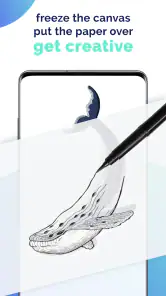
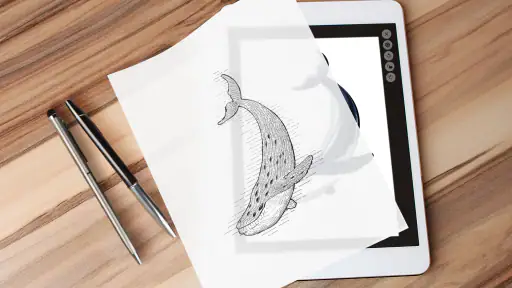

Analysis by Reviewed
Ever felt the urge to trace a drawing or a picture, but didn’t have the right tools at hand? Enter Papercopy - Tracer, the app that’s making all our tracing dreams come true. You know when you’re in that artsy mood and need something quick and efficient to get the job done? This app might just be the answer.
Getting Started with Papercopy
First off, let me tell you how simple it is to dive into Papercopy - Tracer. You download it, fire it up, and bam! You're greeted with a clean and user-friendly interface. No fuss, no muss. It’s like the app gets you and knows you don’t want to spend ages figuring things out. Just pick a photo from your gallery, adjust it to your liking, and then start tracing. Easy peasy, right?
Features that Stand Out
What really sets this app apart are the features that cater to both budding artists and seasoned pros alike. One thing I absolutely love is the adjustable transparency tool. It’s so intuitive! You can seamlessly adjust the opacity of your image to get the perfect tracing guide. Plus, the app supports multi-touch gestures, so you can zoom in and out with ease. It’s like having a digital lightbox right in your pocket.
Another snazzy feature is the grid overlay. If you’re someone who likes precision and symmetry, this is a game-changer. The grid helps ensure your proportions are spot on, making your tracing work look professional and polished. And let’s not forget, the app doesn’t bombard you with ads every two seconds – a major win in my book!
My Personal Take
Honestly, using Papercopy - Tracer has made my creative process so much smoother. Whether I’m tracing for a new art project or just doodling for fun, it’s become my go-to tool. The app is lightweight, doesn’t drain your phone’s battery, and works like a charm. It’s perfect for those quick creative spurts or when you’re just lounging on the couch and want to doodle away.
While it might not replace professional tracing tools for some, it’s definitely a handy app to have in your arsenal. It’s like having a trusty sketchbook with you at all times, except it’s digital and far more versatile.
So, if you’re an art enthusiast looking for a reliable tracing app, give Papercopy - Tracer a whirl. It’s fun, easy to use, and might just spark your next big creative idea. Happy tracing!
Pros
- User-friendly interface for easy navigation.
- High precision in tracing and sketching.
- Supports multiple file formats.
- Frequent updates with new features.
- Works offline without internet.
Cons
- Limited free version features.
- Occasional lag on older devices.
- Ads in the free version.
- Learning curve for new users.
- No cloud sync across devices.

- Category
- Art & Design
- Version
- 3.1.1











