Offline Music Player - Mixtube
- 5.35K
- 4.2
- Installs
- 10.00M
- Price
- Free

Screenshots




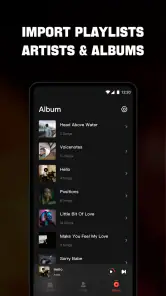
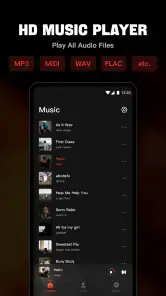
Analysis by Reviewed
Have you ever been on a long road trip or in a place with spotty internet, and your favorite tunes just won’t play? Well, let me introduce you to Offline Music Player - Mixtube, your new best friend for music on the go, without the need for constant internet connectivity.
Seamless Music Experience Anywhere
First off, let's talk about the app's main selling point. As the name suggests, Offline Music Player - Mixtube allows you to download and listen to your favorite music offline. This is a game-changer for those who find themselves in areas with limited data or no WiFi. The app itself is pretty straightforward, making it easy for anyone to navigate through its features.
Simple Yet Effective User Interface
The user interface is refreshingly simple. You’re not bombarded with unnecessary options, which is a nice change. From the moment you open the app, you’re greeted with a clean layout that guides you effortlessly from discovering new tracks to creating playlists. I found this particularly helpful because I like to keep my music organized without jumping through hoops.
How Does It Work?
Downloading music for offline use is a breeze. You simply search for your favorite song or artist, and with a few taps, the music is added to your library. The download speed is impressive, and the quality of the audio remains top-notch. You’ll have your entire playlist ready in no time, perfect for those spontaneous road trips or when you’re stuck in a place with no connection.
Discover New Music
If you’re someone who loves discovering new tunes, Mixtube doesn’t disappoint. The app has a feature that suggests new songs based on your listening history. I’ve stumbled upon several new artists and tracks that I probably wouldn’t have found otherwise. It’s like having your personal DJ curating music just for you.
Battery and Storage Friendly
Another noteworthy feature is its efficiency. The app doesn’t drain your battery life or hog your device’s storage, which is always a concern with music apps. You can enjoy hours of music without worrying about your phone dying or running out of space.
In conclusion, Offline Music Player - Mixtube is a solid choice for anyone looking to enjoy music without the hassle of needing an internet connection. With its user-friendly interface, efficient download capabilities, and the ability to discover new music, it’s definitely worth a try. So, next time you’re planning a trip or just want to jam out without interruptions, give Mixtube a shot and let the music play on!
Pros
- Offline playback available.
- User-friendly interface.
- High-quality audio experience.
- Customizable playlist options.
- No ads in premium version.
Cons
- Limited free version features.
- Occasional app crashes.
- No lyrics support.
- Requires frequent updates.
- Limited podcast options.

- Category
- Music & Audio
- Version
- 4.7.0