Novelaria - Read Book, Booktok
- 289.00
- 4.7
- Installs
- 100.00K
- Price
- Free

Screenshots

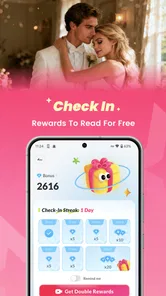
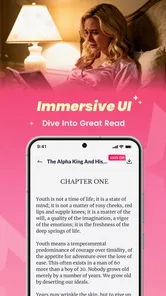
Analysis by Reviewed
I approached Novelaria as a reading app first, not as a quick way to collect another icon on my phone. Developed by Novelaria, it sits in the Books & Reference category and focuses on digital fiction, especially fantasy, werewolf, romance, and alpha-themed stories. After spending time with its reading experience, I came away with a fairly clear impression: it is aimed at readers who enjoy serialized, emotionally intense fiction and do not mind a more commercial reading model around that content.
That distinction matters. This is not the same kind of tool as a library catalog, a general ebook reader, or a note-taking app for PDFs. Novelaria is built around discovering and following stories inside its own reading environment. If you like opening an app during a commute, choosing a dramatic chapter, and returning later to see how a relationship or supernatural conflict develops, the format makes sense. If you mainly want to load books you already own, manage public-domain files, or read without any interruptions from an in-app purchase system, I would look elsewhere.
What reading on Novelaria feels like
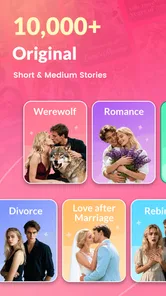
The strongest part of the experience is the narrowness of its purpose. The app does not try to be everything for every kind of reader. Its store summary points toward fantasy, werewolf, romance, alpha stories, and short fiction, and that gives the catalog a recognizable identity. I found it easier to imagine using Novelaria when I wanted a particular mood rather than when I wanted to browse every possible type of literature.
That mood is usually fast-moving and highly emotional. Stories in this space tend to work through secrets, attraction, danger, status, and sudden reversals. Readers who enjoy those ingredients will probably understand the appeal quickly. The app is less convincing for someone seeking literary criticism, practical reference material, long-form nonfiction, or a neutral reading shelf that treats every genre equally.
I also think the short-story side of the app deserves attention. Shorter fiction is useful when you have ten or fifteen minutes and do not want to commit to a long book. I used that kind of session as a test: open the app, read a small amount, stop at a natural point, and return later. That workflow suits mobile reading better than trying to finish a large novel in one sitting, although serialized writing can also make stopping difficult when a chapter ends on a deliberate hook.
The app is free to install, which makes trying the catalog relatively easy. It has passed the 100K-install mark and holds a 4.7 average from around 6.3K ratings, so there is clear reader interest. Those figures tell me that Novelaria has found an audience, but they do not replace personal judgment. A high average can indicate that the intended audience is satisfied while still leaving a genre outsider unimpressed.
Finding the right story instead of chasing every recommendation
My practical advice is to treat the opening browse session as a filtering exercise. Do not assume that every prominent story will match your taste simply because it uses a familiar label such as romance or fantasy. Look for the combination you actually want: a supernatural setting with romance, a relationship-led story with a strong alpha premise, or a shorter piece for quick reading.
More From Our News Desk

Weather by Xiaomi Review: Clear at a Glance, Less Clear Up Close

X Under Pressure: Can It Recover When Posting Goes Wrong?

Clash of Clans Is Won Between the Battles

Android Auto Makes the Case for Quieter Car Software

MobiOffice: Transforming Mobile Productivity with Seamless Integration

EA SPORTS FC™ Mobile Soccer: Redefining Mobile Sports Gaming
This is one of the less obvious trade-offs of a focused catalog. A specialized app can reduce the effort of finding a familiar theme, but it can also make the selection feel repetitive if you read widely across genres. I would use Novelaria as a companion to a broader ebook app rather than as my only reading service unless its particular story mix is exactly what I want.
Another useful habit is to judge a story by its opening pages rather than by its cover language. Dramatic tags can tell you the premise, but they cannot tell you whether the dialogue, pacing, or narration will work for you. Because mobile fiction often depends on quick emotional momentum, a few early chapters are usually enough to decide whether continuing feels rewarding or merely habitual.
How the free model changes the reading decision
Free access lowers the barrier to experimentation, but it does not mean the entire reading journey is free. Novelaria lists in-app purchases ranging from $1.99 to $129.99 per item. That is a wide range, and it is the point at which I would slow down rather than tap automatically to unlock the next part of a story.
For me, the sensible approach is to read without spending until I understand the app's rhythm and know whether I genuinely want to finish a particular title. A reader who starts several stories at once can accidentally create several possible spending paths. Choosing one or two favorites first makes the experience easier to control and gives the purchase system less influence over the way you browse.
This also answers a question many readers will have before installing: can I use it casually without paying? You can begin with that expectation, but you should still pay attention whenever the app presents an in-app purchase. The free entry point is attractive for sampling, while the possible cost of continuing a favorite story means it should not be treated like an unlimited free library.
I would especially avoid making a purchase when I am reading tired, distracted, or caught by a cliffhanger. Serialized fiction is designed to create urgency, and that is precisely when a quick payment can become an emotional decision rather than a considered one. Waiting until the next day is a simple but effective way to check whether I want the story itself or merely an immediate resolution.
Trust, controls, and moments that deserve attention
I use this section to focus on the choices that matter most during ordinary reading: what I share, which notifications I keep, and how I handle a prompt before tapping through. A minute spent checking those controls can make it easier to enjoy a story on my own terms, especially when a cliffhanger or purchase screen arrives.
What I can responsibly say about trust
When I review an app like this, I separate visible behavior from assumptions. Novelaria is a reading product from Novelaria, and its current version is 2.5.2. It is intended for a mature audience, with a 17+ content rating, which is consistent with the romance, supernatural conflict, and adult-oriented themes its catalog may contain. That rating is useful context for deciding whether the app belongs on a shared family device or in a younger reader's hands.
I would not treat the rating as a promise that every story will suit every adult reader. Mature fiction can vary considerably in tone, intensity, and subject matter. My recommendation is to inspect the description and sample material before settling into a story, particularly if you have specific boundaries around romance, violence, coercive relationships, or supernatural themes.
The app requires Android 7.0 or later, so compatibility is not limited to only recent phones. That is helpful for readers using an older Android device, although compatibility alone does not tell me how comfortable the app will feel on every screen size or how smoothly it will behave during long sessions. I would still install it with enough free storage and check the first session before committing to a large reading routine.
Trust also comes from knowing when the app is asking me to make a decision. The clearest sensitive moment here is payment. A reading app can feel harmless because the main activity is simply scrolling through text, yet the purchase prompt changes the stakes. I pay attention to whether the amount is clearly shown, whether I understand what the purchase unlocks, and whether I am using the correct account before confirming anything.
Account choices and personal control
Readers often want to know whether they must create an account immediately, whether progress follows them between devices, and whether their library can be recovered after reinstalling. Those are important questions, but I would not make a confident promise about a particular account workflow without seeing the exact current screens on the device being used. My practical advice is to inspect the sign-in, profile, and settings areas before building a large personal library.
That inspection takes only a few minutes and gives you useful control. Look for the way the app handles saved stories, reading history, notifications, purchase restoration, and account sign-out. If you prefer to keep reading activity separate from your main identity, consider that preference before registering rather than after you have accumulated a long list of favorites.
I also recommend checking notification choices early. A serialized reading app can be more useful when it reminds you about a story you deliberately follow, but less pleasant when every update competes for attention. Turning off anything you do not need is not a criticism of the app; it is a way to make the reading experience serve you instead of pulling you back whenever it wants.
The same principle applies to payment controls. On a shared phone, I would make sure the device's purchase authentication is active and that the correct store account is selected. This is particularly important for families, because the mature rating already makes Novelaria a poor fit for unsupervised use by children, regardless of whether the app itself is free to download.
Data-sensitive moments during ordinary use
Most of my time in Novelaria is not especially sensitive: I choose a story, read text, and leave. The sensitive moments appear around identity, purchases, notifications, and any action that saves activity to an account. I therefore treat the first launch as an orientation session rather than rushing straight into a long reading list.
I look at what the app asks me to do, what is optional, and what is connected to continuing a story. If a permission or account request appears, I want to understand its purpose before accepting it. I do not infer that a request is unsafe merely because it exists, but I also do not grant access automatically when the connection to reading is unclear.
This cautious approach is especially sensible with entertainment apps because the benefit of moving quickly is small. If I delay a decision for a minute, I have not lost a bookshop appointment or missed a work deadline. I can read the wording, check the system permission screen, and choose the least intrusive option that still lets me use the features I actually want.
There is also a privacy habit that costs nothing: avoid putting personal details into story comments, profile fields, or any social-facing area unless you are comfortable with that information being associated with your reading identity. A romance and fantasy reading community can feel informal, but informal spaces still deserve the same care as any other online service.
Where Novelaria fits among reading alternatives
Compared with a standard ebook reader, Novelaria is more focused on discovery within its own fiction environment and less suited to managing a personal collection of books from different sources. A conventional reader is usually the better option if you already have EPUB or PDF files, want flexible typography across many publishers, or need a single shelf for books obtained elsewhere.
Compared with a public library app, Novelaria offers a different kind of convenience. Library services are better when your priority is borrowing established titles through an institution and avoiding direct story-unlock spending. Novelaria makes more sense when you want genre-specific serialized fiction and are willing to judge each story on its own terms.
Compared with a general web-fiction platform, its focused identity may help readers who specifically want werewolf, alpha, fantasy, and romance themes. The trade-off is breadth. A broad platform can be a better home for poetry, fan fiction, nonfiction, essays, and experimental writing, while Novelaria is more deliberately centered on a particular kind of escapist reading.
The best comparison is therefore not “which app is universally better?” but “what do I want to read tonight?” For a polished personal library, I would choose a traditional ebook reader. For borrowing, I would choose a library service. For quick access to emotionally charged genre fiction, Novelaria has a clearer reason to exist.
Who should install it, and who should skip it
I would recommend Novelaria to an adult reader who actively enjoys romance-led fantasy, werewolf fiction, alpha dynamics, and short or serialized stories. It is a good candidate for people who read in small bursts and like having a steady stream of dramatic plots available on a phone. It is also suitable for someone who wants to sample a focused catalog before deciding which stories deserve more time.
I would be more cautious if you dislike cliffhangers, prefer complete books with no interruption in the reading flow, or want to avoid in-app purchases entirely. The purchase range means you should enter with a spending plan, not with the assumption that free installation equals free completion. Readers who are sensitive to mature themes should also screen titles carefully rather than relying only on the broad category.
I would skip it altogether for a child, even if the child enjoys fantasy or romance. The 17+ rating is not a minor label to ignore; it is a clear signal that the app's intended material is for mature readers. For a younger audience, a curated children's reading service or a family-managed library would be a more responsible choice.
My everyday workflow with the app
In a realistic evening scenario, I would open Novelaria after dinner, choose one story that matches my current mood, and read a short section rather than browsing endlessly. I would save only the titles I genuinely expect to return to, mute unnecessary notifications, and stop before a purchase prompt if I had not already decided on a budget.
The next day, I would continue that same story instead of opening five new ones. This simple routine makes the app feel more like a controlled reading list and less like an endless recommendation feed. It also helps me notice whether the writing is holding my attention when the initial novelty has faded.
One of my more useful tips is to separate discovery from commitment. Use the first session to sample premises, the second to test pacing, and only then decide whether a story deserves regular reading time or spending. That three-step process is more reliable than choosing purely from dramatic cover art or a familiar trope.
A second tip is to keep a personal note of unfinished stories outside the app if you are likely to rotate between devices or reinstall applications. I would not assume that every reading state or favorite will behave exactly as I expect until I have checked the account and settings screens myself. A tiny manual reminder can prevent the frustration of forgetting a title that caught your attention.
A third tip is to read the mature-content context before sharing a story with someone else. A title that feels like harmless fantasy from its cover may involve themes another reader would rather avoid. This is not a reason to reject the app; it is simply part of using a genre platform thoughtfully.
My cautious verdict
Novelaria is a convincing niche reading app when its genres match your taste. I like that it has a clear identity instead of pretending to replace every kind of book service. The free starting point, short-fiction appeal, and focus on fantasy, romance, werewolf, and alpha stories make it easy to understand who will enjoy it.
My reservations are equally clear. The mature audience makes it unsuitable for younger readers, and the in-app purchase range means that committed readers need to watch their spending. I would also prefer to make deliberate choices around account setup, notifications, permissions, and saved reading activity rather than accepting every prompt on autopilot.
With those boundaries in place, I think Novelaria is worth trying for adults who want mobile-first serialized fiction and understand the difference between sampling a story and paying to continue it. I would not make it my universal ebook reader, my library replacement, or my choice for a child. My recommendation is conditional but positive: install it for the genre experience, keep control of your account and purchases, and let the writing—not the cliffhanger—decide how far you go.
The app was released on October 25, 2024, and its current version is 2.5.2. That gives readers a straightforward starting point when checking compatibility and deciding whether the available experience suits their device. For me, the final question is not whether Novelaria can provide endless reading, but whether its particular kind of fiction earns a regular place on my phone. For the right mature reader, it can.
Novelaria - Read Book, Booktok Frequently Asked Questions
Who develops Novelaria, and which devices can install it?
Novelaria is developed by Novelaria and is a Books & Reference app for mobile devices. Before downloading, check that your device meets the app’s minimum operating-system requirement, which is version 7.0. Keeping your device’s software current can also help with compatibility and security. The app is free to download, though some optional content or features may involve in-app purchases.
What is Novelaria - Read Book, Booktok?
Novelaria - Read Book, Booktok is a mobile reading platform designed for people who enjoy digital novels and discovering new fiction. It brings together a library of stories, reading tools, and a social, trend-focused experience inspired by BookTok culture. The app is aimed at readers who want to browse genres, follow popular titles, and find recommendations in one place.
Is Novelaria - Read Book, Booktok free to download and use?
The application can generally be downloaded without an upfront charge, but access to certain books, chapters, or premium features may depend on the app’s current monetization system. Some content can be available for free, while other sections may require in-app purchases. Optional purchases range from $1.99 to $129.99 per item, so check the payment details before confirming any transaction.
What kind of books and stories can I find in Novelaria?
Novelaria is primarily suited to readers interested in serialized digital fiction and popular online storytelling. Its focus includes fantasy, werewolf, romance, and alpha-themed stories, alongside other entertainment-focused fiction. Since the library can change over time, users should review the descriptions, ratings, and sample chapters before committing to a story. This makes it easier to find titles that match your interests and comfort level.
Does Novelaria require an internet connection?
An internet connection is normally needed to download the application, browse the catalog, synchronize your account, load recommendations, and access newly released chapters. Whether individual stories can be read offline depends on the app’s download options and the specific title. If offline reading is important to you, look for a download feature inside a book and confirm that saved chapters remain accessible without connectivity.
Pros
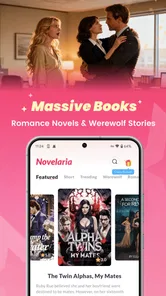
- Large selection of romance and trending BookTok titles
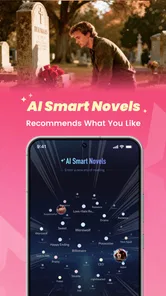
- Personalized recommendations make discovering new books easy
- Clean reading interface with adjustable text settings
- Supports saving books to a personal library
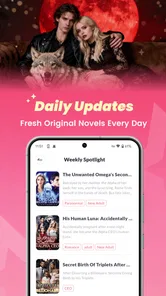
- Regular content updates keep the catalog feeling fresh
Cons
- Some popular titles may require in-app purchases
- Availability of books can vary by region
- Recommendations may focus heavily on romance genres
- Offline reading options may be limited for some content
- Account registration may be needed to sync reading progress











