Newark Advocate
- 45.00
- 3.5
- Installs
- 10.00K
- Price
- Free

Screenshots





Analysis by Reviewed
When I want a quick look at Newark-area reporting without opening a full national news app, Newark Advocate is the kind of focused news reader I reach for. I found its value less in flashy extras and more in the simple idea of keeping local coverage close at hand, alongside broader stories, photography, and video. That narrow regional identity matters: a local app can feel more useful than a general feed when I am checking what is happening around my community rather than browsing headlines from everywhere.
Published by USA TODAY Co., this free News & Magazines app is aimed at readers who want local and national news in one place. It is rated for Everyone 10+, runs on Android 8.0 or later, and the current version is 8.10.3. The app has been available since August 31, 2012, so it is not a brand-new experiment. It has reached over ten thousand installs, with an average rating of 3.5 from more than a hundred ratings and dozens of written reviews. Those figures suggest a modest but established audience rather than a universally loved news platform.
What the Newark Advocate experience feels like in everyday use
I use Newark Advocate as a focused local-news stop rather than a catch-all feed, and that distinction shapes how much I trust it. In this section, I look at what its regional purpose offers in everyday reading and where I would still turn to another source. I also consider the choices a reader can make around cost and media use, which lead naturally to the question of how much control the app gives you.
A quick route to local headlines
My first impression is that the app makes the most sense as a regional shortcut. Instead of starting with a huge national stream and hoping local stories appear, I can open Newark Advocate with a clearer expectation of what I am going to read. That is particularly handy in the morning, when I want to scan nearby developments before moving on to national coverage.
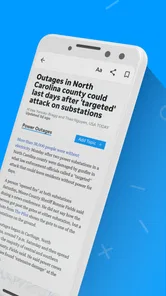
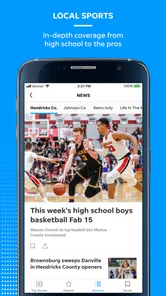
The store summary highlights local and national news, photography, and video, and that combination gives the app a broader rhythm than a text-only bulletin. A local story can be easier to understand when it includes strong images, while video is useful when an event is better explained visually than through a short paragraph. I would not install it solely for entertainment, but those richer formats make the reading experience less flat during a longer session.
The main strength is focus, not sheer volume. A large national news app may offer more sections, more sources, and a busier stream. Newark Advocate is better suited to someone who values regional relevance and wants national stories as a secondary layer. If my priority is international reporting, specialist business coverage, or a wide range of opinions, I would choose a broader news service instead of expecting this app to replace every source.
Speed expectations on a normal day
I approach a local news app with a different speed expectation than I would a social media feed. I want the front page to open without making me wait through unnecessary clutter, and I want to identify the important stories quickly. In that role, Newark Advocate feels most useful when I treat it as a short reading stop: open it, scan the main items, read one or two pieces, and leave with a better sense of the day.
More From Our News Desk

Weather by Xiaomi Review: Clear at a Glance, Less Clear Up Close

X Under Pressure: Can It Recover When Posting Goes Wrong?

Clash of Clans Is Won Between the Battles

Android Auto Makes the Case for Quieter Car Software

MobiOffice: Transforming Mobile Productivity with Seamless Integration

EA SPORTS FC™ Mobile Soccer: Redefining Mobile Sports Gaming
There is a practical advantage to this focused workflow. I am less likely to lose ten minutes scrolling through unrelated viral material. The app’s local identity gives me a reason to check it at specific moments, such as before commuting, during a lunch break, or after hearing about an event nearby. That does not prove that every screen will load instantly on every phone or connection, but it does make the experience feel efficient when my goal is simply catching up.
Photography and video can change that rhythm. Text headlines are usually easier to skim, while visual material may take longer to appear or consume more data, especially away from Wi-Fi. I see that as a trade-off rather than an automatic flaw. For a fast headline check, I would stay with written stories first. When I have more time or a strong interest in a particular event, the visual content becomes more worthwhile.
What happens during heavier reading sessions
Newark Advocate is not only a one-minute headline tool. If I follow several stories, open image-rich reports, and watch video in the same sitting, the app naturally asks more of my phone and connection than a simple text page would. That is the point at which I would pay closer attention to battery use, available storage, and mobile data. The app’s content mix is useful, but richer media always makes a longer session more demanding than a quick scan.
My preferred approach is to separate quick checking from deeper reading. In the morning, I would browse the main stories and save my attention for the items that genuinely affect my day. Later, I could return to a detailed report or video when I am on a stable connection. This avoids turning every opening into a heavy media session and makes the app feel more controlled.
Another realistic use case is following a developing local situation. I might hear about a road problem, public event, school-related update, or community issue and open the app several times to see whether coverage has changed. In that situation, the local focus is more valuable than a generic national feed. The trade-off is that repeated checking can become frustrating if I expect instant updates or a live, minute-by-minute stream. I would use it as a trusted place to look for coverage, not assume that every event will be updated immediately.
Stability and recovering after interruptions
News reading is often interrupted. I may receive a call, switch to another app, lose a connection, or lock the screen halfway through an article. A useful news app should let me return without making the whole experience feel like starting over. In my routine, Newark Advocate works best when I open it with a clear purpose and give it a moment to restore the reading context after an interruption.
I would not judge reliability only by whether the app opens. A more important question is whether it remains usable when I move between headlines, articles, photos, and video. Those are different kinds of content, and a temporary network problem can affect them differently. Text may be manageable on a weak connection while video becomes impractical. For that reason, I keep expectations realistic: a stable connection matters more when I am consuming media than when I am simply scanning headlines.
If the app ever needs to recover after being left in the background, I would first reopen it and allow the main news view to refresh rather than repeatedly tapping a slow control. I also avoid judging the whole app from one poor moment caused by a weak signal. At the same time, repeated reloads or interruptions would be a genuine reason to compare it with a mobile website or another news reader. Reliability is not just a technical detail for a news app; it determines whether I can use it when news matters.
How older devices may affect the experience
The Android requirement of version 8.0 or later makes Newark Advocate accessible to many older phones, which is useful for readers who do not replace devices frequently. However, operating-system compatibility does not guarantee identical performance across all hardware. A newer phone with a strong connection should be more comfortable with photography and video than an older device with limited memory or a tired battery.
On a modest phone, I would keep my expectations centered on reading rather than constant multimedia playback. Large images and video are the parts most likely to feel less comfortable during extended use, particularly if several apps are already open. Closing unused apps, keeping reasonable free storage, and using Wi-Fi for longer video sessions are sensible habits. These are not special tricks hidden in the app; they are practical ways to reduce friction with any media-heavy news service.
The minimum operating-system requirement also affects who should consider installing it. Someone with a very old Android phone may need to upgrade before using it, while iPhone readers would need to check the relevant Apple storefront rather than assuming the Android requirement applies to their device. For Android users who meet the requirement, the app remains a plausible option even if their hardware is not recent, provided their main activity is reading headlines and articles.
Subscriptions and the cost decision
The app is free to install, but it includes in-app purchases ranging from $9.99 to $69.99 per item. That makes the payment question important before I become dependent on the app for daily reading. I would begin with the free experience, see how much of the coverage I can actually use, and only then decide whether any paid option fits my habits.
For an occasional reader, paying may not make sense if the app is only opened when a particular local story appears. For someone who relies on regional reporting every day, a paid purchase could be easier to justify, but I would still examine what it unlocks and whether the reading routine feels valuable enough. The key point is that “free” describes the download, not necessarily every part of the long-term experience.
I also prefer to make that decision after trying the app across several situations: a quick morning scan, a longer article session, and a moment when I need local information quickly. That exposes the practical value better than judging it from the first launch. A purchase should support a reading habit I already enjoy, not be used in the hope that payment will solve problems with device speed, connection quality, or content fit.
Where it beats broader news alternatives
Compared with a general national news app, Newark Advocate has a clearer local purpose. A broad aggregator may give me more sources and a wider range of topics, but I may need to search or scroll to find nearby reporting. Here, the regional angle is the reason to open the app in the first place. That makes it a sensible companion to, rather than a complete replacement for, a national service.
Compared with reading news through a mobile browser, a dedicated app can feel more direct. I do not need to begin with a search every time I want to check the publication. The app also brings photography and video into the same reading environment. The browser may still be preferable if I want to avoid another installed app, conserve space, or compare several publications in separate tabs.
Compared with a social media feed, the app offers a more intentional path to news. Social platforms can surface urgent local information quickly, but they also mix reporting with commentary, repetition, and unrelated posts. Newark Advocate is the better choice when I want a publication-centered reading session. Social media remains useful for seeing how people are reacting, but I would not use it as my only way to understand a developing story.
Three practical habits that improve the experience
I use the app in two passes. The first pass is a rapid headline scan, and the second is reserved for stories that deserve time. This keeps visual content from turning a short check into an unplanned data-heavy session.
I treat video as a deliberate choice rather than something to open automatically. On mobile data or an older phone, reading the article first can tell me whether the video adds useful context before I spend extra time and bandwidth on it.
I test the app during the exact situations that matter to me before considering an in-app purchase. A local daily reader should check morning loading, interrupted reading, and repeated visits during a developing story, because those moments reveal more than a single casual launch.
These habits also clarify whether the app is right for a particular person. If I mostly want local awareness and occasional national context, the focused workflow is a strength. If I need a customizable research dashboard, extensive international reporting, or a single place to combine many publishers, a larger aggregator will probably serve me better.
Who should install it, and who should skip it
I would recommend Newark Advocate to readers in or connected to the Newark area who want a straightforward route to regional coverage. It is also useful for former residents, relatives, and anyone following community developments from a distance. The combination of local reporting with national material means I do not have to leave immediately whenever I want a broader headline for context.
I would be more cautious recommending it to someone who reads news only through a highly personalized feed. This app’s value comes from its publication focus, so it may feel limited if I expect every topic, source, and viewpoint to be arranged around my individual interests. It is also not my first choice for people who mainly want international news, specialist reporting, or a low-data text-only experience.
Readers with older hardware can try it if the operating-system requirement is met, but I would keep multimedia expectations reasonable. Those who dislike in-app purchases should also decide early whether the free portion is enough. The average rating of 3.5 shows that the experience is not universally satisfying, so I would treat it as a useful regional tool to evaluate in my own routine rather than assume it will suit everyone.
My performance verdict
After looking at the app through speed, heavier use, recovery, and device demands, I see Newark Advocate as a practical local news companion rather than an all-purpose media hub. Its strongest performance is conceptual: it gets me closer to relevant regional stories without the distraction of a massive general feed. That focus can make short sessions feel efficient, especially when I only have a few minutes.
The compromises appear when I ask it to do more. Photography and video make coverage richer, but they can require more from the connection and phone than plain headlines. Repeated checking during a developing event depends on timely refreshes and dependable connectivity. A free installation is convenient, while the available in-app purchases mean I should understand my likely reading pattern before spending anything.
My recommendation is simple: install it if local Newark coverage is the reason you need a news app. I would pair it with a broader source for national and international depth, and I would use Wi-Fi for longer video sessions on a less powerful phone. For that specific audience, the app offers a focused daily check-in with enough national context and visual material to remain useful beyond a single headline scan. It is not the best choice for every reader, but it has a clear purpose, and that purpose is where it performs most convincingly.
Newark Advocate Frequently Asked Questions
Is Newark Advocate available for my phone?
Newark Advocate is a news and magazines app from USA TODAY Co. It is available for Android and iOS, and the Android version requires Android 8.0 or later. If your device meets that requirement, you can check the app store on your phone for compatibility and installation options before downloading.
What does Newark Advocate cost, and are there in-app purchases?
The app is free to download, but it includes in-app purchases priced from $9.99 to $69.99 per item. The cost depends on the purchase you choose, so review the options shown in the app before confirming. If you are considering a purchase, check its terms and renewal details carefully so you understand what you are paying for.
What is the Newark Advocate app?
The Newark Advocate app is a mobile news application focused on Newark, Licking County, and surrounding communities in Ohio. It provides access to local reporting, breaking news, politics, sports, business updates, entertainment, weather, and other regional stories. The app is designed for readers who want to follow local events conveniently from an Android or iOS device.
Is the Newark Advocate app free to download and use?
Downloading the Newark Advocate app is generally free, allowing users to browse selected news content and explore the publication’s main sections. However, some articles or features may require a subscription, registration, or login, depending on the current access policy. Before subscribing, check the pricing, trial terms, renewal conditions, and available access options shown in the app store or within the application.
Does the app require a subscription to read all articles?
A subscription may be required to access the complete Newark Advocate archive and certain premium stories. Free users can typically view some articles, headlines, and updates, but access limits may apply. Subscription availability and benefits can change, so review the in-app subscription page carefully. Pay particular attention to automatic renewal, cancellation instructions, and whether one subscription works across web and mobile platforms.
Pros
- Covers local Newark and Licking County news in one convenient app.
- Breaking-news alerts help you stay updated on important local events.
- Includes local sports
- community stories
- and regional coverage.
- Digital access makes the newspaper available while traveling.
- Clean layout makes browsing headlines and sections straightforward.
Cons
- Some articles may require a subscription or account to read fully.
- Advertising can take up screen space and affect the reading experience.
- Notifications may feel frequent unless carefully customized.
- Coverage is focused locally
- with limited national news depth.
- App performance and features may vary after updates or on older devices.













