NBC Sports Philadelphia
- 51.00
- 4.2
- Installs
- 50.00K
- Price
- Free

Screenshots
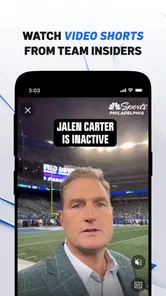
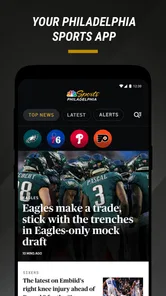
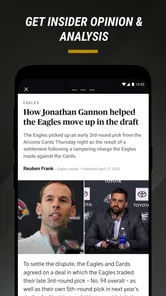
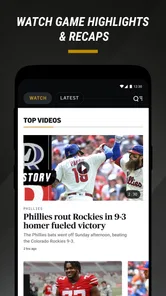
Analysis by Reviewed
Following Philadelphia teams is easy when everything works and surprisingly frustrating when an alert arrives late, a score refuses to refresh, or a video-heavy page stalls at the exact moment you want an update. NBC Sports Philadelphia is built for that local sports routine: it brings Eagles, Phillies, Sixers, and Flyers coverage into one news-and-magazines app, with scores, alerts, and Insider analysis gathered around the teams many Philadelphia fans already track. I found its main value less in replacing every sports tool on a phone and more in reducing the number of places I need to check during a busy game day.
The app is free, which makes trying it low-risk, and its Everyone 10+ content rating keeps it suitable for a broad audience while still reflecting the intensity of professional sports coverage. NBCUniversal Media, LLC is the developer, and the app has reached more than fifty thousand installs with a 4.2 average from roughly one hundred thirty ratings. Those figures suggest a useful but fairly focused audience rather than a universal sports platform. That distinction matters: this is most compelling for people who care specifically about Philadelphia teams, not for someone looking for a neutral, league-wide scoreboard.
Getting past the first points of friction
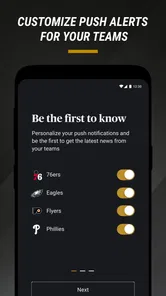
The first place I would expect users to get stuck is not the reading itself but the relationship between the app and the phone’s notification system. A sports app can be installed correctly and still appear quiet if alerts are disabled at the device level, restricted by a battery-saving setting, or limited during a particular focus mode. Before blaming the app, I would check that notifications are allowed for NBC Sports Philadelphia and that the phone is not silencing them during work, sleep, or driving routines.
There is also a practical choice to make about attention. If I follow every Philadelphia team and allow every possible alert, the app can become noisy during a packed sports week. I prefer to begin with the team I care about most, then add another only after seeing how often the updates arrive. That simple approach makes the useful alerts easier to notice and prevents the phone from turning every roster note or score change into an interruption.
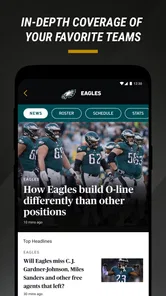
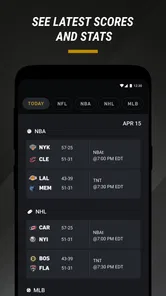
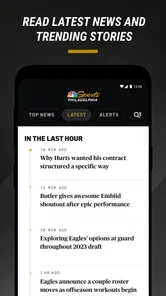
Another common sticking point is expecting every screen to behave like a dedicated scoreboard. This app combines reporting, analysis, scores, and alerts, so some pages are designed for reading rather than instant numerical scanning. When I want a quick answer, I look for the score-focused part of the experience first. When I want context, I move into the articles and Insider material. Treating those as two different jobs makes the app feel more predictable.
On Android, the stated minimum operating-system requirement is Android 9, so an older phone should be checked before installation. That is a useful setup check because an incompatible device can look like an app problem when the real issue is the operating system. On iOS, I would similarly confirm that the device is running a supported release before spending time troubleshooting loading or update behavior.
The current version is 8.9, and keeping the app updated is sensible when a problem affects refreshing or notifications. I would not assume that an update alone fixes every issue, though. After updating, I would close and reopen the app, verify the team choices again, and test it on both Wi-Fi and mobile data if possible. That sequence separates a stale session from a broader connection problem without requiring complicated technical steps.
More From Our News Desk

Weather by Xiaomi Review: Clear at a Glance, Less Clear Up Close

X Under Pressure: Can It Recover When Posting Goes Wrong?

Clash of Clans Is Won Between the Battles

Android Auto Makes the Case for Quieter Car Software

MobiOffice: Transforming Mobile Productivity with Seamless Integration

EA SPORTS FC™ Mobile Soccer: Redefining Mobile Sports Gaming
A setup routine that saves time later
My preferred setup is deliberately small. I install the app, allow only the notifications I genuinely want, select the Philadelphia teams that matter to me, and open one score or news page before leaving the setup screen. That last step is easy to overlook, but it confirms that the app can load content in the environment where I plan to use it. If it works on Wi-Fi but not on mobile data, I check the phone’s cellular-data permission for the app rather than repeatedly reinstalling it.
I also recommend checking the phone’s notification categories or individual alert controls after the first game day. A system update, a focus profile, or a change in notification grouping can make an app appear unreliable even when the underlying feed is working. The useful habit is to test with a low-stakes update, not wait until a close Eagles, Phillies, Sixers, or Flyers game is already underway.
Storage and background activity are worth considering on older devices. If many apps are competing for space or the phone aggressively pauses background activity, an alert may arrive later than expected. I would first free a little storage, restart the phone, and review battery restrictions. These are ordinary maintenance steps, but they are especially relevant for a news app whose value depends on timely delivery rather than only on what appears after manually opening it.
One subtle trade-off is that timely alerts and quiet phone behavior are competing goals. I would rather receive a smaller number of meaningful team updates than enable everything and eventually mute the app. For a family member who follows only the Phillies, a narrow alert setup is probably better than a full Philadelphia sports stream. For someone who watches all four teams, a broader setup makes sense, but it should be reviewed after a week instead of left untouched.
Recovering a disrupted game-day workflow
When the app appears frozen, I use a simple recovery order. First, I check whether other apps can access the internet. If they cannot, the problem is probably the connection rather than NBC Sports Philadelphia. If other apps work, I switch between Wi-Fi and mobile data, force-close the app, reopen it, and try a different section. A score page that loads while an article does not points to a narrower content or connection issue, whereas nothing loading anywhere suggests looking at the phone or network first.
I avoid repeatedly tapping refresh because it can make a weak connection feel worse and tells me very little. A more useful test is to open the app after moving from a crowded public network to a reliable home connection, then compare the result. If the content appears there, the app may be fine and the original network may be filtering, congested, or simply struggling with the amount of traffic on a game day.
For missing alerts, I check three layers: the app’s own team preferences, the phone’s notification permission, and any system mode that limits interruptions. I also check whether the app was recently updated or whether the phone restarted after a system change. If alerts still do not appear, opening the app manually can reveal whether the score or article is available even though the push message was not delivered. That distinction matters because it prevents me from treating a notification failure as a complete content failure.
There is a useful fallback workflow for live events. I open the app before the game rather than waiting for a key play, confirm that the relevant team page loads, and keep the app available in the recent-apps list. I do not rely on a single alert as my only source of information. If the phone is in a poor-signal area, I may check manually when practical, then read the fuller analysis later when the connection improves. This is less exciting than expecting perfect instant updates, but it is more dependable.
Article pages can also feel slower than a simple score view because written coverage may contain more material to load. If a story does not open, I return to the main feed and try another item. If several stories fail while basic navigation works, I wait and retry rather than deleting the app immediately. Reinstalling should be a later step because it can erase local preferences and forces me to configure the experience again.
If I do reinstall, I repeat the setup carefully: permit the notifications I want, select the teams again, and test loading on the connection I normally use. I would also restart the phone afterward if the app continues to behave strangely. These steps are intentionally conservative. They do not promise to fix a service-side outage, but they remove the common local causes without inventing complicated solutions or changing settings unrelated to the problem.
What the app does well in everyday use
The strongest everyday use case is a Philadelphia sports fan who wants one local destination during a commute, lunch break, or busy evening. Imagine checking the Eagles before work, glancing at Phillies updates during a break, and then switching to Sixers or Flyers coverage later without maintaining four separate team apps. The convenience is not that every story is magically better; it is that the local teams are organized around the way a fan actually follows a city’s sports calendar.
I also like the difference between a bare score and an explanation. A score tells me what happened. Insider analysis can help explain why a result matters, what a lineup decision changed, or how a team’s situation is being interpreted by local coverage. That makes the app more useful after the final whistle than a scoreboard-only tool, especially when I have missed the game and want a quick sense of the conversation around it.
The app is less attractive if I need broad sports discovery. A general sports aggregator is usually better for tracking teams from several cities, comparing league-wide results, or building a single cross-sport scoreboard. A team-specific official app may also be preferable for someone who wants a single club’s deepest information. NBC Sports Philadelphia sits between those choices: more local and editorial than a generic score utility, but broader across Philadelphia teams than a one-team application.
That middle position creates a useful trade-off. The app can reduce clutter for a Philadelphia household with mixed loyalties, but it may include coverage I personally do not care about. I would not call that a flaw; it is the cost of choosing a city-wide sports hub. The right question is whether seeing Eagles, Phillies, Sixers, and Flyers material together is convenient or distracting for the way I follow sports.
When the problem is outside the app
Not every delay belongs to the application. Mobile networks become unreliable in crowded stadium areas, on trains, and inside large buildings. Public Wi-Fi can also require a browser sign-in before it allows normal traffic. If NBC Sports Philadelphia works at home but not on a particular network, I would investigate that environment before changing the app. Testing another website or app is a quick way to identify whether the connection is the shared weak point.
Phone settings can create similar confusion. A focus mode may suppress sports alerts, a battery saver may limit background work, and a data restriction may prevent loading away from Wi-Fi. The exact menus differ between Android and iOS, but the principle is the same: check the app’s notification and data access rather than assuming the feed is broken. I also make sure the device’s date and time are set automatically, since unusual system settings can complicate time-sensitive notifications.
There is a second outside factor: expectations during major games. Many fans may be checking scores and stories at once, and a momentary delay does not necessarily mean the app has failed permanently. If navigation works but one update seems behind, I wait briefly and compare the information after reopening the relevant page. For urgent live tracking, a dedicated score service may be the better companion; for local reaction and analysis, this app becomes more valuable once the immediate rush has passed.
Privacy and attention are also part of the practical decision, even without turning the review into a policy discussion. Notifications occupy mental space, and a sports app should be configured around my schedule. I would not enable alerts on a work phone unless I am comfortable with interruptions. Someone who wants silent reading can keep notifications off and open the app when convenient; someone who depends on fast updates should test alerts before relying on them for a game.
Who should install it, and who should choose something else
I would recommend it to Philadelphia fans who regularly follow at least one of the four featured teams and want local reporting alongside scores. It is especially suitable for people who dislike jumping between separate team pages and appreciate having analysis close to the basic result. Since it is free, the decision mostly comes down to whether the local focus fits rather than whether a subscription commitment is worthwhile.
I would be more cautious for international users, fans of teams outside Philadelphia, or readers who want a broad national news mix. The app’s identity is its regional focus, so that focus becomes a limitation when my interests are elsewhere. I would also steer a person toward a dedicated live-score tool if their only requirement is the fastest possible numerical update with minimal reading.
Families can use it differently. One person might enable Eagles alerts, another might follow the Phillies, and both can share the same local sports destination without installing a collection of unrelated apps. The practical tip is to configure the phone around the person who owns it rather than selecting every team simply because the option is available. That keeps the feed and notifications useful instead of turning them into a constant stream.
My practical verdict after using it as a local sports hub
NBC Sports Philadelphia succeeds when I treat it as a local news-and-scores companion, not as the only tool I will ever need for live sports. Its best qualities are the Philadelphia-specific mix, the combination of alerts with editorial coverage, and the convenience of moving between the Eagles, Phillies, Sixers, and Flyers in one place. The free price makes it easy to test, while the 8.9 release and support for devices beginning with Android 9 give users a clear starting point for compatibility checks.
The friction is mostly practical rather than conceptual. Notifications need deliberate setup, older or heavily restricted phones may delay background updates, and a weak network can make an otherwise healthy app look broken. The content mix may also be too broad for a single-team purist or too narrow for someone who follows sports nationally. I would not hide those limitations, because they determine whether the app becomes part of my routine or gets muted after a few days.
My recommendation is to install it before the next game, choose only the teams I genuinely follow, and test both manual loading and alerts while the stakes are low. If the app fits my local sports habits, it can replace several scattered checks and give me more context than a plain scoreboard. The key advantage is focused Philadelphia coverage with enough depth to make the score meaningful. If I need league-wide breadth or a purely instant score feed, I would pair it with—or choose instead—a more specialized alternative.
Overall, I see NBC Sports Philadelphia as a sensible free choice for fans who want their city’s major teams gathered in one readable place. It is not frictionless, and no notification-based sports app should be trusted blindly in a poor-signal environment. But with a careful setup and realistic expectations, it offers a practical daily workflow: check the latest result, read the local angle, and keep only the alerts that genuinely help me follow the teams I care about.
NBC Sports Philadelphia Frequently Asked Questions
What information can I follow in NBC Sports Philadelphia without watching a live stream?
NBC Sports Philadelphia is useful even when you are not settling in to watch a game. Its focus includes alerts, scores, news, schedules, highlights, interviews, and Insider analysis connected with Philadelphia sports. That makes it a practical companion for keeping up with the Eagles, Phillies, Sixers, and Flyers, whether you want a quick score check or more context around a team.
Is NBC Sports Philadelphia free to download, and what age rating does it have?
The app is free to download and is listed for Everyone 10+. It is a News & Magazines app from NBCUniversal Media, LLC, with a 4.2 average rating from 137 ratings. Those details can help set expectations before installing, but the availability of particular videos or live games can depend on your provider, location, and the broadcast rights for an event.
What is NBC Sports Philadelphia?
NBC Sports Philadelphia is a regional sports streaming and information app focused on teams and events in the Philadelphia area. Depending on your location and subscription, it may provide live game coverage, replays, highlights, news, interviews, analysis, schedules, and scores for teams such as the Philadelphia 76ers, Phillies, Flyers, and Eagles-related programming. Available content can vary by season and broadcast rights.
Do I need a TV provider or subscription to use NBC Sports Philadelphia?
Many live-streaming features require authentication through a participating cable, satellite, or live-TV provider. After installing the app, you may be asked to sign in with your provider credentials before watching certain games or premium videos. Some news, scores, clips, and other content may be available without a subscription, but access rules can change based on the event and your location.
Can I watch Philadelphia sports games live from anywhere?
Live availability is generally limited by regional broadcast rights and location restrictions. NBC Sports Philadelphia is primarily intended for viewers within its designated Philadelphia-area market, and you may be unable to stream local games while traveling outside that region. Blackouts, national broadcast agreements, and league restrictions can also affect which games appear in the app.
Pros
- Live coverage of Philadelphia teams and local sports news.
- Game highlights and replays are easy to find.
- Personalized alerts help track scores and breaking updates.
- Includes expert analysis
- interviews
- and original local content.
- Clean interface with support for casting to compatible TVs.
Cons
- Many live streams require a participating TV provider subscription.
- Availability is restricted by regional blackout rules.
- Video quality may depend heavily on your internet connection.
- Some features require location access to verify viewing rights.
- Frequent notifications can feel excessive unless carefully customized.













