

Napster - AI Music & Experts
- 59.49K
- 2.9
- Installs
- 10.00M
- Price
- Free

Screenshots
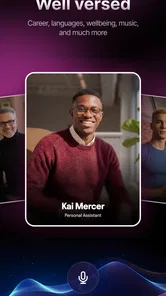
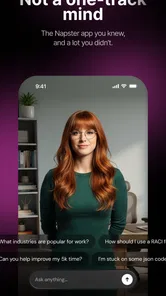
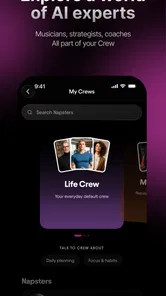
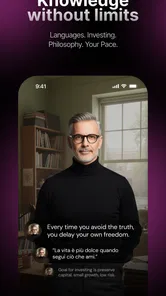
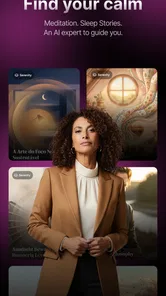
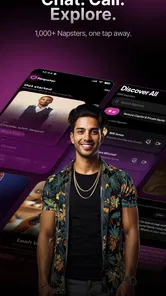
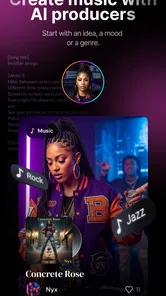
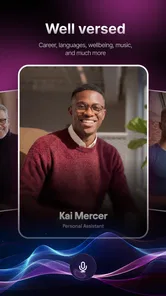
Analysis by Reviewed
I approached Napster - AI Music & Experts as a practical music tool rather than simply another place to press play. Its unusual promise is that AI musicians can collaborate with you through live video, which gives the app a more interactive starting point than a conventional streaming service. After spending time with it, my impression is mixed but clear: it is more interesting for experimentation and guided creative sessions than for people who only want a dependable music library.
The app comes from Napster Music, Inc and sits in the Music & Audio category. It is free to install, carries a Teen content rating, and has been available since November 10, 2010. The current store presence shows more than ten million installs, with an average rating of 2.9 from roughly 164 thousand ratings. That combination tells me to set expectations carefully. There is a real audience here, but the experience is not universally smooth or satisfying.
Starting an idea with an AI music collaborator
The most appealing part of the concept is the shift from passive listening to active direction. Instead of opening the app only to search for a finished track, I can think about what I want to make or explore: a mood, a musical idea, a possible arrangement, or a conversation about where a piece should go. The live-video angle makes that feel closer to a creative appointment than a normal playlist session.
That distinction matters for anyone who regularly begins with a vague brief. I often know that I want something tense, warm, sparse, energetic, or suitable for a particular moment before I know the exact notes or structure. An AI musician can be useful at that stage because it encourages me to turn an instinct into a more specific request. The value is not just the generated response; it is the act of clarifying what I am trying to achieve.
I would not treat the app as a replacement for a full digital audio workstation. It is better understood as an accessible front door to musical experimentation. Someone who has never used production software may find the conversational format less intimidating than a screen filled with tracks, mixers, automation lanes, and technical controls. Conversely, an experienced producer may find the creative exchange more valuable for brainstorming than for detailed finishing work.
A realistic everyday use case is a songwriter with a melody recorded in a phone memo but no clear direction for the next session. I could use the app to explore whether that idea feels better as something restrained, rhythmic, cinematic, or more direct. The session might not produce a release-ready recording, but it can reduce the blank-page problem and give me a more useful brief before I open my usual production tools.
There is also a social and presentational element in live video. Seeing the creative interaction can make the process feel more immediate than typing into a silent prompt box. I found that useful when I wanted momentum. It is less useful when I simply need quiet, fast, private editing. The format asks for attention, so it should be chosen deliberately rather than treated as a background utility.
More From Our News Desk

 Gmail
GmailGmail in a Busy Inbox: Who Benefits Most?
From first account to crowded workday, Gmail earns its place through dependable search and flexible sorting—but its best fit depends on how much inbox maintenance you can tolerate.

 Prime Video
Switching to Prime Video: What Changes in Your Viewing Routine
Prime Video can make a compelling second home for streaming, but switching means learning a different catalog, rental layer, and route from browsing to playback.

 Universal TV Remote Control
Universal TV Remote Control Works Best as a Reliable Backup
A phone remote earns its place through quick setup and reliable habits. Here is how to get more from Universal TV Remote Control—and where its limits show.

 Weather - By Xiaomi
Weather by Xiaomi Review: Clear at a Glance, Less Clear Up Close
Xiaomi’s weather app makes everyday forecasts quick to scan, but its calm surface can leave useful details and recovery paths harder to find than they should be.

 X
XX Under Pressure: Can It Recover When Posting Goes Wrong?
A resilience-focused review of X, examining setup, mistaken posts, interruptions, weak connections, and the gaps that matter when recovery needs to be dependable.

 Clash of Clans
Clash of Clans Is Won Between the Battles
Its raids are quick; its community is a long-term project of coordination, teaching, rivalry, and shared responsibility—with all the friction that entails.
Latest News



Who benefits from this starting point
The strongest audience is curious musicians, developing songwriters, educators, and creators who enjoy trying several directions before committing to one. It can also suit a person who wants to understand music-making through conversation instead of beginning with technical terminology. The free entry point makes it easy to test that approach without first buying a traditional production package.
I would be more cautious recommending it to a professional who needs predictable session control, detailed sound design, or a clearly defined route from idea to master. The app’s central appeal is collaboration with an AI musician in live video, not the complete production discipline found in established workstation software. If the brief is “help me discover a direction,” it makes sense. If the brief is “let me edit every element precisely and deliver a final commercial file,” another tool is likely the better choice.
Turning the conversation into a making process
The making stage works best when I treat the AI musician as a creative partner rather than an automatic button. A vague request produces a vague working session. I get more value by bringing a small brief: the emotional goal, the intended listener, the role of the music, and what I already have. Even a simple note such as “I need a restrained opening that gradually becomes more hopeful” gives the interaction a usable direction.
One practical habit is to separate creative questions from technical questions. First I decide what the piece should communicate. Then I ask how the musical choices support that intention. This keeps the session from becoming a stream of disconnected ideas. It also helps me recognize when an interesting suggestion is not actually right for the project.
The live-video format can make feedback feel more natural, but it also changes how I prepare. I would not begin an important session while commuting, in a noisy room, or with only a few minutes available. A creative exchange needs enough concentration to remember what was suggested and why I accepted or rejected it. For casual exploration, that commitment is minor. For a serious brief, it becomes part of the workflow.
Another useful approach is to use the app before recording rather than after. If I am preparing music for a short video, podcast segment, presentation, or personal project, I can first define the role the music needs to play. Should it stay behind speech? Should it create tension without distracting from an image? Should it provide a clear ending? These questions help turn an abstract musical conversation into a production plan.
I also found a trade-off between accessibility and control. The conversational route lowers the barrier to entry, but it may not expose every decision in the structured way a producer expects. That is not automatically a flaw. It simply means the app’s strength is helping me think and choose, while a separate editor may remain necessary for detailed arrangement, mixing, or polishing.
Keeping a session useful instead of random
I recommend entering a session with three boundaries: the purpose of the music, the atmosphere I want to protect, and the point at which I will stop exploring. Without those limits, AI-assisted creativity can become entertaining but directionless. The app is most helpful when I use its suggestions to make decisions, not when I collect endless possibilities.
A second tip is to keep a short written record of promising ideas immediately after a session. Live interaction can feel memorable in the moment, but a creator still needs something concrete to carry into the next stage. I would note the strongest direction, the elements to avoid, and the next action in my production software or recording setup. That small handoff prevents the app from becoming an isolated experiment.
For beginners, I would start with one musical goal per session. Trying to invent a complete song, learn production, judge the arrangement, and plan publication all at once creates unnecessary confusion. A narrower task—finding a chorus direction, choosing a mood, or testing an opening—makes the AI collaboration easier to evaluate.
Iteration, judgment, and the limits of AI assistance
The real test of a creative app is not whether it produces an appealing first idea. It is whether I can improve that idea without losing the original purpose. Here, my best results come from deliberate comparison. I would ask for or consider contrasting directions, then judge them against the brief rather than choosing the most surprising option automatically.
This is where human taste remains essential. An AI musician can help generate possibilities, but it does not remove the need to decide whether a musical choice fits the audience, the format, or the creator’s own voice. A result can sound polished in isolation and still be wrong for a scene, a lyric, or a brand. I see the app as a way to widen the first draft, not as an authority that settles the final one.
Iteration is also where the app may feel less complete than a conventional editor. In a full workstation, I expect to revise timing, structure, levels, effects, and transitions directly. In this app, the live collaboration is the center of attention, so I would plan on moving selected ideas into another part of my workflow when precision becomes important. That extra step is manageable, but it should be included in the project plan.
For a creator working on short-form content, this can still be efficient. I might use the app to identify several tonal routes, choose one, and then finish the actual cut elsewhere. The time saved is not necessarily in exporting a final master; it is in reaching a confident creative decision earlier. That is a less obvious benefit, but it is probably the most practical one for many users.
There is a further trade-off around attention. Live video makes collaboration feel engaging, yet an engaging session can encourage me to keep exploring after I already have a workable idea. I get better results when I set a stopping rule: once a direction clearly meets the brief, I move on to arranging, recording, or editing. Otherwise, the app risks becoming a source of procrastination disguised as research.
When a different tool is the smarter option
If my priority is a large, familiar streaming catalog, I would compare this experience with established music services built primarily around browsing, playlists, and reliable playback. If my priority is beat construction, multitrack recording, mixing, or detailed automation, I would choose a dedicated mobile workstation or desktop editor. If I need a simple way to publish finished work, I would look for a service designed around distribution and creator delivery.
That does not make this app irrelevant. It gives it a narrower and more interesting role. I would choose it when the problem is creative uncertainty, especially at the beginning of a project. I would skip it when the problem is final technical execution. Knowing that distinction prevents disappointment and makes the app easier to use well.
From creative idea to handoff
The handoff stage deserves more planning than the store description suggests. I would not assume that a live collaborative session is the same thing as a finished deliverable. Before starting, I would decide what I need to leave with: a direction, an arrangement concept, a reference mood, or material that can be developed elsewhere. That decision changes how I listen and what I write down.
For a video creator, the handoff might be a concise musical brief for an editor: the desired emotional arc, where the music should build, and where it should leave space. For a songwriter, it might be a structural idea to take into a recording session. For a student, it could be a set of observations about how different musical choices change the feeling of a scene. These are useful outcomes even when the app is not the final production environment.
I would also check the practical side of any project before promising delivery to someone else. The app is free to install, but it includes in-app purchases ranging from $1.99 to $489.00 per item. That is a very broad range, so I would review the purchase screen carefully and avoid assuming that every useful creative path is included at no cost. For a casual trial, the free starting point is attractive; for a professional workflow, I would establish the expected spending before building the app into a client deadline.
The Teen age rating is another reason I would consider the audience and setting. A family, classroom, or shared studio should still use ordinary judgment about live interactions and the kind of creative material being discussed. I would not hand the app to a younger user without supervision simply because it is listed in a music category.
One more practical point is reliability. With an average rating of 2.9 based on roughly 164 thousand ratings and close to 59 thousand written reviews, I would test the exact workflow I need before depending on it for a deadline. I would try a short session, confirm that the interaction suits me, and make sure I can preserve the useful outcome in my own notes or production setup. That is not a criticism of the concept; it is sensible protection when the public experience is clearly uneven.
The app’s long presence on mobile, dating back to November 10, 2010, and its reach beyond ten million installs show that it is not an obscure experiment. Still, popularity does not guarantee that it will fit every creator’s process. I would judge it by the quality of the specific collaboration I need, not by its install count.
My verdict for creators
My final view is that Napster - AI Music & Experts is best used as a creative accelerator at the front of a project. It can help me move from “I want something with this feeling” to a more concrete musical direction, and the live-video collaboration gives that exploration a human-style sense of presence. For beginners, that can be more inviting than opening a complicated editor with no idea where to start.
I would recommend trying it if you enjoy guided experimentation, need help breaking through an early creative block, or want to shape a brief before recording and editing elsewhere. I would especially recommend treating each session as a focused workshop: arrive with a goal, compare ideas against that goal, write down the useful decisions, and stop when the next production step is clear.
I would not make it my only music tool. The purchase range deserves attention, the public rating suggests that some users encounter friction, and the app’s collaborative concept should not be confused with a complete professional production suite. People who want effortless listening, deep editing control, or a guaranteed delivery pipeline will probably be happier with a more specialized alternative.
For me, the app earns its place when the hardest part is deciding what to make next. It is less convincing when the hard part is finishing, polishing, or distributing the result. Used within that boundary, it offers a distinctive way to turn an uncertain musical idea into a workable creative brief. The smartest workflow is to use it for direction, then hand the chosen idea to the tools built for precision and delivery.
Napster - AI Music & Experts Frequently Asked Questions
What is the Teen content rating for Napster, and what does that mean for families?
Napster - AI Music & Experts has a Teen content rating, so parents and guardians may want to review the app’s experience before allowing a younger user to install it. The app centers on music and AI musicians, and the Teen rating is a useful starting point when deciding whether it suits your household. You can also use the device’s family controls to manage downloads and purchases.
What is Napster - AI Music & Experts?
Napster - AI Music & Experts is a music streaming application that combines access to a broad catalog of songs with personalized listening features and AI-assisted music discovery. Depending on the current version and your region, it may help you find artists, tracks, playlists, and recommendations, while also offering expert-oriented or editorial content designed to make discovering new music easier and more engaging.
Who makes Napster - AI Music & Experts, and what should I know before installing it?
Napster - AI Music & Experts is developed by Napster Music, Inc and is listed in the Music & Audio category. It is rated for Teen users. The app has an average rating of 2.9 from around 164,000 ratings, so experiences can vary; it is worth reading recent user feedback and checking that the app is compatible with your device before installing.
Does Napster - AI Music & Experts require a paid subscription?
Napster is primarily a subscription-based music service, so many of its main features may require a paid plan after any available trial period. Subscription options, pricing, family plans, and trial availability can differ by country and platform. In-app purchases range from $1.99 to $489.00 per item. Before downloading, check the in-app purchase screen and the store listing carefully, especially for automatic renewal terms and cancellation requirements.
Can I listen to music offline with Napster?
Offline listening may be available with an eligible Napster subscription. In practice, you generally need to save supported albums, playlists, or songs while connected to the internet and then access them from the app’s downloads section. Offline files are usually protected and cannot be exported as ordinary audio files. Periodic online verification may also be required to keep downloads available.
Pros
- Extensive catalog with high-quality audio options for careful listeners.
- Expert-curated playlists offer useful alternatives to algorithm-only recommendations.
- Offline listening helps reduce mobile data use during commutes or travel.
- Clean interface makes searching artists
- albums
- and tracks straightforward.
- Supports background playback while using other apps or locking the screen.
Cons
- A paid subscription is required for full access to the music catalog.
- Some newer releases or regional tracks may not be available everywhere.
- High-quality streaming can consume considerable storage and mobile data.
- Recommendations may feel less personalized than those from larger competitors.
- The app may require a stable connection before downloaded music can play.











