Naples Daily News
- 90.00
- 3.0
- Installs
- 10.00K
- Price
- Free

Screenshots
Analysis by Reviewed
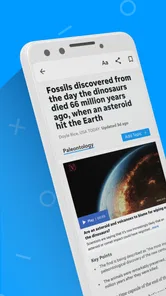
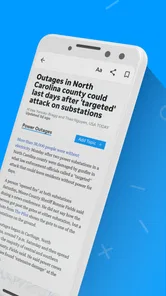
Naples Daily News is the kind of news app I reach for when I want local coverage without sorting through a broad national news feed first. It comes from USA TODAY Co. and sits in the News & Magazines category, with a focus that feels especially useful to readers who care about what is happening around Naples as much as what is making headlines across the country. I found its appeal less in novelty and more in convenience: local reporting, visual storytelling, and video are brought together in one mobile reading space.
That focus also sets a clear expectation. This is not the best choice if you want an all-purpose news dashboard covering every international subject in equal depth. It makes more sense for someone who wants a direct connection to Naples Daily News coverage and is comfortable using a modern news service through an internet connection. In my experience, the app is at its strongest when the network is reliable and I have a few minutes to browse, watch, and follow local developments.
How the app feels when the connection is doing the work
The first thing I notice with a news app like this is how much the experience depends on the connection behind it. Text articles can feel relatively quick to open, while large photographs and video naturally make the experience more sensitive to signal quality. When I am on a dependable home or office network, moving from a headline into a full story feels straightforward. Rich media has room to load, and the app’s local focus becomes more apparent because the visual presentation does not feel like an afterthought.
On a weaker mobile connection, the order in which I use the app matters. I prefer to scan headlines first, open the story that matters most, and only then spend time with its visual material. That approach prevents me from repeatedly opening several media-heavy items at once. It is a small habit, but it makes a noticeable difference when I am outside, moving between coverage areas, or dealing with a congested public network.
The practical strength is the combination of local relevance and media variety, not simply the existence of another headline list. A short article can help me understand an event quickly, a photograph can add context that a text-only summary misses, and video can make a developing story easier to follow. The trade-off is that this richer presentation is more dependent on stable connectivity than a plain text reader.
For a realistic everyday example, imagine checking the app before leaving work because something has happened in the Naples area. I can begin with the headline stream, open the most relevant report, and then decide whether the accompanying visual material is worth the extra loading time. If I am rushing, I can stop after the written update. If I have a longer commute as a passenger or a quiet break, I can explore the photography and video more fully. That flexibility is more useful to me than an interface that treats every story as a long reading session.
Local reading on a small screen
Mobile news is often consumed in fragments, and this app suits that pattern better than a publication designed only for a desktop browser. I can check it during a short pause, return later for a deeper article, or use it when a local topic suddenly becomes relevant. The Naples emphasis gives those short visits a purpose: I am not necessarily trying to understand the entire news cycle, but to see what matters in a particular community.
More From Our News Desk

Weather by Xiaomi Review: Clear at a Glance, Less Clear Up Close

X Under Pressure: Can It Recover When Posting Goes Wrong?

Clash of Clans Is Won Between the Battles

Android Auto Makes the Case for Quieter Car Software

MobiOffice: Transforming Mobile Productivity with Seamless Integration

EA SPORTS FC™ Mobile Soccer: Redefining Mobile Sports Gaming
That focus is also the main limitation for readers who want a wider editorial mix. A national aggregator may be better for comparing many publishers, while a general news app may offer more international coverage and broader personalization. Naples Daily News is more appealing when the publication itself is the destination. I would choose it for local awareness, not as my only source for every subject.
The age rating is Everyone 10+, which makes the app broadly approachable for older children and adults, although news content can naturally vary in seriousness depending on the day. I would still use personal judgment when handing any news app to a child, particularly during major breaking events. The rating is useful context, but it does not turn unpredictable current events into child-focused content.
What I do when loading becomes unreliable
Connectivity problems are where expectations need to stay realistic. If a headline or media item takes longer than expected, I first avoid tapping repeatedly. Repeated requests can make a slow connection feel even more confusing, especially when I am unsure whether the app is responding or waiting for the network. I give the current page a moment, then return to the main stream and try one item rather than several.
I also find it helpful to separate a reading problem from a network problem. If only one story struggles while other parts of the app respond, the issue may be limited to that item or its media. If the entire feed feels slow, switching between mobile data and a trusted Wi-Fi connection is a more sensible test than continually restarting the app. These are ordinary troubleshooting steps, but they matter because a news app is judged heavily during the exact moments when people are trying to learn what is happening now.
I would not treat a failed load as evidence that the app is unusable, but I would treat reliable access as part of the buying decision—even though the app itself is free. News readers who regularly travel through areas with weak reception may find a text-first service more dependable for quick updates. Someone who mainly reads at home or in places with a strong connection is more likely to enjoy the richer presentation.
Managing a limited data allowance
The app’s photography and video are valuable, but they are also the areas I would approach carefully if my mobile data is limited. I do not open every visual item automatically. Instead, I scan the written coverage first and choose the media that adds something meaningful: a scene that is difficult to describe, a public event where footage provides useful context, or a visual report that helps explain the story faster than several paragraphs.
This selective workflow is one of the most practical ways to use the app responsibly on mobile data. I can still benefit from the publication’s visual strengths without turning every short check into a media-heavy session. When I know I will be away from dependable Wi-Fi, I keep visits focused and avoid browsing aimlessly through video. The app becomes a tool for prioritizing local information rather than an endless stream of content.
I would also pay attention to how long I stay in a story. A quick headline check and a full multimedia browsing session are very different uses, even if they begin with the same tap. Readers with generous data plans may never notice the distinction, but those managing a monthly allowance should. The app is free to install, while in-app purchases range from around twenty dollars to around seventy dollars per item, so I would review any purchase prompt carefully rather than assuming every part of the experience has the same cost.
That pricing detail makes the app worth approaching with a little attention. The free entry point is convenient for trying the local coverage, but I would not commit to a purchase until I understood what it unlocks and whether it fits my reading habits. A person who checks a few headlines each week may not value the same extras as someone who follows local reporting closely. The right choice depends on how regularly the publication becomes part of your routine.
Who will get the most from it
I think Naples Daily News is best suited to residents, former residents, frequent visitors, and anyone with a personal interest in the Naples area. It is particularly useful when local information matters more than a broad collection of unrelated headlines. The publication’s local identity gives the app a clearer purpose than a generic aggregator, and the national angle helps keep the experience from feeling limited to one narrow type of update.
It can also work well for readers who prefer visual reporting. Some people understand an event more quickly when they can see the setting, follow a short video, or connect a written report with strong photography. I would not describe that as a replacement for careful reading, but it is a helpful second layer. For me, the best use is to read the key facts first and use the visual material to build context afterward.
I would suggest skipping it if your main goal is a single app for international news, financial markets, technology coverage, and many publishers at once. A broad aggregator will probably offer more range and more ways to compare reporting. I would also hesitate if you spend most of your time offline or in places with unreliable service, because the app’s core strengths—current updates, photography, and video—depend on being able to reach its content when you need it.
Where it stands beside familiar alternatives
Compared with a general news aggregator, this app feels more focused and less anonymous. An aggregator is convenient when I want many sources in one place, but that convenience can also make local coverage harder to notice among national and international headlines. Naples Daily News reverses that priority. It is a better fit when the publication’s local perspective is the reason I opened the app in the first place.
Compared with reading the publication through a mobile browser, a dedicated app can feel more direct for repeated visits. I do not have to begin each session by searching for the publication, and the experience is built around mobile browsing rather than a full desktop page squeezed onto a phone. Still, a browser may be preferable for someone who wants to keep app installations to a minimum or who already has a reading routine that works well there.
Compared with a text-only news reader, the app offers more expressive coverage through photography and video. That is a genuine benefit for stories where place and atmosphere matter. The cost is greater sensitivity to connection quality and data use. I see this as a clear trade-off rather than a flaw: readers who value visual context will appreciate the richer format, while readers who only want compact text updates may find a simpler alternative more efficient.
What the current app details mean in practice
The app has been available since December 6, 2010, so it is not a brand-new experiment. Its current version is 8.10.3, and it supports devices running Android 8.0 or later. That makes the minimum operating-system requirement important for anyone using an older phone. Before trying to make it part of a daily routine, I would check the device version rather than assuming every Android handset can install it.
Its average rating is 3.0 from around two hundred ratings, alongside around ninety written reviews. I read that as a signal to keep expectations balanced. There is enough feedback to show that the app has not been judged only by a handful of early users, but the middle-of-the-road average suggests that the experience will not satisfy everyone equally. In my view, connectivity, local interest, and expectations around the app’s paid elements are likely to shape how different readers perceive it.
The app has over ten thousand installs, which gives it a modest footprint compared with the biggest national news platforms. That is not automatically a disadvantage. A smaller audience can simply reflect its regional focus. I would judge it by whether Naples coverage is useful to me, not by whether it has the reach of a nationwide aggregator.
My connectivity verdict
After using it as a local news companion, I see Naples Daily News as a focused option for readers who want Naples reporting presented with more than plain headlines. Its local and national mix gives short visits a clear purpose, while photography and video make deeper browsing more engaging when the connection is strong. The app is free to start, rated Everyone 10+, and developed by USA TODAY Co., but those basic points matter less than whether its coverage matches your daily interests.
My recommendation is conditional but positive: try it if local awareness is your priority and you usually read with dependable internet access. Start with headline scanning, open only the stories that matter, and treat video as an optional layer when your connection and data allowance make sense. If you need a universal news hub, a mostly offline reading experience, or the widest possible international range, another category of app will serve you better.
For me, the deciding question is simple: do you want a Naples-centered publication in your pocket, or a general-purpose news machine? If the first answer is yes, this app has a clear role. It does not need to replace every other news source; it works best as a direct way to check local developments, understand important stories through text and visuals, and return when the network is ready to deliver the full experience.
Naples Daily News Frequently Asked Questions
Can I use the Naples Daily News app on my device?
The Naples Daily News app is available for Android and iOS devices. Its minimum operating system requirement is version 8.0, so it is worth checking your device’s software version before downloading. The app is a news and magazines publication from USA TODAY Co., designed to bring local and national news, photography, and video content to mobile readers.
What is the Naples Daily News app?
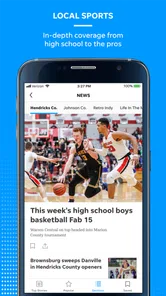
The Naples Daily News app is a mobile news platform focused on Southwest Florida, particularly Naples, Collier County, and nearby communities. It provides access to local reporting, breaking news, weather updates, sports coverage, opinion pieces, entertainment, and other regional stories. The app is designed for readers who want convenient access to Naples-area journalism from an Android or iOS device.
Is the Naples Daily News app free to download and use?
The app can generally be downloaded free of charge, allowing users to browse some available headlines and articles. However, access to the complete collection of stories may depend on the publication’s subscription or digital-access policy. Some content can be limited to subscribers, and users may need to sign in or purchase a plan after reaching an article limit. Always review the current terms shown in the app. In-app purchases are available, with listed items ranging from $19.99 to $69.99.
What type of news can I read in Naples Daily News?
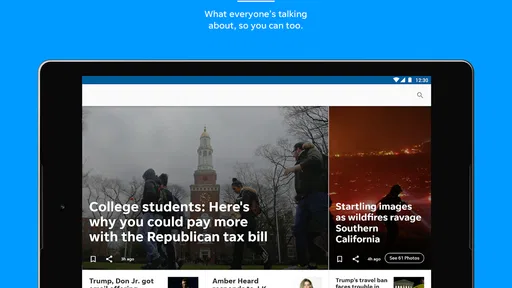
Naples Daily News covers a broad range of topics relevant to local residents and visitors. You can typically find breaking news, crime and public safety reports, local government, business, education, community events, weather, traffic, sports, lifestyle, and opinion content. Coverage is primarily centered on Naples and surrounding Southwest Florida areas, rather than national news alone. The app also features local and national news, photography, and video content.
Does the Naples Daily News app send notifications?
Yes, the app may offer push notifications for breaking news, important local developments, weather-related information, sports results, and other selected updates. Notifications can be useful if you want immediate information about events in the Naples area, but they may become frequent depending on your preferences. You can usually enable or disable alerts and adjust permissions through the app or your device settings.
Pros
- Provides local Naples-area news
- updates
- and community coverage.
- Offers quick access to breaking stories and developing events.
- Includes sports coverage for local teams and regional interests.
- Supports photo and video content alongside written articles.
- Useful for readers who want news focused on Southwest Florida.
Cons
- Some articles or premium content may require a subscription.
- Advertising can make parts of the app feel visually crowded.
- News coverage may be less useful outside the Naples region.
- Push notifications can become frequent unless carefully adjusted.
- App performance and layout may vary after updates.













