My Best Colors
- 87.00
- 4.1
- Installs
- 1.00M
- Price
- Free

Screenshots
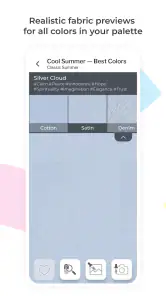
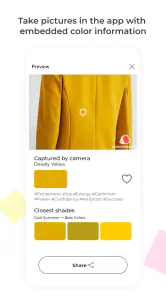
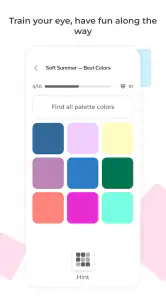
Analysis by Reviewed
Ever found yourself staring at your closet, utterly clueless about what colors to pair, or how to make your outfit pop with the right shade? Well, welcome to the club! I've been there too, and that's why I'm excited to share my experience with My Best Colors app, the ultimate style guru for those of us who aren't exactly fashionistas.
Discover Your Palette
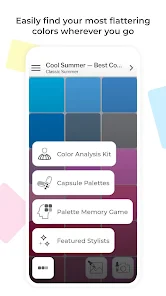
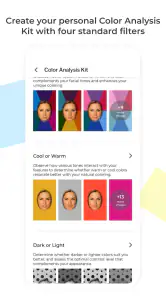
The first thing that caught my attention when I opened My Best Colors was its sleek and user-friendly interface. It's like the app just gets you and knows that you want to dive right into discovering your best colors without a fuss. The app kicks off by helping you figure out your personal color palette. You know, those shades that don’t just look good on a hanger but actually suit your skin tone, eye color, and even hair color. No more guessing games!
How It Works
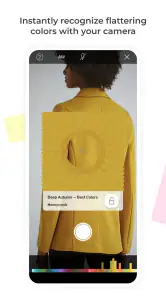
So, how does it do this magic, you ask? The app uses a combination of science and style to analyze your physical attributes. You simply upload a photo, and voila! The app sorts through a plethora of colors to recommend the ones that will make you shine brightest. It’s all about boosting your confidence with colors that complement you naturally.
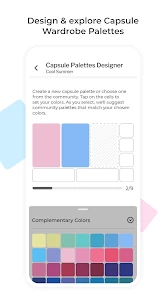
One of the coolest features is the personalized color swatch. It’s like having your own little pocket stylist that you can whip out while shopping or even while planning an outfit for a big night out. And let me tell you, this has saved me from some serious fashion faux pas!
Shopping Made Easy
Another fantastic aspect of this app is its shopping integration. My Best Colors links you to online stores where you can find clothes in your recommended hues. It’s like having a shopping assistant who knows your tastes and preferences. Plus, you can save your favorite items directly in the app, so you never lose track of that perfect dress or those killer shoes.
The app also offers insightful tips on how to mix and match colors, making even the most color-challenged individual feel like a pro. Seriously, it's like having a mini fashion school in your pocket!
Final Thoughts
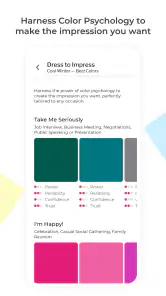
In a nutshell, My Best Colors is a game-changer for anyone looking to up their fashion game without breaking the bank on a personal stylist. With its easy-to-use features and personalized recommendations, you'll wonder how you ever dressed without it. Whether you're prepping for a job interview, a date, or just a day out with friends, this app ensures you step out in style and confidence.
So, if you’re ready to discover the power of color and transform your wardrobe, give My Best Colors a whirl. Trust me, your closet will thank you!
Pros
- User-friendly interface for easy color exploration.
- Wide variety of color palettes available.
- Seamless integration with design tools.
- Regular updates with new features.
- Personalized color recommendations.
Cons
- Limited free features in the basic version.
- Occasional lag on older devices.
- Requires internet connection for full functionality.
- Some advanced features require a subscription.
- No offline mode for color exploration.
- Category
- Beauty
- Version
- 10.8.0