

Music Recognition - Find Songs
- 1.55K
- 4.3
- Installs
- 10.00M
- Price
- Free

Screenshots
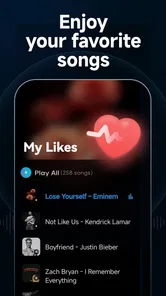
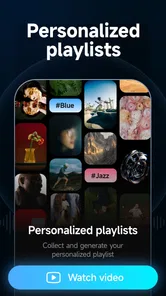
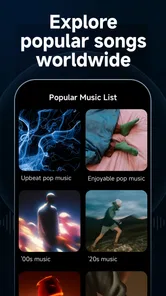
Analysis by Reviewed
Picture this: you're sitting in a café, and suddenly, a song starts playing that you just can't place. You love it, but the name eludes you. Enter Music Recognition - Find Songs, your handy audio detective. I've given this app a whirl, and here's the scoop.
Free to try, with purchases to consider
Music Recognition is a free music and audio app from developer yixiaoqing, and that makes it easy to try when curiosity strikes. The app also offers in-app purchases priced from $2.99 to $199.99 per item, so “free” describes getting started, not necessarily every possible purchase. I’d decide whether I need anything beyond identifying songs before spending; the range alone is not a reason to buy.
It’s rated for Everyone, and its current version is 15.0, with Android 7.0 or later required. Its average rating is 4.4 from around 122,000 ratings, and it has passed 5 million installs. Those figures suggest a well-used option, but I’d still judge it by whether it works for the kind of music I actually want to identify.
When a quick match is genuinely useful
The strongest reason to install a song recognizer is that it turns a fleeting moment into something you can follow up on. I might hear a track over a shop’s speakers, catch only a few seconds, and want to save the title for later rather than rely on memory. Starting recognition while the music is still playing is the practical part: once the song stops, this kind of sound-based lookup has nothing to work with.
It also suits people who can recognize a melody but cannot make out the words. Searching lyrics is a poor fallback when the singer is hard to understand, the song is instrumental, or I only remember the rhythm. A sound match can be a more direct route in those cases. On the other hand, if I already know a distinctive line, a lyric search may be faster and avoids trying to capture audio in a noisy place.
For a realistic routine, imagine hearing a track while waiting for a coffee. I’d open the app as soon as I notice it, let it listen for a short stretch, and check the title and artist before the music changes. If I want to revisit the song later, the displayed details give me something concrete to search for, and the listening links offer a route to continue. I would not wait until I am outside and expect the app to identify a tune from my memory alone.
What is Music Recognition - Find Songs?
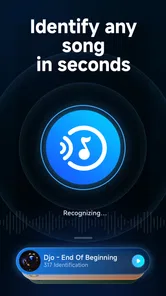
The app is designed to help you identify any song that's playing, almost like having a personal music guru in your pocket. You simply open the app, let it listen to the tune, and voila, it tells you the song title and artist. It's like magic, but with less wand-waving and more smartphone waving.
More From Our News Desk

 Gmail
GmailGmail in a Busy Inbox: Who Benefits Most?
From first account to crowded workday, Gmail earns its place through dependable search and flexible sorting—but its best fit depends on how much inbox maintenance you can tolerate.

 Prime Video
Switching to Prime Video: What Changes in Your Viewing Routine
Prime Video can make a compelling second home for streaming, but switching means learning a different catalog, rental layer, and route from browsing to playback.

 Universal TV Remote Control
Universal TV Remote Control Works Best as a Reliable Backup
A phone remote earns its place through quick setup and reliable habits. Here is how to get more from Universal TV Remote Control—and where its limits show.

 Weather - By Xiaomi
Weather by Xiaomi Review: Clear at a Glance, Less Clear Up Close
Xiaomi’s weather app makes everyday forecasts quick to scan, but its calm surface can leave useful details and recovery paths harder to find than they should be.

 X
XX Under Pressure: Can It Recover When Posting Goes Wrong?
A resilience-focused review of X, examining setup, mistaken posts, interruptions, weak connections, and the gaps that matter when recovery needs to be dependable.

 Clash of Clans
Clash of Clans Is Won Between the Battles
Its raids are quick; its community is a long-term project of coordination, teaching, rivalry, and shared responsibility—with all the friction that entails.
Latest News



Easy Peasy Music Hunt
First off, let's talk about ease of use. The app's interface is intuitive, which is a fancy way of saying you don't need a degree to figure it out. Just tap the big, friendly button, and the app starts listening. Within seconds, you'll have the song details right in front of you. It's as if the app is whispering secrets of the universe into your ear, or at least the secrets of your favorite tunes.
Beyond Just Identifying
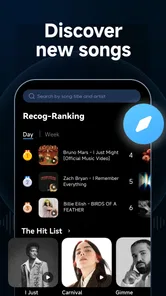
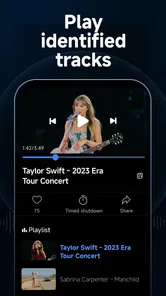
But wait, there's more! Music Recognition - Find Songs doesn't stop at just telling you the song name. It also provides a snippet of the lyrics, so you can sing along without mumbling through the verses. Plus, it offers links to listen on streaming platforms, giving you instant access to your new favorite track. It's like having a personal DJ who knows exactly what you want to hear.
Making a match more likely
A useful habit is to start recognition while the song is clearly audible, rather than waiting until the chorus has faded or conversation gets louder. In a café, I’d hold the phone near the sound without blocking the microphone and pause my own talking for a moment. This small change gives the app a cleaner sample and can matter more than repeatedly tapping the button.
If the result seems wrong, I’d try again during a more distinctive part of the track. A brief instrumental hook or a clear vocal line may be easier to identify than a quiet intro, especially when other sounds overlap. The app is a quick recognizer, not a substitute for careful listening: a match is a clue to check, particularly if several recordings or versions of a song exist.
Accuracy and Speed
Now, let’s chat about accuracy. The app is spot on most of the time. Even in noisy environments, it manages to pick up the right tune. It's like having a superpower, only instead of flying or invisibility, you get the power of music knowledge. The speed is impressive too. By the time you've finished saying, "What's this song?", the app has already done its thing and given you the answer.
One thing I noticed is that it sometimes struggles with live versions of songs, but that's a minor hiccup in the grand scheme. For standard tracks, it’s as reliable as your grandma's apple pie recipe.
Reading the result rather than taking it on faith
A match is most useful when I treat it as a starting point, not an unquestionable verdict. Covers, remixes, and alternate recordings can share familiar melodies, and a noisy sample can make a result less certain. I check whether the artist and title make sense together, then use the lyrics snippet as another clue if I recognize the words. That quick cross-check helps avoid saving the wrong version just because the first result looked plausible.
There is a small but useful distinction between identifying a song and deciding what to do with it. The app helps with the first step; the streaming links make it easier to continue listening, but I still need to choose where I want to play it. If I am in a hurry, noting the title and artist is enough. If I have time, checking the snippet and opening a listening option gives me more confidence that I have the track I meant.
Where it fits among music tools
Compared with asking a voice assistant to name a song, a dedicated recognition app gives this single task a clear place of its own: open it when a track catches your ear, then use the result to find out more. A general streaming app is better when I already know what I want to play, while searching lyrics manually is useful if I caught a phrase but the music has stopped. Here, the key advantage is recognizing sound in the moment rather than relying on a remembered title or lyric.
That makes it handy for a specific everyday routine: I hear an unfamiliar song in a shop, identify it before leaving, then use the displayed title and artist to look it up later. The lyrics snippet can help me confirm that I have the right track, while the listening links give me a next step. I wouldn’t treat recognition as a promise that every live performance, muffled speaker, or brief fragment will produce a match.
When another approach is better
The right alternative depends on what I have to go on. If the music is still playing clearly, sound recognition is the natural first try. If it has ended but I remember a lyric, searching that phrase is more practical. If I know the performer or can describe the style, a streaming service’s search and recommendations may be more useful than a recognizer. These tools solve related problems, but they are not interchangeable.
A voice assistant can be convenient when it is already available and I want to avoid switching apps. A dedicated app makes more sense when I want a direct, focused route to a match and the extra context of lyrics and listening links. I would not add another tool just for the sake of it if my phone or music service already identifies songs reliably for my routine. The real value is in filling a gap, not duplicating a feature I use every day elsewhere.
Why You Should Download It?
If you're a music lover like me, having this app is a no-brainer. It's perfect for those moments when you hear a song in a movie, a commercial, or even at a party, and just need to know what it is. Plus, it's fun to use! It's like playing a game with your ears as the controllers.
It’s best for people who often hear music out in the world and want a quick way to identify it, especially when they don’t know any lyrics. If I already use a music service’s built-in recognition and it does the job, installing another app may not add enough value. Likewise, someone who wants a full listening library or detailed music collection tools should choose a service built around those needs rather than expecting a song finder to replace one.
Small habits that improve the experience
I’d keep the app easy to reach if I often use it in passing, but I would still wait for a moment when it is appropriate to hold up a phone and listen. In a quiet room, a short sample may be enough; in a crowded place, stepping a little closer to the speaker or waiting for a less noisy moment is more sensible than repeatedly trying from the same spot. The goal is a clearer sample, not simply more attempts.
For songs heard in a film or video, it helps to start while the music is actually audible rather than after a scene ends. Dialogue and sound effects may compete with the music, so I would try during a passage where the track stands out. If the first result is unclear, I’d give it another try at a different point in the same song and compare the details instead of assuming that every attempt should return the same recording.
A practical buy-or-skip call
I’d start with the free access and use it on ordinary song snippets before considering any purchase. The app’s core appeal is straightforward identification, with lyrics and streaming links making a successful match more useful. Paid items may suit someone who finds extra value in what they unlock, but I wouldn’t assume they’re necessary for the basic reason most people open the app: finding the name of a song.
The purchase range makes it especially sensible to pause and decide what I actually need before paying. A free starting point lets me test whether the app fits my listening habits; it does not, by itself, tell me that a paid item will improve the experience in a way I care about. I’d only spend if the particular paid value is clear to me at the point of purchase, rather than treating the existence of purchases as proof that they are essential.
I’d skip it if I rarely wonder about songs, if I need a complete music player, or if recognition is already built into a tool I prefer. I’d also keep expectations measured when trying to identify a distant live performance or a tiny fragment under heavy background noise. Those are difficult situations for sound-based matching generally, and a failed result there would not make the app useful for every other setting.
Overall, Music Recognition - Find Songs is a must-have for anyone who can't stand not knowing the name of a song. It's quick, reliable, and a little bit addictive. So next time you find yourself humming a mystery tune, whip out this app and let it work its magic!
Music Recognition - Find Songs Frequently Asked Questions
Does the app need access to my microphone, and when is it used?
Because Music Recognition - Find Songs identifies music playing nearby, it needs to listen to an audio sample when you ask it to recognize a song. That means microphone access is relevant to its main purpose. You can review the permission request on your device and choose whether to allow it; without microphone access, the app cannot capture the sound it needs for recognition.
Can I use Music Recognition - Find Songs to identify music playing through headphones?
The app is intended to identify music playing around you, so it is most useful when it can hear a clear sample through your device’s microphone. If audio is playing only through headphones, the phone’s microphone may not pick it up clearly. For the best chance of a match, let the app listen to the song from a nearby speaker at a comfortable volume.
What should I know about the app before downloading it?
Music Recognition - Find Songs is a Music & Audio app from developer yixiaoqing, intended to identify music playing around you. It is free to download and is rated for Everyone. The app has a 4.4 average rating from around 122,000 ratings, so prospective users can get a general sense of how other people have responded to it before installing.
Which devices can run Music Recognition - Find Songs?
The app requires Android 7.0 or later, so it is worth checking your device’s operating system before downloading. Its current version is 15.0, and it was released on August 27, 2022. If your phone meets the minimum system requirement, you can consider trying it to see whether its music identification features suit the way you discover songs.
Are there in-app purchases, and do I need to pay to try it?
The app is free to download, and it also offers in-app purchases priced from $2.99 to $199.99 per item. You can start with the free version to explore its basic song-identification use before deciding whether to make a purchase. Check the purchase options in the app and consider them in light of the features you personally want; the app’s free download does not mean every option is included at no cost.
Pros
- Accurate song identification.
- Fast recognition speed.
- Wide music database.
- User-friendly interface.
- Offline mode available.
Cons
- Limited features in free version.
- Requires internet for full access.
- Advertisements in free version.
- In-app purchases can be pricey.
- Occasional bugs in song matching.











