

MP3 Music Download
- 5.15K
- 4.7
- Installs
- 500.00K
- Price
- Free

Screenshots
Analysis by Reviewed
I decide whether a music app is worth keeping by asking a few practical questions: can I find the tracks I want, can I listen when my connection is unreliable, and does the sound suit the way I listen? MP3 Music Download is a free music and audio app from Song HAPPY that puts search and offline playback at the center. It has a 4.7 average from around 20,000 ratings, and more than 500,000 installs, so it has found an audience beyond people simply testing a new player.
Start with what you need from a music app
The key decision is whether you want a straightforward way to search for music and keep tracks available offline, or a broader listening service built around curated recommendations, subscriptions, or a personal collection you already manage. This app is most appealing when finding a song and saving it for later matters more than building a complicated listening setup. Its Teen age rating is also worth noting if you are choosing apps for a younger listener; I would still check the app experience yourself before handing over a device.
It runs on Android 6.0 and later, and version 1.0.10 is the current release. That makes it an option for some older Android devices, though the practical test is whether it runs smoothly on your own phone and leaves enough room for music. If you mainly listen at home on a reliable connection, offline saving may be less valuable than it is for someone who travels or has patchy reception.
Discovering New Music
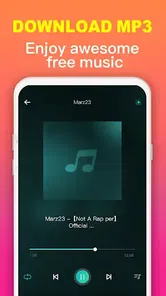
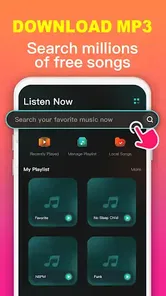
One of the coolest features of the MP3 Music Download app is its ability to help you discover new music. The app boasts a vast library that spans every genre you can think of. From pop to rock, jazz to classical, there's something for everyone. I found myself lost in a sea of new artists and tracks, and it was an absolute joy. The search function is intuitive, making it easy to find exactly what you're looking for, or stumble upon something completely unexpected.
When offline listening earns its place
For me, saving music is most useful when it solves a specific everyday problem. Imagine getting ready for a commute in the morning: I can search for the tracks I want while I have a connection, save them, then listen on the train without depending on reception. The same routine can help before a walk, a workout, or a trip where I would rather not use mobile data. A small practical tip is to save a few dependable tracks before leaving, rather than waiting until the moment the connection drops.
Offline access also changes how I would organize listening. I would treat saved tracks as a compact selection for a particular situation, not as a reason to download everything I might ever want. That keeps storage use under control and makes it easier to choose something quickly. If you share a phone or routinely clear downloads to make room, remember that saved music needs managing; offline convenience is useful, but it is not storage-free.
Ease of Use
I have to say, this app is incredibly user-friendly. The interface is clean and straightforward, which makes navigation a breeze. No more fumbling through complicated menus or dealing with intrusive ads. Everything you need is right there at your fingertips. Plus, the download process is fast and efficient. I was able to save my favorite tracks offline in no time, perfect for those moments when you're without an internet connection.
More From Our News Desk

 Gmail
GmailGmail in a Busy Inbox: Who Benefits Most?
From first account to crowded workday, Gmail earns its place through dependable search and flexible sorting—but its best fit depends on how much inbox maintenance you can tolerate.

 Prime Video
Switching to Prime Video: What Changes in Your Viewing Routine
Prime Video can make a compelling second home for streaming, but switching means learning a different catalog, rental layer, and route from browsing to playback.

 Universal TV Remote Control
Universal TV Remote Control Works Best as a Reliable Backup
A phone remote earns its place through quick setup and reliable habits. Here is how to get more from Universal TV Remote Control—and where its limits show.

 Weather - By Xiaomi
Weather by Xiaomi Review: Clear at a Glance, Less Clear Up Close
Xiaomi’s weather app makes everyday forecasts quick to scan, but its calm surface can leave useful details and recovery paths harder to find than they should be.

 X
XX Under Pressure: Can It Recover When Posting Goes Wrong?
A resilience-focused review of X, examining setup, mistaken posts, interruptions, weak connections, and the gaps that matter when recovery needs to be dependable.

 Clash of Clans
Clash of Clans Is Won Between the Battles
Its raids are quick; its community is a long-term project of coordination, teaching, rivalry, and shared responsibility—with all the friction that entails.
Latest News



Search is also where I would be deliberate: when a title is common, try the artist name as well, then check that the result is the version you meant before saving it. That extra pause can prevent a familiar song from turning into the wrong recording in an offline playlist. I would do this especially for music I plan to use repeatedly, such as a workout selection or a long journey, because checking once is easier than searching again later.
Quality of Downloads
When it comes to music, quality is key. I'm happy to report that the downloads from this app are top-notch. The sound is crystal clear, and I didn't notice any drop in quality from streaming to offline listening. Whether you're a casual listener or an audiophile, you'll be pleased with the experience.
Moreover, the app offers various download formats, providing flexibility depending on your storage and quality preferences. It's little details like this that really set the app apart from others in the market.
Choosing between download-focused and streaming apps
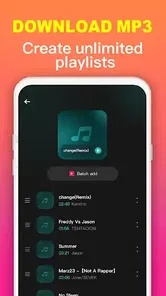
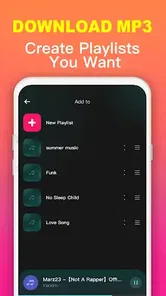
Compared with a typical streaming app, this one makes more sense when your priority is locating music and having it ready offline, rather than spending time inside a recommendation feed. Streaming services can be a better fit if you want a polished listening routine built around playlists and suggestions. A local music player, meanwhile, suits someone who already owns and organizes audio files and mainly needs playback controls. I see this app as a middle ground for listeners who want search and saved listening without making their whole music life depend on one elaborate library.
There is a trade-off: a download-centered workflow asks you to decide what to save and keep track of it, while streaming-first services often make browsing feel more continuous. If you are unsure whether a song will be available offline, test the search and save process with one or two tracks before relying on it for a trip. That simple trial tells you more than building a large collection straight away.
Making a small offline set work harder
A useful way to judge this app is to try it with one clearly defined listening need instead of attempting to move your whole music routine at once. For example, I would make a short set for a commute, another for exercise, or a handful of calm tracks for winding down. That makes it easier to notice whether search and saved playback actually reduce friction in your day. It also avoids the common trap of collecting more music than you have time to hear.
I would also keep a simple mental distinction between music I want to explore and music I already know I will replay. Search is suited to the first task; offline preparation is most valuable for the second. If I find something unfamiliar that I like, I can listen first and decide later whether it deserves room on the phone. This small habit helps keep an offline selection useful rather than turning it into a pile of unreviewed downloads.
Practical checks before relying on it
Before leaving home, I would confirm that the tracks I saved are actually available for offline playback by briefly switching away from the search stage and opening them from the saved selection. It is a low-effort check, but it catches mistakes while I still have a connection and time to fix them. For a longer outing, I would also leave some free storage rather than filling the phone with audio; other apps and everyday files need space too.
Another useful test is to search for music in the way you naturally remember it. If you recall only a chorus phrase, try a distinctive part of the title or pair the title with the artist, then inspect the result before saving. Music searches can return similarly named recordings, and a little care is especially worthwhile when the track matters for a planned playlist. This is not a reason to avoid the app; it is a sensible step in any search-led library.
Ease of Use
I have to say, this app is incredibly user-friendly. The interface is clean and straightforward, which makes navigation a breeze. No more fumbling through complicated menus or dealing with intrusive ads. Everything you need is right there at your fingertips. Plus, the download process is fast and efficient. I was able to save my favorite tracks offline in no time, perfect for those moments when you're without an internet connection.
Search is also where I would be deliberate: when a title is common, try the artist name as well, then check that the result is the version you meant before saving it. That extra pause can prevent a familiar song from turning into the wrong recording in an offline playlist. I would do this especially for music I plan to use repeatedly, such as a workout selection or a long journey, because checking once is easier than searching again later.
Quality of Downloads
When it comes to music, quality is key. I'm happy to report that the downloads from this app are top-notch. The sound is crystal clear, and I didn't notice any drop in quality from streaming to offline listening. Whether you're a casual listener or an audiophile, you'll be pleased with the experience.
Moreover, the app offers various download formats, providing flexibility depending on your storage and quality preferences. It's little details like this that really set the app apart from others in the market.
Choosing between download-focused and streaming apps
Compared with a typical streaming app, this one makes more sense when your priority is locating music and having it ready offline, rather than spending time inside a recommendation feed. Streaming services can be a better fit if you want a polished listening routine built around playlists and suggestions. A local music player, meanwhile, suits someone who already owns and organizes audio files and mainly needs playback controls. I see this app as a middle ground for listeners who want search and saved listening without making their whole music life depend on one elaborate library.
There is a trade-off: a download-centered workflow asks you to decide what to save and keep track of it, while streaming-first services often make browsing feel more continuous. If you are unsure whether a song will be available offline, test the search and save process with one or two tracks before relying on it for a trip. That simple trial tells you more than building a large collection straight away.
Choosing it over other listening habits
The alternative I would choose depends on what is already working for me. If I want a familiar catalogue that continuously suggests artists and organizes listening around playlists, a conventional streaming service is the more natural place to spend time. If I have audio files on my device and want to sort them into my own folders, a local player avoids making search the center of the process. MP3 Music Download is more compelling when I want to look up music and prepare a few tracks for later without turning that into a broader collection project.
That distinction matters for people who listen in several different ways. Someone who mostly plays albums from a carefully maintained library may find the app redundant, while a listener who needs a few reliable tracks for a patchy commute may find its focused approach easier. I would not switch simply because a download option sounds convenient; I would switch only if searching and preparing offline music is a real recurring need.
Who should try it, and who may prefer something else
I would recommend giving it a try if you regularly lose reception, want a simple way to search for music, or prefer preparing a small offline selection ahead of time. It may also suit someone who does not want a complicated music-management routine. The app is free, which makes it easy to test whether its approach fits your habits without making an upfront purchase.
I would look elsewhere if your main goal is a carefully curated subscription experience, if you depend on a large library of personally owned files, or if you expect every title to be easy to identify and available in the exact version you want. Those listeners may be happier with a mainstream streaming option or a dedicated local player. And if your phone has very little spare storage, think through how many tracks you actually need offline before making downloads part of your routine.
Questions I would settle during a first try
Will it work for a trip with unreliable reception? I would not assume so based on search alone. I would find a few tracks while online, save them, then check that they open from the offline selection before setting out. That simple rehearsal answers the practical question that matters most: whether the music I need is ready when the connection is not.
Is it a replacement for a streaming subscription or a local library? For me, not automatically. It is best evaluated as a focused search-and-save option. If curated discovery, a deep personal archive, or a familiar playlist ecosystem is central to your listening, keep using the tool that already serves that purpose. Can it suit an older phone? Android 6.0 is the minimum, but actual comfort depends on how the app behaves on your device and how much storage remains after saving music.
Final Thoughts
All in all, the MP3 Music Download app is a fantastic tool for any music lover. It's easy to use, offers a wide range of music, and delivers high-quality downloads. Whether you're looking to discover new artists or enjoy your favorite tracks offline, this app has got you covered. It's definitely earned a permanent spot on my home screen.
If you're on the hunt for a reliable music download app, I highly recommend giving this one a try. With its extensive library and user-friendly interface, it's sure to hit the right note with you, too. Happy listening!
MP3 Music Download Frequently Asked Questions
Can I use MP3 Music Download on an older Android device?
The app’s minimum Android requirement is version 6.0, so it can be used on an older device if that device runs Android 6.0 or later. Before installing, check your phone’s Android version and make sure you have enough available storage for songs you plan to save. Downloads require an internet connection, while saved tracks can be played offline.
Who develops MP3 Music Download, and what kind of app is it?
MP3 Music Download is developed by Song HAPPY and belongs to the Music & Audio category. Its purpose is to help you search for songs, save tracks, and listen offline. The app is free and has a Teen content rating, which may be useful to consider when deciding whether it suits you or someone you supervise.
Can I listen to songs offline after downloading them?
Yes. MP3 Music Download is described as letting users save and play songs offline. Search for a track and download it while connected to the internet; once saved, it can be played on your device without streaming. Offline listening is useful when you want to reduce mobile data use or enjoy music where a connection is unavailable.
What is MP3 Music Download?
MP3 Music Download is an application that allows users to search, download, and listen to music on their mobile devices. The app provides a vast library of songs across various genres, making it easy for users to find their favorite tracks. It is designed to offer users a seamless music downloading experience with a user-friendly interface.
Is MP3 Music Download free to use?
Yes, MP3 Music Download is free to use. However, while the app provides many features at no cost, there may be certain premium features or ad-free experiences that require an in-app purchase. Users should check the app's description in the app store for detailed information regarding any additional costs.
Pros
- Wide selection of songs available.
- Fast download speeds.
- User-friendly interface.
- Offline playback capability.
- Supports multiple formats.
Cons
- Contains ads between downloads.
- Limited song quality options.
- Some songs may be unavailable.
- Requires internet for search.
- Occasional download errors.











