Montessori Preschool, kids 3-7
- 291.00
- 4.1
- Installs
- 5.00M
- Price
- Free
Screenshots


Analysis by Reviewed
I approached Montessori Preschool, kids 3-7 as a first learning app for a young child, and the most reassuring thing is that you do not need to turn it into a formal lesson. It is an education app from EDOKI ACADEMY, aimed at children around preschool age, with activities intended to make early learning feel approachable. I would introduce it in a calm moment, sit nearby for the first few minutes, and let the child choose an activity rather than expecting them to work through a long sequence.
What to Expect from a Broad Preschool App
For a first-time user, it helps to think of Montessori Preschool as a collection of learning activities rather than a single course that must be completed in order. Its subject range can give a child room to follow an interest, but the same breadth means an adult may need to help narrow the choice at first. If your child is easily overwhelmed by a screen full of options, offer two possibilities instead of asking them to decide among everything available.
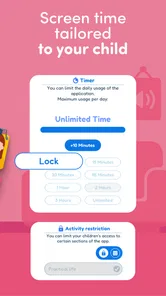
The app is free to download, with in-app purchases ranging from $0.99 to $59.99 per item. I would look over the purchase choices before giving a child the device, then keep the first session focused on trying an activity rather than exploring payment prompts. That is a practical precaution for any family sharing a device with a young child, especially when the child is still learning which on-screen choices are part of the activity and which require an adult.
Its Everyone content rating makes the intended audience easy to understand, while the minimum Android requirement is 5.1. The current version is 5.10.4. I would check that an older device meets the operating-system requirement before planning to use it, and then judge the experience on the device the child will actually use: small controls or a cramped screen can make an otherwise suitable task harder for little hands.
Getting Comfortable with the Learning Environment
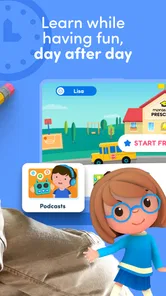
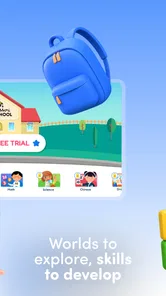
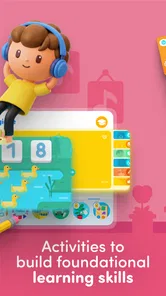
Montessori Preschool offers a diverse range of activities that are both fun and educational. From math and language to creativity and social skills, the app covers a wide spectrum of subjects. It’s like having a mini classroom in your pocket, ready to inspire your little ones at any moment. The interface is colorful and inviting, featuring charming animations and interactive elements that keep kids engaged without overwhelming them.
Setting Up a First Session That Works
Before handing over the device, I would decide what a useful stopping point looks like. For a preschooler, that might simply be one activity or a brief spell of focused play, rather than a target number of tasks. Keeping that boundary clear helps the child understand that the app is one part of the day, not something that continues until they lose interest or become tired.
It can also help to sit where you can see the screen without hovering over every tap. That gives the child room to try while making it easy for you to step in if an instruction is confusing. I would avoid correcting every mistake immediately. A pause gives a child the chance to think, and you can offer a small hint if they look stuck rather than taking control of the task.
More From Our News Desk

 Gmail
Gmail in a Busy Inbox: Who Benefits Most?
From first account to crowded workday, Gmail earns its place through dependable search and flexible sorting—but its best fit depends on how much inbox maintenance you can tolerate.

 Prime Video
Switching to Prime Video: What Changes in Your Viewing Routine
Prime Video can make a compelling second home for streaming, but switching means learning a different catalog, rental layer, and route from browsing to playback.

 Universal TV Remote Control
 Works Best as a Reliable Backup
A phone remote earns its place through quick setup and reliable habits. Here is how to get more from Universal TV Remote Control—and where its limits show.

 Weather - By Xiaomi
Weather by Xiaomi Review: Clear at a Glance, Less Clear Up Close
Xiaomi’s weather app makes everyday forecasts quick to scan, but its calm surface can leave useful details and recovery paths harder to find than they should be.

 X
X Under Pressure: Can It Recover When Posting Goes Wrong?
A resilience-focused review of X, examining setup, mistaken posts, interruptions, weak connections, and the gaps that matter when recovery needs to be dependable.

 Clash of Clans
 Is Won Between the Battles
Its raids are quick; its community is a long-term project of coordination, teaching, rivalry, and shared responsibility—with all the friction that entails.
Latest News



Making the First Session Feel Easy
On a first visit, I would keep the goal modest: help your child open an activity, understand what it is asking, and complete one small task. That first success matters more than sampling every subject. If a child is unsure, demonstrate one action, then hand the device back so they can try it themselves. Staying close also gives you a chance to notice whether the instructions make sense to them, instead of assuming that a quiet screen means they are following along.
A practical routine is to use the app as a short transition activity: for example, while waiting for dinner or taking a quiet break after preschool. I would avoid making it the automatic answer to every restless moment. A little context from an adult—“let’s try a counting activity, then we’ll put the tablet away”—helps keep the app in its proper role as a learning aid rather than an open-ended babysitter.
A realistic first success might happen while dinner is being prepared. A child who is waiting nearby can try one counting task, then help count a few pieces of fruit or toys at the table. The value is not in extending screen time; it is in giving the new idea a place in an ordinary moment. If the child is hungry, tired, or keen to go play, I would skip the app and return to it another day rather than treating the planned activity as a lesson they must finish.
Interactive Activities
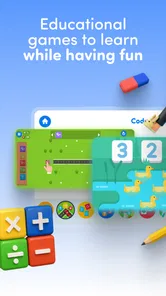
One of the standout features of the Montessori Preschool app is its interactive activities. The app provides hands-on learning experiences, allowing children to explore concepts at their own pace. For instance, kids can practice counting with adorable virtual beads or learn new words through playful storytelling sessions. These activities are designed to cultivate a child’s natural curiosity, making learning feel like an exciting adventure rather than a chore.
For a more useful first try, I’d connect an on-screen task to something the child can touch in real life. After counting virtual beads, count a few toy blocks together; after a word activity, ask the child to spot a familiar object nearby. This simple handoff makes the screen session easier to talk about and gives you a better sense of whether the idea—not just the animation—has clicked.
One small but useful habit is to let the child explain what they did in their own words after an activity. A preschooler may not describe a skill formally, but a simple “what happened when you moved those?” can reveal whether they noticed the idea behind the action. If they only recall the animation, that is still useful information: next time, choose a task that is easier to connect with objects or conversation outside the app.
Choosing It Alongside Other Learning Options
Compared with a basic alphabet or number game, this app is positioned as a broader preschool resource, so it can suit families who want more than one narrow skill in the same place. That breadth is useful when a child’s interests change from day to day, but it also means it may not be the best fit if you want a tightly focused phonics course, a specific school curriculum, or an activity built around one learning need. In those cases, a dedicated reading tool, hands-on materials, or guidance from the child’s teacher may be a better match.
It also occupies a different role from a picture book, a set of counting objects, or an adult-led activity. The app can make a concept interactive and convenient, while a physical book or toy makes it easier to share attention without a screen. I would treat these options as complements rather than substitutes: use the app when a short digital activity fits the moment, and choose a book, conversation, or hands-on play when the child needs more discussion or movement.
If you are comparing it with free videos or simple single-skill games, the main question is what kind of engagement you want. A video may be easier when a child wants to watch quietly, and a narrowly focused game may be clearer when you have one specific skill in mind. Montessori Preschool makes more sense when you want to offer a wider range of preschool activities and are prepared to help the child choose. That is a trade-off, not a reason to expect one format to suit every child or every day.
I would also treat the word “personalized” with sensible expectations. A child moving through activities at their own pace is helpful, but no app can replace an adult noticing fatigue, frustration, or a concept that needs explaining in a different way. If a task repeatedly causes friction, pause and try another activity or return later rather than pushing through just to finish a sequence.
Using Progress as a Guide, Not a Score
Each child is unique, and Montessori Preschool recognizes that by offering personalized learning paths. The app adjusts the difficulty of tasks based on the child’s progress, ensuring that they are neither bored nor frustrated. This adaptive learning approach helps boost confidence and encourages continuous development, providing a sense of achievement as children advance through different levels.
Another impressive aspect is the app’s emphasis on parental involvement. Parents can track their child’s progress through detailed reports, gaining insights into their strengths and areas for improvement. This feature fosters a collaborative learning environment, allowing parents to actively participate in their child’s educational journey and tailor support where needed.
Those progress views are most useful as conversation starters, not as a verdict on a child’s ability. I would look for patterns over time and ask what the child enjoyed or found tricky, rather than turning each session into a test. If you are sharing a device with siblings, keep in mind that observations are easier to interpret when you know whose activity you are looking at and when they used it.
A practical way to use progress information is to let it suggest what to revisit, then check your impression with the child. If they seem to enjoy a particular kind of task, you might offer a related real-world activity next time. If a report points to something they find challenging, avoid drilling it immediately; try a simpler explanation or a physical example first. The adult’s knowledge of the child remains essential, because a screen record cannot show whether they were tired, distracted, or simply ready to move on.
Who Will Get the Most from It
I think it is best suited to parents or caregivers who want a flexible way to introduce preschool concepts and are willing to join in at the start. It may also help an educator looking for an optional activity to complement classroom learning, rather than replace discussion, books, drawing, or physical materials. A child who dislikes screen-based tasks, needs a very specific learning plan, or becomes upset when asked to stop may be better served by a different approach—or by using the app only with an adult beside them.
For families with children at different stages, the broad range may make it easier to find something that interests each child, but shared use calls for a little care. I would have each child take a turn choosing and would pay attention to whether a task is genuinely accessible to them, rather than assuming that the age range means every activity will feel equally suitable. If one child needs close guidance and another wants independence, separate short sessions may be calmer than asking them to use the app together.
The app is less compelling if your priority is a structured reading programme, a particular teaching method delivered step by step, or a screen-free routine. It may also frustrate a child who wants to tap rapidly through choices without listening or engaging with the task. In those situations, a teacher-recommended resource, a physical activity, or a shared book can provide better support. I would not choose a broad app simply because it covers several areas; the best option is the one that matches the child’s current need and temperament.
The app has an average rating of 3.9 from around 8,300 ratings, and it has been installed over 5 million times. That gives a prospective parent a sense of its reach, but popularity alone does not tell you whether the activities suit your child. I’d use the first few sessions to judge the practical things that matter at home: whether your child can follow the tasks, stays interested without constant adult intervention, and is happy to stop when the session ends.
Keeping Expectations Realistic
For a child who is new to learning apps, a common source of confusion is expecting the adult to explain everything before the child begins. I would instead introduce the screen in small steps: show how to enter an activity, let the child try the next action, and offer help only when they need it. This keeps the experience from becoming a demonstration that the child watches passively. If the activity still does not make sense after a simple explanation, there is no harm in choosing another one.
Another point to watch is the difference between engagement and learning. A child may be attracted to the colors and movement but not ready to focus on the underlying task. I would look for signs that they are making choices intentionally, responding to what an activity asks, or carrying an idea into play afterward. If those signs are missing, shorten the session or change the activity rather than assuming that more time on the screen will help.
The product has been available since July 3, 2017, and its current version is 5.10.4. That history can be reassuring to someone considering an established preschool app, but it does not guarantee that every activity will suit every family. The useful test is still personal: try a small, supervised session, see how your child responds, and decide whether the format earns a place in your routine.
Final Thoughts
All in all, Montessori Preschool, kids 3-7 is a well-rounded educational app that successfully introduces young minds to essential skills in a playful manner. It’s an excellent resource for parents and teachers alike, providing a solid foundation for early learning. With its engaging content and adaptive features, this app is definitely worth considering for any parent looking to enhance their child’s educational experience. So, why not give it a try and watch your child’s love for learning blossom?
My recommendation is to start small: choose a calm moment, sit alongside your child, and look for one activity they can understand and enjoy. Keep purchases under adult control, use progress as a prompt for conversation rather than a score, and balance screen activities with books and hands-on play. If the child responds well to that first experience, the app can become a useful option in a varied preschool routine; if it creates more friction than curiosity, there is no need to force it.
Montessori Preschool, kids 3-7 Frequently Asked Questions
How much does Montessori Preschool cost, and are there optional purchases?
Montessori Preschool is free to download, so families can try the app without paying upfront. It also offers in-app purchases, with items priced from around one dollar to around sixty dollars. Check the purchase options in the app before handing it to a child, and use your device’s purchase controls if you want to prevent accidental spending.
What is Montessori Preschool and who is it designed for?
Montessori Preschool is an educational app tailored for children aged 3 to 7. It provides a hands-on learning experience based on the Montessori method, which emphasizes self-directed activity, hands-on learning, and collaborative play. The app is designed to nurture independence and curiosity in young learners, making it ideal for both preschoolers and kindergarteners.
What kind of activities does Montessori Preschool offer?
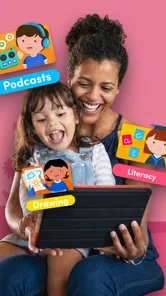
The Montessori Preschool app offers a diverse range of activities, including math, language, science, and art. It features interactive lessons and games that encourage children to explore and learn at their own pace. Activities are designed to develop skills such as counting, reading, and critical thinking, while also fostering creativity through drawing and music.
Is Montessori Preschool app safe for children to use?
Yes, Montessori Preschool is safe for children as it is designed with child-friendly features and controls. The app is free from ads and in-app purchases, ensuring a distraction-free learning environment. Additionally, it complies with child privacy laws, so parents can rest assured that their child's data is protected while using the app.
Can parents track their child's progress in Montessori Preschool?
Absolutely, Montessori Preschool includes features that allow parents to monitor their child's progress. The app provides detailed reports on the activities completed and the skills developed, helping parents understand their child's learning journey. This feature enables parents to identify areas where their child might need additional support or encouragement.
Pros
- Engaging and educational content for kids.
- Supports multiple languages for diversity.
- Interactive games enhance learning.
- Easy-to-navigate interface for children.
- Encourages creativity and problem-solving.
Cons
- Requires in-app purchases for full access.
- Limited offline functionality.
- Might be too basic for older children.
- Subscription model can be costly.
- Some content requires constant internet.