Mirror - Fullscreen Mirror App
- 2.02K
- 4.6
- Installs
- 1.00M
- Price
- Free

Screenshots



Analysis by Reviewed
Have you ever been in a situation where you needed a mirror but couldn’t find one? Well, let me introduce you to the Mirror - Fullscreen Mirror App. This nifty little app is like having a pocket mirror right on your smartphone. It’s designed to make sure you’re always looking your best without having to carry around an actual mirror. Let’s dive into what makes this app a must-have for your mobile device.
Features that Shine
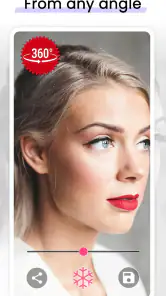
One of the coolest things about the Mirror - Fullscreen Mirror App is how it utilizes your phone’s front camera to give you a crystal-clear reflection. The app smartly fills your entire screen with your reflection, which is super handy when you’re trying to check out your whole look. The interface is super user-friendly, and honestly, it feels like you’re just using your phone’s camera but with some extra perks.
What I also love about this app is the ability to freeze the image. You know how sometimes you wish you could just pause the reflection to get a better look? This app lets you do just that with a simple tap, so you can inspect every detail without having to awkwardly hold your phone in place. Plus, the zoom feature is a lifesaver for those close-up checks, perfect for makeup touch-ups or checking that stray hair.
Why It Stands Out
Now, I know what you’re thinking – why not just use the selfie camera? While that’s a fair point, the Mirror - Fullscreen Mirror App offers a much cleaner and more focused experience. It strips away all the camera icons and distractions, giving you a full, unobstructed view. The app even offers different frame options to suit your style, which is a fun little touch.
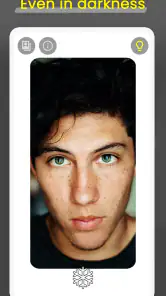
Another standout feature is the night mode. If you’ve ever tried to check your reflection in a dimly lit room, you’ll appreciate how the app brightens things up. It’s these thoughtful little touches that make the app not just a utility but a pleasure to use.
Wrapping It Up
In conclusion, the Mirror - Fullscreen Mirror App is more than just a virtual mirror. It’s a handy tool that’s perfect for those on-the-go moments when you need to look your best. The app is simple, effective, and quite frankly, a bit of a lifesaver in a pinch. Whether you’re heading into a meeting, going out on a date, or just want to make sure there’s no spinach in your teeth, this app has got your back.
So, next time you’re in a bind and need a quick look at yourself, remember this app. It’s like having your very own personal mirror, anytime, anywhere. And trust me, once you’ve tried it, you’ll wonder how you ever lived without it!
Pros
- Easy to use interface
- High-quality mirror reflection
- Supports fullscreen mode
- No intrusive ads
- Lightweight app
Cons
- Limited features in free version
- No zoom functionality
- Requires camera permissions
- Not optimized for tablets
- No image capture capability

- Category
- Beauty
- Version
- 1.4.3