

Microlearning: Study Apps AI
- 6.00
- 3.9
- Installs
- 10.00K
- Price
- Free

Screenshots
Analysis by Reviewed
When I have a book or course chapter to learn from, my usual problem is not finding a way to mark the important bits; it is coming back to them and checking what I can actually remember. Microlearning: Study Apps AI is built around that gap. It is an education app from CardzyGames that helps turn reading material into study prompts, with repeated review as part of the process.
I see it as a companion for learning from material you already have, not as a substitute for a teacher or a complete course. Its appeal is practical: it may reduce the blank-page work of making study resources. The trade-off is that AI-generated content still needs a human check, so the time saved depends on how well the result fits your source.
From reading material to a useful review routine
I find the most useful way to judge this kind of study workflow is to follow one source all the way through: choose a focused passage, shape it into prompts, and decide what the results actually tell you. That makes the handoffs—and the points where a learner still needs to step in—easier to notice. A small, well-checked study set is often more valuable than a large one.
Start with a real learning problem
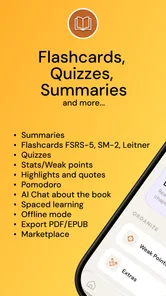
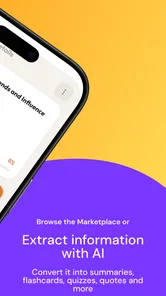
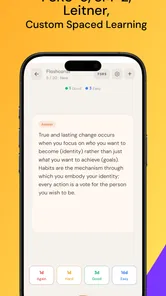
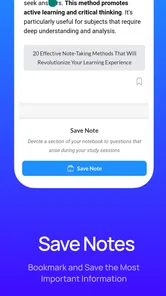
The app is most relevant when you have a specific source to study: a chapter for class, a professional reference, or a book you are reading with the intention of retaining its ideas. Instead of beginning with a blank flashcard deck, the workflow starts from that material and uses AI to help create flashcards, quizzes, and notes. That distinction matters. If you are looking for a broad library of lessons that teaches a subject from the ground up, this is not the same kind of product.
I would approach a long chapter in small sections rather than expecting one conversion to produce a polished course. Breaking the source into focused chunks gives the generated material a better chance of staying on one topic. It also makes it easier to spot a weak or misleading card before it becomes part of a large review pile. This is a simple but important trade-off: a little attention at the beginning can save repeated confusion later.
A realistic use case is a student reading a chapter after dinner before a quiz later in the week. They can work through a section, use the app to make study material from it, and then return to the resulting questions during short gaps the next day. That is more actionable than rereading the same pages whenever time allows, because recall practice asks the learner to retrieve information instead of merely recognizing familiar sentences.
Check the source before trusting the output
AI-generated study content can be a useful first draft, not an authority. I would compare the cards and notes with the original passage, especially when a distinction, definition, or exception is important. A question that sounds fluent can still simplify a point too much; a note can capture the main idea while leaving out a condition that changes its meaning.
More From Our News Desk

 Gmail
GmailGmail in a Busy Inbox: Who Benefits Most?
From first account to crowded workday, Gmail earns its place through dependable search and flexible sorting—but its best fit depends on how much inbox maintenance you can tolerate.

 Prime Video
Switching to Prime Video: What Changes in Your Viewing Routine
Prime Video can make a compelling second home for streaming, but switching means learning a different catalog, rental layer, and route from browsing to playback.

 Universal TV Remote Control
Universal TV Remote Control Works Best as a Reliable Backup
A phone remote earns its place through quick setup and reliable habits. Here is how to get more from Universal TV Remote Control—and where its limits show.

 Weather - By Xiaomi
Weather by Xiaomi Review: Clear at a Glance, Less Clear Up Close
Xiaomi’s weather app makes everyday forecasts quick to scan, but its calm surface can leave useful details and recovery paths harder to find than they should be.

 X
XX Under Pressure: Can It Recover When Posting Goes Wrong?
A resilience-focused review of X, examining setup, mistaken posts, interruptions, weak connections, and the gaps that matter when recovery needs to be dependable.

 Clash of Clans
Clash of Clans Is Won Between the Battles
Its raids are quick; its community is a long-term project of coordination, teaching, rivalry, and shared responsibility—with all the friction that entails.
Latest News



My practical tip is to treat the first review as an editing pass. Keep cards that test one clear idea, revise anything that combines several facts, and remove prompts whose answers are vague. For instance, a card asking for the meaning of a key term is easier to review than one that asks for an entire paragraph’s worth of related details. This takes some of the time the AI is meant to save, but it improves the usefulness of every later session.
The app’s spaced-repetition focus is a good fit for material that needs to stick over time: terminology, core concepts, dates, or concise explanations. It is less suited to learning a complex argument solely through isolated prompts. For that kind of reading, I would keep the notes alongside the original chapter and use cards as a memory check, not as a substitute for understanding how the ideas connect.
Choose the right study format for the job
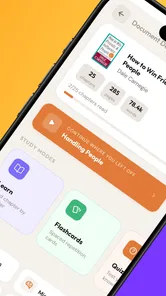
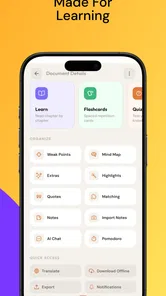
Flashcards are strongest when the answer can be checked quickly. Quizzes can offer a more varied way to test understanding, while notes are better for keeping a compact record of the material. Having these formats in one study workflow is potentially useful because not every subject benefits from the same prompt style. I would use cards for precise recall, quizzes to uncover gaps, and notes to revisit the shape of a topic before returning to the source.
A useful handoff is to move from reading to retrieval without trying to do everything at once. After a study session, review a few cards rather than rewriting the whole chapter into notes. Later, use a quiz to see whether you can distinguish related ideas. If you miss a question, go back to the source and repair your understanding before simply memorizing the answer. This keeps the app in its proper role: it helps organize practice, while the learner remains responsible for checking comprehension.
This is also where the app differs from a traditional notebook or a basic flashcard maker. A manual tool gives you more control over every word but makes you create each prompt yourself. Microlearning’s AI-led approach may reduce that initial effort, though it can introduce a new task: reviewing and correcting what was generated. If exact wording and careful selection matter more than speed, hand-built cards may still be the better choice.
Build a routine that survives a busy day
Microlearning works best when the sessions are small enough to fit around ordinary life. I would use a short break to review a limited set of due material, then reserve a quieter block for reading and correcting new content. Trying to convert several chapters and review everything in one sitting can create a backlog that feels like another assignment. A steady, modest routine is more realistic than treating AI generation as a shortcut to instant mastery.
For a working reader studying a new subject, one workable pattern is to read a few pages during a commute or lunch break, prepare a focused set of study prompts afterward, and revisit them the next day. The key is to keep the source accessible when a card seems questionable. That small handoff—from app back to book—is not wasted effort; it is how you catch missing context and turn a wrong answer into a useful learning moment.
People who learn mainly by listening, discussing ideas, or solving open-ended problems may need other methods alongside the app. It can help with the factual groundwork for a subject, but flashcards alone cannot reproduce a seminar discussion, a lab exercise, or the judgment involved in applying a principle to a new situation. I would pair it with practice problems or conversation when the goal is transfer, not just recall.
Make the study material work beyond the screen
One useful habit is to separate “I recognize this” from “I can explain this.” After a review, I would pick a concept that seemed easy and try to explain it without looking at the prompt or source. Then I would choose a missed item and write down what detail made the answer confusing. That quick contrast can tell you whether to keep reviewing a card, rewrite it, or return to the chapter for context.
For exam preparation, I would avoid treating a generated quiz as a forecast of what the test will ask. It is better used as a diagnostic: it can expose weak recall, while the syllabus, assigned reading, and instructor guidance should determine what deserves attention. This distinction keeps an efficient practice tool from quietly becoming the only measure of readiness.
What the result depends on
The payoff is not simply having more cards. It is having a small set of prompts that expose what you can retrieve and what you still need to revisit. When the source is well chosen and the generated material is checked, the workflow can turn passive reading into deliberate practice. When the source is messy or the cards are accepted without review, the same process can produce a tidy-looking collection that reinforces shallow or inaccurate learning.
That makes the app a better fit for learners who are willing to make judgment calls. It can get a study session started, but it cannot decide which parts of a text are essential for your exam, job, or personal goal. I would be especially careful with technical or specialized material where a small qualification changes the answer. In those cases, keep the original text close and use AI-created prompts as suggestions rather than final study authority.
There is also a difference between remembering an answer and being able to use it. A learner may recognize a definition in a quiz and still struggle to explain it in their own words or apply it to a case. I recommend adding a quick self-check after reviewing: close the source and explain the concept aloud, or write a short example from memory. That extra step helps reveal whether the cards are supporting real understanding or only familiar recognition.
Where the workflow can break
The first point of friction is the material-to-card handoff. If preparing a source or checking the generated output takes longer than expected, the convenience advantage shrinks. The second is review quality: cards that are too broad, ambiguous, or detached from context can make repetition frustrating rather than productive. Neither issue is unique to AI study tools, but they matter more here because automation can make it tempting to trust the first result.
Another limit is that a neat set of prompts can create a false sense of completeness. A short definition may be easy to remember while the reasoning behind it remains unclear. I would use the app for information that can sensibly be tested in brief questions, then leave space in the routine for longer reading, worked examples, or discussion when the subject calls for them.
Cost is worth considering before building a routine around any app. Microlearning is free to start, and it also offers in-app purchases ranging from $3.99 to $39.99 per item. I would first decide whether its particular workflow suits the way you study, then consider any paid options in light of your actual use rather than assuming that more generated material will automatically mean better learning.
The app is rated for Everyone and has an average rating of 3.9 from around 57 ratings, with 10K+ installs. Those figures suggest that it has found an audience, but they do not tell me whether its AI output will fit a particular book or subject. I would judge it through a small trial workflow: use one manageable passage, inspect the resulting study material, and see whether reviewing it feels clearer than your current method.
The current version is 1.3.3 and it runs on Android 7.0 or later. Its release date was August 6, 2024. Those details are useful when deciding whether it fits your device, while the more important decision is whether you want AI to help draft your study prompts or would rather control every card yourself.
Who should give it a try
I would recommend Microlearning: Study Apps AI to students, independent learners, and professionals who already have reading material and want a quicker route from pages to retrieval practice. It is particularly appealing if you tend to reread without testing yourself, or if making every flashcard from scratch is the part that stops you from reviewing consistently.
I would skip it if you want a fully guided curriculum, depend on perfectly curated explanations, or need a tool that does the thinking for you. A conventional course may be better when you need a sequenced path through unfamiliar material; a plain notebook or manual card app may be better when exact wording and personal organization are essential. And for learning that depends on solving problems or making nuanced arguments, this should supplement—not replace—hands-on practice.
My overall view is that this is a promising, focused study aid rather than a magic shortcut. Its value comes from joining AI-assisted preparation with repeated recall, while its main limitation is the need to inspect what the AI creates and connect it back to the source. If you are willing to make that check and keep sessions manageable, it can help turn reading into a more active routine. If you want effortless, guaranteed-quality study content, you are likely to be disappointed.
Microlearning: Study Apps AI Frequently Asked Questions
What is Microlearning: Study Apps AI?
Microlearning: Study Apps AI is an educational app designed to make studying more manageable through short, focused learning sessions. Its AI-related features may help users organize or personalize their study experience, while the microlearning approach encourages tackling small pieces of material rather than long lessons. The exact tools and subjects available can vary by app version, so check the current app listing before downloading.
How does the app’s microlearning approach work?
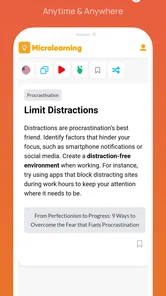
Microlearning breaks a topic into brief lessons or study activities that can be completed in short bursts. This can be useful when you have limited time, want to review material regularly, or prefer a less overwhelming alternative to lengthy study sessions. Short sessions do not replace deeper practice for every subject, so you may still need textbooks, exercises, or other resources to build thorough understanding.
Does Microlearning: Study Apps AI use artificial intelligence to create personalized study content?
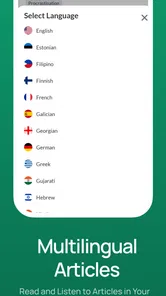
The app’s name suggests that AI is part of its study experience, but the specific features may differ by version, region, or subscription plan. Before relying on it for personalized lessons, quizzes, summaries, or recommendations, review the feature descriptions in the store listing and inside the app. If AI-generated material is available, check important facts against trusted sources, especially when preparing for exams.
Is Microlearning: Study Apps AI free to use?
Pricing and access can change over time. The app may offer some features at no cost while reserving additional tools, content, or usage for a paid plan or in-app purchase. Check the app store page for current pricing, trial terms, renewal details, and cancellation instructions before subscribing. Also confirm whether a payment is required to access the particular subjects or AI features you intend to use.
What should I check before downloading Microlearning: Study Apps AI?
First, confirm that your device meets the app’s current operating-system requirements and that it is available in your region. Then review recent user feedback, the developer’s privacy information, requested permissions, and any subscription terms. If you plan to study offline or use the app across multiple devices, check whether those options are supported. Avoid entering sensitive personal information unless you understand how it will be handled.
Pros
- Short lessons make it easier to study during breaks or commutes.
- AI-generated quizzes offer a quick way to check what you have learned.
- A broad range of topics can support varied learning goals.
- Bite-sized sessions may help make regular study feel more manageable.
- Useful for reviewing material without committing to a long course.
Cons
- AI answers and explanations may occasionally be inaccurate; verify important facts.
- Brief lessons may not provide enough depth for complex subjects.
- Learning quality can vary depending on the topic and generated content.
- Frequent reminders or app notifications may distract some users.
- Some features or content may require a paid subscription.











