Manual Camera: DSLR Camera Pro
- 726.00
- 4.0
- Installs
- 1.00M
- Price
- $4.99

Screenshots
Analysis by Reviewed
Imagine having the power of a DSLR camera in the palm of your hand. That's what Manual Camera: DSLR Camera Pro aims to deliver. This app is a haven for photography enthusiasts who want to push the boundaries of their smartphone's camera capabilities.
Getting Started with Manual Camera: DSLR Camera Pro
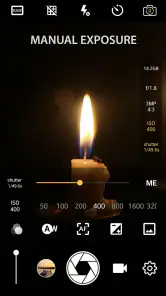
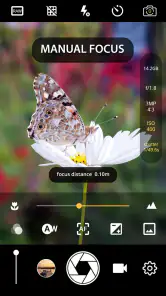
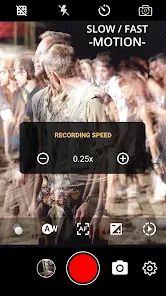
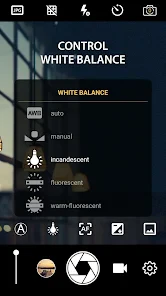
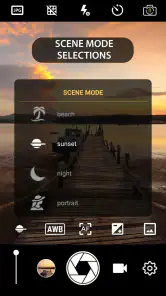
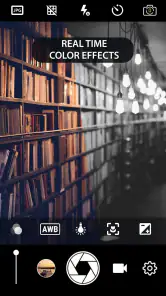
First things first, let’s talk about the user interface. Upon launching the app, you're greeted with a clean and intuitive layout that closely resembles a professional camera's settings. For those who are familiar with DSLRs, this setup feels like home. You have your ISO, shutter speed, white balance, and focus manual controls all at your fingertips. It's like having a mini DSLR in your pocket.
Features That Stand Out
One of the standout features of Manual Camera: DSLR Camera Pro is its ability to shoot in RAW format. This is a game-changer for anyone serious about editing their photos post-capture. Having the raw data from your image allows for more flexibility in editing software like Adobe Lightroom or Photoshop.
Another feature that I found incredibly useful is the real-time histogram. This tool helps in understanding the exposure levels of your photo before you even take the shot. It’s a small detail, but it makes a huge difference, especially in tricky lighting conditions.
Performance and Usability
In terms of performance, the app runs smoothly on both Android and iOS devices. During my test runs, I didn’t experience any crashes or lags, which is crucial when trying to capture that perfect moment. The app does require a bit of a learning curve if you're not familiar with manual photography settings, but once you get the hang of it, the results are incredibly rewarding.
For those who enjoy night photography, the app offers long exposure support, which is perfect for capturing light trails or starry skies. Just set your phone on a tripod, adjust the settings, and let Manual Camera: DSLR Camera Pro do its magic.
Final Thoughts
All in all, if you're passionate about photography and want to take full control of your smartphone camera, this app is a must-have. It bridges the gap between professional photography and mobile convenience. While it might not replace a traditional DSLR for professional photographers, it certainly comes close for those who want to explore their creative side without investing in expensive equipment. Give it a go and see how it transforms your mobile photography experience.
Pros
- Full manual control over camera settings.
- High-quality RAW image capture.
- Customizable user interface.
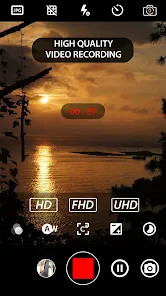
- Supports 4K video recording.
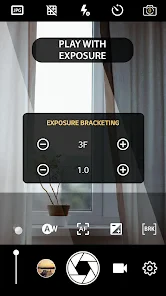
- Advanced focus and exposure settings.
Cons
- Requires a high-end device for best performance.
- Limited free version features.
- Complex for beginners.
- Occasional app crashes.
- Consumes more battery.

- Category
- Photography
- Version
- 1.20











