Mansfield News Journal
- 41.00
- 3.3
- Installs
- 10.00K
- Price
- Free

Screenshots




Analysis by Reviewed
When I first opened Mansfield News Journal, I approached it as a practical local-news reader rather than another broad national news app. That distinction matters. Its short store description points to Mansfield News Journal, while the wider experience sits in the News & Magazines category and comes from USA TODAY Co. I found the app most useful when I wanted local reporting in the same place as larger stories, photography, and video, without beginning with a general-purpose news search.
The app is free to install and is rated for Everyone 10+, so it is an approachable choice for a household news device or for someone trying a local source for the first time. It includes optional in-app purchases ranging from $9.99 to $69.99 per item, which is important to understand before treating the free download as the same thing as unrestricted access to every part of the service. My advice is simple: install it, look around, and learn which material is immediately available before deciding whether any paid option fits your reading habits.
What to expect from the Mansfield news experience
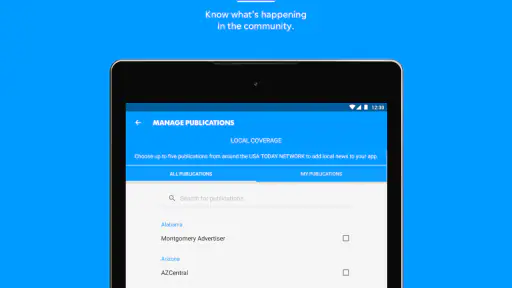
The central appeal is focus. Instead of asking you to build a local-news feed from a large national platform, the app gives Mansfield coverage a clear home. That makes it a better starting point for readers who care about what is happening close to them, while the broader news material helps prevent the experience from feeling too narrow. I liked that balance because local news is often most useful when I can check it quickly and then move to a wider context without changing apps.
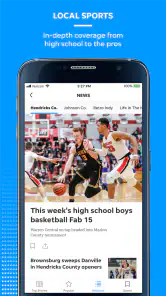
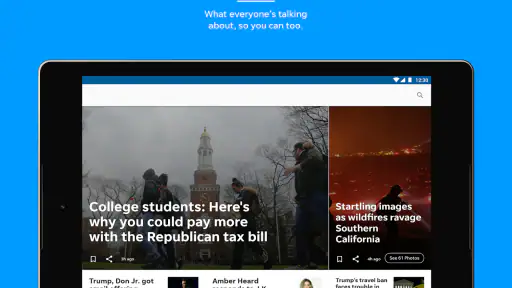
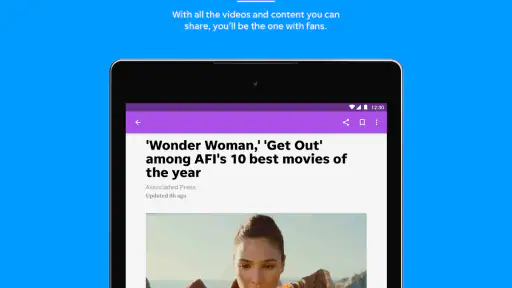
The visual side also deserves attention. News is not presented only as blocks of text; the app is designed around reporting that can include photography and video. In practical use, that means I would not treat it as a simple headline list. A developing local story may be easier to understand through an image or a short video than through a headline alone, while a longer written report remains more suitable when I want background and detail.
That mix creates a useful trade-off. Visual material can make the app feel more immediate, but it can also make a quick reading session less predictable. If I have only a minute before leaving home, I prefer to scan headlines and choose one item. If I have more time, the richer presentation becomes an advantage. The app works best when I use it deliberately rather than expecting every visit to behave like a minimalist text feed.
The current version is 8.10.3, and it runs on Android 8.0 or later. That gives the app a fairly broad reach among Android users, although anyone with an older phone should check compatibility before planning around it. I would also keep the operating system and the app itself reasonably current, especially when an app combines written stories, images, and video. A smooth news routine depends as much on the device as on the publication.
Its audience is fairly clear to me. Residents of Mansfield and nearby readers who want a local source should get the most value. Former residents, relatives, or people following community developments from a distance may also find the local focus useful. On the other hand, someone looking mainly for international reporting, financial markets, science coverage, or a highly customizable multi-source feed may be happier with a larger national news application.
More From Our News Desk

Weather by Xiaomi Review: Clear at a Glance, Less Clear Up Close

X Under Pressure: Can It Recover When Posting Goes Wrong?

Clash of Clans Is Won Between the Battles

Android Auto Makes the Case for Quieter Car Software

MobiOffice: Transforming Mobile Productivity with Seamless Integration

EA SPORTS FC™ Mobile Soccer: Redefining Mobile Sports Gaming
Installing it without overthinking the first visit
After installing the app, I would begin with one simple goal: find a story that matters to me. I would not start by trying to understand every menu or by judging the whole service from the first screen. News apps often feel confusing when the reader treats the opening view as a complete map of the product. Here, the more useful approach is to identify the local stream, inspect a few formats, and then decide whether the reading flow feels natural.
My first pass would be quick. I would scan the visible headlines, open one written article, return to the main feed, and then try one item with photography or video. That small sequence answers several practical questions at once: Is the local coverage easy to spot? Do articles open in a comfortable reading view? Does multimedia add useful context? Does moving back to the feed feel straightforward? Those answers are more valuable than spending several minutes looking at menus before reading anything.
I would also pay attention to the difference between browsing and committing. The free installation lets a new reader evaluate the experience, but the presence of paid items means I would avoid assuming that every article or service is included without charge. If a purchase prompt appears, I would read it carefully and decide whether it relates to a single item or a broader access choice. Do not treat “free to install” as a promise that every part of a news service is free.
For a first-time user, this is the point where patience helps. A local publication may organize information differently from a national aggregator. The most important story may not be the loudest-looking card, and a video may require a little more time than a headline scan. I found it better to judge the app after reading several different kinds of content rather than after one glance at the opening screen.
The first meaningful action: build a repeatable reading habit
The first successful action I recommend is not changing a setting; it is completing a small news loop. Open the app, choose a local story, read enough to understand what happened, return to the feed, and then compare it with one broader item. This gives the app a purpose immediately. You are not merely testing buttons—you are checking whether it can help you answer the everyday question, “What should I know today?”
I found this workflow especially practical in the morning. I can begin with a local headline to see whether anything nearby affects my plans, then use a national story for context, and finish with a visual report if I have time. The order can be reversed, but the important idea is to separate urgent local awareness from relaxed browsing. That prevents the app’s photography and video from turning a short check-in into an unplanned long session.
Another useful habit is to read beyond the headline before forming an opinion. Local stories frequently depend on details such as location, timing, public response, or the difference between an announcement and a completed event. A headline can tell me where to begin, but the article is where I decide whether the information is relevant to my family, commute, work, or neighborhood. This is one reason I prefer using the app as a reading destination rather than relying only on headline notifications from elsewhere.
If you are checking the app during a busy day, use it in two passes. The first pass is for selecting one or two relevant stories. The second is for returning to the item that deserves attention. This is more efficient than opening every headline as it appears. It also makes the visual content easier to appreciate because you are choosing it intentionally instead of letting each video interrupt your routine.
For people who follow local events, I would save a mental note of which sections consistently answer their questions. A parent may care about community developments and public safety reporting; a commuter may look for local disruptions; a former resident may focus on civic or cultural stories. The app is most valuable when its local identity matches your reason for opening it. Without that personal connection, the broader news material may not be enough to distinguish it from many alternatives.
Where new users can get confused
The first likely confusion is the relationship between the app’s local identity and its broader news presentation. Seeing national stories does not mean the local purpose has disappeared; it means the app is trying to place Mansfield coverage alongside wider reporting. I would look for the local material first and treat the national content as a secondary layer. That keeps the experience aligned with why most people would choose this particular app.
The second point is payment. The app costs nothing to download, but optional purchases are listed from $9.99 to $69.99 per item. A new user should pause at any purchase screen, read the wording, and decide whether the proposed access is necessary for their needs. If you only want to sample the publication, continue with the freely available parts first. If you read local reporting every day, a paid option may be easier to justify, but that is a personal value decision rather than something I would make automatically.
The third confusion involves multimedia. A photograph or video can be part of the story, not merely decoration, but it is not always the fastest way to get the essential facts. When I am in a hurry, I start with written reporting. When I want atmosphere, evidence, or a clearer sense of an event, I give the visual material more attention. This simple division helps me avoid judging the app unfairly for being slower than a text-only reader during a rushed check.
There is also a difference between a local publication app and a general news aggregator. An aggregator may offer more sources, more personalization, and a wider range of viewpoints in one feed. That is useful if I want to compare coverage or follow many subjects. Mansfield News Journal has a different strength: it gives a specific local outlet a dedicated place on my phone. The trade-off is breadth. Readers who want one app for every topic may find an aggregator more efficient, while readers who value local relevance may prefer this focused option.
The average rating is 3.3 from around 118 ratings, with about 41 written reviews. I would read that as a reason to test the app personally rather than as a final verdict. Ratings can reflect different expectations about access, performance, design, or local coverage. My own evaluation would concentrate on whether the articles I need are easy to find and whether the reading experience fits my device, not on assuming that one average captures every use case.
Practical ways to get more from each visit
One non-obvious advantage of a local-first workflow is that it reduces decision fatigue. Instead of beginning with a huge list of unrelated headlines, I can ask a narrower question: what has changed around Mansfield? Once I have that answer, I can decide whether I want broader news or visual material. This is particularly helpful for readers who feel overwhelmed by national feeds but still want to stay informed beyond their immediate area.
A second useful technique is to separate “need to know” from “want to explore.” Written local reporting is my first stop for information that could affect plans or decisions. Photography and video are better for stories where seeing the setting or event adds meaning. National stories then provide a wider frame. Using the app this way makes its mixed format feel intentional rather than cluttered, and it helps me leave the app with a clear understanding of what I actually read.
A third trade-off concerns attention. Rich media can draw me into a story that I did not plan to read, which is enjoyable when I have free time but inconvenient when I am checking the app before work. I would recommend opening the app with a time limit in mind and choosing content in order of importance. That is not a criticism of the visual approach; it is a reminder that a news app should serve the reader’s schedule, not quietly take control of it.
For a family member who is new to local digital news, I would demonstrate the process once: locate a local headline, open the article, return to the feed, and identify where a purchase prompt appears if one is encountered. That small orientation removes most of the uncertainty. The age rating of Everyone 10+ also makes the app broadly approachable, although adults should still guide younger readers toward suitable stories because news topics can vary widely.
The app has more than 10K installs, so it has an established audience without feeling like an unavoidable default on every Android phone. I see that as a modest sign that it serves a specific readership rather than trying to be everything to everyone. Its long availability, beginning on Aug 2, 2012, also places it in the category of familiar publication apps rather than a brand-new experiment. Still, the deciding factor for me remains current usefulness: whether the local reporting matches what I want to follow today.
Who should choose it, and who should look elsewhere
I would recommend it to a Mansfield-area reader who wants a direct route to local news and appreciates having photography, video, and broader stories nearby. It also makes sense for someone who has moved away but still wants a convenient connection to local reporting. The app is especially suitable for a short daily routine: check local developments, open one meaningful article, and move on with the day.
I would be more cautious about recommending it to a reader who expects a completely free, unlimited news experience. The listed in-app purchase range means access decisions may become part of the experience, so the app deserves a trial before any payment. I would also point heavy international-news readers toward a broader news service, and I would suggest a multi-source aggregator to anyone who wants extensive personalization or side-by-side coverage from many publishers.
People with older Android hardware should check that their phone meets the Android 8.0 minimum before getting invested in the app. Even on a compatible phone, video and photography may be less comfortable on a small or slower device than on a newer one. If your priority is reading long articles with minimal visual material, a simpler text-focused source may suit you better.
My final recommendation is to judge the app through a real routine rather than a single opening screen. Install it, find one local story, compare it with one broader report, and try a visual item when you have enough time. That path quickly reveals whether the local focus is valuable to you, whether the presentation feels comfortable, and whether the purchase model fits your expectations.
After using it that way, I see Mansfield News Journal as a focused local-news companion with enough national and multimedia content to make regular visits worthwhile. It is not the universal answer for every news habit, and its paid options deserve attention, but it can be a reassuring first step for anyone who wants to reconnect with Mansfield reporting without starting from an overwhelming national feed. If local relevance is your main reason for opening a news app, this is the audience it serves best.
Mansfield News Journal Frequently Asked Questions
Who publishes the Mansfield News Journal app, and what devices is it for?
Mansfield News Journal is a news and magazines app published by USA TODAY Co. It is intended for mobile use on Android and iOS devices, giving readers a convenient way to access local and national news, along with photography and video content. Before installing, check that your device meets the app’s operating-system requirements; the app requires Android 8.0 or later.
What is the Mansfield News Journal app?
The Mansfield News Journal app is a mobile news platform focused on Mansfield, Ohio, and surrounding communities. It provides access to local reporting, breaking news, sports coverage, weather updates, entertainment, opinion pieces, and other stories from the News Journal. The app is designed for readers who want convenient access to regional news while using an Android or iOS device.
Is the Mansfield News Journal app free to download and use?
The app is free to download, and users may be able to read some articles without paying. However, access to the complete collection of stories and premium digital features may require a subscription or account, depending on the current publishing policy. In-app purchases are available, so review the subscription terms and purchase details to understand what content is available at no cost and what may involve a charge.
What kind of content can I read in the app?
Readers can typically find local news, community updates, high school and regional sports, crime reports, local business coverage, weather information, politics, entertainment, and human-interest stories. The Mansfield News Journal app is especially useful for following events in Richland County and nearby areas, offering coverage that may not receive much attention from national news applications. Its store description also highlights local and national news, photography, and video content.
Does the app support breaking news notifications?
The Mansfield News Journal app may offer push notifications for breaking news, major local developments, severe weather, sports results, and other important updates. Notification availability and categories can vary by device and app version. After installation, review the notification settings so you can choose which alerts to receive and avoid being overwhelmed by updates that are not relevant to you.
Pros
- Covers local Mansfield and Richland County events in one place.
- Offers timely updates on community news and regional developments.
- Includes sports coverage for local teams and school activities.
- Article layouts are generally easy to scan on a phone.
- Push notifications can help readers catch breaking local stories.
Cons
- Many full articles may require a paid subscription or account.
- Some content can feel narrowly focused on the local area.
- Advertising may interrupt reading
- especially in free access areas.
- Notification frequency may become distracting if not customized.
- App performance and loading times can depend on connection quality.
- Category
- News & Magazines
- Version
- 8.10.3













