

Lunyb
- 73.00
- 4.5
- Installs
- 10.00K
- Price
- Free

Screenshots
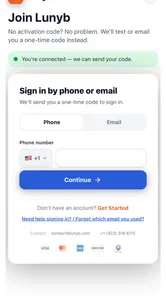
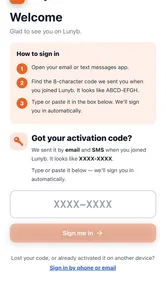
Analysis by Reviewed
Privacy tools often make a strong first impression and then quietly disappear from daily use. I approached Lunyb with that in mind. Developed by MyTrackAi, this free education app combines privacy protection, tracker blocking, and secure link shortening in one small package. Its purpose is practical: reduce some of the unwanted baggage that follows ordinary browsing while giving you a safer way to share shorter links.
My first reaction was that Lunyb is easier to understand than many privacy-focused tools. You do not need to begin with a long lesson about online tracking or spend an evening comparing technical settings. The central idea is clear enough for a casual user, but there is also room to build a more deliberate browsing and sharing routine around it. That balance is important because a privacy app only helps when I remember to use it.
The app currently carries a 4.5 average from over 500 ratings, with more than 10 thousand installs. Those figures suggest that it has found an audience, although they do not replace personal testing. It is rated for Everyone, costs nothing to install, and supports Android 7.0 or later. The current release is version 1.4.2, and optional purchases range from $4.99 to $49.99 per item. I would treat those purchases as something to examine carefully rather than assuming the free experience and paid options serve exactly the same needs.
What Lunyb feels like during the first week
During the first few days, the strongest appeal is convenience. Privacy protection can otherwise feel like a collection of separate jobs: one tool for unwanted trackers, another for sharing links, and perhaps a third for learning what all the warnings mean. Lunyb brings its advertised focus into one place, so the app is most useful when I want a straightforward starting point instead of a complicated privacy setup.
A realistic everyday situation is sharing an article in a group chat. A long address copied from a browser can contain distracting parameters and look unpleasant on a phone screen. Using Lunyb to shorten the link gives the message a cleaner appearance while keeping the sharing step connected to a privacy-minded workflow. I would still check the destination before sending it, because a shorter link is easier to read but not automatically proof that the destination itself is trustworthy.
That distinction is one of the first practical lessons I took from using the app. Link shortening improves handling and presentation; it should not replace common sense. If I receive a shortened address from someone else, I remain cautious because the visible text tells me less about where it leads. Lunyb is therefore more convincing as a tool for preparing links I already trust than as a reason to trust unfamiliar links.
The tracker-blocking side also makes the app relevant to people who are tired of seeing their browsing experience shaped by invisible advertising systems. I like the idea of reducing that background activity, especially on pages that feel overloaded with promotional elements. Still, privacy protection is not a magic curtain. Blocking trackers does not make every website private, remove every advertisement, or turn an untrustworthy service into a safe one. The app is best understood as one useful layer.
More From Our News Desk

 Gmail
GmailGmail in a Busy Inbox: Who Benefits Most?
From first account to crowded workday, Gmail earns its place through dependable search and flexible sorting—but its best fit depends on how much inbox maintenance you can tolerate.

 Prime Video
Switching to Prime Video: What Changes in Your Viewing Routine
Prime Video can make a compelling second home for streaming, but switching means learning a different catalog, rental layer, and route from browsing to playback.

 Universal TV Remote Control
Universal TV Remote Control Works Best as a Reliable Backup
A phone remote earns its place through quick setup and reliable habits. Here is how to get more from Universal TV Remote Control—and where its limits show.

 Weather - By Xiaomi
Weather by Xiaomi Review: Clear at a Glance, Less Clear Up Close
Xiaomi’s weather app makes everyday forecasts quick to scan, but its calm surface can leave useful details and recovery paths harder to find than they should be.

 X
XX Under Pressure: Can It Recover When Posting Goes Wrong?
A resilience-focused review of X, examining setup, mistaken posts, interruptions, weak connections, and the gaps that matter when recovery needs to be dependable.

 Clash of Clans
Clash of Clans Is Won Between the Battles
Its raids are quick; its community is a long-term project of coordination, teaching, rivalry, and shared responsibility—with all the friction that entails.
Latest News



For a newcomer, the first week is when Lunyb has the clearest advantage over the usual alternative of doing nothing. It gives privacy a visible place in the daily routine. Instead of only thinking about protection after a suspicious message or an unwanted advertisement, I can include it when I browse, prepare a link, or decide what to share. That small change in behavior is more valuable than a long list of technical claims.
Who benefits quickly and who may not
Lunyb suits people who want a simple privacy companion without immediately committing to a large security suite. It is also a sensible fit for students, families, and casual users who share links often and want a cleaner process. The Everyone rating supports that broad audience, although younger users still benefit from guidance about suspicious links and oversharing.
I would be less enthusiastic about recommending it as the only privacy measure for someone with demanding security needs. A specialist privacy browser, a dedicated tracker-blocking setup, or a broader security product may be a better choice when advanced controls, deep reporting, or a complete device-wide strategy matter more than convenience. Lunyb’s appeal comes from combining a few understandable tasks, not from replacing every privacy tool.
The education category is an interesting fit because the app can encourage better habits. I do not see it as a course or a formal lesson; its educational value comes from making privacy actions part of ordinary phone use. Someone who pays attention to what gets blocked and thinks before sharing a shortened address may gradually become more careful online. That benefit depends on engagement, though. Installing it and never opening it will not create a habit.
Does the value survive after the novelty fades?
The month-to-month test is more demanding. A privacy app can feel impressive during an initial experiment, then become background clutter once the user stops checking it. Lunyb earns continued space when it remains useful in repeated situations: preparing links, reducing unwanted tracking, and reminding me to make more deliberate choices while browsing.
Its recurring value is strongest for people who share content regularly. A person who sends articles, event pages, study resources, or product references every week has a natural reason to return. The link-shortening function gives the app a concrete job, rather than leaving privacy protection as an abstract promise. That practical anchor makes it easier to remember than an app that only displays occasional warnings.
For a light browser who rarely shares links, the calculation is different. If I mostly read a few familiar sites and do not notice a meaningful improvement in my routine, Lunyb may feel unnecessary after the first week. This is not a flaw unique to the app; it is a reminder that recurring value depends on a repeated problem. I would not keep any privacy utility installed purely because privacy sounds important.
The best long-term workflow is to use Lunyb at deliberate points instead of forcing it into every action. I would use the link feature when preparing something for other people, then take a moment to verify the original destination and remove unnecessary sharing context. For browsing, I would pay attention to whether the experience becomes less distracting or more comfortable, rather than expecting a dramatic transformation on every page.
That approach also helps avoid a common mistake: treating a single privacy tool as a complete answer. Lunyb can support a broader routine that includes careful permissions, strong account passwords, software updates, and skepticism toward unexpected messages. It cannot make those other habits irrelevant. In my view, the app’s lasting value comes from fitting into that routine without demanding too much attention.
Maintenance is light, but attention still matters
The maintenance burden appears modest because the app’s focus is narrow and understandable. I do not need to manage a complicated collection of profiles just to get value from the basic idea. That makes Lunyb more approachable than privacy products that expect users to understand every setting before they can browse comfortably.
Light maintenance does not mean zero maintenance. I would still keep the app updated, review any choices it presents, and occasionally reconsider whether its role remains useful. Privacy tools depend on changing websites and changing tracking methods, so an old installation should not be treated as permanently current. The version number is a useful reminder that the app is an evolving product, not a one-time switch.
I would also pay attention to the optional purchases. The app is free, but in-app items cost between $4.99 and $49.99 each. That range is wide enough that I would not buy anything impulsively. Before spending money, I would identify the exact problem I am trying to solve and confirm that the paid option addresses it. If the free functions already cover my link-sharing and basic privacy routine, paying may not add enough recurring value.
Another maintenance question is mental rather than technical: can I explain the app’s role to the people who use my shared links? A shortened address may be convenient, but some recipients prefer seeing the full destination. In a family or study group, I might include context with the link instead of sending a bare shortened address. That small habit preserves trust and makes the privacy workflow less confusing for others.
Where fatigue can set in
The first source of fatigue is uncertainty. Privacy protection is difficult to judge because success often means something did not happen. When a page loads more cleanly or a link looks shorter, I may notice the result, but I cannot easily measure every background improvement. If the app does not remain clear about what it is doing, users may lose interest even when the concept is useful.
The second is repetition. If I do not share links often, the shortening feature may become an occasional extra step. Privacy actions can also feel repetitive when I am in a hurry. A workflow that seems responsible on a quiet evening may feel like friction when I am trying to send an urgent page. The app needs to be quick enough that I do not bypass it whenever speed matters.
A third concern is false confidence. The combination of privacy language and secure link shortening can encourage the assumption that every resulting link is safe or anonymous. I would resist that interpretation. Lunyb can help me handle links more thoughtfully, but I still need to inspect sources, avoid suspicious requests, and consider what information I reveal by sharing or opening content.
There is also a possible fatigue point around paid features. A free app is easy to try, but a user may become frustrated if the most useful part of the routine turns out to depend on an optional purchase. Since the available items span a substantial price range, I would want the upgrade path to feel transparent and proportionate to my needs. For occasional use, the free entry point is the more sensible place to begin.
Finally, people who already use a favorite privacy browser or a dedicated blocker may find overlap. Adding another app can create confusion about which tool is responsible for a result, especially if both are used for similar browsing tasks. In that situation, Lunyb needs to offer enough convenience in link handling or simplicity to justify the extra place on the phone. Otherwise, consolidation is better than collecting privacy apps.
My long-term verdict on Lunyb
After the initial appeal fades, I think Lunyb has a reasonable chance of staying useful for the right person. Its strongest quality is not that it promises to solve privacy in one move; it is that it connects privacy-minded browsing with a concrete sharing task. That combination gives me a reason to return, which is exactly what many small utilities lack.
I would recommend trying it if you regularly share links, want an approachable introduction to tracker blocking, or prefer a focused tool over a large security suite. Start with the free experience, use it in real situations rather than testing it only once, and judge whether it saves effort or adds another step. If you share a link, remember that a shorter address is easier to send but still deserves destination checks.
I would skip it if I need advanced privacy controls, a complete security system, or a tool that can replace careful online behavior. Someone who already has a trusted setup may gain little from adding Lunyb unless its link workflow is noticeably more convenient. Likewise, a person who rarely browses or shares links may not develop enough of a routine to justify keeping it installed.
My final view is cautiously positive. Lunyb is most convincing as a habit-building utility: it makes privacy feel like something I can include in ordinary browsing and sharing instead of a specialist project I will postpone. Its long-term success depends on clarity, low friction, and honest expectations. Used that way, it can earn a lasting place on an Android phone; used as a promise of total protection, it will disappoint.
The lasting value is in the routine, not the novelty. I would keep it when it helps me share links more thoughtfully and makes tracker awareness part of normal phone use. I would remove it when it becomes a redundant layer, a source of confusion, or an excuse to stop practicing the privacy habits that matter beyond any single app.
Lunyb Frequently Asked Questions
What does Lunyb’s privacy-focused description mean for everyday use?
Lunyb is presented as an app for protecting privacy, blocking trackers, and shortening links securely. These tools may be useful if you want to reduce tracking while browsing or create shorter links to share. As with any privacy app, check its permissions and privacy policy before use, and review how its features work before relying on them for sensitive activity.
What is Lunyb and what can I use it for?
Lunyb is an app designed to provide users with a convenient digital experience through its main tools and features. Depending on the version available in your region, it may help you explore content, manage activities, or connect with services in one place. Before downloading, review the official store description carefully, since available functions, supported devices, and regional features can change over time.
Is Lunyb free to download and use?
Lunyb is free to download, but it offers in-app purchases ranging from $4.99 to $49.99 per item. Some features may therefore require payment. Before making a purchase, review what it unlocks and any applicable payment terms so you can decide whether the free version meets your needs. Prices and purchase options may vary by platform or region.
Does Lunyb require an account or personal information?
The information required by Lunyb depends on how you intend to use the application. Some features may work without registration, while others can require an email address, phone number, profile details, or permission to access device functions. Before creating an account, read the privacy policy and app permissions so you understand what data may be collected, why it is needed, and how it is handled.
Is Lunyb available for both Android and iPhone?
Availability can vary according to the operating system, country, and device model. Check the official Google Play or App Store page before downloading to confirm whether Lunyb supports your phone and operating-system version. It is also worth checking the latest update date, required storage space, and compatibility notes, because older devices may not provide the same performance or access to every feature.
Pros
- Clean
- playful interface that is easy to navigate
- Useful tools are presented in a simple
- beginner-friendly way
- Lightweight design helps the app feel responsive on most devices
- Suitable for casual use without requiring advanced technical knowledge
- Regular use can make routine tasks feel more organized
Cons
- Some features may feel limited compared with more established alternatives
- The app may require permissions that privacy-conscious users should review
- Navigation can become less convenient as more content or options appear
- Performance may vary on older devices or with limited storage
- Users may need an account to access the full experience











