

Lucky Video
- 22.00
- 4.1
- Installs
- 50.00K
- Price
- Free

Screenshots


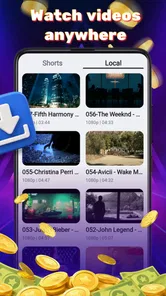

Analysis by Reviewed
When I choose a video player, I think about more than whether it can open a file. I want to know how easily I can find the clip I need, use the controls when I’m distracted, and follow what’s on screen in the places where I actually watch. Lucky Video, from Lucky-Tech Limited, is a free Android player that may suit people looking for a separate, straightforward way to watch videos. Its value depends on how comfortably its playback and navigation fit your habits, so I’d test it with a familiar clip before making it my default.
A quick test before you settle in
Try a video you already know you can find on your phone, then pause it, leave the app briefly, and return. This simple routine can tell you more than browsing a feature list: it checks whether file selection, playback controls, and resuming a task feel manageable together. If the clip is for a particular purpose, such as following a lesson, choose one that reflects your real needs rather than a short video that asks little of the player.
How easy is it to read and navigate?
The app sits in the video-player and editing category, but its short name and description point chiefly to playback. I’d approach Lucky Video as a player first, rather than assume it is a full editing suite. If your immediate need is to open a video and watch it, a focused player can be less distracting than an app that surrounds playback with a crowded set of editing and publishing tools.
In practice, clear navigation is more than a tidy home screen. A useful player should help me find the right file, understand what is currently playing, and reach the controls without hunting. Those steps matter when a device contains many clips with similar names, or when I open a video in a hurry. I recommend checking how comfortably you can locate a familiar file and pause or resume playback before making Lucky Video your default.
The app has an average rating of 4.1 from around 190 ratings, with a little over 20 written reviews. That gives a prospective user some public feedback to consider, but it is not a substitute for testing the app on their own device. People differ in what they need from a player: one person may care most about a simple start-and-stop experience, while another needs precise playback control and strong visual clarity.
For readability, pay attention to whether the interface remains understandable at the text size and display scaling you normally use. If labels are small, icons are ambiguous, or important controls are difficult to distinguish, even a basic player can become tiring. I would also check whether the currently playing video is easy to identify after switching away and returning. That small detail can prevent confusion when you are juggling messages, family clips, or a tutorial.
Small-screen habits that make a difference
One practical test is to use the app one-handed while seated, rather than only exploring it with both hands at a desk. Try opening a clip, pausing it, and resuming it without changing your grip. If those common actions feel awkward, the issue may be less about the number of features and more about where the controls sit in relation to your thumb and the device’s orientation.
More From Our News Desk

 Gmail
GmailGmail in a Busy Inbox: Who Benefits Most?
From first account to crowded workday, Gmail earns its place through dependable search and flexible sorting—but its best fit depends on how much inbox maintenance you can tolerate.

 Prime Video
Switching to Prime Video: What Changes in Your Viewing Routine
Prime Video can make a compelling second home for streaming, but switching means learning a different catalog, rental layer, and route from browsing to playback.

 Universal TV Remote Control
Universal TV Remote Control Works Best as a Reliable Backup
A phone remote earns its place through quick setup and reliable habits. Here is how to get more from Universal TV Remote Control—and where its limits show.

 Weather - By Xiaomi
Weather by Xiaomi Review: Clear at a Glance, Less Clear Up Close
Xiaomi’s weather app makes everyday forecasts quick to scan, but its calm surface can leave useful details and recovery paths harder to find than they should be.

 X
XX Under Pressure: Can It Recover When Posting Goes Wrong?
A resilience-focused review of X, examining setup, mistaken posts, interruptions, weak connections, and the gaps that matter when recovery needs to be dependable.

 Clash of Clans
Clash of Clans Is Won Between the Battles
Its raids are quick; its community is a long-term project of coordination, teaching, rivalry, and shared responsibility—with all the friction that entails.
Latest News



Another useful check is whether you can make sense of the screen at a glance. Watching a short clip in a bright room, then in softer light, can reveal whether contrast and control visibility work for your eyes. I would not assume that a simple interface automatically means an accessible one: simplicity helps only when the important information is also legible and the controls are easy to recognize.
Playback in different bodies and situations
I’d look at playback accessibility through the small tasks that shape a real viewing session: finding a clip, keeping track of where it is, and returning after an interruption. Trying those steps in the lighting and grip you normally use can reveal useful friction before you rely on the player. That everyday test leads naturally to the more specific ways motor and sensory needs can affect the experience.
Motor and sensory considerations
Video players can be demanding in quiet ways. A person with limited dexterity may need controls that are easy to hit without accidentally triggering a neighboring action. Someone with hand tremors may find repeated tapping frustrating, while a user who prefers not to use touch for every adjustment may look for dependable system-level controls. I would test the basic playback actions slowly and deliberately, not just tap quickly through setup and assume the experience will hold up during a longer session.
Sensory needs also vary. Bright imagery, rapid cuts, loud audio, and sudden changes in volume can make some videos uncomfortable regardless of which player is used. Lucky Video does not change the content itself, so I would choose calmer clips and adjust the device’s audio and display settings when needed. If you rely on captions, audio descriptions, or a particular subtitle presentation, test a clip that uses those features before depending on the app for study or accessibility-critical viewing.
A useful workflow for a person who tires easily is to keep sessions short and confirm that pausing is straightforward before settling in. For example, if I am watching a recipe while preparing food, I need to stop playback with one quick action and return to the same point after washing my hands. This is a more revealing test than simply opening a sample clip, because it checks whether the player fits a real task with interruptions.
There is also a difference between accessibility and convenience. A large-looking control may be convenient, but it does not by itself prove compatibility with a screen reader or other assistive technology. If spoken navigation, switch access, or voice control is essential to you, try those tools directly with Lucky Video before relying on it. The right choice is the one that works with your setup, not one that merely appears uncomplicated.
When and where it makes sense to watch
Lucky Video is free and rated for Everyone, which makes it approachable for households where different people may use the same device. That age rating is not a guarantee that every video opened in the player is appropriate for every viewer; it describes the app, not the content someone chooses to play. For a shared tablet, I would still make sure family members know how to return to the right clip and how to stop playback when they are finished.
For an everyday example, imagine a commuter who saves a lesson or personal video for later and wants to watch it during a break. A dedicated player can be handy if it makes local playback feel separate from browsing feeds and notifications. The trade-off is that a break room, bus, or waiting area may be noisy or bright. In those settings, headphones, the phone’s brightness controls, and a quick pause action matter as much as the player itself.
It may also fit someone who keeps personal recordings on a phone and wants to review them without uploading them to a social platform. I would still be careful about device storage and the organization of the video library: a player can make playback easier, but it cannot compensate for files that are hard to locate or a phone that is nearly full. A sensible routine is to test with one familiar clip first, then decide whether the app is comfortable enough for regular use.
Lucky Video is listed for Android devices running version 7.0 or later, and its current version is 1.0.1. If you are installing it on an older phone, check the operating system before troubleshooting playback or navigation. It has over 50,000 installs, so it has reached a meaningful group of users, though that figure alone cannot tell me how well it will suit a particular device, eyesight, hearing, or control preference.
How it compares with common alternatives
The usual alternatives are the video player already included with a phone, a broader media app, or a service built around online streaming. The built-in player is often the easiest starting point because it is already familiar and may work smoothly with the device’s own controls. A general media app may be better for people who want a wide range of playback options or a library spanning several kinds of media. A streaming service is the more natural choice when the goal is discovering or watching hosted content rather than opening videos already on the device.
Lucky Video’s appeal, then, is not that it should replace every one of those options. It is worth considering if you want a separate, free player and prefer a focused experience. If your current player already opens your files, presents controls clearly, and works with your accessibility setup, switching may not improve anything. I would compare them using the same clip and the same task, rather than judging by app descriptions: find a file, start it, pause it, resume it, and see which experience takes less effort.
For someone who edits clips, adds captions, manages a large collection, or needs detailed control over subtitles and playback, a more specialized alternative may be the better fit. The category includes editing tools, but I would not choose Lucky Video on the assumption that it offers advanced editing. Its clearest role is as a video player, and a narrow tool can be a good choice only when its boundaries match the job you have.
Where friction can remain
The main limitation I would keep in mind is uncertainty about fit: a player that sounds simple can still be awkward if its file browsing, control placement, or visual presentation does not suit you. Do not wait until you have an important video to find out. Try a short clip with the kind of content you actually watch, including any subtitles or audio needs that matter to you, and check whether returning to playback after an interruption is comfortable.
There is also a practical choice between familiar and separate. Installing another player may give you a dedicated place for videos, but it also means learning another interface and deciding which app should open files by default. If you only watch an occasional clip, the built-in option may be less work. If you watch saved videos often and want a distinct player, trying Lucky Video is a reasonable, low-commitment next step because it is free.
People who need proven screen-reader support, unusually large controls, or highly configurable playback should be especially deliberate. I would test the app with the exact assistive settings and content they use every day, and keep a familiar alternative available until it passes that test. That is not a criticism unique to this app; it is a sensible standard for any player when access needs are central.
My inclusive verdict
Lucky Video is most promising for someone who wants a free Android video player and values a straightforward place to open and watch clips. Its Everyone age rating and broad device compatibility make it easy to consider for personal or shared use, while its rating and install reach offer a modest signal of existing interest. I would not treat those signals as proof that the interface will work for every body or situation.
My advice is to test it with a real, familiar video rather than a convenient demo: use your usual text size, hold the phone as you normally do, check the audio and any captions you depend on, and interrupt playback once to see how easily you return. Those small checks answer the questions that matter most for inclusive use—whether you can find the file, operate the controls, and follow the content without unnecessary effort.
If those actions feel natural, Lucky Video may be a useful everyday companion for saved clips, lessons, and personal recordings. If you need specialized editing, robust assistive-technology behavior, or controls that you cannot comfortably operate, another player may serve you better. I see it as a sensible option to try, not an automatic upgrade: the right recommendation depends on whether its real-world handling matches your needs.
A practical choice for a shared device
For a family tablet, I’d make the first test with the person who will use it most, not just the person who installs it. Ask them to open a familiar recording, find the pause control, and stop playback without help. If they can do that comfortably, the app may be a reasonable addition for shared viewing; if they struggle, keeping the already-familiar player may be kinder than asking everyone to learn a new routine.
The same approach helps when choosing between local playback and streaming. A saved video is useful when you want to revisit a particular lesson or personal clip, while a streaming service is better for finding hosted material. Lucky Video makes most sense in that first kind of task. I would choose it for a separate place to play saved videos, not as a replacement for services designed around discovery or online libraries.
Choose by the task, not the promise
My bottom line is practical: start with one clip you actually care about and judge the experience by the effort it takes to open, watch, pause, and return. That gives you a clear answer about whether this particular player suits your hands, eyes, hearing, and daily setting. If it does, its simple role is a strength; if it does not, the familiar built-in option or a more specialized app is the wiser choice.
Lucky Video Frequently Asked Questions
What is Lucky Video, and what can I use it for?
Lucky Video is an app whose specific features may vary by version, region, and publisher. Before downloading, check its official store listing to confirm whether it offers video browsing, playback, editing, or another video-related service. The screenshots, description, and recent reviews are the best guides to what is currently included; avoid assuming that similarly named apps provide the same features.
Is Lucky Video free to download and use?
Check the app’s listing for its current price and any in-app purchases or subscription options. An app can be free to install while reserving certain features for paid access, or it may display advertising. Review the payment terms before starting a trial or subscribing, and make sure you know how to cancel through the relevant app store if you decide the service is not right for you.
Is Lucky Video safe, and what permissions might it request?
Safety depends on the exact Lucky Video app and the developer that publishes it. Download it from a trusted source, verify the developer name, and review the store’s privacy information and requested permissions. Video-related tools may reasonably request access to media or storage, but consider carefully whether any permission seems unrelated to the advertised features. Avoid installing unofficial files from unfamiliar websites.
Does Lucky Video work on Android and iPhone, and what are its requirements?
Availability and compatibility can differ between Android and iOS, and an app with this name may not be listed on both platforms. Check the official Google Play or Apple App Store page for supported devices, minimum operating-system version, region availability, and the latest update date. If your device is older, confirm these details before downloading, since an incompatible version may not install or function reliably.
Does Lucky Video require an account or an internet connection?
Whether Lucky Video needs an account or a constant internet connection depends on the version and the features you intend to use. The store listing and in-app setup should explain sign-in requirements and any online functionality. If creating an account is required, review what personal information is requested and how it may be used. Do not assume videos or other content will be available offline unless the app explicitly says so.
Pros
- Simple interface makes it easy to start browsing videos.
- A lightweight format can suit quick viewing sessions.
- Offers a casual way to discover entertaining video content.
- Short clips are convenient to watch during spare moments.
- Content variety may help users find something to enjoy.
Cons
- The selection and quality of videos may vary.
- Frequent ads could interrupt browsing or playback.
- Recommendations may not always match your interests.
- Video streaming can use significant mobile data.
- Availability and features may differ by region or device.











