lohud
- 65.00
- 3.4
- Installs
- 50.00K
- Price
- Free

Screenshots





Analysis by Reviewed
lohud is a focused news and magazines app from USA TODAY Co. that I found most useful when I wanted local reporting without giving up access to broader national coverage. It combines written stories with photography and video, so it feels more like a compact news desk than a simple stream of headlines. The app is free to install, carries an Everyone 10+ age rating, and has a 3.4 average from around 211 ratings. That mixed score tells me to approach it with realistic expectations: there is a useful service here, but the experience will depend heavily on whether its local coverage matches what you actually follow.
My main reason to keep an app like this around would be convenience. Instead of checking several sources during a commute, lunch break, or quiet moment at home, I can open one place and scan stories that connect to the Hudson Valley area alongside national developments. The strongest case for lohud is not endless content; it is having a recognizable local news focus in a mobile format. Readers who want only global headlines may find it too narrow, while people who care about nearby communities may appreciate that local angle.
How lohud feels as a daily news companion
I find lohud most useful when I treat it as a brief, repeatable check-in rather than a feed to keep open all day. I can start with nearby headlines, pause on a story that matters, and then decide whether national context or a visual report adds anything. That simple routine makes it easier to judge which settings and habits are worth carrying into regular use.
A local-first perspective with broader context
The app’s identity is clear from the start. It is not trying to be a general-purpose portal for every possible subject. Its value comes from putting local and national news in the same reading routine, which can be helpful when I want to understand both what is happening close to home and how larger stories may affect the area.
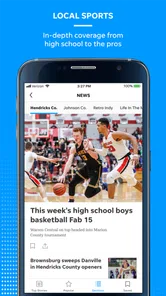
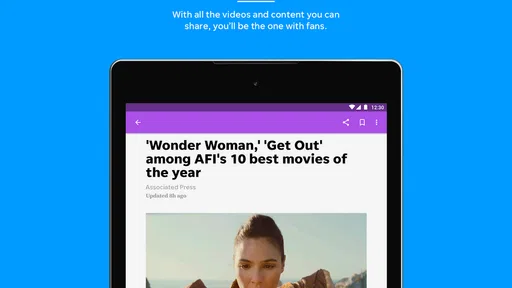
That combination also creates a useful reading rhythm. I might begin with a local update, move to a national story, and then pause on a photo or video that gives an event more immediacy than text alone. The visual material is important here because news on a phone can otherwise become a wall of headlines. Strong photography makes it easier to recognize which stories deserve a closer look, while video can help when a written summary feels too distant or abstract.
I would not treat the app as a replacement for every other news source. A local publication naturally has a particular geographic emphasis, and that is an advantage only if the area matters to me. Someone who wants international analysis, specialist business coverage, or a highly customizable multi-source reader may be better served by a larger news aggregator. lohud works best when I want a direct connection to local reporting rather than an algorithmic mix of everything.
What the reading experience is good at
On a phone, I value an app that lets me decide quickly whether a story deserves my time. lohud’s mix of headlines, images, and video supports that kind of quick judgment. I can skim visually, open the pieces that seem relevant, and leave the rest for later. That is more practical than beginning every session with a long list of undifferentiated links.
More From Our News Desk

Weather by Xiaomi Review: Clear at a Glance, Less Clear Up Close

X Under Pressure: Can It Recover When Posting Goes Wrong?

Clash of Clans Is Won Between the Battles

Android Auto Makes the Case for Quieter Car Software

MobiOffice: Transforming Mobile Productivity with Seamless Integration

EA SPORTS FC™ Mobile Soccer: Redefining Mobile Sports Gaming
The visual emphasis also makes the app suitable for readers who do not want to read every story in full. A photograph may provide immediate context, and a video can make a developing event easier to understand. I still prefer text when I need detail, background, or the exact wording of a report, but having different formats in one publication gives the app more flexibility than a text-only news feed.
There is a trade-off, though. Rich media can make a news app feel heavier and more distracting than a basic website or lightweight RSS reader. If I am checking headlines on a limited connection or trying to conserve battery, I would rather have a simpler reading tool. The same photography and video that add depth can also make the experience feel less minimal.
Trust starts with knowing what I am opening
For me, trust in a news app begins with a clear editorial identity. lohud is presented as a product of USA TODAY Co., rather than an anonymous collection of links, and that gives me a more understandable starting point when judging its reporting. I can evaluate the publication’s local focus and decide whether that perspective fits my needs instead of wondering who assembled each headline.
That does not mean I would accept every story without thought. News is still something I read critically, especially when a report affects a personal decision or involves a fast-moving event. I like using a local publication for immediate awareness, then checking primary announcements or another established source when the details matter. In that role, lohud becomes a useful first stop rather than the only source I ever consult.
The app has been available since May 3, 2012, which gives it a longer history than a newly launched news experiment. Its current version is 8.10.3, and it requires Android 8.0 or later. Those details matter in practical terms: people with older phones should check compatibility before planning around it, while users on supported devices can expect the app to belong to an established product rather than a temporary project.
Controls and choices worth checking
When I install a news app, I do not just look at the first screen. I check the settings, notification controls, account prompts, and any subscription or purchase screens before settling into a routine. These are the places where an app either gives me a comfortable level of control or starts making decisions for me.
With lohud, I would review notification choices early rather than waiting for the first unwanted interruption. News alerts can be useful for urgent local developments, but too many can turn a calm phone into a constant stream of prompts. My preferred approach is to allow only the alerts that genuinely help me stay informed, then use the app itself for ordinary browsing.
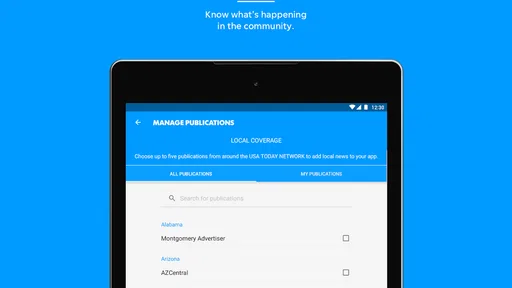
I would also look carefully at any sign-in or account request. An account can be worthwhile if it preserves preferences or supports access across devices, but I do not create one automatically just because an app suggests it. I want to understand what the account changes, what remains available without it, and whether the benefit matches the information or effort involved.
That same caution applies to purchases. The app is free, but its listed in-app purchases range from $19.99 to $69.99 per item. I would treat those screens as a decision point, not as something to click through casually. Before paying, I would check what access the purchase provides, whether it is recurring or one-time, and whether the content I actually want is included. A free download does not automatically mean every part of the experience is free.
Privacy-minded habits while reading
News apps can become surprisingly personal because reading choices reveal interests, routines, and concerns. I may open local stories about schools, traffic, public safety, weather, or community events, and that pattern can say more about my life than a random entertainment app would. I therefore prefer to make deliberate choices about notifications, accounts, and purchases instead of enabling everything during setup.
I also avoid treating a news app as a private diary. If a story is sensitive, I think about whether I need to save it, share it, or keep it in a visible reading history. I use the app for information, but I do not assume that every convenience feature deserves unrestricted access to my attention or personal context. Checking the app’s visible settings and the platform’s permission controls is a sensible part of installation.
My rule is simple: if a permission or account request is clearly connected to something I want to use, I consider it; if the purpose is unclear, I pause. That is not a criticism unique to lohud. It is the right habit for any news application, especially one that I may open repeatedly throughout the day.
Everyday situations where it earns a place
Imagine that I have ten minutes before leaving for work. I want to know whether anything important happened nearby, but I do not have time to browse several websites. I can open lohud, scan the local headlines, use the accompanying images to identify the most relevant stories, and then read one or two pieces in full. If a national story affects the same concerns, I can continue without switching immediately to another app.
Another useful situation is a quiet evening when I want more than a headline. The combination of reporting, photography, and video gives me several ways to follow a story. I might read the main article first, then use the visual material to understand the scene or see how the publication is presenting the event. That is more satisfying than relying on a short notification that leaves me with no context.
For families, the Everyone 10+ rating is a helpful general signal about the intended audience, but I would still use judgment around individual stories. News can involve upsetting subjects even when an app is not aimed at adults only. Parents who hand a phone to a child should remain involved in what is being opened, particularly when video or breaking coverage is involved.
Who should use it and who should skip it
I would recommend lohud to readers who have a real connection to its local coverage area, want a straightforward way to check nearby news, and enjoy having photography and video alongside articles. It is also a sensible choice for someone who prefers a publication with a defined identity over a broad aggregator that mixes sources without much local emphasis.
I would be more hesitant to recommend it to someone who wants a completely neutral-feeling dashboard assembled from many outlets. That reader may prefer an aggregator where local, national, international, and specialist publications can be arranged together. I would also point heavy international-news readers elsewhere, since the app’s local purpose is likely to feel limiting if nearby reporting is not part of their routine.
People who dislike notifications, account prompts, or purchase decisions should take a careful look at the controls before committing. The free entry point is convenient, but the presence of paid items means I would not assume that every desirable part of the service is included without further checking. Readers who need a very lightweight app for weak connections may also prefer a simpler text-focused alternative.
How it compares with familiar alternatives
Compared with visiting a news website in a browser, lohud feels more convenient for repeated daily checks. An app can make the publication feel closer at hand, and the blend of formats is easier to revisit than a collection of open browser tabs. The browser still has an advantage when I want to compare several publications quickly or avoid adding another app to my phone.
Compared with a national news app, lohud offers a more distinctly local reason to return. A large national service may provide greater breadth and more polished personalization, but it can bury nearby stories beneath major events from elsewhere. lohud reverses that priority, which is exactly why it may be more useful to a local reader and less useful to someone who wants worldwide coverage first.
Compared with an RSS reader, it is less about building my own collection and more about entering an existing publication’s editorial environment. RSS gives me control over sources and can be lighter, but it usually does not provide the same integrated presentation of photography and video. I would choose lohud for convenience and local focus, and RSS when maximum source control matters more.
My practical setup before regular use
I would install it only on a device running Android 8.0 or newer, then spend a few minutes exploring the settings before reading deeply.
I would decide whether I want breaking alerts at all. If I do, I would keep them selective so the app does not become a constant interruption.
I would test the reading experience on both a quick headline scan and a longer article, paying attention to whether video and images improve the visit or simply slow it down.
I would postpone any purchase until I understand exactly what it unlocks and whether that matches the stories or access I expect to use.
I would keep another trusted source available for important claims, especially when a local story could affect travel, safety, finances, or a personal decision.
A balanced view of its value
The app’s 50K+ installs show that it has reached a meaningful audience, although that figure alone does not tell me whether it will fit my habits. The 65 written reviews and the average rating of 3.4 suggest a product with a divided reception rather than an automatic recommendation. I read that as a reason to judge the experience by purpose: it may be worthwhile for local awareness even if it is not the best all-purpose news reader.
What I like most is the clear connection between place and coverage. I can use it when I want local stories to have a visible place in my daily routine instead of being lost among national headlines. The photography and video also give the publication more texture than a bare list of links.
What holds me back is the need to manage expectations. The app is not the obvious choice for every news habit, and the free label should be considered alongside the available in-app purchases. I would also avoid relying on any single publication for every important fact. Those are not deal-breakers, but they shape how I would use it.
My verdict on lohud
After looking at it as a local news tool rather than a universal media hub, I see a clear audience for lohud. It is a reasonable pick for people who want nearby reporting, national context, strong visual material, and a publication with an identifiable editorial home. I would install it for regular local check-ins, keep notifications under control, and use the free experience long enough to understand my real habits before considering a purchase.
My cautious recommendation is to try it when local coverage is your priority, but skip it if you mainly want international breadth, total source customization, or the lightest possible reading experience. The app earns its place through relevance rather than sheer scale. For the right reader, that is enough: a focused news companion that helps turn local awareness into a practical everyday habit.
lohud Frequently Asked Questions
Can I read lohud without being in its local coverage area?
You can open lohud and browse its news content wherever you are, but the app is primarily useful for readers interested in the communities covered by its local reporting. It also offers national news, photography, and video, so there may be material of broader interest. Consider whether its regional coverage matches the places and topics you want to follow before downloading.
What kind of news and media does lohud offer?
lohud combines local and national news with visual content, including photography and video. Its coverage includes breaking stories, community updates, sports, entertainment, weather, and other regional topics. You can browse headlines and open stories in the app, making it a convenient way to follow both local developments and wider news. The mix of coverage may be especially appealing if you want local reporting alongside richer media.
What is lohud and what can I use it for?
lohud is a news and information app focused on local coverage, including breaking stories, community updates, sports, entertainment, weather, and other regional topics. After installing it, you can browse the latest articles, open individual stories, and follow developments in your area. Its usefulness depends largely on whether your location is covered by the lohud news network.
Is the lohud app free to download and use?
The lohud app is free to download, and users can access some news content without paying. However, certain articles or features may be limited by a subscription or digital access plan, especially when content is protected by a paywall. The app offers in-app purchases ranging from $19.99 to $69.99 per item, so review the current terms and any subscription pricing shown inside the app before confirming a purchase.
Does lohud require an account or subscription?
You can usually install the app and explore available headlines without immediately creating an account. An account may be required for personalized features, saving preferences, managing alerts, or accessing subscriber-only articles. If you encounter a paywall, the app may offer a recurring subscription or connect an existing lohud or USA TODAY Network membership. Always review renewal terms before confirming payment.
Pros
- Covers local news
- events
- weather
- and community updates in one app.
- Stories are organized clearly
- making regional headlines easy to browse.
- Useful for staying informed about Hudson Valley communities on the go.
- Includes timely updates for local sports
- traffic
- and public-interest topics.
- Free access lowers the barrier to following important regional news.
Cons
- Coverage is mainly regional
- so it may feel limited outside the Hudson Valley.
- Some articles or features may require a subscription or account access.
- Breaking-news alerts can become frequent if notification settings are not adjusted.
- The app may include advertisements that interrupt browsing.
- Content quality and update frequency can vary between different news sections.













