Logos Bible
- 15.78K
- 4.8
- Installs
- 1.00M
- Price
- Free

Screenshots

Analysis by Reviewed
If you've ever found yourself looking for a way to dive deeper into biblical studies without feeling overwhelmed, then the Logos Bible Study App might just be your new best friend. I've been exploring it for a while now, and trust me, it's like having a library in your pocket. Let me take you through my experience with this app, and why I think it's a game-changer for anyone interested in theology or personal spiritual growth.
Choosing a study rhythm that fits
I find Logos most useful when I arrive with a question rather than an expectation to browse endlessly. A student preparing for a class can search a passage and compare available resources, while someone planning a Bible study can use the app to collect thoughts and references before meeting a group. For a short daily reading, though, a simpler Bible reader may be easier: Logos is built for exploration, and its depth can turn a quick check into a longer session.
A practical routine is to save a note when an idea occurs, then return to it when there is time to follow the references. That keeps a sermon or study plan from becoming a pile of half-remembered searches. I would also start with one passage and one clear question, rather than opening several resources at once. The trade-off is choice: a broad library can be valuable, but it asks you to decide which material is relevant and how much background you actually need.
From a quick lookup to a working study
That question-first habit also helps me decide whether Logos is the right tool for a particular moment. If I want to check the wording of a verse, a familiar reader gets me there with less to consider. If I want to understand why a passage is interpreted in different ways, or prepare questions that will prompt a group to look closely at the text, Logos has a more useful role. I see it as a place to investigate and organize, not as an app that automatically tells me what conclusion to reach.
A realistic use might begin during a lunch break when I notice a phrase I want to revisit. I can look up the passage, save a short note about what puzzled me, and leave the deeper reading for later. When I return, that note gives me a starting point instead of requiring me to remember the exact search that led me there. The key is to keep the first note brief: a question and a reference are often more useful later than a long reaction written in a hurry.
Exploring the Features
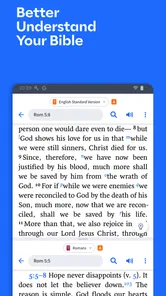
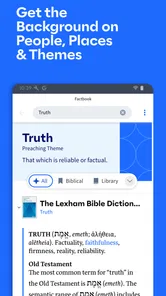
First off, the Logos Bible Study App offers a comprehensive suite of tools that cater to beginners and seasoned theologians alike. From its intuitive interface to its vast library of resources, everything is designed to make your study as seamless as possible. The app provides access to a variety of Bible translations, commentaries, and scholarly works that can be navigated with just a few taps. It's like having a personal tutor available 24/7!
User-Friendly Interface
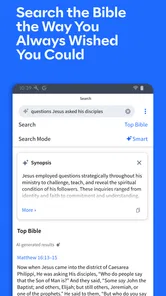
One of the things I love about this app is its user-friendly interface. Even if you're not tech-savvy, you'll find it easy to search for specific verses or topics. You can highlight text, make notes, and even sync your progress across multiple devices. The search functionality is particularly impressive—just type in a word or phrase, and the app pulls up everything related in an instant. It’s a real time-saver when you’re deep into study and don’t want to be distracted by clunky navigation.
More From Our News Desk

Weather by Xiaomi Review: Clear at a Glance, Less Clear Up Close

X Under Pressure: Can It Recover When Posting Goes Wrong?

Clash of Clans Is Won Between the Battles

Android Auto Makes the Case for Quieter Car Software

MobiOffice: Transforming Mobile Productivity with Seamless Integration

EA SPORTS FC™ Mobile Soccer: Redefining Mobile Sports Gaming
Reading and navigation in practice
For a reader with limited time or attention, the most helpful habit is to keep each session focused: find a verse, make a brief note, and follow only the references that answer the question at hand. Search can shorten the route to a passage, but a large results set still needs judgment; related material is not automatically equally useful. I’d treat the app as a study desk rather than a guided course that decides what to read next.
Logos is a reference and study app from Faithlife, rather than a lightweight replacement for every Bible-reading tool. It is free to start, has an Everyone age rating, and has reached over a million installs. Its average rating is 4.8 from around 52,000 ratings, which suggests broad appeal but does not mean every reader will want its depth. The current version is 46.0.2, and the app has been available since July 15, 2011; it requires iOS 11 or later. Optional in-app purchases range from $1.87 to $149.99 per item, so I’d check the cost of any resource before building a study routine around it.
Making search and notes work together
One useful way to keep a search from becoming a string of disconnected results is to treat it as a small research trail. I would write down the question first, search for the passage or phrase, and then use a note to capture what I learned and what still needs checking. That makes the note a bridge back into the study rather than a substitute for it. It also helps me avoid collecting references that look interesting but do not answer the original question.
For a class assignment or a teaching plan, I would separate observations from conclusions. A note such as “compare how these sources explain this phrase” leaves room to think, whereas a confident conclusion written before reading can make later sources feel like confirmation rather than evidence. Logos can put reading and reference material close together, but the careful part remains the reader’s job. That is a strength for independent study and a limitation for anyone hoping the app will supply a ready-made lesson.
Resource Library
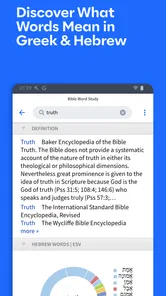
The resource library is where the Logos Bible Study App truly shines. Whether you're looking for ancient texts, modern commentaries, or language tools to help with original biblical languages, this app has it all. Plus, the library is constantly updated with new content, so you’re always in the loop with the latest theological insights. It's a treasure trove for anyone passionate about religious studies.
The library’s breadth is also a reason to be selective. When comparing interpretations, I would note what each source is helping me answer instead of treating a larger stack of books as automatically more authoritative. That approach is especially useful for group leaders: prepare a passage and a few focused questions in advance, then use notes to keep discussion grounded. If you mainly want an uncomplicated reading plan or a single translation, a dedicated reader may take less setup and feel less busy.
Choosing resources without getting buried
A practical trade-off is that more reference material can make a study richer while also making it harder to know where to begin. I would pick one resource for a clear purpose—background, interpretation, or language—and check whether it genuinely changes my understanding before moving to another. For a new user, this is less intimidating than trying to open every available tool at once. It also helps keep optional purchases tied to a real study need rather than a vague wish to own more material.
When I prepare for a group, I would use the library to check a few points that could lead to a thoughtful discussion, then stop researching long enough to form questions in ordinary language. Too many references can crowd out the conversation, especially when participants have different levels of familiarity with biblical study. Logos can help me prepare, but I would not assume that every resource belongs in the session itself. The most useful result may be a clearer question, not a longer explanation.
Interactive Tools
Another standout feature is the range of interactive tools. The app includes maps, timelines, and a variety of multimedia resources that bring the Bible to life. It’s like turning the pages of history with your fingertips. The ability to visualize biblical events and places adds an enriching layer to your study experience. Plus, the app's ability to cross-reference materials helps in understanding complex theological concepts without getting lost in translation.
Access across different situations
On a quiet evening, I can imagine using Logos to prepare a lesson: search a passage, compare a couple of resources, jot down a point to discuss, and revisit those notes when the group meets. In a noisy commute or a rushed break, that same workflow may be less comfortable. A small screen and a crowded search result list reward patience, while a paper Bible or a simpler app may be better when I only need to read a few verses without exploring further.
For different abilities and preferences, the practical question is whether the interface feels comfortable on your own device and in your usual setting. Text-heavy study can demand sustained visual attention, and navigating several tools may involve more steps than straightforward reading. I’d test the basic tasks that matter most to you—opening a passage, locating a word, and saving a note—before relying on it for a long session. A larger screen can make comparing material easier; someone who prefers minimal controls may find a simpler app more accommodating.
Using Logos when time or attention is limited
When I have only a few minutes, I would avoid starting with a broad topic search. A known passage or a specific phrase gives the session a clearer boundary and makes it easier to stop when time runs out. If I am tired or distracted, reading a short section without opening multiple references may be a kinder choice than trying to compare interpretations. The app’s depth is most valuable when I can give it attention; it does not make every setting equally suited to study.
For someone who uses more than one device, the ability to sync progress can make a useful difference: I can make a note during one session and continue the study elsewhere rather than trying to reconstruct it from memory. I would still keep notes understandable on their own, with a passage reference and a short explanation of why I saved them. That small habit makes returning to a study easier, especially if several days pass between reading sessions.
Where the depth can become friction
The main limitation I notice is not a lack of study material but the effort involved in choosing among it. Beginners may wonder which commentary to trust, and experienced readers can still spend more time browsing than thinking. Search is powerful, but broad terms can bring up more than a quick devotional session needs. I’d avoid purchasing resources just because they appear relevant; first identify a recurring need, then decide whether an added book or tool would genuinely help.
There is also a real difference between having access to a reference and knowing how to assess it. A source can be relevant without settling a question, and readers may bring different traditions or levels of experience to the same passage. I find it more responsible to compare explanations and keep uncertainty visible in my notes than to treat the first result as definitive. That extra care takes time, so Logos is not my pick when I want a simple, low-effort reading experience.
Who will feel at home—and who may not
Logos is a strong fit for students, pastors, teachers, and curious readers who want to connect scripture with reference material and keep study notes together. It is less compelling for someone who wants only a clean page of text, a very simple reading habit, or the least possible decision-making. The free starting point makes it reasonable to explore, while optional purchases mean it is worth setting a personal spending boundary before expanding a library.
Compared with a basic Bible reader, Logos asks more of the user but gives a more study-centered way to move between a passage, references, and personal notes. Compared with paper books, it can keep research material and study thoughts in one digital workspace, though some readers will find physical pages easier for sustained reading and less tiring than switching among on-screen material. Neither alternative is automatically better: I would choose based on whether I need depth, portability, or the calmest possible reading setup that day.
For a first try, I would set one modest goal: find a passage, save a note, and see whether the available references help answer a question I genuinely have. That gives a fair impression without requiring a paid resource or an elaborate study plan. If the process feels useful, build a routine around the kinds of questions you ask often. If it feels like too much navigation for too little benefit, a simpler reader is a sensible choice rather than a failure to use Logos properly.
My inclusive verdict
I recommend trying Logos if you want a flexible study workspace and are comfortable learning how its resources fit together. Its search, notes, and reference tools can support different kinds of study, but they do not remove the need to choose a reading pace and a comfortable setup. For a reader who values simplicity above depth, another Bible app may be the better everyday companion. For someone who wants to investigate a passage, prepare to teach, or return to saved thoughts, Logos offers room to work without requiring every session to become an academic project.
My final advice is to judge it by the tasks you actually expect to do, not by how much material the app can hold. If comparing sources and developing questions sounds satisfying, Logos is worth exploring. If frequent choices, dense reading, or screen-based study makes it harder for you to focus, keep a simpler Bible reader or a paper copy close at hand instead. I like that these approaches can complement each other: Logos for the questions that need follow-up, and a quieter reading option for the moments when the text itself is enough.
Logos Bible Frequently Asked Questions
Is Logos Bible Study App free to download, and what might I pay for?
Logos Bible Study App is free to download, so you can try the app without paying upfront. Some additional resources and features are available through in-app purchases, with prices ranging from $1.87 to $149.99 per item. Before buying, check what each option includes and consider whether it matches the way you plan to study.
Who develops Logos Bible Study App, and is it widely used?
Logos Bible Study App is developed by Faithlife and is intended for Bible reading, research, sermon planning, and Bible study. It has an average rating of 4.8 from around 52,000 ratings, and has been installed over a million times. Those figures offer a quick sense of its reach, though whether its tools suit you depends on your own study habits.
Can I use Logos Bible Study App for sermon preparation or group study?
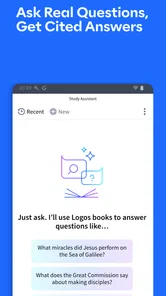
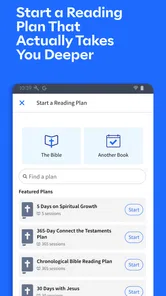
Yes. Logos Bible Study App is designed for research, sermon planning, and leading Bible studies, so it can support both individual preparation and shared discussion. Its study resources, search tools, notes, and reading plans can help you organize material and explore a passage. The features you use will depend on the resources available in your library.
How much storage space does Logos Bible Study App need?
The app itself and any resources you choose to download use space on your device. If you plan to keep books or other study materials available offline, allow for additional storage, since the amount depends on what you download. You can make room by keeping only the resources you need on the device and using online access when convenient.
What is Logos Bible Study App and what are its main features?
Logos Bible Study App is a comprehensive tool designed for in-depth Bible study. Its main features include a vast library of biblical resources, powerful searching capabilities, original language tools, and interactive media. It also offers personalized reading plans, note-taking functionalities, and the ability to sync across devices, making it an essential tool for both beginners and seasoned scholars. The app is in the Books & Reference category and is developed by Faithlife.
Pros
- Extensive biblical resources available.
- User-friendly interface for study.
- Offline access to resources.
- Regular updates with new content.
- Cross-platform synchronization.
Cons
- Requires substantial storage space.
- Some features need paid subscription.
- Occasional slow loading times.
- Limited customization options.
- Complex for beginners.











