

Learn to Read - Duolingo ABC
- 933.00
- 4.0
- Installs
- 10.00M
- Price
- Free
Screenshots
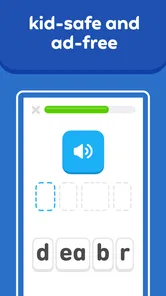
Analysis by Reviewed
When I consider a reading app for a young child, I care about more than whether it can hold their attention: it needs to make a short practice session feel manageable and give an adult a clear sense of what the child is working on. Learn to Read - Duolingo ABC aims at early reading, with activities suited to children around preschool and early elementary age. I see it as a playful place to practise foundational skills, rather than a replacement for reading together or for a teacher’s guidance.
What a short session can realistically do
The app is an education app from Duolingo, and it is free, which makes it easy to try without treating it as a major purchase decision. It is rated for Everyone, and its stated audience is ages 3 to 8. That broad range matters: a child just meeting letters will need a different pace from one who already recognizes common words. I would begin by sitting with the learner for a few sessions, then see whether the activities feel comfortable before making it part of a routine.
For a practical use case, I can imagine opening it after breakfast while a parent gets ready for the day, or using one brief session during a quiet moment at home. The value in that kind of routine is consistency, not a marathon. A useful tip is to stop while the child is still interested rather than turning every session into a test of endurance; a cheerful ending can make it easier to return later. If a child gets stuck, I would treat that as a cue to practise the same sound or word together away from the screen, not simply tap through until the activity is over.
How it fits beside books and other learning tools
Compared with a paper picture book, an app can make letter practice feel more interactive and offer immediate responses, while a book gives an adult more room to pause, ask questions, and follow a child’s curiosity. I would use Duolingo ABC alongside shared reading, not instead of it. Compared with a general-purpose language-learning app, this one is aimed at beginning readers rather than vocabulary study or conversation practice, so it is the more relevant choice when the goal is early literacy. If the child needs focused instruction from an adult, a teacher or a structured reading program is still the better primary resource.
One trade-off with game-like rewards is that a child may become more interested in finishing an activity than thinking about the letters. I would ask them to explain a sound or point it out in a book afterward; that small transfer check tells me more than a row of completed screens. The app can make practice inviting, but an adult still has a useful role in connecting its activities to words the child encounters in daily life.
Making the routine work for different learners
I would choose a quiet, predictable moment rather than offering the app whenever a child is restless. That gives the activity a clear purpose and makes it easier to notice whether the learner is following the reading task or simply enjoying the animation. A parent can sit nearby without turning every tap into a quiz: ask what sound they heard, let them answer in their own words, and move on if they are ready. This keeps the adult involved while leaving the child room to explore.
For a child who is shy about reading aloud, a private practice session may feel less exposing than being asked to perform in front of family. For another child, working alone may be frustrating, especially when a sound is unfamiliar. I would use the app differently in those cases: let the first child try independently, and stay beside the second to turn confusing moments into a quick conversation. The same activity can feel encouraging or difficult depending on the learner’s confidence, so the adult’s response matters as much as the screen.
More From Our News Desk

 Gmail
GmailGmail in a Busy Inbox: Who Benefits Most?
From first account to crowded workday, Gmail earns its place through dependable search and flexible sorting—but its best fit depends on how much inbox maintenance you can tolerate.

 Prime Video
Switching to Prime Video: What Changes in Your Viewing Routine
Prime Video can make a compelling second home for streaming, but switching means learning a different catalog, rental layer, and route from browsing to playback.

 Universal TV Remote Control
Universal TV Remote Control Works Best as a Reliable Backup
A phone remote earns its place through quick setup and reliable habits. Here is how to get more from Universal TV Remote Control—and where its limits show.

 Weather - By Xiaomi
Weather by Xiaomi Review: Clear at a Glance, Less Clear Up Close
Xiaomi’s weather app makes everyday forecasts quick to scan, but its calm surface can leave useful details and recovery paths harder to find than they should be.

 X
XX Under Pressure: Can It Recover When Posting Goes Wrong?
A resilience-focused review of X, examining setup, mistaken posts, interruptions, weak connections, and the gaps that matter when recovery needs to be dependable.

 Clash of Clans
Clash of Clans Is Won Between the Battles
Its raids are quick; its community is a long-term project of coordination, teaching, rivalry, and shared responsibility—with all the friction that entails.
Latest News



It is also worth watching for signs that the child is ready to move on from a particular kind of practice. If they can name a letter but cannot hear its sound in a familiar word, repeating the letter exercise may not address the real gap. I would pause and connect the sound to something nearby—a label, a book title, or an object in the room—then return to the app later. That simple change helps keep screen practice tied to useful reading habits rather than treating completion as the goal.
Speed, reliability, and device fit
I would set expectations for a simple learning app, not a demanding game: the important test is whether lessons open and respond comfortably on the device a family already uses. The current version is 1.22.0, and it requires Android 5.1 or later. That makes the operating-system requirement worth checking before installing on an older device. Performance can also depend on the device’s available resources and condition, so I would try a short session first rather than assume every phone or tablet will feel equally quick.
For heavy-use moments, such as a child moving rapidly from one activity to another, I would watch for signs that the device itself is struggling: delayed touch response, interruptions, or an app that needs reopening. Those are practical reasons to pause, close other demanding tasks, and try again, rather than proof that the lessons are inherently unreliable. If progress is interrupted, returning calmly to the activity is better than asking a young learner to repeat a long session just to make up for lost time. I would keep sessions brief and check that the child is still enjoying the task.
When another format may be the better choice
For a family choosing between a reading app and a stack of library books, I would not frame it as an either-or decision. The app is better suited to short, guided interactions when an adult needs a compact activity that a child can engage with on a screen. Books are stronger when the goal is conversation, imagination, and letting a child linger over a picture or ask an unexpected question. A simple routine can use both: a short app activity followed by a page or two of shared reading, with no pressure to turn either one into a long lesson.
If a child has already moved beyond letter and early-word practice, a more advanced reading resource or an adult-selected book may be more satisfying. Likewise, if a learner needs careful diagnosis of a persistent reading difficulty, I would not rely on any app as the sole guide; a teacher or reading specialist can respond to the child in a way a fixed activity cannot. Duolingo ABC makes most sense as a supplementary practice option for beginners, not as a complete literacy plan or a substitute for individualized instruction.
First Impressions: A Friendly Welcome
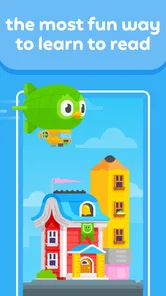
Opening up the app feels like stepping into a vibrant classroom filled with cheerful characters and engaging activities. Learn to Read - Duolingo ABC is designed with young learners in mind, but honestly, anyone at the start of their reading journey could benefit from its playful approach. The user interface is intuitive and colorful, immediately drawing you in with its simplicity and charm.
Learning Experience: Where Fun Meets Education
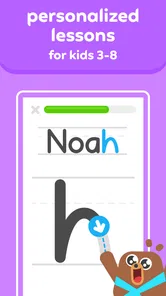
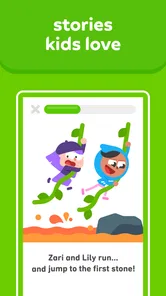
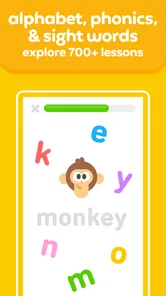
One of the standout elements of the app is its interactive lessons. It cleverly combines phonics, vocabulary, and comprehension in a way that feels more like playing a game than completing a lesson. The app uses a variety of methods to teach reading, including tracing letters, matching words to pictures, and even little stories that make you want to keep going to see what happens next. Each lesson is bite-sized, making it perfect for those short attention spans.
What I love most is how it adapts to the learner’s pace. If you or your little one is struggling with a particular sound or word, the app gently nudges you to practice a bit more without making it feel like a chore. This personalized learning path ensures that frustration is kept to a minimum, and confidence is built with each completed lesson.
Engagement: Keeping You Hooked
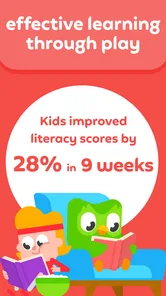
Now, let's talk about engagement. The app does a stellar job of keeping users hooked with its reward system. As you progress, you earn stars and unlock new levels, which is a brilliant way to keep motivation high. There's something incredibly satisfying about seeing those stars stack up, knowing they’re a testament to your hard work and progress.
The characters and animations add an extra layer of charm. They're not just there for decoration; they actively participate in the learning process, offering encouragement and celebrating your achievements. It’s like having a little cheer squad in your pocket!
Keeping rewards in perspective
I would use the stars as a prompt to celebrate effort, not as a measure of how well a child can read. A child may be keen to collect the next reward and rush through a sound they have not fully understood. When that happens, I would slow the pace with a brief question or ask them to find the same sound in a word outside the app. If they can do that, the practice has started to travel beyond the screen; if not, it is a useful sign to revisit the idea without making the child feel they have failed.
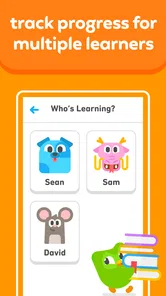
That distinction is especially helpful when siblings or classmates use the app at different speeds. I would avoid comparing their progress or treating a completed stage as proof that one child is ahead. Early reading develops unevenly, and confidence can dip when a child feels watched or hurried. A calm adult can make the reward system feel like encouragement rather than a race, which is a better fit for a tool meant to support young learners.
Final Thoughts: A Must-Try for Budding Readers
In conclusion, Learn to Read - Duolingo ABC is a delightful tool for anyone embarking on their reading journey. Its engaging interface, adaptive learning paths, and interactive lessons make it a standout choice for parents and educators alike. Whether you’re a parent looking to supplement your child’s education or an adult eager to polish up your reading skills, this app has something for everyone.
It has reached more than 10 million installs and has an average rating of 4.2 from around 19,000 ratings, which gives a sense of how widely it is used without telling me whether it will suit a particular child. It was released on May 16, 2022, and has 881 reviews. I would weigh those numbers less heavily than a child’s response after a few short sessions: does the learner stay curious, and can they connect the activity to a letter or word later?
My main reservation is about fit. An older child who already reads comfortably may find the early-literacy focus too basic, while a learner who needs individualized feedback may benefit more from an adult working beside them. And although the app’s gentle repetition can help with practice, screen activities alone cannot provide the shared conversation and context that come from reading a real book together. I’d treat it as one useful tool in a small routine, not the whole routine.
So, why not give it a try? It might just be the key to unlocking a lifelong love of reading. And who knows, maybe you’ll learn a few new things along the way too!
Learn to Read - Duolingo ABC Frequently Asked Questions
What does Duolingo ABC help children learn?
Duolingo ABC is an education app focused on helping children learn to read through fun educational games. Its activities cover phonics and early reading practice, making it a potential fit for families looking for an interactive way to support a young learner’s literacy development. It is designed as a companion to broader reading and learning experiences, not a replacement for them.
Who makes Duolingo ABC?
Duolingo ABC is made by Duolingo, the developer behind the app. It brings the company’s playful approach to an early-reading experience for children, using educational activities to introduce reading basics. Families considering a download can expect an app centered on literacy practice rather than a general-purpose game or a broad collection of school subjects.
Does Duolingo ABC work on my device?
Duolingo ABC is available for Android devices running version 5.1 or later. The app is an education app from Duolingo, designed to help children learn to read through playful activities. Before downloading, check that your device meets the minimum operating-system requirement and has enough available storage for the app and its lessons.
Is Duolingo ABC suitable for children to use on their own?
Duolingo ABC is made for young learners, with approachable, interactive reading activities. A parent or caregiver may still want to help a child get started, choose a comfortable routine, and talk about what they are learning. Sharing the experience can make it easier to encourage practice and support a child when an activity feels challenging.
What age group is Duolingo ABC suitable for?
Duolingo ABC is designed primarily for young children aged 3 to 7 years old. The app offers a range of engaging and interactive activities that cater to early readers, helping them develop foundational literacy skills. However, older children who need extra practice with reading basics can also benefit from using the app.
Pros
- Engaging alphabet games
- Interactive storybooks
- Offline access available
- Child-friendly interface
- Free to use
Cons
- Limited language options
- Requires frequent updates
- No advanced levels
- Ads may distract kids
- In-app purchases












