Las Cruces Sun News
- 82.00
- 3.7
- Installs
- 10.00K
- Price
- Free

Screenshots






Analysis by Reviewed
Las Cruces Sun News is a focused news app for readers who want a direct connection to local reporting rather than an endless stream of unrelated headlines. I found its appeal strongest when I wanted to understand what was happening around Las Cruces while still having access to broader national coverage, photography, and video. It is published by USA TODAY Co., and its place in the News & Magazines category makes sense: this is a reading tool first, not a social feed or a general-purpose web browser.
The app is free to install, with optional in-app purchases ranging from $9.99 to $69.99 per item. That makes it easy to try without committing immediately, although anyone who prefers a completely free news experience should pay attention to which reading options may lead toward a purchase. Its age rating is Everyone 10+, so it is aimed at a broad audience, but news content can naturally include serious subjects that parents may still want to consider.
What to expect when you open Las Cruces Sun News
The first thing I would tell a new user is not to approach this as a replacement for every news source on a phone. Its real value is local relevance. If you live in Las Cruces, work there, study there, have family in the area, or simply want a closer view of the community, the app has a clearer purpose than a national headline aggregator. The local focus gives your reading time a practical direction instead of asking you to sift through a huge mixture of topics.
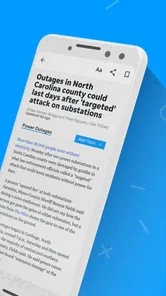
At the same time, the experience is not limited to short local notices. The app presents local and national news together with strong visual material and video content. I appreciated that combination because some stories are easier to understand through an image or a clip than through a block of text. The balance also helps when I have only a few minutes: I can scan headlines, pause on a visual story, and return later to something that deserves more attention.
The app has been available since April 27, 2012, and the current version is 8.10.3. It supports devices running Android 8.0 or later. Those details matter for people using an older phone or tablet. Before installing, I would check the operating system rather than assuming that any Android device will handle it. On a compatible device, the installation path should feel familiar, but the more important decision comes afterward: choosing how to use a local news app without turning every notification or headline into an interruption.
Its average rating is 3.7 from 228 ratings, with 82 written reviews. I read that as a sign to keep expectations realistic. This is useful software for a specific audience, but it will not satisfy everyone. A reader who wants a highly personalized national news dashboard may prefer another app, while someone who values local context may find the narrower editorial focus more useful than a larger service.
Who will get the most from it
I would recommend Las Cruces Sun News first to residents and regular visitors who want local stories close at hand. It can also suit people who moved away but still care about the area and want a convenient way to check community developments. For a person who normally relies on social media for local information, the app offers a more deliberate reading route: open the publication, look through its coverage, and decide what deserves attention without depending entirely on whatever happens to appear in a feed.
More From Our News Desk

Weather by Xiaomi Review: Clear at a Glance, Less Clear Up Close

X Under Pressure: Can It Recover When Posting Goes Wrong?

Clash of Clans Is Won Between the Battles

Android Auto Makes the Case for Quieter Car Software

MobiOffice: Transforming Mobile Productivity with Seamless Integration

EA SPORTS FC™ Mobile Soccer: Redefining Mobile Sports Gaming
It is less suitable for someone who only wants breaking national headlines, financial markets, international reporting, or a single app that combines dozens of unrelated publications. In those cases, a broad news aggregator or a major national newsroom app will probably be more efficient. The trade-off is simple: Las Cruces Sun News gives local coverage a more prominent role, while a general aggregator gives you wider choice but often less connection to one community.
Getting through the first setup without confusion
After installing, I suggest beginning with a short session rather than trying to read everything immediately. Let the main news view establish what the app considers important, then open one local story that genuinely interests you. This creates a better first impression than judging the app from a rapid headline scan. The purpose of the first session is to learn its rhythm: how local items sit beside national coverage, how visual stories are presented, and whether video fits the way you normally consume news.
A useful first decision is whether you want the app to be a quick check-in tool or a deeper reading destination. For quick check-ins, I would open it at a consistent time, scan the local headlines, and save my attention for one or two stories. For deeper reading, I would use the photographs and video as signals that a story may offer more context than its headline suggests. This small distinction prevents the app from becoming another source of background noise.
I would also keep the purchase model in mind from the beginning. The app itself is free, but optional purchases cost between $9.99 and $69.99 per item. A new user should not assume that every possible reading arrangement is included simply because the download costs nothing. If the app presents a purchase choice, pause and identify what you are receiving before confirming it. That is especially important for readers who only want occasional local updates and do not need a paid option.
There is no reason to begin by exploring every section or opening every video. Start with the local reporting, then compare it with one national item. That side-by-side check quickly tells you whether the app’s mix matches your habits. If you are mainly interested in local events, community developments, and nearby issues, the app’s design should feel purposeful. If you immediately find yourself skipping nearly everything for national headlines, you may be better served by a broader news application.
The first meaningful success: building a useful reading habit
For me, the first successful action is not simply opening a story. It is using the app to answer a real question about the community. Imagine that I am planning my day in Las Cruces and want to know whether a local development could affect my plans. I open the app, scan the local coverage, choose the most relevant report, and use the accompanying photography or video when the written article leaves me wanting more context. That is a complete, useful session, even if it lasts only a few minutes.
This workflow is more effective than endlessly refreshing. I would start with the local section or the most clearly local headlines, read the opening paragraphs of a promising story, and then decide whether the subject deserves a full read. If a visual element is available, I would treat it as a second layer of information rather than decoration. A photograph can clarify a place or event, while video may make a developing story easier to follow. The practical insight is to use the app’s different formats to decide what matters, not to consume every format automatically.
Another good routine is a two-pass scan. On the first pass, I look only for stories that affect my immediate interests: the community, local public life, nearby events, or people I know. On the second, I choose one national story for wider context. This keeps the local purpose intact while still using the app’s broader coverage. It also makes the experience less tiring than treating every headline as equally urgent.
If you are helping a family member start using the app, I would demonstrate one complete path instead of explaining every possible option. Show how to open a local report, read enough to understand its basic point, and return to the news view. Then show how to recognize a story that includes more visual material. This is reassuring for a first-time user because the app becomes a simple daily tool rather than a complicated information system.
Where new users may misread the experience
The biggest possible confusion is the difference between a free download and a fully free reading experience. Free installation does not mean that every optional purchase is irrelevant. Because the listed purchase range extends from $9.99 to $69.99 per item, I would treat any payment screen as a decision point. Read the wording carefully, consider whether you need the option, and avoid tapping through simply to return to the news.
Another point of confusion is the relationship between local and national stories. A reader expecting an exclusively local bulletin may wonder why national items appear. I see that mixture as part of the app’s design rather than a flaw, but it means you should judge the service by how easily it helps you reach local coverage. If your daily goal is strictly neighborhood-level information, you may need to be selective instead of expecting every headline to be local.
Video can also change the pace of reading. Some people prefer text because it is faster and easier to consume quietly, while others appreciate a richer presentation. I would not assume that every story needs its video opened. Use it when the subject benefits from seeing the location, people, or event. Skip it when you only need the basic facts. This simple choice helps conserve attention and makes the app feel more responsive to your routine.
The rating of 3.7 suggests that the experience may feel uneven for different users. That does not make the app a poor choice, but it does reinforce the need to test it against your own priorities. A local reader might forgive small moments of friction because the coverage is relevant, while a national-news reader may notice those same moments more sharply because the app is not serving the right purpose in the first place.
Using it alongside, rather than instead of, other news sources
I would compare Las Cruces Sun News with three common alternatives: a national newsroom app, a general aggregator, and social media. The national app is usually better when I want a wide range of major stories from around the country or the world. The aggregator is better when I want to compare multiple publishers in one place. Social media is faster for discovering what people are discussing, but it can be harder to separate useful reporting from reaction and repetition.
The local app’s advantage is concentration. It gives a reader a way to begin with Las Cruces instead of searching for the city inside a much larger service. That can save time and make local reporting feel like the main event rather than an occasional result. Its limitation is the same concentration: if your interests change constantly or you need many viewpoints from many publications, a broader tool may be more flexible.
My preferred arrangement would be to use this app for local awareness and keep another source for subjects it does not prioritize. That is not a criticism; it is a sensible division of work. One app can help me understand what is happening near home, while another can cover international developments or specialized subjects. Trying to force one local publication to replace every other source usually leads to disappointment.
My next-step recommendation after the first week
After several sessions, I would decide whether the app has earned a regular place on my phone by asking three practical questions. Did I use it to learn something relevant about Las Cruces? Did the local focus make news reading faster or clearer? Did the optional purchase structure remain comfortable for my budget and habits? If the answers are positive, a short daily check-in makes sense. If not, there is little reason to keep treating it as a primary news source.
For a first-time user, my strongest tip is to create a purpose before opening the app. Choose one local question, one story to read carefully, or one short visual update to watch. That approach turns the installation into a meaningful result quickly. It also reveals whether the app’s local and national balance works for you without requiring a long trial or an immediate purchase.
The best reason to try Las Cruces Sun News is its local point of view, not the promise of being your only news app. I found it most convincing when I wanted nearby reporting presented alongside broader headlines, with photography and video available to add context. The free entry point makes experimenting easy, while the optional purchases mean I would stay attentive before paying. Readers seeking a community-centered news habit should give it a fair try; readers wanting an all-purpose national or international service should choose a broader alternative instead.
Overall, Las Cruces Sun News is a sensible choice for people who want local news within a straightforward mobile reading experience. It has a clear identity, useful visual coverage, and enough national material to prevent the app from feeling isolated. Its narrower focus and purchase options require a little judgment, but those are manageable trade-offs when local relevance is what you value most.
Las Cruces Sun News Frequently Asked Questions
Who publishes the Las Cruces Sun News app, and what devices can run it?
The Las Cruces Sun News app is published by USA TODAY Co. and is available for Android and iOS devices. On Android, it requires version 8.0 or later, so it is worth checking your device’s operating system before downloading. The app is a news and magazines product intended for readers who want to follow Las Cruces coverage on a phone or tablet.
Is the Las Cruces Sun News app appropriate for younger readers?
The app is rated Everyone 10+, so families may want to consider that age guidance when deciding whether it is suitable for a child. News coverage can address serious or sensitive events, as is common with local journalism. Parents and guardians can review the app’s content and notification settings with younger users and decide what access feels appropriate.
What is the Las Cruces Sun News app?
The Las Cruces Sun News app is a mobile news platform focused on local reporting from Las Cruces and the surrounding southern New Mexico area. It typically provides access to breaking news, community updates, politics, education, crime, business, sports, entertainment, and opinion content. The app is designed for readers who want convenient access to regional journalism from an Android or iOS device.
Is the Las Cruces Sun News app free to download and use?
Downloading the Las Cruces Sun News app is free, allowing users to install it and browse available content without an upfront payment. However, some articles or premium features may require a subscription, registration, or an active digital membership. In-app purchases are listed from $9.99 to $69.99 per item, so review the purchase terms in the app before confirming a transaction.
Does the app require a subscription to read all articles?
The app may allow users to read some news stories for free, while access to the complete article archive, unlimited monthly reading, subscriber-only reporting, or other premium content can depend on a paid subscription. The exact limits may change over time. If you are mainly interested in local journalism, check the in-app subscription page carefully before confirming any recurring purchase.
Pros
- Provides local news coverage focused on Las Cruces and surrounding communities.
- Offers timely updates on regional events
- politics
- education
- and public safety.
- Clean layout makes articles easy to browse on a phone or tablet.
- Useful for staying informed about local issues often missed by national media.
- Supports convenient reading of stories while away from a desktop browser.
Cons
- Some articles or premium content may require a subscription to access.
- Advertising can interrupt reading and make some screens feel cluttered.
- Coverage is highly local
- so it may offer limited value outside the region.
- App performance and loading times may vary with connection quality.
- Push notifications can become frequent unless carefully customized.













